
1. Introduction
This manual provides instructions for the Apple AirPods Max 2 Wireless Over-Ear Headphones. These headphones are designed to deliver high-fidelity audio with advanced features such as Active Noise Cancellation, Adaptive Audio, and Personalized Spatial Audio. Please read this manual thoroughly to ensure proper use and care of your device.
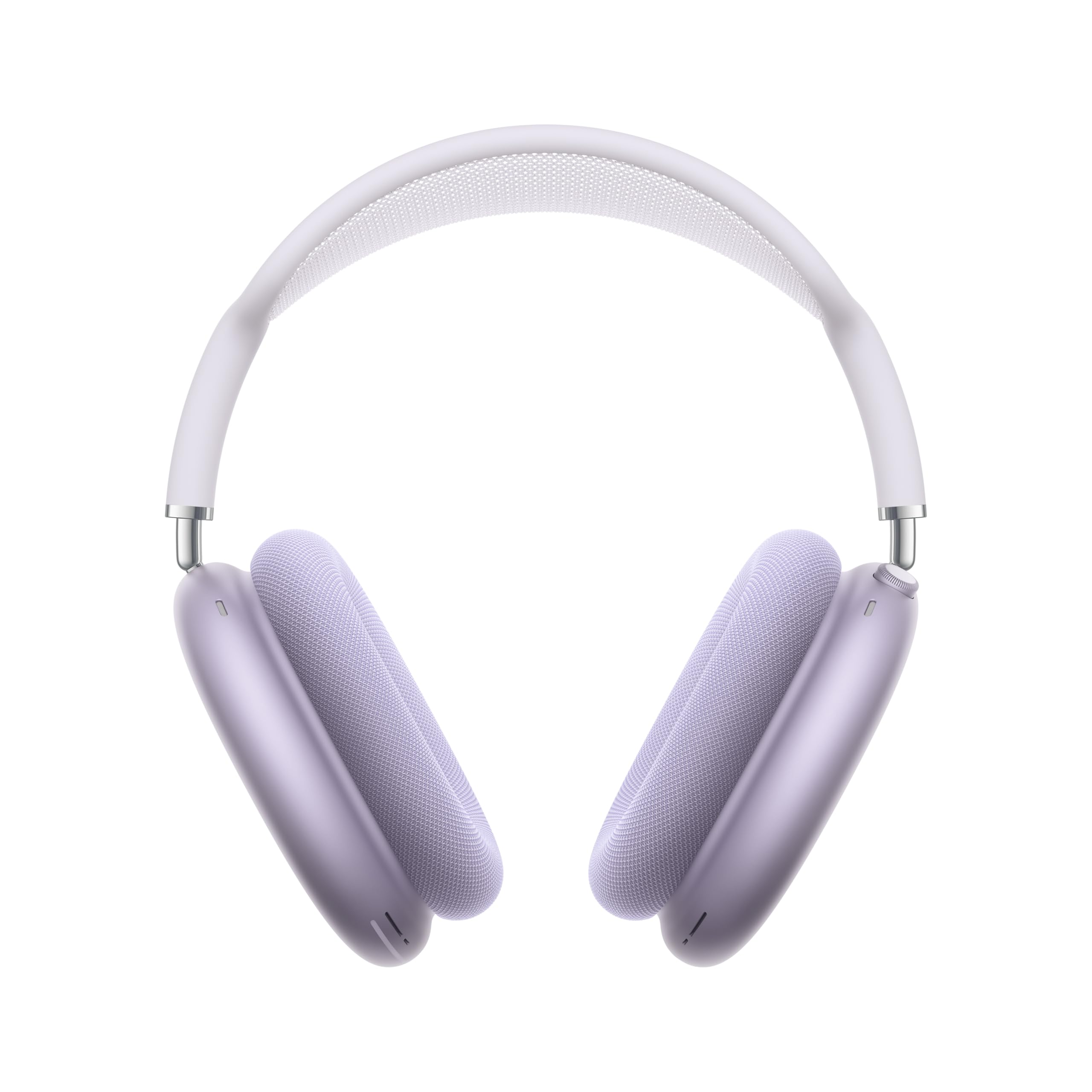
Image: Apple AirPods Max 2 Wireless Over-Ear Headphones in Purple. This image displays the headphones from a front-angle view, highlighting the earcups, headband, and overall design.
2. What's in the Box
The following items are included with your Apple AirPods Max 2:
- AirPods Max 2
- Smart Case
- USB-C Charge Cable
- Documentation (this manual and other guides)

Image: The contents of the AirPods Max 2 packaging, showing the headphones nestled in their Smart Case alongside a white USB-C charging cable.
3. Setup
3.1 Initial Charging
Before first use, ensure your AirPods Max 2 are fully charged.
- Connect the included USB-C Charge Cable to the USB-C port on the bottom of the right earcup.
- Connect the other end of the cable to a compatible USB-C power adapter (sold separately) or a USB-C port on your computer.
- The status light on the bottom of the right earcup will indicate charging status. A full charge provides up to 20 hours of listening time with Active Noise Cancellation and Spatial Audio enabled.
3.2 Pairing with Devices
AirPods Max 2 utilize Bluetooth 5.3 for wireless connectivity.
- For Apple Devices (iPhone, iPad, Mac):
- Ensure your device is unlocked and on the Home Screen.
- Bring your AirPods Max 2 close to your device.
- Follow the on-screen instructions to connect. Once paired with one Apple ID device, they automatically pair with all other supported devices signed in with the same Apple ID.
- For Other Bluetooth Devices (Android, Windows PC):
- With AirPods Max 2 out of the Smart Case, press and hold the Noise Control button on the right earcup until the status light flashes white.
- On your device, go to Bluetooth settings and select "AirPods Max 2" from the list of available devices.
4. Operation
4.1 Controls
Your AirPods Max 2 feature a Digital Crown and a Noise Control button for easy management of audio and calls.
- Digital Crown:
- Turn to adjust volume.
- Press once to play/pause media, answer a call, or mute/unmute during a call.
- Press twice to skip forward.
- Press three times to skip back.
- Press and hold to activate Siri.
- Noise Control Button:
- Press to switch between Active Noise Cancellation and Transparency mode.
- Press and hold to activate Live Translation (when paired with a compatible Apple Intelligence-enabled iPhone).
4.2 Listening Modes
AirPods Max 2 offer various listening modes to adapt to your environment.
- Active Noise Cancellation (ANC): Blocks external sounds, allowing for immersive listening. Up to 1.5x more effective than the previous generation.
- Transparency Mode: Allows you to hear your surroundings while still enjoying your audio.
- Adaptive Audio: Automatically adjusts noise cancellation levels based on your environment.
- Conversation Awareness: Lowers media volume and enhances voices when you're speaking, facilitating natural communication without removing your headphones.

Image: A person wearing AirPods Max 2, illustrating the effect of improved Active Noise Cancellation by showing a serene expression against a dynamic background.

Image: A person wearing AirPods Max 2, with a focus on their ear, representing the Conversation Awareness feature for natural communication.
5. Key Features
5.1 High-Fidelity Audio
Powered by the H2 chip, AirPods Max 2 deliver high-fidelity audio with deep bass, expansive mids, and crisp highs. The custom high dynamic range amplifier ensures clear and balanced sound reproduction.

Image: A person wearing AirPods Max 2, with eyes closed, indicating an immersive experience with high-fidelity audio and unparalleled clarity.
5.2 Personalized Spatial Audio
Experience immersive sound with dynamic head tracking. Spatial Audio is tuned to your unique ear shape, creating a theater-like listening experience that surrounds you.
5.3 Live Translation
When paired with an Apple Intelligence-enabled iPhone running iOS 26.4 or later, press and hold the Noise Control button to activate Live Translation. This feature automatically translates spoken language into your preferred language.
5.4 Lossless Audio with USB-C
Connect your AirPods Max 2 to your device via the USB-C cable to experience lossless audio and ultra-low latency. The USB-C port also allows for convenient charging with your other Apple devices.
5.5 All-Day Battery Life
Enjoy up to 20 hours of listening or movie watching on a single charge with Active Noise Cancellation and Spatial Audio enabled.
6. Maintenance and Care
Proper care will extend the life and performance of your AirPods Max 2.
- Cleaning: Gently wipe the earcups and headband with a soft, dry, lint-free cloth. The ear cushions are magnetically attached and can be removed for separate cleaning or replacement.
- Storage: Always store your AirPods Max 2 in the Smart Case when not in use. The Smart Case puts the headphones into an ultra-low power state to preserve battery charge.
- Water Resistance: AirPods Max 2 are not water resistant. Avoid exposure to liquids, moisture, and excessive sweat. Do not use them during workouts where heavy sweating may occur or in rainy conditions.
- Avoid Extreme Temperatures: Do not expose the headphones to extreme heat or cold.
7. Troubleshooting
If you encounter issues with your AirPods Max 2, try the following steps:
- No Sound:
- Ensure the headphones are charged.
- Check that they are properly connected to your device via Bluetooth.
- Adjust the volume on both your device and the Digital Crown.
- Connectivity Issues:
- Turn Bluetooth off and on again on your device.
- Restart your device.
- If connecting to a non-Apple device, ensure the AirPods Max 2 are in pairing mode (status light flashing white).
- Active Noise Cancellation Not Working:
- Press the Noise Control button to cycle through listening modes.
- Ensure ear cushions are properly seated and form a good seal around your ears.
- Battery Draining Quickly:
- Ensure headphones are placed in the Smart Case when not in use to enter ultra-low power mode.
- Check for firmware updates for your AirPods Max 2.
- Resetting AirPods Max 2: If issues persist, you may need to reset your headphones. Refer to Apple's official support documentation for detailed instructions on how to perform a factory reset.
For further assistance, visit the official Apple Support website or contact Apple customer service.
8. Specifications
| Model Number | MHWP4AM/A |
| Brand | Apple |
| Color | Purple |
| Ear Placement | Over Ear |
| Noise Control | Active Noise Cancellation |
| Audio Technology | Apple-designed dynamic driver, Custom high dynamic range amplifier, Active Noise Cancellation, Adaptive Audio, Transparency mode, Conversation Awareness, Voice Isolation, Personalized Volume, Loud Sound Reduction, Personalized Spatial Audio with dynamic head tracking, Adaptive EQ, Studio-quality audio recording, Lossless Audio and ultra-low latency audio via USB-C |
| Live Translation | For communicating across languages (requires compatible iPhone) |
| Sensors | Optical sensor (each ear cup), Position sensor (each ear cup), Case-detect sensor (each ear cup), Accelerometer (each ear cup), Gyroscope (left ear cup) |
| Microphones | Nine microphones total: Eight for Active Noise Cancellation, Three for voice pickup (two shared with ANC, one additional) |
| Chip | Apple H2 headphone chip (each ear cup) |
| Controls | Digital Crown (volume, play/pause, calls, skip, Siri), Listening mode button (ANC/Transparency, Live Translation) |
| Connectivity | Bluetooth 5.3 wireless technology |
| Battery Life | Up to 20 hours (with ANC and Spatial Audio enabled) |
| Product Dimensions | 9.59 x 9.44 x 3.19 inches |
| Item Weight | 13.6 ounces (0.39 kg) |
| Batteries | 1 Lithium Ion battery (included) |
9. Warranty and Support
Your Apple AirPods Max 2 are covered by Apple's standard limited warranty. For detailed information regarding warranty coverage, please refer to the documentation included in the box or visit the official Apple website.
9.1 AppleCare+
AppleCare+ for Headphones provides extended coverage and technical support. Options include a one-time purchase or a monthly plan. For current pricing and terms, please visit the Apple website or consult your retailer.
- AppleCare+ for Headphones (one-time): $49.00
- AppleCare+ for Headphones (monthly): $2.99
9.2 Customer Support
For technical assistance, service, or additional information, please visit the official Apple Support website: support.apple.com.


