
Important Safety Instructions
Read all instructions carefully before operating this appliance. Failure to follow these instructions may result in electric shock, fire, and/or serious injury.
- Personal Safety: Always wear eye protection, sturdy footwear, and long pants when operating the mower. Do not operate barefoot or in open sandals.
- Area Preparation: Clear the area of objects such as rocks, sticks, wires, bones, and toys that could be thrown by the blade.
- Children and Bystanders: Keep children and bystanders at a safe distance (at least 50 feet) from the mowing area.
- Operation Conditions: Do not operate the mower in wet grass or rain. Operate only in daylight or good artificial light.
- Slope Operation: Mow across the face of slopes, never up and down. Exercise extreme caution when changing direction on slopes. Do not mow excessively steep slopes.
- Blade Safety: Disconnect the battery pack before cleaning, servicing, or removing material from the mower. Never place hands or feet near rotating parts.
- Battery Safety: Use only the specified battery pack and charger. Do not charge the battery in damp or wet locations. Do not incinerate the battery pack.
- Maintenance: Maintain the mower with care. Keep cutting edges sharp and clean. Follow instructions for lubricating and changing accessories.
Package Contents
Verify that all items listed below are included in your package. If any items are missing or damaged, contact customer service.
- 40V Cordless Lawn Mower Unit
- 40V 4.0Ah Battery Pack
- Battery Charger
- Grass Catcher Bag
- Upper Handle Assembly
- Lower Handle Assembly
- Handle Knobs and Bolts (4 sets)
- Safety Key
- Instruction Manual
Assembly
Follow these steps to assemble your etoolab 40V Cordless Lawn Mower.
- Unfolding the Handle: Carefully unfold the lower handle assembly from the main mower unit. Ensure the handle locks into place securely.
- Attaching the Upper Handle: Align the upper handle assembly with the lower handle. Secure it using the provided handle knobs and bolts. Tighten firmly by hand.
- Attaching the Grass Catcher: Lift the rear discharge flap. Hook the grass catcher onto the mower's rear discharge opening. Ensure it is seated correctly to prevent debris from escaping.
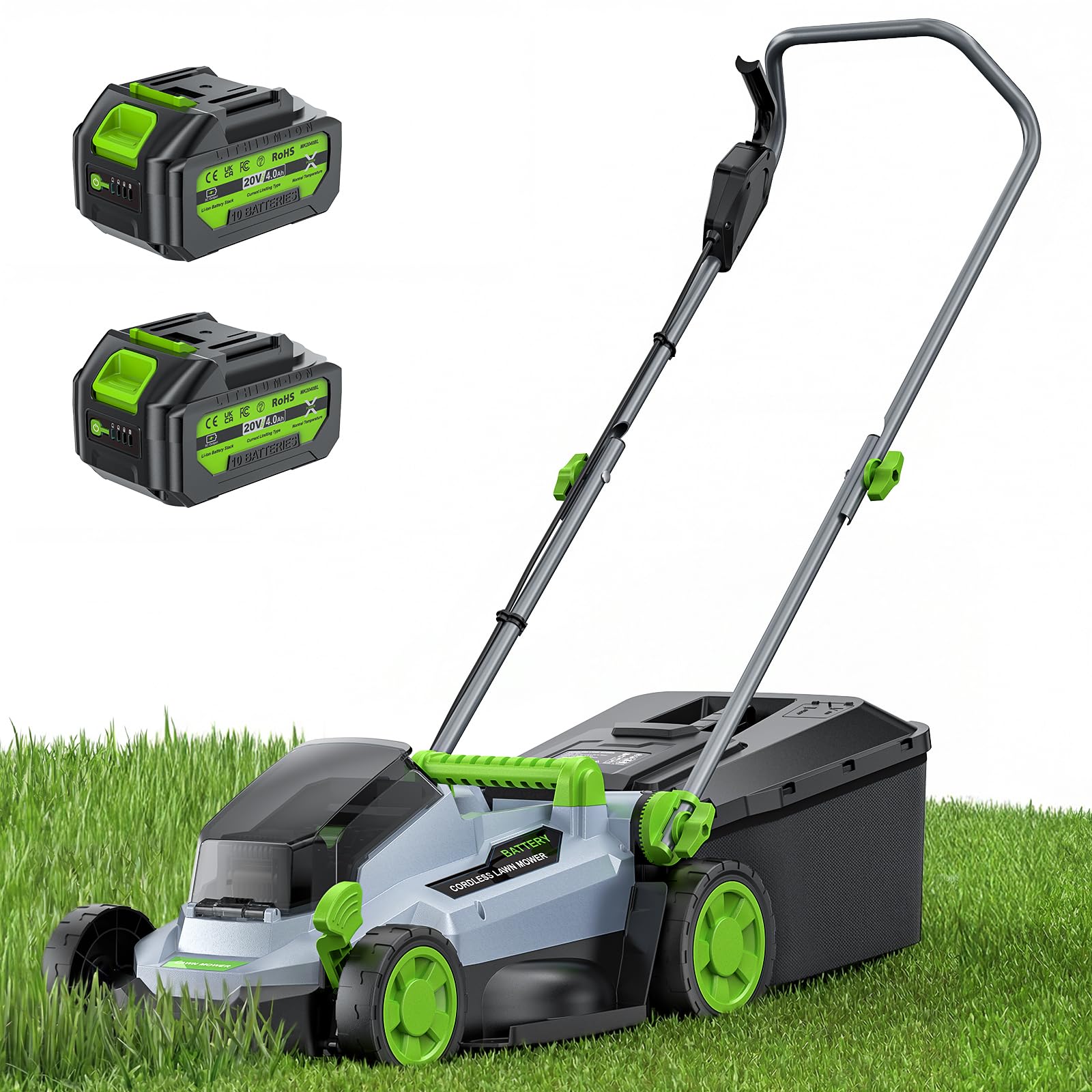
Image: The etoolab 40V Cordless Lawn Mower, model ET-M13, fully assembled with the grass catcher attached. This image illustrates the complete product setup, ready for operation.
Charging the Battery
Before first use, fully charge the 40V 4.0Ah battery pack. A fully discharged battery will take approximately 2 hours to charge.
- Insert the battery pack into the charger. Ensure it clicks into place.
- Plug the charger into a standard 120V AC outlet.
- The charger's indicator light will show the charging status. Typically, a red light indicates charging, and a green light indicates a full charge. Refer to the charger's specific instructions for detailed light patterns.
- Once fully charged, unplug the charger and remove the battery pack.
Note: Do not store the battery pack on the charger. Always store the battery in a cool, dry place away from direct sunlight and extreme temperatures.
Operating Instructions
Follow these steps for safe and effective operation of your lawn mower.
- Pre-Operation Check:
- Ensure the grass catcher is securely attached or the mulching plug is in place.
- Check that all handle knobs are tightened.
- Inspect the mowing area for any debris.
- Inserting the Battery and Safety Key: Insert the fully charged battery pack into the battery compartment. Then, insert the safety key into its slot until it clicks. The mower will not operate without the safety key.
- Starting the Mower: Press and hold the safety button (usually located on the handle). While holding the safety button, pull the bail switch lever towards the handle. The motor will start. Release the safety button once the motor is running.
- Stopping the Mower: Release the bail switch lever. The motor will stop. Always remove the safety key and battery pack when leaving the mower unattended, or before performing any adjustments or maintenance.
- Mowing Technique:
- Overlap cutting swaths slightly to ensure an even cut.
- For best results, cut no more than one-third of the grass blade length at a time.
- Mow in straight lines, pushing the mower at a comfortable, steady pace.
Adjusting Cutting Height
The etoolab 40V Cordless Lawn Mower features multiple cutting height adjustments to suit various grass conditions and preferences.
- Ensure the mower is turned off, the safety key is removed, and the battery pack is disconnected before adjusting the cutting height.
- Locate the height adjustment lever, typically near one of the wheels or centrally located.
- Pull the lever outwards and move it forward or backward to select the desired cutting height. The mower has a 13-inch cutting width.
- Release the lever, ensuring it locks securely into one of the height settings.
- For healthier lawns, it is generally recommended to cut grass higher, especially during hot or dry periods.
Maintenance
Regular maintenance ensures optimal performance and extends the life of your lawn mower. Always disconnect the battery and remove the safety key before performing any maintenance.
- Cleaning: After each use, clean the underside of the mower deck to remove grass clippings and debris. Use a brush or cloth. Do not use water directly on electrical components.
- Blade Inspection: Periodically inspect the blade for sharpness and damage. A dull or damaged blade can lead to poor cutting performance and excessive battery drain. Replace or sharpen the blade as needed. Refer to a qualified service center for blade sharpening or replacement.
- Battery Care: Keep the battery terminals clean. Store the battery in a cool, dry place. For long-term storage, charge the battery to approximately 50% capacity every 3-6 months.
- General Inspection: Check all nuts, bolts, and screws for tightness. Ensure all safety devices are functioning correctly.
Storage
Proper storage helps protect your mower and battery during off-season periods.
- Clean the mower thoroughly before storage.
- Remove the battery pack and safety key. Store them separately in a cool, dry place, away from moisture and direct sunlight.
- Store the mower in a dry, protected area where it is not accessible to children.
- The handle can often be folded for compact storage. Consult the assembly section for handle folding instructions if applicable.
Troubleshooting
This section addresses common issues you might encounter with your etoolab 40V Cordless Lawn Mower.
| Problem | Possible Cause | Solution |
|---|---|---|
| Mower does not start. | Battery not inserted correctly or discharged. Safety key not inserted. Bail switch not engaged. | Ensure battery is fully charged and properly seated. Insert safety key. Engage bail switch lever fully. |
| Mower stops during operation. | Battery discharged. Overload protection activated (e.g., cutting very thick grass). | Recharge battery. Reduce cutting load by raising cutting height or taking smaller swaths. |
| Uneven cut. | Dull or damaged blade. Uneven cutting height adjustment. | Inspect and replace/sharpen blade. Ensure cutting height is set evenly on all wheels/adjusters. |
| Excessive vibration. | Bent or unbalanced blade. Loose components. | Immediately stop the mower. Remove battery and safety key. Inspect blade for damage. Tighten all fasteners. If vibration persists, seek professional service. |
Specifications
Key technical specifications for the etoolab 40V Cordless Lawn Mower, model ET-M13.
| Feature | Specification |
|---|---|
| Brand | etoolab |
| Model Number | ET-M13 |
| Power Source | Battery Powered (40V) |
| Battery Capacity | 4.0Ah |
| Cutting Width | 13 Inches |
| Operation Mode | Manual (Walk-Behind) |
| Product Dimensions (D x W x H) | 26"D x 15"W x 12"H |
| Assembly Required | Yes |
| UPC | 758675877525 |
Warranty and Support
This etoolab product is covered by a limited warranty. For specific warranty terms and conditions, please refer to the warranty card included with your purchase or visit the official etoolab website.
For technical support, replacement parts, or any questions regarding the operation or maintenance of your lawn mower, please contact etoolab customer service. Contact information can typically be found on the product packaging or the official brand website.
Please retain your proof of purchase for warranty claims.