
Introduction
This manual provides detailed instructions for the safe and efficient operation of your Reshow Portable Cassette Tape Player. Please read this manual thoroughly before using the device and retain it for future reference.
Product Overview
The Reshow Portable Cassette Tape Player is designed for playing audio cassette tapes. It features a built-in speaker for direct listening and a headphone jack for private audio. The device can be powered via USB-C or batteries, offering portability and convenience.
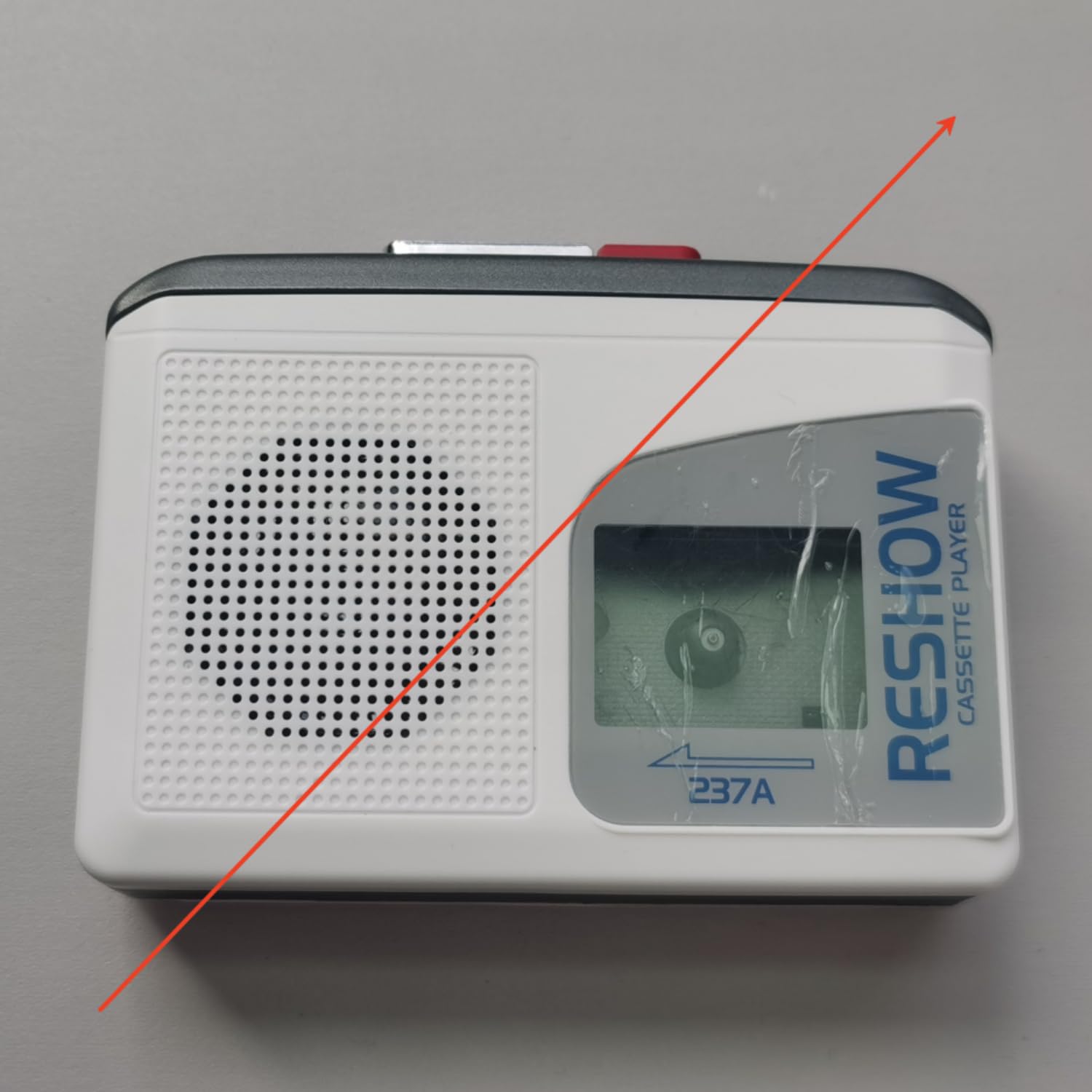
Image: The Reshow Portable Cassette Tape Player, a compact device for playing audio cassettes.

Image: Front view of the Reshow Cassette Player showing the cassette window and playback controls.
Safety Information
- Do not expose the device to water or excessive moisture.
- Avoid extreme temperatures.
- Do not attempt to disassemble or repair the device yourself. Refer to qualified service personnel.
- Use only the specified power source (USB-C cable or appropriate batteries).
- Keep out of reach of children.
Package Contents
Verify that all items are present in the package:
- Reshow Portable Cassette Tape Player
- USB-C Power Cable
- User Manual
Setup
Powering the Device
The cassette player can be powered in two ways:
- USB-C Power: Connect the provided USB-C cable to the USB-C port on the side of the player and plug the other end into a compatible USB power adapter (not included) or a computer USB port.
- Battery Power: Open the battery compartment on the back of the player. Insert 2 AA batteries (not included), ensuring correct polarity (+/-). Close the battery compartment securely.

Image: Side view of the Reshow Cassette Player, highlighting the USB-C power input and headphone jack.
Loading a Cassette Tape
- Press the 'OPEN' button or slide the latch to open the cassette compartment door.
- Insert a standard audio cassette tape with the exposed tape facing upwards and the side you wish to play facing the front.
- Gently close the cassette compartment door until it clicks shut.
Operating Instructions
Playback Controls
- PLAY (►): Press this button to start playing the cassette tape.
- STOP (■): Press this button to stop playback.
- FAST FORWARD (FF): Press this button to quickly advance the tape. Press STOP to disengage.
- REWIND (REW): Press this button to quickly rewind the tape. Press STOP to disengage.
- VOLUME: Rotate the volume dial (typically on the side) to adjust the audio output level.
Using the Built-in Speaker
The built-in speaker will automatically activate when no headphones are connected to the headphone jack. Adjust the volume dial to your desired listening level.
Using Headphones
To listen privately, plug a standard 3.5mm headphone jack into the headphone port on the side of the player. The built-in speaker will automatically mute. Adjust the volume dial for comfortable listening.
Maintenance
Cleaning
- Wipe the exterior of the player with a soft, dry cloth.
- Do not use liquid cleaners or abrasive materials.
- Periodically clean the tape head and pinch roller using a specialized cassette head cleaning kit to ensure optimal sound quality and tape longevity.
Storage
When not in use, store the cassette player in a cool, dry place away from direct sunlight and extreme temperatures. Remove batteries if the device will not be used for an extended period to prevent leakage.
Troubleshooting
| Problem | Possible Cause | Solution |
|---|---|---|
| No power | Batteries are dead or incorrectly inserted; USB-C cable not connected properly. | Replace batteries or check USB-C connection. |
| No sound | Volume too low; headphones connected; tape head dirty. | Increase volume; unplug headphones; clean tape head. |
| Tape not playing/moving | Tape is jammed; tape compartment not closed; batteries low. | Check tape for damage; ensure compartment is closed; replace batteries. |
| Poor sound quality | Dirty tape head; worn-out tape. | Clean tape head; try a different tape. |
Specifications
- Brand: Reshow
- Model: B0GSPR9NFW
- Power Source: USB-C (DC 5V) or 2 x AA Batteries
- Audio Output: Built-in Speaker, 3.5mm Headphone Jack
- Compatible Media: Standard Audio Cassette Tapes
- UPC: 797465915221
Warranty and Support
For warranty information or technical support, please refer to the contact details provided with your purchase or visit the official Reshow website. Keep your purchase receipt as proof of purchase.