
Introduction
This manual provides essential instructions for the safe and efficient installation, operation, and maintenance of your Shrandi DC24V 40x40x10mm Dual Ball Bearing Fan, model RDH4010B. Please read this manual thoroughly before using the product and retain it for future reference.
Safety Information
- Ensure the power supply matches the fan's voltage (DC24V) before connection. Incorrect voltage can damage the fan or connected devices.
- Disconnect power before installation, cleaning, or maintenance to prevent electrical shock.
- Avoid touching the fan blades while the fan is operating.
- Do not obstruct the fan's intake or exhaust to ensure proper airflow and prevent overheating.
- Keep the fan away from water and excessive moisture.
- This product is designed for cooling electronic components. Do not use it for purposes other than its intended use.
Package Contents
Verify that all items are present and in good condition upon unpacking.
- 1 x Shrandi DC24V 40x40x10mm Dual Ball Bearing Fan (Model RDH4010B)
- (Additional mounting hardware or accessories may vary by retailer and are not typically included with the fan unit itself.)
Specifications
| Feature | Detail |
|---|---|
| Brand | Shrandi |
| Model | RDH4010B |
| Dimensions | 40x40x10mm (4CM) |
| Voltage | DC24V |
| Bearing Type | Dual Ball Bearing |
| Cooling Method | Air |
| Noise Level | 1 Decibel (Note: This value seems unusually low and may be a measurement anomaly or specific test condition. Actual operational noise may vary.) |
| Compatible Devices | Amplifier (and other electronic devices requiring 40x40x10mm cooling) |
Setup and Installation
Follow these steps for proper installation of the cooling fan.
- Verify Compatibility: Before installation, confirm that the fan's dimensions (40x40x10mm) and voltage (DC24V) match the requirements of your device.
- Power Disconnection: Ensure the power to the device where the fan will be installed is completely disconnected.
- Mounting: Position the fan in the desired location. The fan typically has mounting holes at each corner. Secure the fan using appropriate screws (not included) that fit the mounting holes. Ensure the fan is mounted securely to prevent vibration.
- Orientation: Observe the airflow direction indicated by arrows on the fan frame (if present). Install the fan to ensure it directs air in the desired direction for optimal cooling (e.g., pushing hot air out or pulling cool air in).
- Wiring: Connect the fan's wires to the DC24V power source. Typically, the red wire is positive (+) and the black wire is negative (-). Ensure correct polarity to prevent damage. If replacing an existing fan, match the wiring configuration.
- Final Check: After mounting and wiring, double-check all connections to ensure they are secure.
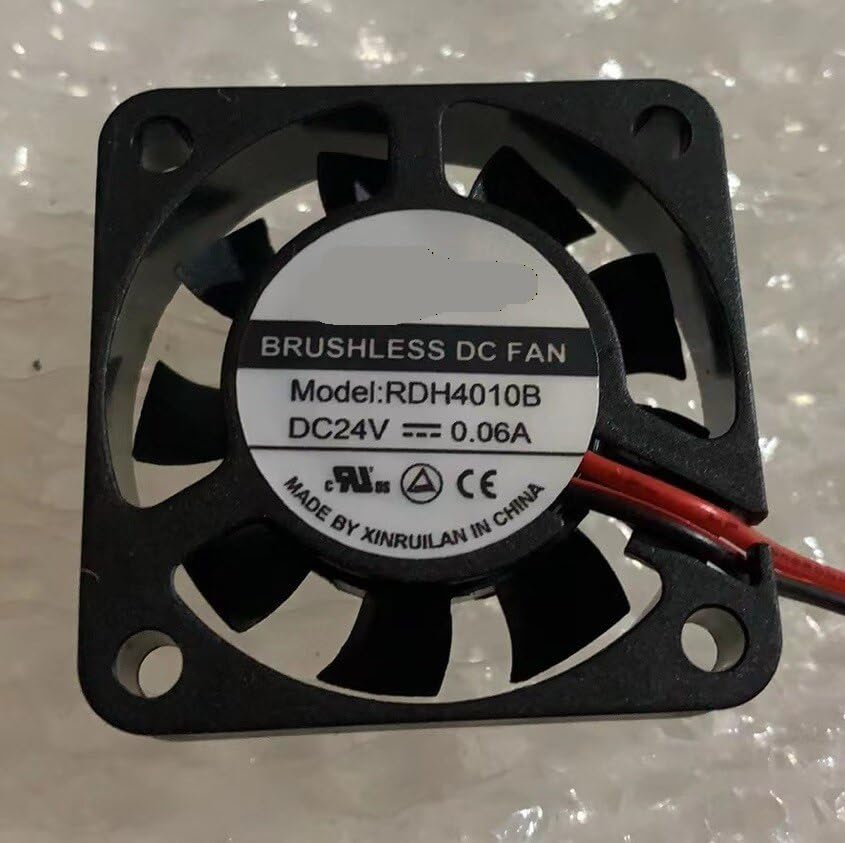
Image 1: Front view of the Shrandi RDH4010B fan, showing the fan blades and mounting holes. This image illustrates the compact 40x40x10mm size and the general appearance of the fan unit.
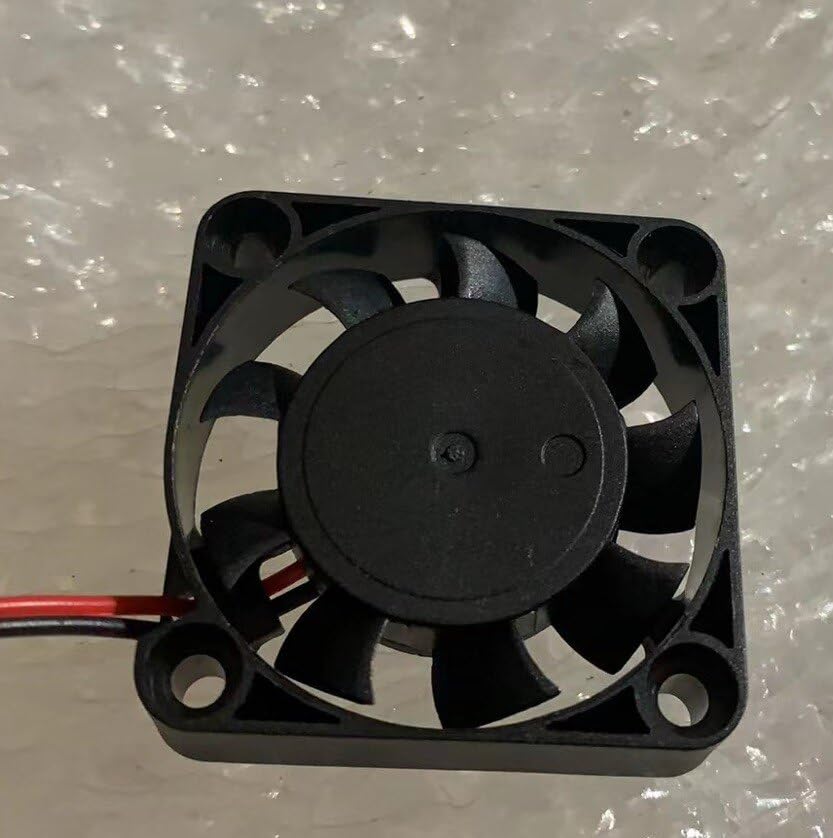
Image 2: Close-up view of the Shrandi RDH4010B fan, highlighting the red and black power wires extending from the fan frame. This image helps in identifying the wiring for installation.
Operation
Once installed and wired correctly, the fan will begin operating when power is supplied to the connected device.
- Initial Power-Up: After installation, carefully reapply power to the device. The fan should start spinning immediately.
- Check Airflow: Verify that the fan is moving air in the intended direction. You can gently feel the airflow with your hand.
- Monitor Performance: Observe the fan for any unusual noises or vibrations during operation. A properly installed dual ball bearing fan should operate smoothly and quietly.
- Continuous Cooling: The fan is designed for continuous operation to maintain optimal temperatures within your electronic device.
Maintenance
Regular maintenance helps ensure the longevity and efficient performance of your cooling fan.
- Dust Removal: Periodically inspect the fan blades and housing for dust accumulation. Dust can impede airflow and reduce cooling efficiency.
- Cleaning Procedure:
- Disconnect power to the device before cleaning.
- Use a soft brush, compressed air, or a vacuum cleaner with a narrow attachment to gently remove dust from the fan blades and grille.
- Avoid using liquids or harsh chemicals for cleaning.
- Bearing Maintenance: Dual ball bearings are generally maintenance-free. Do not attempt to lubricate the bearings unless specifically instructed by the manufacturer, as this can attract dust and shorten lifespan.
- Inspection: Regularly check for any loose wires or mounting screws.
Troubleshooting
| Problem | Possible Cause | Solution |
|---|---|---|
| Fan does not spin | No power supply; Incorrect wiring; Fan failure | Check power connection and ensure device is on; Verify wiring polarity (red to +24V, black to GND); Replace fan if faulty. |
| Fan makes unusual noise or vibrates | Loose mounting; Obstruction; Bearing wear | Tighten mounting screws; Remove any obstructions from blades; If noise persists, consider replacing the fan. |
| Poor cooling performance | Dust accumulation; Obstructed airflow; Incorrect fan orientation | Clean fan blades and grille; Ensure intake/exhaust are clear; Verify fan is pushing/pulling air in the correct direction. |
Warranty and Support
This product is covered by the standard warranty provided by the retailer or manufacturer. Please refer to your purchase documentation for specific warranty terms and conditions.
For technical support or warranty claims, please contact the retailer from whom you purchased the product. Keep your proof of purchase for warranty validation.