
Introduction
This manual provides instructions for installing and operating the LocoLee LED lighting kit designed for the LEGO 11376 Ford Model T building set. This product is an accessory light kit only; the LEGO model is not included and must be purchased separately or already owned.
The RC (Remote Control) version of this light kit allows for remote adjustment of lighting functions.
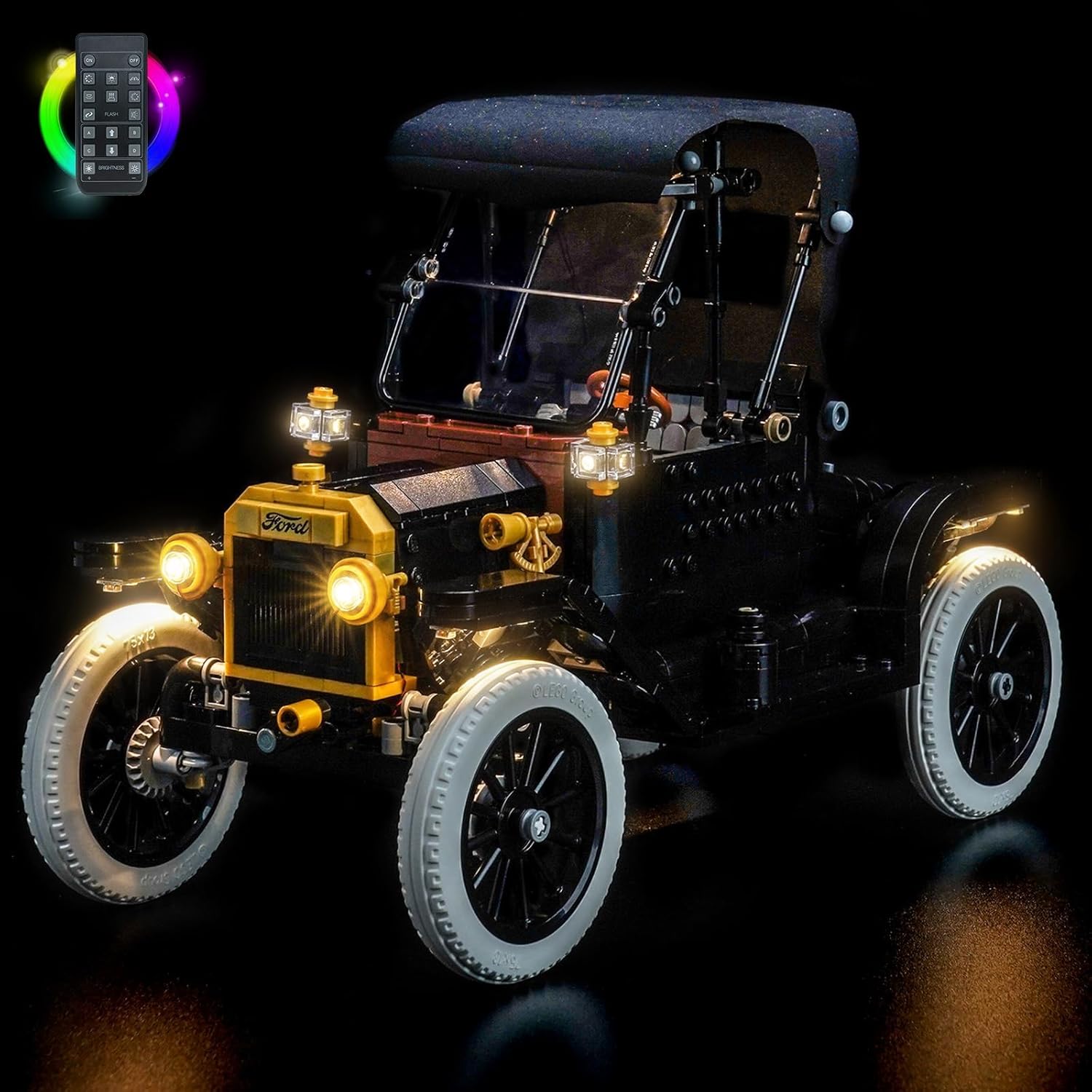
Image: The LocoLee light kit illuminates the LEGO 11376 Ford Model T, highlighting its details in a dark setting.
Safety Information
To ensure safe use of this product, please observe the following:
- This product contains small parts. Keep out of reach of small children to prevent accidental ingestion.
- The light kit operates on low voltage (less than 5V). Use only with a compatible USB power source.
- Do not pull wires excessively during installation to avoid damage.
Package Contents
Verify that all components listed below are present in your package:
- Instruction Manual (online access)
- Light set components (various LED lights, connecting cables, expansion boards, power supply, remote control)

Image: Overview of the light kit components, including high-brightness lights, warm white lights, red lights, hard light bars, connecting cables, expansion boards, power supply, and remote control.
Setup and Installation
Follow these steps to install your LocoLee light kit:
- Online Instructions: Access the detailed video or PDF installation instructions online. A QR code or URL for these instructions is typically provided with the product packaging.
- Pre-Assembly Test: Before integrating into the model, test each light component to ensure it functions correctly.
- Disassembly: Carefully disassemble only the necessary bricks of your LEGO 11376 Ford Model T to allow for light fixture placement. Refer to the online instructions for specific areas.
- Wire Management: Route the connecting cables carefully. Ensure wires are not pinched or pulled too hard, as they are small and delicate.
- Power Connection: Connect the light kit to a USB power source. The lights are designed to operate with a voltage less than 5V.

Image: A side-by-side comparison illustrating the visual enhancement of the LEGO 11376 Ford Model T with the light kit installed.
Operating Instructions
This RC (Remote Control) version allows for convenient operation of your light kit:
- Power On/Off: Use the remote control to switch the lights on or off.
- Brightness Adjustment: The remote allows you to adjust the brightness levels of the installed lights.
- Frequency Control: Adjust the flashing frequency across different lighting zones, if applicable.
Video: Demonstration of the LocoLee light kit installed on the LEGO 11376 Ford Model T, showcasing the lighting effects and remote control functionality.

Image: The illuminated LEGO 11376 Ford Model T with the remote control for the light kit.
Maintenance
To ensure the longevity and optimal performance of your light kit:
- Keep the light kit and model free from dust. Use a soft, dry cloth for cleaning.
- Avoid exposing the kit to excessive moisture or extreme temperatures.
- Periodically check wire connections to ensure they are secure.
Troubleshooting
If you encounter issues with your light kit, consider the following:
- Lights Not Working:
- Ensure the USB power source is connected and functioning.
- Check all cable connections for proper seating.
- Verify that the remote control has working batteries and is pointed towards the receiver.
- Dim Lights:
- Confirm the power source provides sufficient power (less than 5V).
- Adjust brightness settings using the remote control.
- Damaged Wires: If wires are damaged, contact customer support for replacement parts. Do not attempt to repair damaged wires yourself.
Specifications
| Feature | Detail |
|---|---|
| Brand | LocoLee |
| Model Compatibility | LEGO 11376 Ford Model T |
| Model Number | 11376 |
| Version | RC (Remote Control) |
| Power Source | USB (Voltage less than 5V) |
| Material | Plastic, Copper lines |
| Included Components | Light set, Instruction Manual (online) |
Warranty and Support
LocoLee products are manufactured with high-quality materials and undergo quality checks. If you have any questions or require assistance with the product, please contact LocoLee customer support. Replacement parts are available for aftercare services.
For support, please refer to the contact information provided on the product packaging or the official LocoLee website.