
1. Introduction
Thank you for choosing the Lepwings USB Desk Fan with LED Light, Model WD-279. This versatile device is designed to provide personal cooling and convenient illumination for various settings, including your office, home, or outdoor activities. This manual contains important information regarding the safe use, operation, and maintenance of your fan. Please read it thoroughly before using the product and retain it for future reference.
2. Safety Instructions
To ensure safe operation and prevent damage, please observe the following safety precautions:
- Do not immerse the fan or its power cord in water or other liquids.
- Keep the fan away from heat sources, direct sunlight, and flammable materials.
- Do not attempt to disassemble, repair, or modify the fan. Contact customer support for assistance.
- Use only the provided USB-C charging cable and a compatible power adapter (5V/2A recommended).
- Ensure that fingers, hair, or other objects do not enter the fan grille during operation.
- This appliance is not intended for use by persons (including children) with reduced physical, sensory or mental capabilities, or lack of experience and knowledge, unless they have been given supervision or instruction concerning use of the appliance by a person responsible for their safety.
- Dispose of the battery according to local regulations. Do not expose the battery to fire or extreme temperatures.
3. Package Contents
Verify that all items are present in the package:
- Lepwings 8-inch LED Desk Fan
- USB-C Charging Cable
- User Manual
4. Product Overview
The Lepwings USB Desk Fan combines powerful airflow with a 5000K LED light. It features a 4400mAh rechargeable battery for portability, three fan speeds, and a 360-degree adjustable head for directional airflow. A built-in hook allows for versatile placement options.

Figure 1: Product dimensions and adjustable features. The fan measures 23.5cm (9.25in) in height and 20.6cm (8.11in) in width. It offers 180-degree vertical tilt and 360-degree horizontal swivel for flexible airflow direction.

Figure 2: Multifunctional design demonstrating the fan's use as a table fan for studying or makeup, a wall-mounted fan in the kitchen, and a hanging fan for camping, highlighting its versatility.
5. Setup
5.1 Initial Charging
Before first use, fully charge the fan. Connect the provided USB-C charging cable to the fan's charging port and plug the other end into a compatible USB power source (e.g., wall adapter, computer, power bank). The charging indicator will show the charging status.
5.2 Placement
The fan can be placed on a flat surface such as a desk or bedside table. For hanging, utilize the built-in hook located at the bottom of the fan base. This allows for placement in tents, on branches, or wall mounts.

Figure 3: Features for versatile setup, including a built-in bottom hook for hanging in tents or on walls, a 4400mAh battery for all-night cooling, and a 5000K soft LED light.
6. Operating Instructions
6.1 Powering On/Off and Fan Speed Adjustment
Locate the fan control button. Press the button once to turn on the fan at low speed. Subsequent presses will cycle through medium speed, high speed, and then turn the fan off. The fan operates quietly, with a noise level as low as 23 dB.

Figure 4: Fan speed settings and approximate battery life. Low speed provides up to 14 hours, medium speed up to 6.5 hours, and strong speed up to 4 hours of operation.

Figure 5: The fan operates at a whisper-quiet 23dB, making it suitable for office or study environments without disturbance.
6.2 LED Light Operation
The fan features a separate control for the 5000K LED light. Press the light control button to turn the LED ring on or off. This light can be used independently of the fan function, serving as a desk lamp or camping lantern.

Figure 6: The soft LED ring provides illumination, ideal for bedtime reading. The fan can be powered by its internal battery or directly via USB-C.
6.3 Adjusting Airflow Direction
The fan head can be tilted 180 degrees vertically and swiveled 360 degrees horizontally. Gently adjust the fan head to direct the airflow precisely where needed.
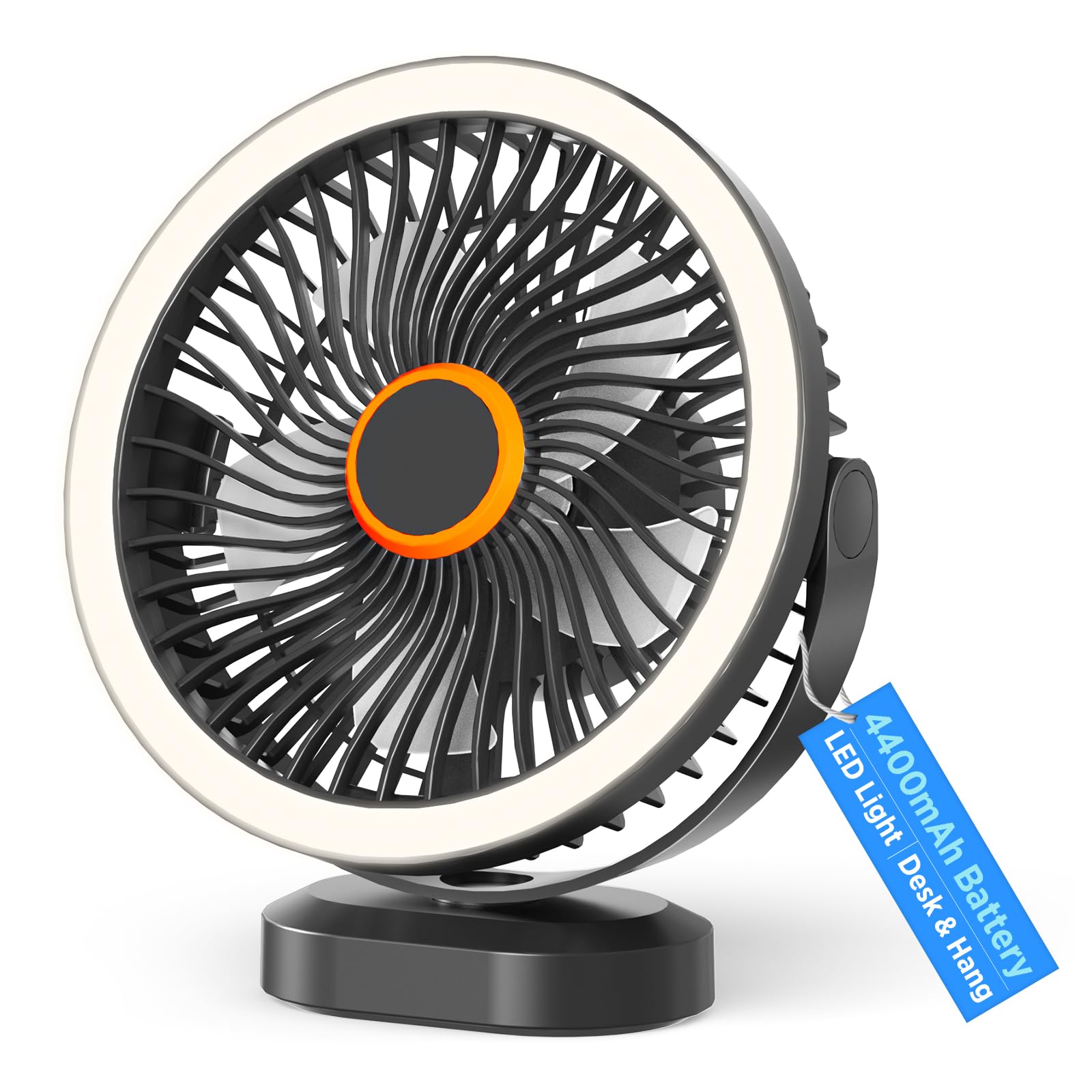
Figure 7: The fan's 180-degree tilt and 360-degree swivel capabilities allow for flexible airflow in any direction, adapting to various user needs and environments.
7. Maintenance
7.1 Cleaning
The fan is designed for easy cleaning without disassembly. To clean the fan, ensure it is turned off and unplugged. Use a soft, dry cloth to wipe the exterior surfaces and the fan grille. Do not use abrasive cleaners, solvents, or immerse the fan in water.
7.2 Storage
When not in use for extended periods, store the fan in a cool, dry place, away from direct sunlight and extreme temperatures. It is recommended to charge the battery every 3 months to maintain its lifespan.
8. Troubleshooting
If you encounter issues with your fan, please refer to the following common problems and solutions:
- Fan not turning on: Ensure the battery is charged. Connect the USB-C charging cable and try again.
- LED light not working: Check if the light control button has been pressed. Ensure the fan has sufficient battery charge.
- Weak airflow: Verify that the fan is set to the desired speed. Ensure there are no obstructions blocking the fan grille.
- Fan making unusual noise: Turn off the fan and check for any foreign objects caught in the blades. If the noise persists, discontinue use and contact customer support.
If the problem persists after attempting these solutions, please contact Lepwings customer support for further assistance.
9. Specifications
| Model Number | WD-279 |
| Brand | Lepwings |
| Battery Type | Lithium-polymer |
| Battery Capacity | 4400 mAh |
| Dimensions (L x W x H) | 23 x 20 x 7.5 cm (9.06 x 7.87 x 2.95 inches) |
| Weight | 670 grams (1.48 lbs) |
| Noise Level | 23 Decibels (min) |
| Fan Speeds | 3 (Low, Medium, High) |
| LED Color Temperature | 5000K |
| Charging Port | USB-C |
| Approximate Run Time | Low: 14-16 hours, Medium: 6.5-8 hours, High: 4-5 hours |
10. Warranty and Support
Lepwings products are manufactured to high-quality standards. For any questions, technical support, or warranty claims, please contact Lepwings customer service through the retailer where the product was purchased or visit the official Lepwings website for contact information. Please have your model number (WD-279) and purchase details ready when contacting support.