
Introduction
This manual provides detailed instructions for the safe and efficient operation of your Globluum SU7 96GB MP3 Player. Please read this manual thoroughly before using the device and retain it for future reference.
Safety Information
- Do not immerse the device in water.
- Avoid operating or storing the device in high-temperature environments exceeding 55°C (131°F).
- Use only the provided charging cable and accessories.
- Avoid dropping or subjecting the device to strong impacts.
- Do not attempt to disassemble or repair the device yourself. Contact customer support for assistance.
What's in the Box
Verify that all items are present in the package:
- Globluum SU7 MP3 Player x1
- User Manual x1
- Type-C Charging Cable x1
- 3.5mm Wired Earphones x1
- 64GB microSDXC card x1 (pre-installed or separate)
- Protective Case x1

Image: Globluum SU7 MP3 Player with its accessories, including the user manual, 64GB microSD card, wired earphones, USB-C charging cable, and a transparent protective case.
Device Overview
Physical Features
The Globluum SU7 features a 4-inch touchscreen display and a compact design for portability. It weighs approximately 98 grams and includes a protective case for durability.
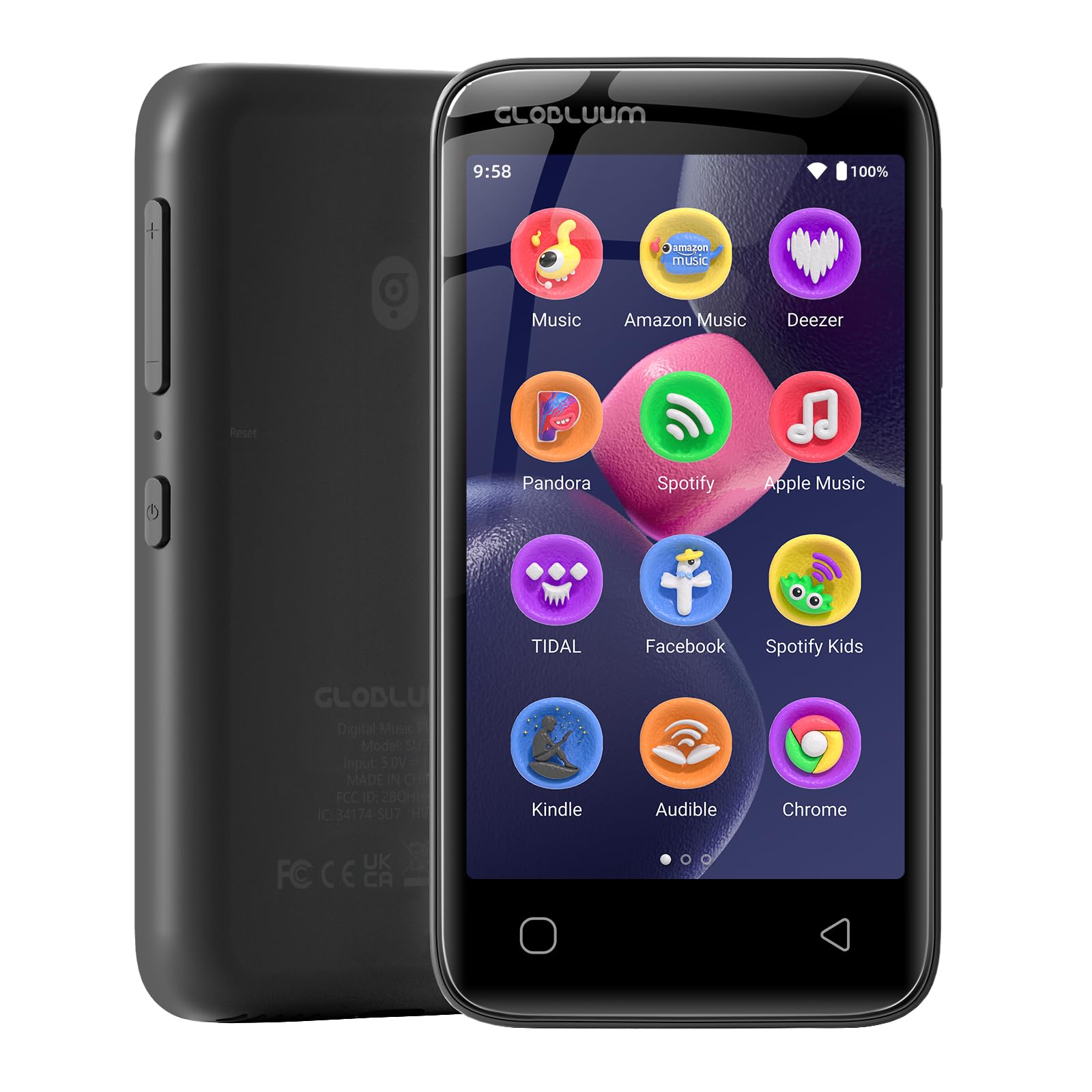
Image: Front view of the Globluum SU7 MP3 Player, highlighting its touchscreen interface.
Ports and Buttons
- Power Button: Located on the side, used for powering on/off and screen lock.
- USB-C Port: For charging and data transfer.
- 3.5mm Audio Jack: For connecting wired earphones or headphones.
- MicroSD Card Slot: For expanding storage capacity up to 1TB.
Setup
Initial Charge
Before first use, fully charge the device using the provided Type-C charging cable and a compatible USB power adapter (not included).
Powering On/Off
- To power on: Press and hold the side power button for 3 seconds until the screen illuminates.
- To power off: Press and hold the side power button, then select "Power off" on the screen.
- To lock/unlock screen: Briefly press the side power button.
Wi-Fi Connection
The device supports dual-band Wi-Fi for stable internet connectivity.
- From the home screen, swipe down to access the quick settings panel or navigate to Settings.
- Tap on Network & internet, then Wi-Fi.
- Toggle Wi-Fi On.
- Select your desired network from the list.
- Enter the password if prompted and tap Connect.

Image: The Globluum SU7 MP3 Player connected via Bluetooth in a car, demonstrating wireless connectivity.
Operating Instructions
Bluetooth Pairing
The device features Bluetooth 5.0 for stable connections with headphones and speakers.
- Navigate to Settings > Connected devices > Bluetooth.
- Toggle Bluetooth On.
- Ensure your Bluetooth headphones or speaker are in pairing mode.
- Select your device from the list of available devices to pair.

Image: The Globluum SU7 MP3 Player showcasing its dual-band Wi-Fi and Bluetooth 5.0 capabilities for stable connections.
Music Playback
The device comes preloaded with various music streaming applications including Spotify, Spotify Kids, Amazon Music, Pandora, Deezer, TIDAL, and YouTube Music. It also includes HiBy Music for lossless local file playback and hardware-level FLAC/APE decoding.
- Tap on your preferred music application icon from the home screen.
- Browse or search for music.
- Tap on a song or playlist to begin playback.
- Use the on-screen controls for play/pause, skip, and volume adjustment.

Image: The Globluum SU7 MP3 Player showing a music playback interface with logos of supported streaming services like Spotify and Amazon Music.
Audiobook and Podcast Playback
Audible, Libby, and LibriVox are preloaded for accessing audiobooks and podcasts.
- Open the desired audiobook or podcast application.
- Download or stream your content.
- Use the application's controls for playback.

Image: A user enjoying an audiobook on the Globluum SU7 MP3 Player during transit, highlighting pre-installed apps like Audible and Libby.
Video Playback
The MX Player is preinstalled and supports MKV, AVI, MP4, and MOV video formats for smooth video playback.
- Transfer video files to the device's storage or microSD card.
- Open the MX Player application.
- Select the video file you wish to play.

Image: A child watching a video on the Globluum SU7 MP3 Player, which is mounted on a car seat headrest, demonstrating its video playback capability.
App Management (Google Play)
The device runs Android 14 with Google Play pre-installed, allowing for automatic app updates and the download of additional applications. Your playlists, favorites, and subscriptions can sync across devices.
- Locate and tap the Google Play Store icon. (Note: It might be located within the settings menu initially and may require an update.)
- Sign in with your Google account.
- Browse and download desired applications.
- Ensure Google Play is updated for security and functionality.

Image: The Globluum SU7 MP3 Player screen showing the Google Play Store, indicating access to various applications.
E-Reading
Kindle and Moon+ Reader Pro are preloaded for online and offline reading, supporting EPUB, PDF, MOBI, and TXT formats.
File Transfer
Connect the device to a computer using the USB-C cable. The device will appear as a removable storage device, allowing you to drag and drop files.
Video: An overview of the Globluum SU7 MP3 Player, demonstrating its features and ease of use. This video highlights the device's simple touch screen and readiness for use right out of the box.
Maintenance
- Cleaning: Use a soft, dry cloth to clean the screen and body. Avoid abrasive cleaners or solvents.
- Storage: Store the device in a cool, dry place away from direct sunlight and extreme temperatures.
- Battery Care: To prolong battery life, avoid fully discharging the battery frequently. Charge the device regularly. The device offers an average battery life of 25 hours.
- Software Updates: Periodically check for system updates through the device's settings to ensure optimal performance and security.
Troubleshooting
Device Not Powering On
- Ensure the device is fully charged. Connect it to a power source for at least 30 minutes.
- Perform a hard reset by pressing and holding the power button for 10-15 seconds.
Touchscreen Unresponsive
- Restart the device.
- Ensure the screen is clean and free of debris or moisture.
- If a screen protector is installed, ensure it is properly applied and not interfering with touch sensitivity.
Cannot Connect to Wi-Fi/Bluetooth
- Ensure Wi-Fi/Bluetooth is enabled in settings.
- Restart the device and the router/Bluetooth accessory.
- Check if the Wi-Fi password is correct.
- For Bluetooth, ensure the accessory is in pairing mode and within range.
Poor Sound Quality
- Check headphone connection or Bluetooth connection stability.
- Ensure the audio file is not corrupted or of low quality.
- Adjust equalizer settings if available in the music application.
Specifications
| Brand | Globluum |
| Model Name | SU7 |
| Memory Storage Capacity | 96 GB (32GB built-in + 64GB Micro SD card) |
| Color | Glossy Black |
| Screen Size | 4 inches |
| Connectivity Technology | Aux, Bluetooth 5.0, USB, Wi-Fi (Dual-Band) |
| Special Features | Built-In Speaker, Equalizer, FM Radio, Touch Screen, Video Playback |
| Compatible Devices | Headphones, Personal Computer, Smartphone, Speaker |
| Supported Media Type | Micro SD, Micro SDHC, Micro SDXC |
| Display Technology | LCD |
| Battery Average Life | 25 hours |
| Item Weight | 3.46 ounces (98g) |
| Item Dimensions (D x W x H) | 0.43"D x 2.44"W x 4.65"H |
| Operating System | Android 14 |
| CPU | 12nm |
| RAM | 3GB |
Warranty and Support
Manufacturer's Warranty
The Globluum SU7 MP3 Player comes with a 1-Year Manufacturer Warranty. This warranty covers defects in materials and workmanship under normal use.
For warranty claims or technical support, please contact Globluum customer service through their official website or the retailer where the product was purchased. Please have your proof of purchase and product model number (SU7) ready.

