
1. Introduction
Thank you for choosing the iBELL CLOUD390 Infrared Cooktop. This manual provides essential information for the safe and efficient operation, maintenance, and troubleshooting of your new appliance. Please read this manual thoroughly before use and retain it for future reference.

Image: The iBELL CLOUD390 Infrared Cooktop, designed for modern living.
2. Safety Instructions
To prevent injury or damage, always observe basic safety precautions when using electrical appliances. This cooktop generates heat; improper use can result in burns or fire.
- Do not touch hot surfaces. Use handles or knobs.
- Ensure the cooktop is placed on a stable, heat-resistant surface.
- Do not immerse the cord, plugs, or appliance in water or other liquid.
- Close supervision is necessary when any appliance is used by or near children.
- Unplug from outlet when not in use and before cleaning. Allow to cool before putting on or taking off parts.
- Do not operate any appliance with a damaged cord or plug, or after the appliance malfunctions or has been damaged in any manner.
- Do not use outdoors.
- Do not let the cord hang over the edge of a table or counter, or touch hot surfaces.
- Do not place on or near a hot gas or electric burner, or in a heated oven.
- Always attach plug to appliance first, then plug cord into the wall outlet. To disconnect, turn any control to 'off', then remove plug from wall outlet.
- Do not use appliance for other than intended use.
- Use only with compatible cookware as specified in this manual.
3. Product Overview
Components
The iBELL CLOUD390 Infrared Cooktop features a durable crystal glass top, a touch control panel, and a temperature control knob. It is designed for ease of use and portability.
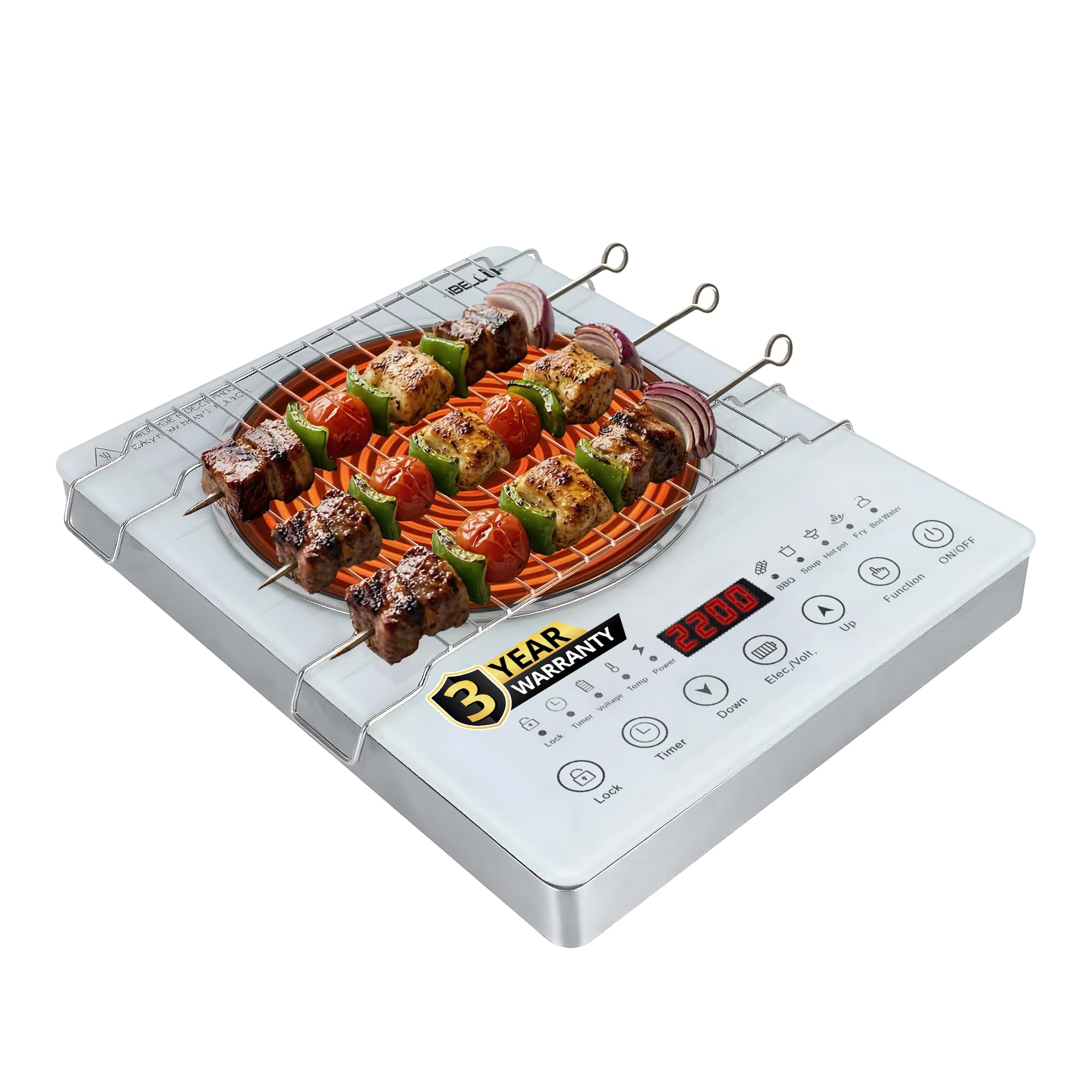
Image: The iBELL CLOUD390 Infrared Cooktop with its control panel and heating surface.
Key Features
- Powerful 2200W Infrared Heating: Delivers fast and uniform heating.
- Touch Control Panel: For intuitive operation.
- Temperature Control Knob: Allows for precise heat settings.
- Premium Crystal Glass Design: Offers durability, heat resistance, and easy cleaning.
- Versatile Cookware Compatibility: Works with various materials including stainless steel, aluminum, cast iron, ceramic, copper, and glass.
- Portable Design: Compact and lightweight with strong side handles for easy movement.
- Energy-Efficient: Optimized for lower power consumption.
- Reliable Operation: Functions efficiently even during minor voltage fluctuations.

Image: The cooktop emphasizing its 2200W heating capability.
4. Setup
- Unpacking: Carefully remove the cooktop from its packaging. Retain packaging materials for future storage or transport.
- Placement: Place the cooktop on a flat, stable, and heat-resistant surface. Ensure there is adequate ventilation around the appliance (at least 10 cm clearance from walls or other objects).
- Power Connection: Plug the power cord into a standard 220V AC electrical outlet. Ensure the outlet is properly grounded.
- Initial Cleaning: Before first use, wipe the glass surface with a damp cloth to remove any dust or residue from manufacturing.
5. Operating Instructions
Basic Operation
- Power On: Press the 'On/Off' button to turn on the cooktop. The display will illuminate.
- Place Cookware: Place your desired cookware, containing food or liquid, centrally on the heating zone.
- Select Function/Adjust Temperature: Use the 'Function' button to cycle through preset cooking modes or use the 'Up' and 'Down' buttons or the temperature control knob to adjust the heating power/temperature.
- Cooking: The cooktop will begin heating. Monitor your food as it cooks.
- Power Off: After cooking, press the 'On/Off' button to turn off the cooktop. The display may show 'Hot' until the surface cools down.

Image: User operating the iBELL CLOUD390 Infrared Cooktop for daily cooking.
Timer Function
The cooktop includes a timer function for precise cooking control.
- Press the 'Timer' button.
- Use the 'Up' and 'Down' buttons to set the desired cooking time.
- The cooktop will automatically turn off once the set time has elapsed.

Image: The cooktop's control panel showing the timer function.
Temperature Control
Adjust the cooking temperature or power level using the dedicated knob or 'Up'/'Down' buttons for various cooking needs.

Image: The cooktop's control panel indicating temperature adjustment.
Using the Grill Rack
The iBELL CLOUD390 is compatible with a grill rack for specific cooking methods like grilling roti or skewers.
- Place the grill rack securely over the heating zone.
- Ensure food items are placed directly on the rack or in appropriate grill-safe containers.
- Exercise caution as the grill rack and surrounding areas will become very hot.
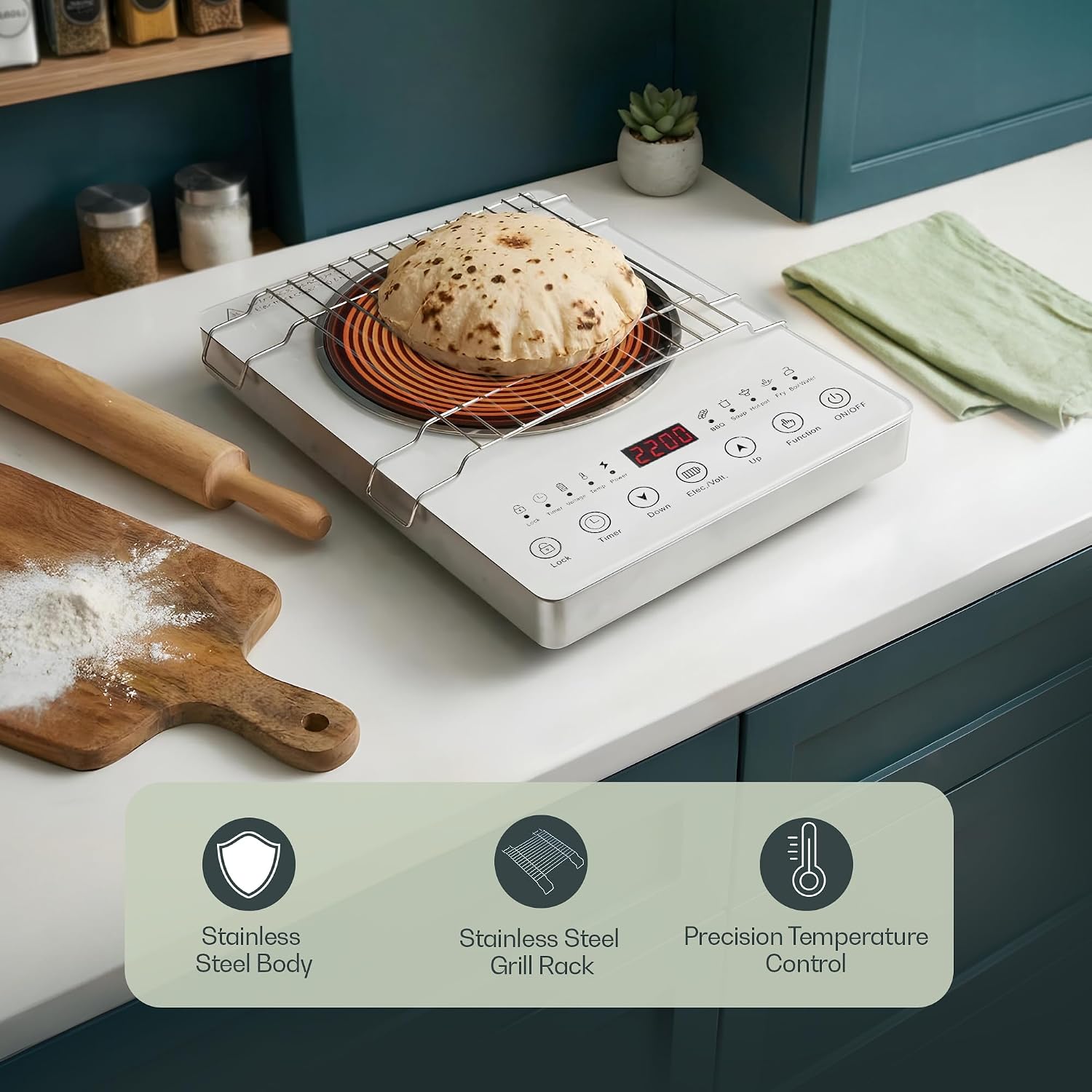
Image: The cooktop demonstrating use with a grill rack for cooking roti.
6. Cookware Compatibility
The iBELL CLOUD390 Infrared Cooktop is designed for versatile use with a wide range of cookware materials. Unlike induction cooktops, it does not require magnetic cookware.
Compatible Cookware Types:
- Stainless Steel
- Aluminum
- Cast Iron
- Ceramic
- Copper
- Glass
- Non-induction cookware
Ensure cookware has a flat bottom for optimal heat transfer and stability.

Image: Visual representation of different cookware materials compatible with the cooktop.
7. Maintenance and Cleaning
Regular cleaning and maintenance will ensure the longevity and optimal performance of your cooktop.
Cleaning the Cooktop Surface
- Always ensure the cooktop is turned off and completely cool before cleaning.
- Wipe the crystal glass surface with a soft, damp cloth and mild detergent.
- For stubborn stains, use a non-abrasive cleaner specifically designed for glass cooktops.
- Dry the surface thoroughly with a clean, soft cloth to prevent water spots.
- Do not use abrasive pads, harsh chemicals, or sharp objects that could scratch the glass surface.
Cleaning the Body and Vents
- Wipe the exterior body with a damp cloth.
- Ensure ventilation openings are clear of dust and debris to prevent overheating. Use a soft brush or vacuum cleaner to gently clear the vents if necessary.
- Never immerse the cooktop in water or any other liquid.
8. Troubleshooting
If you encounter issues with your iBELL CLOUD390 Infrared Cooktop, refer to the following table for common problems and solutions.
| Problem | Possible Cause | Solution |
|---|---|---|
| Cooktop does not turn on. | No power supply. | Check if the power cord is securely plugged into a working outlet. Check the circuit breaker. |
| Heating is inconsistent or slow. | Incorrect power setting; Cookware not suitable or has an uneven bottom. | Adjust the power setting. Ensure cookware has a flat bottom and is centered on the heating zone. |
| Cooktop emits an unusual smell during first use. | Normal burning off of manufacturing residues. | This is normal for initial use. Ensure good ventilation. The smell should dissipate quickly. |
| Display shows an error code. | Internal malfunction or specific issue. | Refer to the specific error code in a more detailed product manual (if available) or contact customer support. |
| Cooktop automatically shuts off. | Overheating; Timer elapsed. | Allow the unit to cool down. Check for blocked ventilation. If a timer was set, this is normal operation. |
If the problem persists after attempting these solutions, please contact iBELL customer support.
9. Specifications
| Feature | Detail |
|---|---|
| Model Number | CLOUD390 |
| Brand | IBELL |
| Type | Infrared Cooktop |
| Colour | White |
| Material | Glass |
| Wattage | 2000 Watts (Peak 2200W) |
| Voltage | 220 Volts |
| Heating Elements | 1 (Coil) |
| Controls Type | Knob, Touch |
| Item Dimensions (D x W x H) | 28D x 36W x 6.3H Centimeters |
| Item Weight | 3.2 Kilograms |
| Country of Origin | India |
10. Warranty and Support
Warranty Information
The iBELL CLOUD390 Infrared Cooktop comes with a 1 Year Standard Warranty. Additionally, you can receive a 2 Years Additional Warranty upon successful registration of your product. Registration must be completed within 30 days of purchase to avail the extended warranty.

Image: The iBELL CLOUD390 cooktop highlighting its warranty offer.
Customer Support
For any queries, service requests, or warranty claims, please contact iBELL Technologies Private Limited:
- Address: Fida's Building, Thottumugham P.O, Aluva, Kerala - 683105
- Phone: 1800 2020 260
- Email: connect@ibellstore.com