
Kestanlora KE-QC-0507
Kestanlora KE-QC-0507 HD 1080P Wireless Wall Outlet Hidden Camera User Manual
Model: KE-QC-0507
Introduction
This manual provides detailed instructions for the Kestanlora KE-QC-0507 HD 1080P Wireless Wall Outlet Hidden Camera. This device is designed to offer discreet surveillance with its integration into a functional power outlet. It features 1080P HD video, motion detection, and loop recording. Please read this manual thoroughly before operation to ensure proper use and functionality. Note: This device does not contain a microphone and cannot capture, transmit, or store any audio signals.
What's in the Box
- Kestanlora KE-QC-0507 Wall Outlet Camera
- Charging Cable
- Instruction Manual
- Micro SD Card (Note: Up to 156GB Micro SD Card is supported, but not always included. Check product packaging for confirmation.)
Product Features
- 4-in-1 Functionality: Integrates a hidden camera with 4 AC socket extenders (120V, 15A, 1200W), 3 USB PD fast charging ports (3.4A, 20W), and 1700 Joule surge protection.
- Full-Color 1080P HD Video: Provides clear, vibrant live viewing and recording.
- Smart Motion Detection: Automatically records video and sends alerts upon detecting movement. Sensitivity levels are adjustable.
- 24/7 Versatile Video Storage: Supports loop recording to a microSD card (up to 512GB) or optional cloud storage.
- Wide-Angle View: 145° lens captures a broad area, reducing blind spots.
- Privacy Features: Employs encrypted video and two-factor authentication for data security.
Setup
Follow these steps to set up your Kestanlora Wall Outlet Hidden Camera:
- Insert Micro SD Card: Locate the Micro SD card slot on the device. Gently insert a compatible Micro SD card (up to 512GB, not always included) until it clicks into place. Ensure the card is formatted correctly if it's new.
- Power On: Plug the wall outlet camera into a standard electrical outlet. The device will power on automatically.
- Download the App: Scan the QR code provided in the included quick start guide or search for the "LOOKCAM" app in your mobile device's app store (iOS/Android).
- Connect to Wi-Fi:
- Open the LOOKCAM app and follow the on-screen instructions to add a new device.
- The app will guide you through connecting the camera to your home Wi-Fi network. Ensure your Wi-Fi is 2.4GHz, as 5GHz networks may not be supported.
- During the connection process, you may need to connect your phone directly to the camera's temporary Wi-Fi hotspot before connecting it to your home network.
- Positioning: Place the camera in a location that provides the desired viewing angle. The 145° wide-angle lens helps cover a larger area.

Image: The Kestanlora wall outlet camera, showing its multiple AC outlets and USB charging ports. This image illustrates the device's design and functionality as a power extender.

Image: A visual guide demonstrating the correct way to plug the device into a wall outlet (labeled "Low Light") versus an incorrect or loose connection (labeled "Hard"). This ensures stable power and operation.
Operating Instructions
Once the camera is set up and connected to the app, you can utilize its various functions:
- Live Viewing: Open the LOOKCAM app and select your camera from the device list to view live 1080P HD video feed from your mobile device.
- Motion Detection:
- Access the camera settings within the app.
- Enable "Motion Detection" and adjust the sensitivity level as needed. Higher sensitivity will trigger recordings and alerts more easily.
- When motion is detected, the camera will automatically record video and send an instant alert notification to your phone.
- Loop Recording:
- Ensure a Micro SD card is inserted.
- In the app settings, enable "Loop Recording."
- When the Micro SD card storage is full, the camera will automatically overwrite the oldest footage to continue recording without interruption.
- Video and Photo Capture: The app allows you to manually capture photos or record video clips directly from the live view.
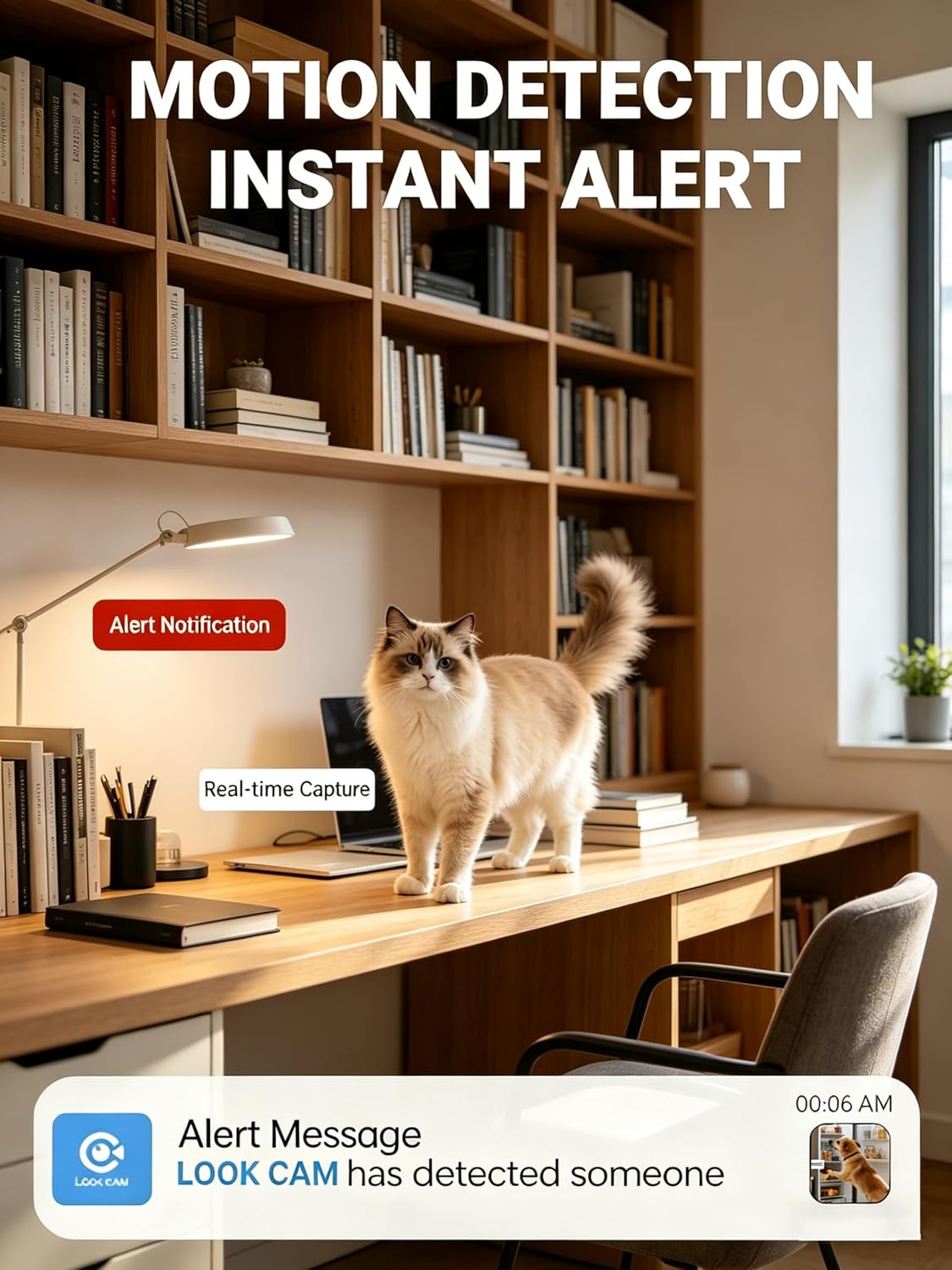
Image: A mobile phone screen displaying an "Alert Notification" and "Alert Message" from the LOOK CAM app, indicating motion detected by the camera. A cat is visible in the room, demonstrating the motion detection feature.

Image: A visual representation comparing a "Regular viewing angle" with the camera's "Wide viewing angle," illustrating how the 145° lens captures a significantly broader field of view.

Image: Two distinct frames, one labeled "PHOTO" and the other "VIDEO," depicting the user interface for capturing still images and recording video footage through the camera's application.
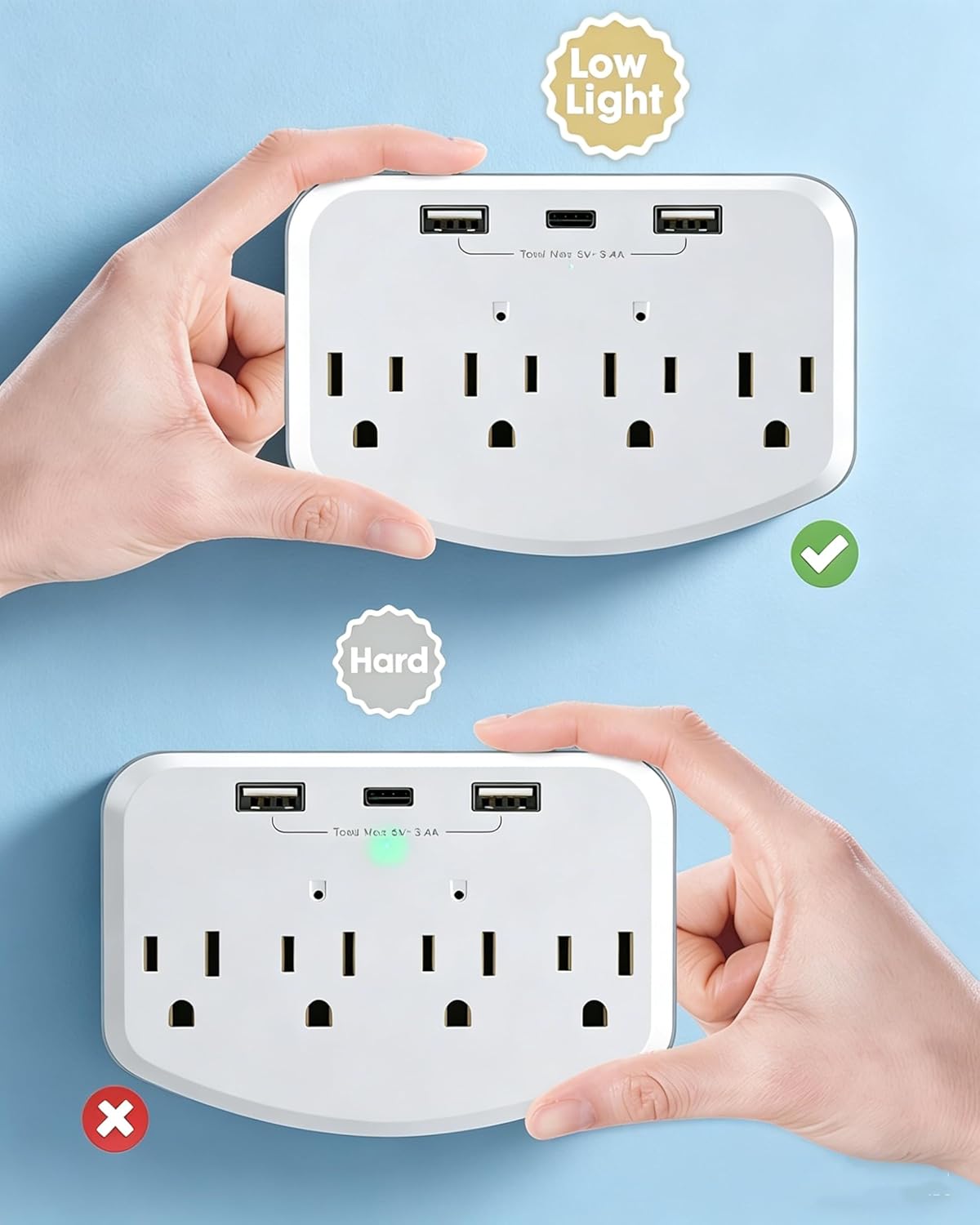
Image: A graphic demonstrating the "Looping record" feature, showing an SD card icon and a timeline indicating continuous recording over 24 hours, with older footage being overwritten as new footage is captured.

Image: A visual comparison within an office environment, highlighting the difference between 720P and 1080P resolution, emphasizing the superior clarity of the 1080P HD camera.
Maintenance
- Cleaning: Use a soft, dry cloth to clean the camera lens and the device's exterior. Avoid using liquid cleaners or abrasive materials.
- SD Card Management: Regularly check the Micro SD card for proper function. If issues arise, try reformatting the card through the app or replacing it.
- Firmware Updates: Check the LOOKCAM app periodically for any available firmware updates for your camera. Keeping the firmware updated ensures optimal performance and security.
- Power Usage: Do not use the AC outlets or USB ports with high-power appliances like electric kettles to prevent overheating and damage.
Troubleshooting
| Problem | Possible Cause / Solution |
|---|---|
| Camera constantly disconnecting from Wi-Fi. |
|
| Image appears upside down. |
|
| Cannot connect the camera to the app. |
|
| No recording or SD card not recognized. |
|
Specifications
| Feature | Detail |
|---|---|
| Model Name | KE-QC-0507 |
| Video Capture Resolution | 1080p |
| Video Capture Format | MJPEG |
| Connectivity Technology | Wireless (Wi-Fi 2.4GHz) |
| Indoor/Outdoor Usage | Indoor |
| Special Features | HD Resolution, Motion Detection, Loop Recording, Wall Outlet Integration |
| Micro SD Card Support | Up to 512GB (Note: Product description mentions 512GB, specifications mention 156GB. Please verify with product packaging.) |
| Power Source | Corded Electric |
| AC Outlets | 4 (120V, 15A, 1200W) |
| USB Charging Ports | 3 (3.4A, 20W PD Fast Charging) |
| Surge Protection | 1700 Joule |
| Material | Acrylonitrile Butadiene Styrene (ABS) - Flame retardant, heat resistant up to 248°F |
| Item Dimensions | 4.7 x 3.1 x 2.1 inches |
Warranty
The Kestanlora KE-QC-0507 Hidden Camera comes with a 1-year manufacturer's warranty. This warranty covers defects in materials and workmanship under normal use. Please retain your proof of purchase for warranty claims. For specific terms and conditions, refer to the warranty information included with your product packaging or contact customer support.
Support
If you encounter any issues or have questions regarding your Kestanlora KE-QC-0507 Hidden Camera, please refer to the troubleshooting section of this manual first. If the problem persists, you can:
- Consult the official Kestanlora website for FAQs and additional support resources.
- Contact Kestanlora customer service directly. Contact information is typically found in the product packaging or on the official website.
When contacting support, please have your model number (KE-QC-0507) and purchase details ready.
Ask a question about this manual
Ask about setup, troubleshooting, compatibility, parts, safety, or missing instructions. Manuals+ will review the question and use this page’s manual context to help answer it.