
1. Introduction
The MAIJOFO AI Translation Earbuds (Model YYK-Q16S AI) are designed to provide real-time language translation, high-fidelity audio, and smart communication features. This manual will guide you through the setup, operation, maintenance, and troubleshooting of your new earbuds.
What's in the Box:
- 2 x Translation Earbuds
- 1 x Wireless Charging Case
- 1 x USB Charging Cable
- 1 x User Manual
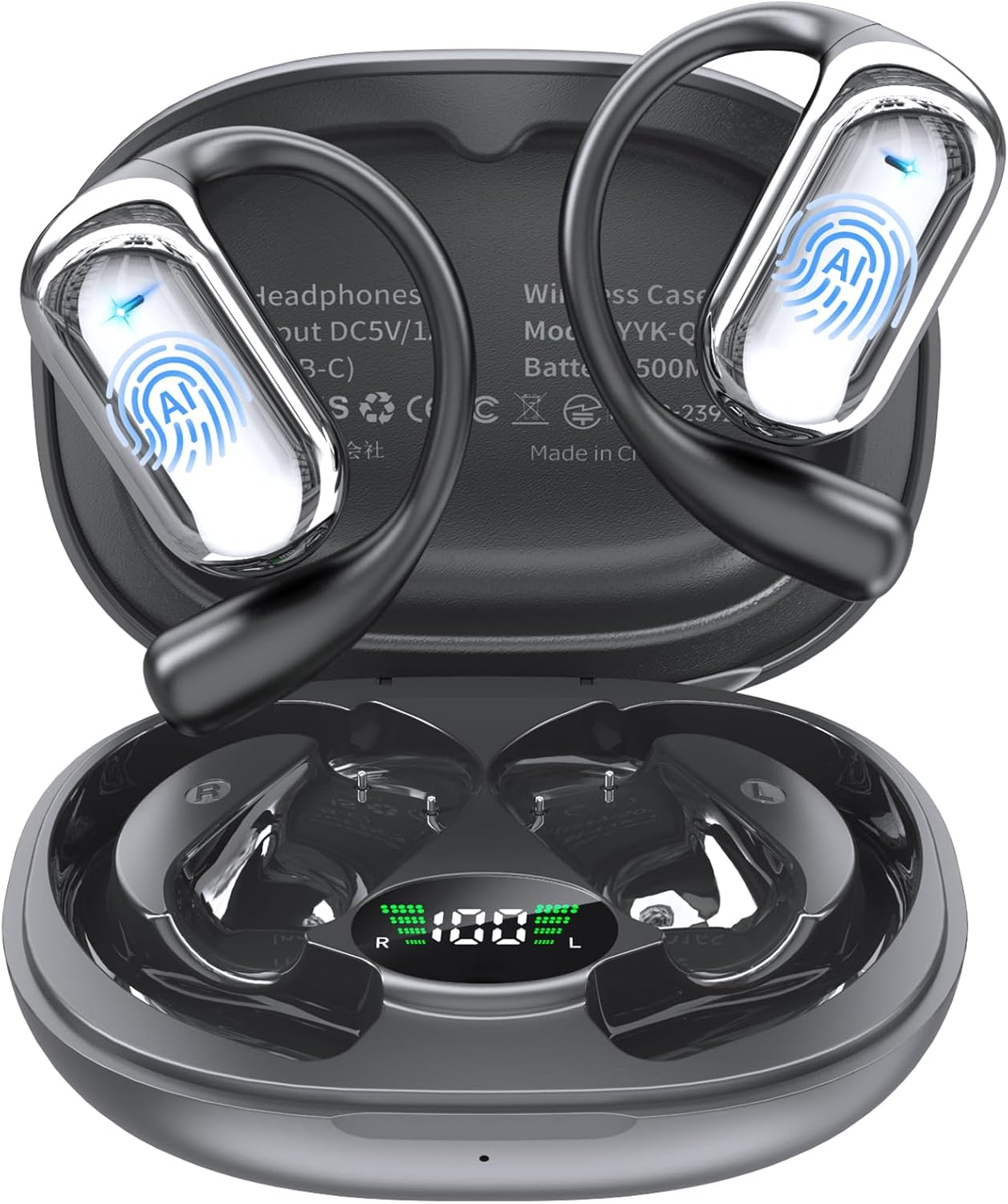
Image: MAIJOFO AI Translation Earbuds in their charging case.
2. Setup
Follow these steps to set up your MAIJOFO AI Translation Earbuds for the first time.
2.1 Charging the Earbuds and Case
Before initial use, fully charge the earbuds and the charging case. Connect the provided USB charging cable to the Type-C port on the charging case and a compatible USB power source. The LED display on the case will indicate the charging status.

Image: The charging case connected via a Type-C cable, showing battery indicators.
2.2 App Installation and Pairing
- Download the "BitDynamic" app from your phone's App Store (iOS) or Google Play Store (Android).
- Ensure Bluetooth is enabled on your smartphone.
- Open the "BitDynamic" app. The app will automatically prompt you to allow Bluetooth access and other necessary permissions. Grant these permissions.
- The app will automatically detect the YYK-Q16S AI earbuds. Select them and confirm to connect.

Image: Visual guide for connecting the earbuds to the BitDynamic app via Bluetooth.
2.3 Wearing the Earbuds
The earbuds feature an open-ear design for comfort and situational awareness. Gently hook the earbuds over your ears as shown in the diagram.

Image: Instructions on how to wear the open-ear earbuds for optimal comfort and fit.
3. Operating Instructions
The MAIJOFO AI Translation Earbuds offer multiple modes for translation and communication.
3.1 Real-Time Translation Modes
The earbuds support various translation modes through the companion app:
- Face-to-Face Translation: For direct conversations with another person. One earbud can be shared, or both users can use their own earbuds.
- Simultaneous Interpretation: Ideal for conferences or lectures, providing continuous translation.
- Audio and Video Call Translation: Translate conversations during online calls.
- Photo Translation: Translate text from images by taking a photo or uploading one in the app.

Image: Overview of different translation and interpretation modes available in the app.

Image: Face-to-Face translation mode, showing two-way translation with a mobile phone.

Image: Dual-Ear mode for Face-to-Face translation, allowing both parties to wear an earbud.

Image: The app interface for real-time translation during audio and video calls.

Image: The Photo Translation feature, allowing users to translate text from images.
3.2 AI Assistant
The app includes an AI assistant feature for intelligent meeting transcription and voice interaction. This can help in generating accurate transcripts and asking questions directly through the earbuds.
3.3 Music Playback and Calls
The earbuds function as standard Bluetooth headphones for music playback and phone calls. Use the intuitive touch controls on the earbuds to manage music, answer/end calls, and activate translation modes.
3.4 Find Earphones Feature
If you misplace your earbuds, use the "Find Earphones" feature in the app. It can make your headphones emit a sound or show their last known location on a map.

Image: The "Find Earphones" feature displaying the location of lost earbuds on a map.
4. Maintenance
4.1 Cleaning
Wipe the earbuds and charging case with a soft, dry cloth. Avoid using harsh chemicals or abrasive materials.
4.2 Waterproof Rating
The earbuds are rated IPX7 waterproof, meaning they can withstand immersion in water up to 1 meter for 30 minutes. This makes them suitable for use during exercise or in light rain. However, the charging case is not waterproof.

Image: Features of the earbuds including open-ear comfort and IPX7 waterproof rating.
4.3 Battery Life and Charging
The earbuds offer up to 6 hours of playtime on a single charge, with the charging case providing multiple recharges for a total of up to 80 hours of standby time. The fast-charging case ensures quick recharges.
5. Troubleshooting
If you encounter any issues with your earbuds, please refer to the following common solutions:
- Earbuds not pairing: Ensure Bluetooth is enabled on your device and the earbuds are charged. Try restarting both the earbuds (by placing them back in the case and taking them out) and your phone.
- Translation delay or inaccuracy: Ensure a stable internet connection for optimal performance. Speak clearly and at a moderate pace. Check the language settings in the app.
- No sound: Check the volume levels on both your phone and the earbuds. Ensure the earbuds are properly connected via Bluetooth.
- No subscription required: Please note that there are no subscription fees for using the translation features of these earbuds. If you encounter any prompts for payment, please contact customer support.
6. Specifications
| Feature | Detail |
|---|---|
| Brand | MAIJOFO |
| Model Number | YYK-Q16S AI |
| Bluetooth Version | 6.1 |
| Translation Languages | 188+ |
| Translation Accuracy | Up to 99.9% |
| Response Time | 0.2 seconds |
| Driver Size | 14.2mm Bio-Carbon Fiber Dynamic Driver |
| Earbud Playtime | Up to 6 hours per charge |
| Total Playtime (with case) | Up to 80 hours |
| Charging Port | USB Type-C |
| Water Resistance | IPX7 (Earbuds only) |
| Ear Placement | Open Ear |
| Control Type | Touch Control |

Image: Key performance metrics including language support, accuracy, and response time.

Image: Illustration of the upgraded Bluetooth 6.1 technology for stable and efficient connectivity.

Image: Details of the 14.2mm dynamic driver for deep bass and clear frequencies.
7. Warranty and Support
7.1 Warranty Information
Your MAIJOFO AI Translation Earbuds come with a 365-day, no-questions-asked warranty and a full year of hassle-free after-sales support. This covers manufacturing defects and performance failures.
7.2 Customer Support
For any questions regarding your earbuds, including setup, operation, or warranty claims, please contact our dedicated support team. Contact information can be found on the product packaging or through the official MAIJOFO website.
8. Product Videos
Watch these official videos for a visual guide on using your MAIJOFO AI Translation Earbuds.
Video: An overview of the MAIJOFO translator earbuds and their real-time translation capabilities.
Video: Demonstrating the AI language translation features of the earbuds.
Video: A detailed look at the MAIJOFO translation earbuds in action.
Video: Highlighting the AI translation capabilities of the headphones.
Video: Showcasing the real-time translation features of the AI Translation Earbuds.