
1. Introduction
Thank you for choosing the AdirOffice Wall Mount Mailbox. This manual provides essential information for the safe and efficient installation, operation, and maintenance of your new mailbox. Please read these instructions carefully before use and retain them for future reference.
1.1 Product Overview
The AdirOffice Wall Mount Mailbox is designed for secure and convenient drop box applications. Constructed from heavy-gauge steel with a powder-coated, scratch-resistant finish, it is suitable for both indoor and outdoor use. It features an anti-pry latch locking mechanism and a commercial-grade 12-disc wafer lock to ensure the security of deposited items.

Figure 1.1: Front view of the AdirOffice Wall Mount Mailbox, showing the secure locking door and key access.
1.2 Package Contents
Verify that all components are present before beginning installation:
- Wall Mount Mailbox (x2 for pack)
- Keys (x2 per mailbox)
- Mounting Screws (x4 per mailbox)
- Stainless Steel Washers (x4 per mailbox)
- Driver Bit (x1)
- Drill Bit (x1)

Figure 1.2: The mailbox unit shown with the included mounting screws, washers, driver bit, and drill bit.
2. Safety Information
Please observe the following safety precautions to prevent injury or damage to the product:
- Always use appropriate safety gear (e.g., safety glasses) when drilling or handling tools.
- Ensure the mounting surface is structurally sound and can support the weight of the mailbox and its potential contents.
- Keep keys in a secure location away from the mailbox to maintain security.
- Do not attempt to force the lock or bin door, as this may cause damage.
3. Setup and Installation
Follow these steps for proper installation of your AdirOffice Wall Mount Mailbox:
- Choose a Location: Select a suitable wall location that is secure, easily accessible, and protected from extreme weather if possible. Ensure there are no electrical wires or plumbing pipes behind the drilling area.
- Mark Drilling Points: Hold the mailbox against the wall at the desired mounting height. Use a pencil to mark the four pre-drilled mounting holes on the wall.
- Drill Pilot Holes: Using the provided drill bit, carefully drill pilot holes at the marked locations. The depth of the holes should be sufficient to accommodate the mounting screws.
- Mount the Mailbox: Align the mailbox's mounting holes with the pilot holes. Insert the stainless steel washers onto the mounting screws, then drive the screws through the mailbox and into the wall using the provided driver bit. Tighten securely, but do not overtighten.
- Test Security: Once mounted, ensure the mailbox is firmly attached to the wall and does not wobble. Test the locking mechanism with the provided keys.

Figure 3.1: The mailbox securely mounted on a wall, ready for use in various settings.
4. Operating Instructions
4.1 Depositing Items
The mailbox features an innovative bin door designed to accept various items securely.
- To deposit an item, simply lift the bin door.
- Place the item into the opening. The anti-fishing design prevents retrieval once dropped.
- Gently close the bin door.
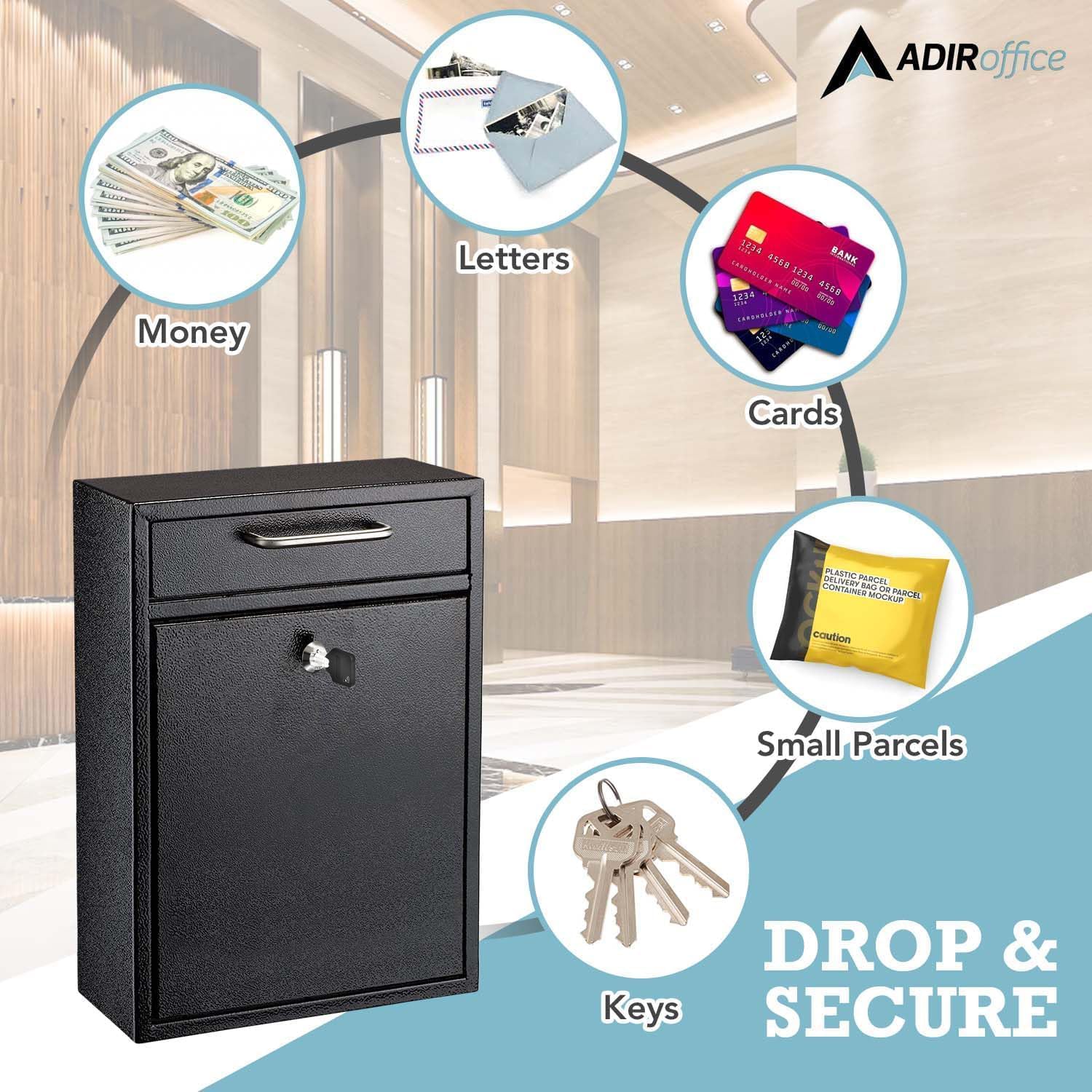
Figure 4.1: Examples of items that can be securely deposited into the mailbox, including letters, keys, and small parcels.
4.2 Retrieving Items
To access the contents of the mailbox:
- Insert one of the provided keys into the lock located on the main access door.
- Turn the key to unlock the door.
- Open the door to retrieve the contents.
- Close the door and turn the key to lock it securely before removing the key.
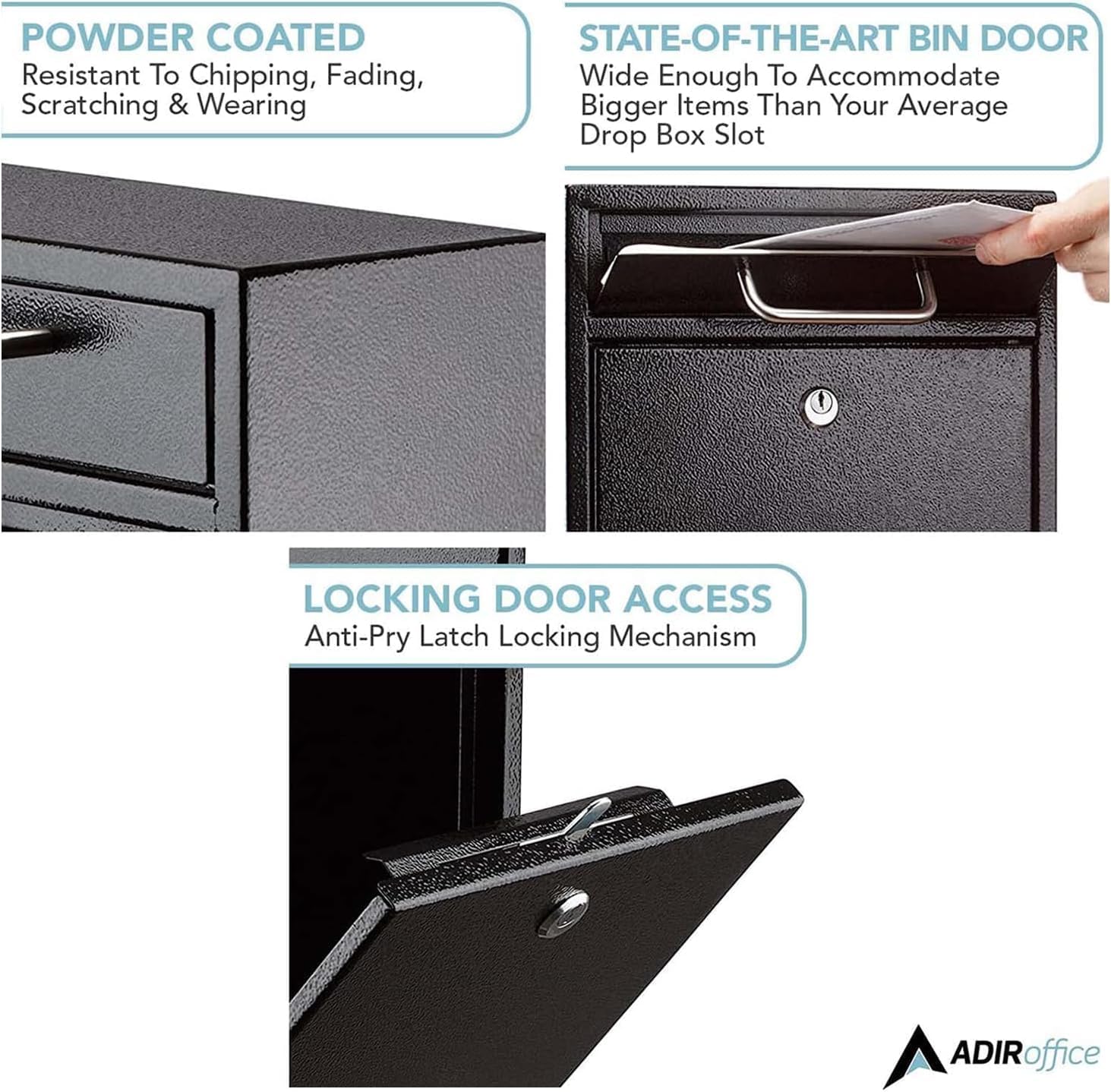
Figure 4.2: Detailed view of the mailbox's bin door and the anti-pry latch mechanism, highlighting the secure access design.
5. Maintenance
The AdirOffice Wall Mount Mailbox requires minimal maintenance to ensure its longevity and proper function.
- Cleaning: Wipe the exterior with a soft, damp cloth to remove dust and dirt. Avoid abrasive cleaners or solvents that could damage the powder-coated finish.
- Lock Care: Periodically apply a small amount of graphite lubricant to the lock mechanism if it becomes stiff. Do not use oil-based lubricants.
- Inspection: Regularly check the mounting screws to ensure they remain tight. Inspect the bin door and main access door for any signs of wear or damage that could compromise security.
6. Troubleshooting
| Problem | Possible Cause | Solution |
|---|---|---|
| Key does not turn in lock. | Lock mechanism is stiff or obstructed. | Apply graphite lubricant to the lock. Ensure the key is fully inserted and oriented correctly. |
| Main access door does not open after unlocking. | Door may be slightly jammed or mechanism is sticking. | Gently push or pull the door while turning the key. Ensure no items are obstructing the door's movement from the inside. |
| Mailbox feels loose on the wall. | Mounting screws are loose. | Tighten the mounting screws. If the issue persists, inspect the wall for damage and consider relocating or reinforcing the mounting area. |
| Bin door is difficult to open/close. | Hinge mechanism is stiff or obstructed. | Clean any debris from the hinge area. Apply a small amount of silicone spray to the hinges if necessary. |
7. Specifications
| Model Number | ADI631-04 |
| Material | Heavy-gauge Alloy Steel |
| Finish | Powder-coated, Scratch-resistant |
| Color | Black |
| Mounting Type | Wall Mount |
| Lock Type | Commercial Grade 12-Disc Wafer Lock |
| Included Security Features | Lockable, Anti-Pry Latch Mechanism, Anti-Fishing Bin Door |
| Access Location | Front |
| Dimensions (D x W x H) | 4.7" x 11" x 16" (11.9 cm x 27.9 cm x 40.6 cm) |
| Weight | Approximately 9.4 lbs (4.26 kg) per unit |

Figure 7.1: Dimensional drawing of the mailbox, indicating height, width, and depth.
8. Warranty and Support
8.1 Limited Lifetime Warranty
The AdirOffice Wall Mount Mailbox is covered under Adir's limited lifetime warranty. This warranty covers defects in materials and workmanship under normal use. For specific terms and conditions, please refer to the warranty documentation provided with your purchase or contact AdirOffice customer support.

Figure 8.1: Warranty coverage emblem. Please refer to the product documentation for full warranty details.
8.2 Customer Support
If you have any questions, require assistance with installation, or need to report a problem, please contact AdirOffice customer support. Contact information can typically be found on the AdirOffice official website or on the packaging of your product.
