
1. Setup
1.1 Unpacking and Initial Placement
Carefully remove all components from the packaging. Place the treadmill on a flat, stable surface, ensuring adequate space around the unit for safe operation and ventilation. Avoid placing it on thick carpets that may obstruct airflow to the motor.
1.2 Assembly and Folding Mechanism
The UMAY SF20 treadmill features a foldable design for convenient storage. To set up for use, lift the console assembly into the upright position and secure it using the provided knobs on the side handles. To fold for storage, loosen these knobs and carefully lower the console until it rests flat on the running deck. The treadmill is equipped with wheels for easy movement when folded.
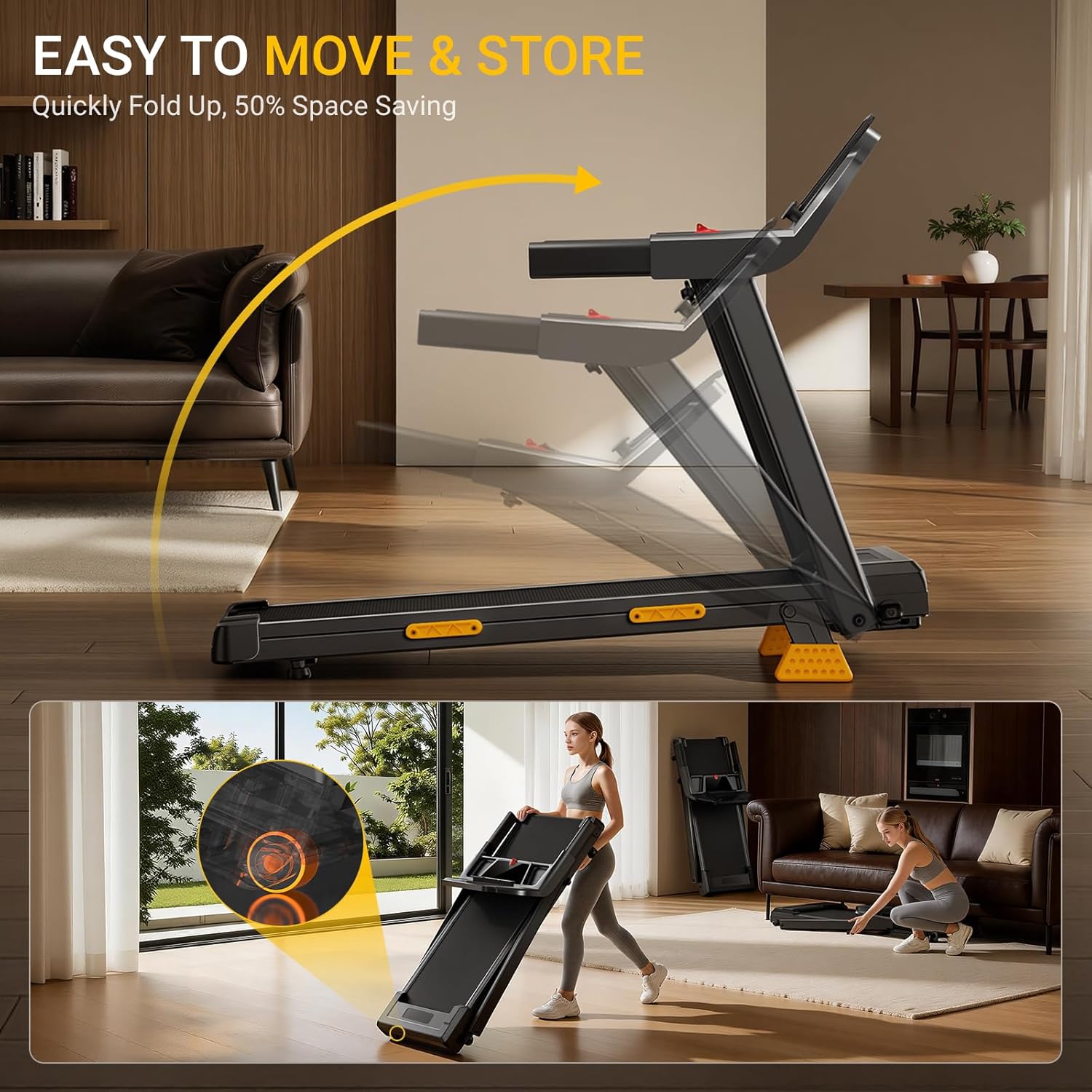
The treadmill can be easily folded and moved using its integrated wheels, as shown in the image.
1.3 Incline Adjustment
The treadmill offers a manual incline feature. Locate the orange rubber footings at the rear of the treadmill. These can be adjusted to achieve different incline levels (0%, 10%, or 16%). Ensure both sides are adjusted equally for stability.

The UMAY SF20 treadmill features a 16% incline to enhance workout intensity.
1.4 Safety Clip
Attach the red safety clip to your clothing before starting any workout. In case of an emergency, pulling the safety clip will immediately stop the treadmill.
2. Operating Instructions
2.1 Console Functions
The treadmill features a triple-screen console to display key workout metrics. These include speed, distance, time, and calories burned. The console also has quick-push buttons for speed adjustments and different workout modes.

The console provides clear display of workout data and easy-to-use controls.
2.2 Speed Adjustment
The treadmill offers a speed range from 0.6 MPH to 7.5 MPH. Use the '+' and '-' buttons on the console to adjust the speed. Quick-select buttons (e.g., 3/6 MPH) are also available for rapid changes.
2.3 Workout Modes
The UMAY SF20 supports various workout modes to suit different fitness levels and goals:
- Walking Mode: 0.6-2.5 MPH
- Jogging Mode: 2.5-4.5 MPH
- Running Mode: 4.5-7.5 MPH
- Climbing Mode: Utilizes 8% or 16% incline settings.

Illustrates the various workout modes available on the treadmill.
2.4 Handle Design and Storage
The treadmill features widened, slip-resistant side rails for secure support. An integrated storage tray is included for conveniently holding your phone, tablet, or water bottle during your workout.

The spacious running surface ensures a comfortable workout.
3. Maintenance
3.1 Cleaning
Regularly clean the treadmill with a damp cloth. Avoid using abrasive cleaners or solvents that could damage the console or running belt. Wipe down the console and handles after each use to remove sweat and grime.
3.2 Running Belt Care
Inspect the running belt periodically for wear and tear. Ensure the belt is properly centered and tensioned. Refer to the detailed user manual for instructions on belt lubrication and adjustment, which may be required after extended use to maintain smooth operation.

The 7-layer shock absorption system provides comfort and knee protection.
3.3 Motor Maintenance
The treadmill is equipped with a 3.0HP quiet brushless motor. This motor requires minimal maintenance. Keep the area around the motor clean and free of dust to ensure optimal performance and prevent overheating.

The 3.0HP brushless motor operates quietly, ideal for home or office use.
4. Troubleshooting
4.1 Common Issues and Solutions
- Treadmill not starting: Ensure the power cord is securely plugged into a grounded outlet and the safety clip is correctly attached to the console. Check the power switch is in the 'ON' position.
- Belt slipping or uneven movement: The running belt may require adjustment or lubrication. Refer to the detailed user manual for specific instructions on how to tension and lubricate the belt.
- Unusual noise: Check for any loose parts or foreign objects under the belt. If the noise persists, consult the detailed user manual or contact customer support.
- Console display not working: Ensure all connections are secure. If the issue persists, power cycle the treadmill by unplugging it for 30 seconds and plugging it back in.
For issues not covered here, please refer to the comprehensive troubleshooting section in your detailed user manual or contact UMAY customer support.
5. Specifications
| Feature | Detail |
|---|---|
| Brand | UMAY |
| Model | SF20 |
| Product Dimensions (D x W x H) | 39.2" x 21.8" x 44.3" |
| Material | Alloy Steel |
| Maximum Speed | 7.5 Miles per Hour |
| Minimum Speed | 0.6 Miles per Hour |
| Special Feature | Manual Incline |
| Maximum Horsepower | 3.0 Horsepower |
| Maximum Incline Percentage | 16% |
| Maximum Weight Recommendation | 400 Pounds |
| Running Surface (L x W) | 37.5" x 15.0" |
| Noise Level | Under 45 dB |
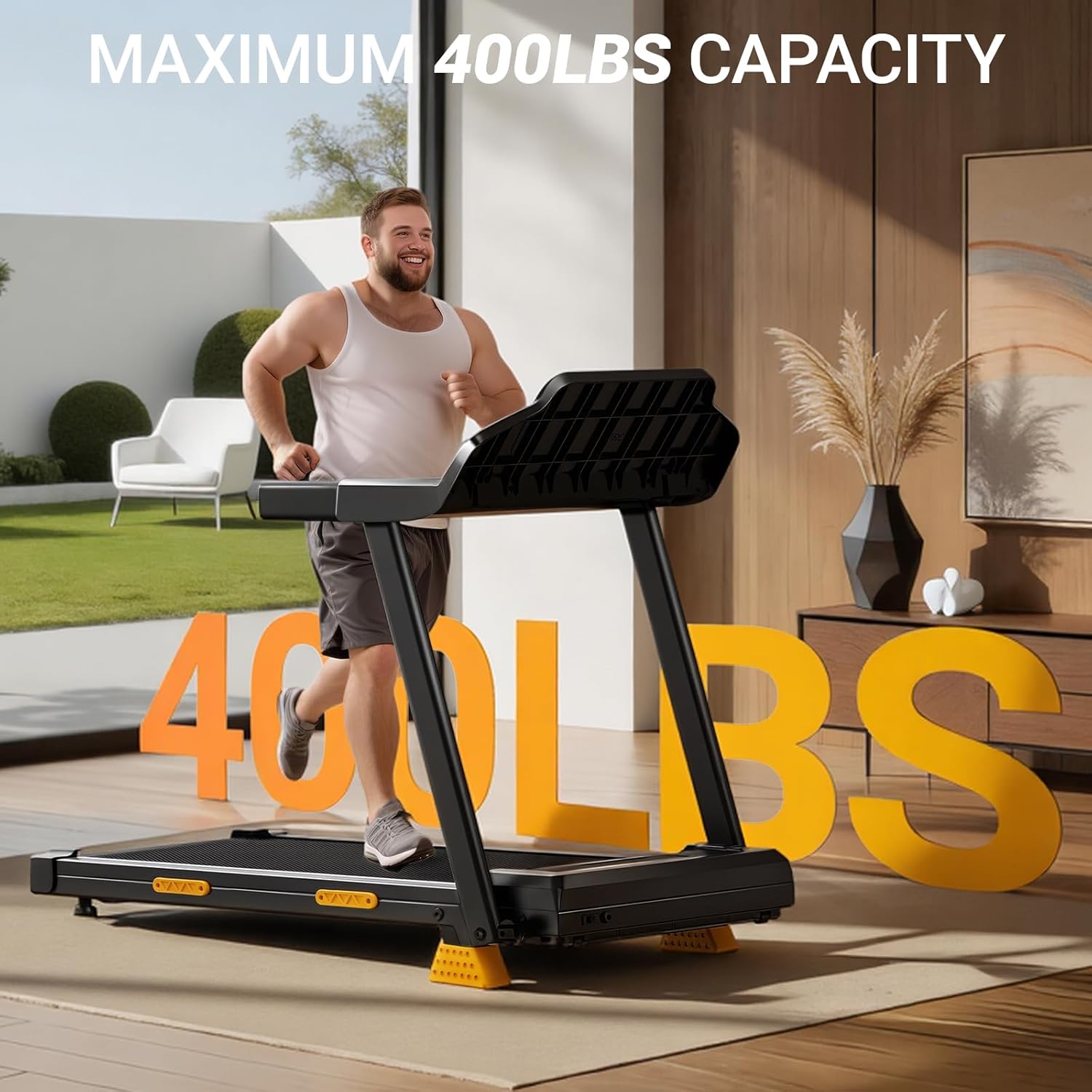
The treadmill is designed to support users up to 400 lbs.
6. Warranty & Support
6.1 Product Warranty
For detailed information regarding the product warranty, please refer to the warranty card included with your UMAY SF20 treadmill. The warranty covers manufacturing defects and specific components as outlined in the documentation.
6.2 Customer Support
If you encounter any issues or have questions about your UMAY SF20 treadmill, please contact UMAY customer service. Contact information can be found in the included user manual or on the official UMAY website.


