
Important Safety Information
Please read all instructions carefully before assembly and use. Keep this manual for future reference.
- Ensure all components are present and undamaged before assembly. Do not use if any parts are missing or broken.
- Keep children and pets away from the desk during operation to prevent injury.
- Do not place hands or other objects near moving parts of the desk during height adjustment.
- Ensure the power cord is properly connected and not pinched or damaged.
- The desk is equipped with an anti-collision system. If the desk encounters an obstacle during adjustment, it will stop and reverse slightly. Do not attempt to force the desk if it stops.
- Do not overload the desk. The maximum load capacity is 220 lbs (100 kg).
- Only use the desk on a level surface to ensure stability.
Product Overview
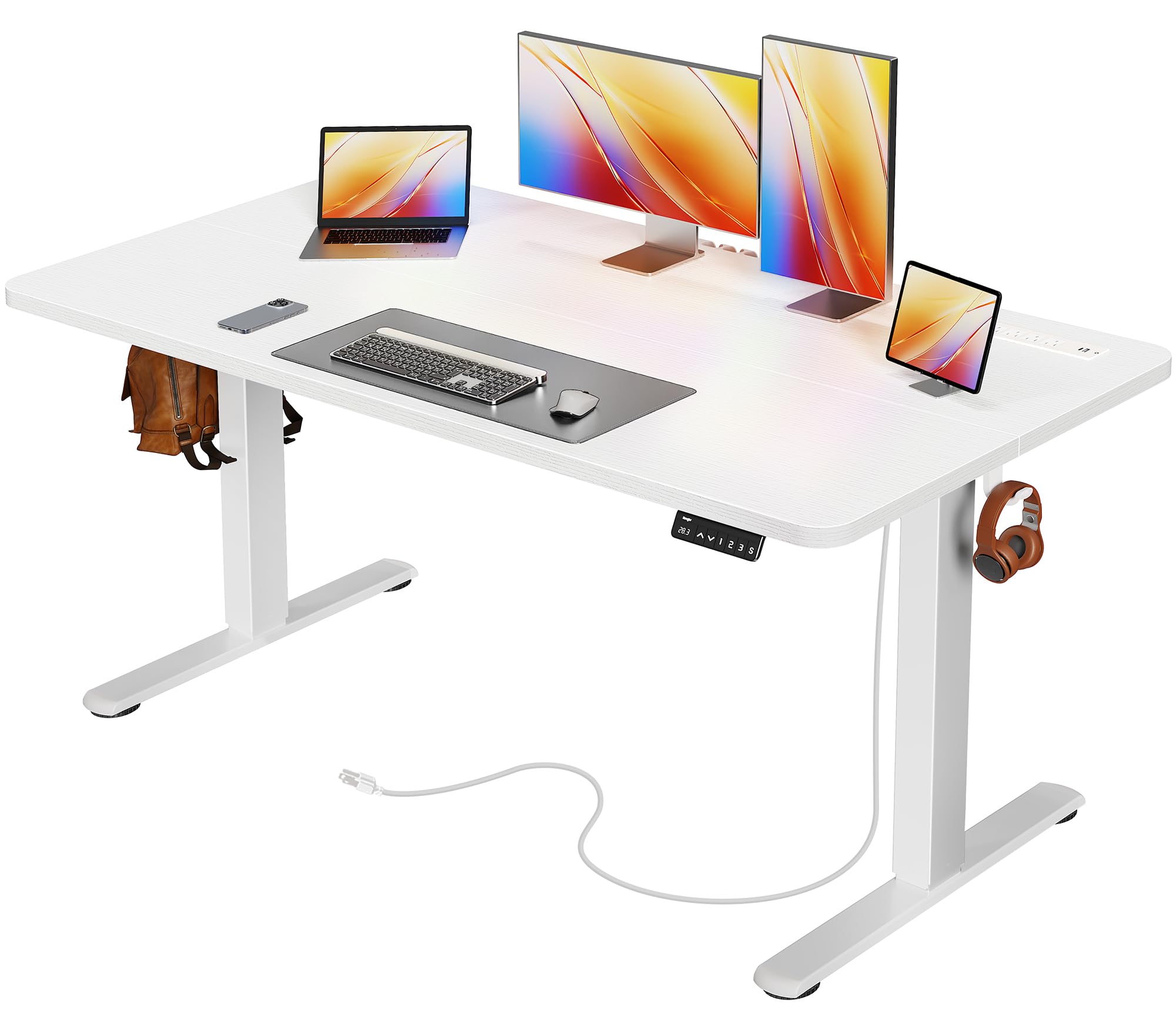
The Huuger Electric Standing Desk offers a versatile workspace solution, allowing seamless transitions between sitting and standing positions. It features an integrated power outlet strip and a robust steel frame for stability.
Key Features:
- Height Adjustment: Electric motor for smooth height transitions from 28.7" to 46.5".
- Memory Presets: Three programmable memory settings for preferred sitting and standing heights.
- Built-in Power Outlet: Integrated charging station with 4 AC outlets, 1 USB port, and 1 Type-C port.
- Cable Management: System to keep cords organized and reduce clutter.
- Quiet Operation: Upgraded motor operates under 35 dB for minimal noise.
- Stable Construction: 2.6" thick reinforced steel frame and adjustable feet for enhanced stability.
- Anti-Collision Technology: Automatically stops and reverses upon detecting obstacles.
Package Contents
Before beginning assembly, please verify that all parts listed below are included in your package. If any parts are missing or damaged, please contact customer support.
- Desktop Panel (2 sections)
- Desk Legs (2)
- Crossbar/Frame components
- Control Panel with Digital Display
- Power Adapter and Cable
- Built-in Power Outlet Strip
- Cable Management Tray/Clips
- Headphone Hooks (2)
- Adjustable Feet (4)
- Assembly Hardware (screws, Allen wrench, etc.)
- Instruction Manual
Assembly Instructions
Assembly typically takes approximately 30 minutes. It is recommended to have a clear, spacious area for assembly and to follow the steps sequentially.
- Unpack Components: Carefully remove all parts from the packaging and lay them out on a soft, clean surface to prevent scratches. Verify all parts against the package contents list.
- Assemble Desk Frame: Attach the desk legs to the crossbar components using the provided hardware. Ensure all screws are tightened securely.
- Attach Desktop Panels: Place the two desktop panels onto the assembled frame. Align them carefully and secure them with the designated screws. Pay attention to aligning the panels to minimize any seam.
- Install Control Panel: Mount the control panel to the underside of the desktop in the designated location.
- Install Power Outlet Strip: Secure the built-in power outlet strip to the desktop as indicated in the instructions.
- Connect Wiring: Connect the motor, control panel, and power outlet strip to the main power unit according to the wiring diagram. Ensure all connections are firm.
- Attach Accessories: Install the headphone hooks and adjustable feet. Adjust the feet to ensure the desk is level and stable.
- Initial Power-Up: Plug the desk into a wall outlet. The digital display should light up.

Operating Instructions
Height Adjustment:
The desk's height can be adjusted using the up and down arrow buttons on the control panel. The current height is displayed on the LED screen.
- Press the Up Arrow button to raise the desk.
- Press the Down Arrow button to lower the desk.
- Release the button at your desired height.


Memory Presets:
The desk allows you to save up to three preferred height settings for quick adjustments.
- Adjust the desk to your desired height using the up/down arrows.
- Press the 'S' button (Set). The display will show 'S-'.
- Immediately press one of the memory buttons ('1', '2', or '3'). The display will show 'S-1', 'S-2', or 'S-3' to confirm the setting is saved.
- To recall a saved height, simply press the corresponding memory button ('1', '2', or '3'). The desk will automatically move to that height.
Using the Built-in Power Outlet:
The desk includes a convenient power strip for charging your devices.
- The power strip features 4 AC outlets, 1 USB-A port, and 1 USB-C port.
- Plug your devices directly into the appropriate ports on the power strip.
- Ensure the desk's main power cable is connected to a wall outlet for the power strip to function.


Maintenance and Care
Proper maintenance ensures the longevity and optimal performance of your Huuger Electric Standing Desk.
- Cleaning: Wipe the desk surface and frame with a soft, damp cloth. Avoid abrasive cleaners or harsh chemicals that could damage the finish.
- Cable Management: Periodically check and organize cables to prevent tangling or damage, especially during height adjustments.
- Motor Care: The motor is designed for durability. Avoid continuous operation for extended periods without rest. If the motor feels hot, allow it to cool down.
- Stability Check: Regularly check that all screws and connections are tight. Adjust the leveling feet if the desk feels wobbly.
- Avoid Spills: While the desk is durable, avoid spilling liquids directly onto the control panel or power outlets.
Troubleshooting
If you encounter issues with your desk, refer to the following common problems and solutions:
| Problem | Possible Cause | Solution |
|---|---|---|
| Desk does not move or respond to buttons. | Power cable disconnected; Motor/control panel cable loose; Overload protection activated. | Check all power connections. Unplug and re-plug the desk. Reduce weight on the desk. Wait 20 minutes for overload protection to reset. |
| Desk moves unevenly or makes unusual noise. | Uneven load; Loose connections; Obstruction. | Ensure weight is evenly distributed. Check all assembly screws. Remove any obstructions. |
| Digital display shows an error code (e.g., 'E01', 'RST'). | System error; Reset required. | Perform a reset: Press and hold the 'Down' button until the desk reaches its lowest point, then release. Press and hold 'Down' again until 'RST' appears and the desk moves slightly, then stops. This indicates a successful reset. |
| Anti-collision system frequently activates. | Obstruction in path; Sensitivity setting. | Clear any objects from the desk's path. Refer to the full manual (if provided separately) for instructions on adjusting anti-collision sensitivity, if available. |

Product Specifications
| Feature | Detail |
|---|---|
| Brand | Huuger |
| Model | 55.1 x 23.6 inch Electric Standing Desk |
| Product Dimensions | 23.6"D x 55.1"W x 30"H (nominal) |
| Minimum Height | 28.7 inches |
| Maximum Height | 46.5 inches |
| Weight Capacity | Up to 220 lbs |
| Base Material | Alloy Steel |
| Top Material Type | Engineered Wood |
| Color | White |
| Power Outlet | 4 AC, 1 USB, 1 Type-C |
| Noise Level | Under 35 dB |
| Special Feature | Adjustable Height, Anti-Collision, Memory Presets, Built-in Outlet |

Warranty and Support
Huuger products are designed for quality and reliability. While specific warranty details are typically provided with your purchase documentation, general support is available.
- For warranty claims or technical assistance, please refer to the contact information provided in your product packaging or visit the official Huuger website.
- Keep your purchase receipt as proof of purchase for any warranty services.