
Introduction
Thank you for choosing the Huuger Electric Standing Desk. This manual provides detailed instructions for the assembly, operation, and maintenance of your new desk. Please read this manual thoroughly before use to ensure proper function and safety. Keep this manual for future reference.
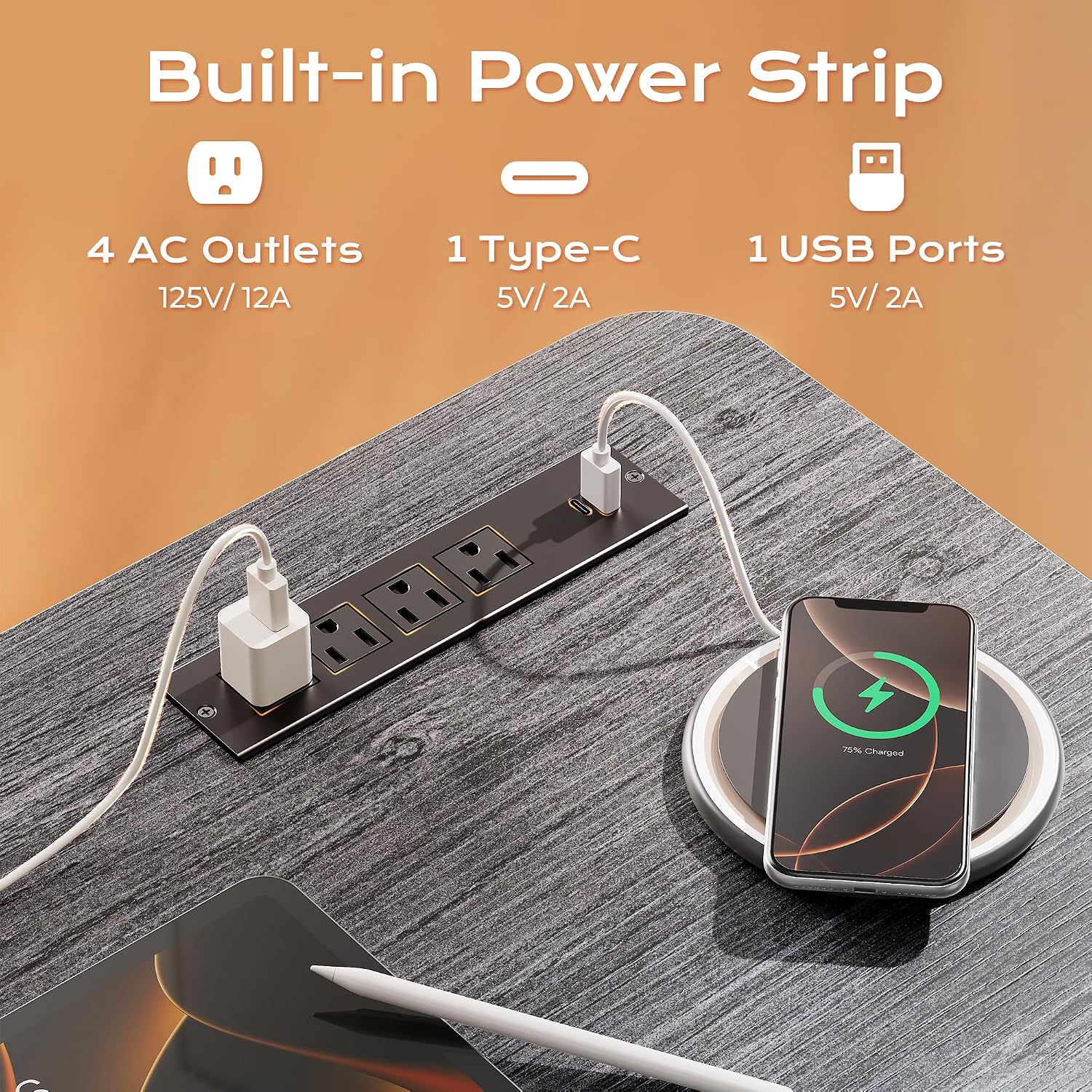
Image: The Huuger Electric Standing Desk in a modern office environment, showcasing its design and functionality.
Specifications
| Feature | Detail |
|---|---|
| Brand | Huuger |
| Model | B0GS962M9Z |
| Desk Design | Computer Desk |
| Color | Grey |
| Product Dimensions (D x W x H) | 23.6"D x 55.1"W x 30"H |
| Height Adjustment Range | 28.7" - 46.5" |
| Maximum Load Capacity | 220 lbs |
| Motor Noise Level | Under 35 dB |
| Power Outlets | 4 AC, 1 USB, 1 Type-C |
| Special Features | Height Adjustable, 3 Memory Presets, Digital Screen, Anti-Collision Technology, Cable Management, Headphone Hooks, Adjustable Feet |
| Frame Material | Alloy Steel (2.6" thick reinforced) |
| Top Material | Engineered Wood |
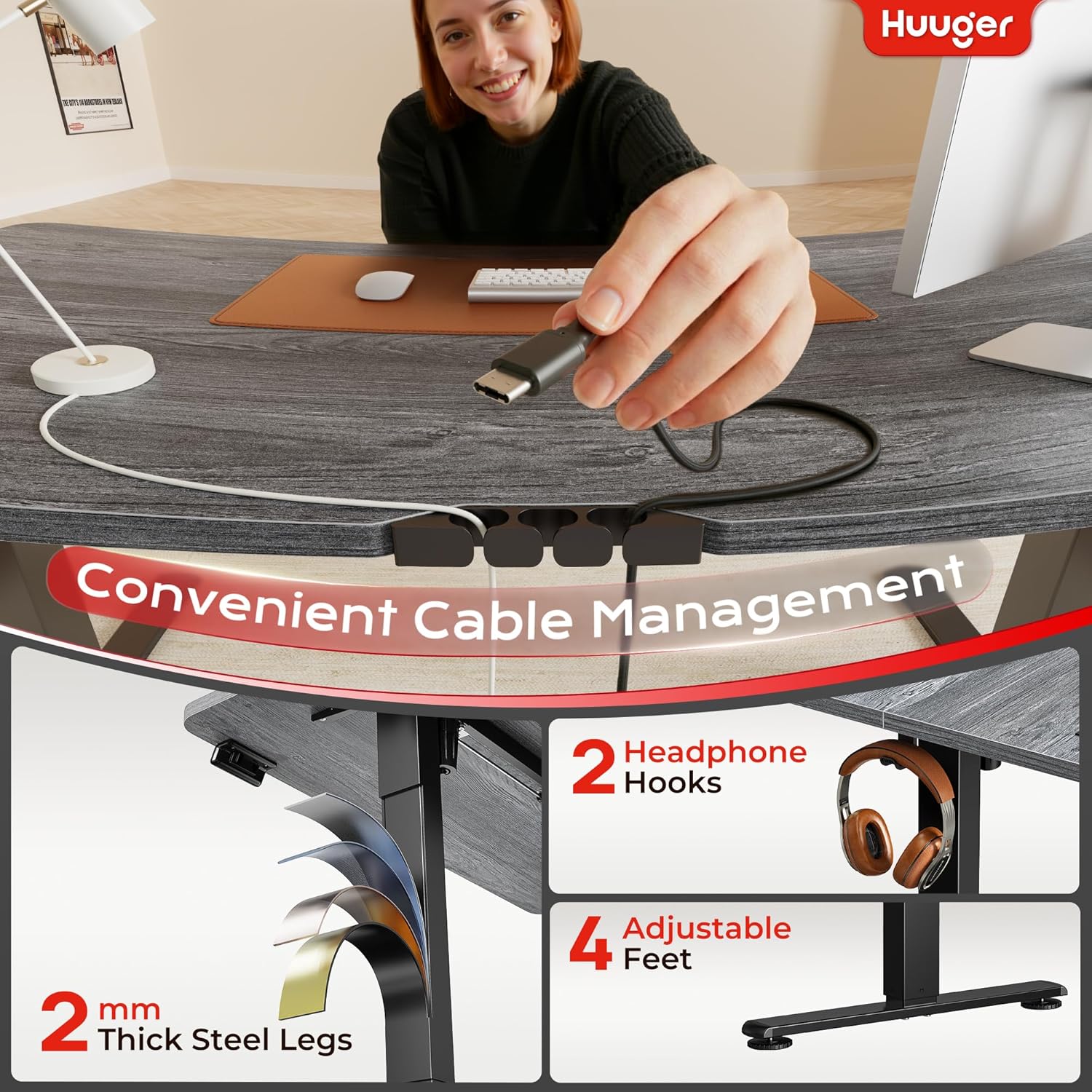
Image: Visual representation of the desk's dimensions and its maximum load capacity of 220 lbs.
Setup Instructions
Follow these steps for assembling your Huuger Electric Standing Desk. Assembly typically takes about 30 minutes.
- Unpack Components: Carefully remove all parts from the packaging and lay them out on a clean, flat surface. Verify all components are present against the included parts list.
- Attach Legs: Securely attach the desk legs to the frame using the provided hardware. Ensure all screws are tightened.
- Secure Desktop: Place the desktop onto the assembled frame and secure it using the designated bolts.
- Connect Power Outlet and Cable Management: Install the built-in power outlet and integrate the cable management system as per the detailed diagram in the separate assembly guide.
- Adjust Feet: Adjust the leveling feet at the bottom of the desk legs to ensure the desk is stable and level on your floor.
- Connect Power: Plug the desk into a standard electrical outlet.

Image: A visual guide illustrating the three main steps for quick and easy desk assembly.
Operating Instructions
Your Huuger Electric Standing Desk is designed for ease of use with its intuitive control panel and smart features.
Height Adjustment
The desk features a height range of 28.7 inches to 46.5 inches, allowing for comfortable sitting and standing positions.
- Raise Desk: Press and hold the Up Arrow button to raise the desk to your desired height.
- Lower Desk: Press and hold the Down Arrow button to lower the desk to your desired height.
- The current height is displayed on the LED screen.

Image: Demonstrates the flexible height adjustment of the desk, allowing users to switch between sitting and standing positions.
Memory Presets
The desk includes 3 memory presets to save your preferred sitting and standing heights for quick adjustments.
- Set a Preset: Adjust the desk to your desired height. Press the 'S' button, then press one of the number buttons ('1', '2', or '3') until the display shows a confirmation (e.g., 'S-1').
- Recall a Preset: Simply press the corresponding number button ('1', '2', or '3') to automatically move the desk to the saved height.
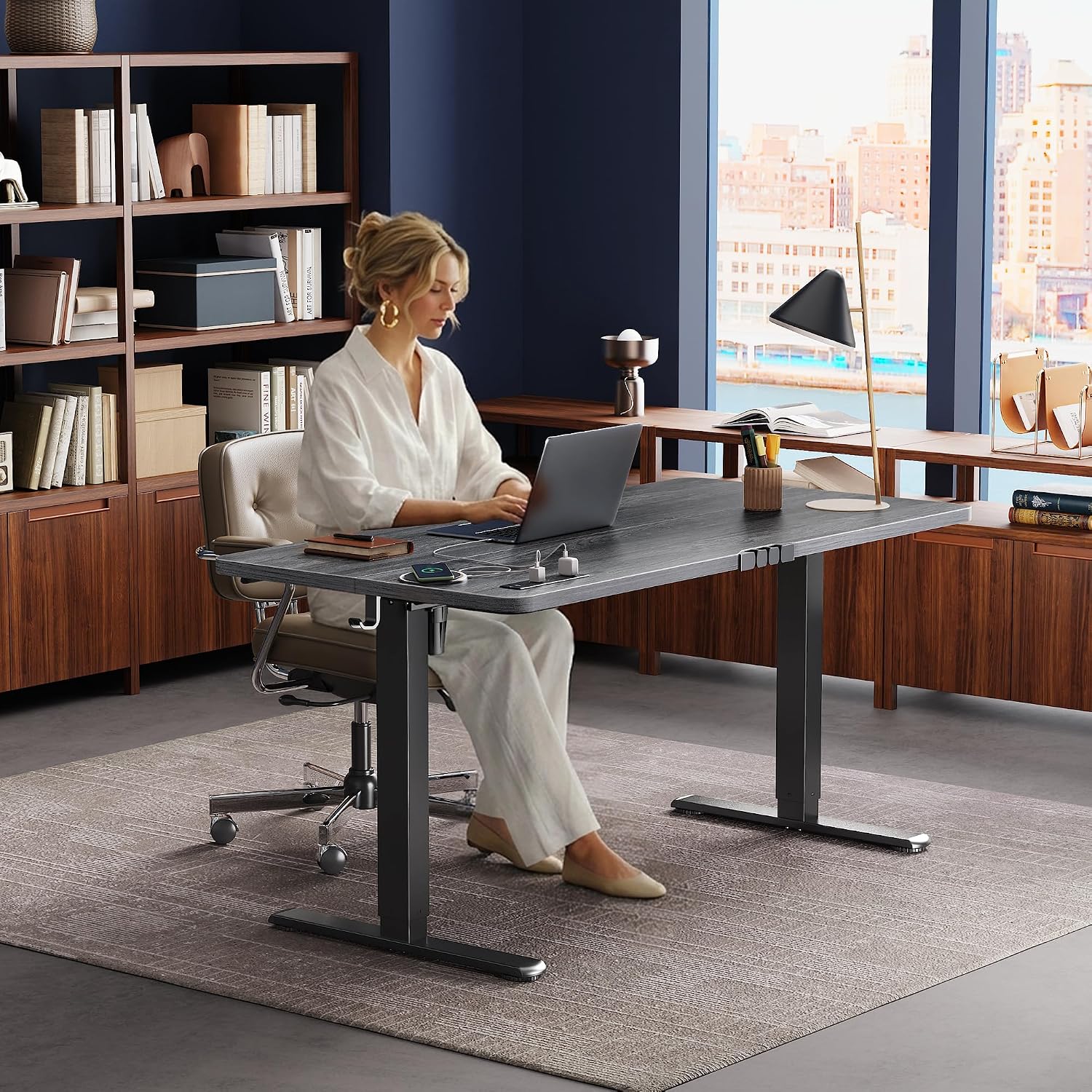
Image: The control panel with its digital display and memory preset buttons for easy height adjustments.
Built-in Power Outlets and Cable Management
The desk features a built-in charging station and cable management system for a tidy workspace.
- Power Outlets: Utilize the 4 AC outlets, 1 USB port, and 1 Type-C port to power and charge your devices directly from the desk.
- Cable Management: Route cables through the integrated system to keep them organized and prevent clutter. Two headphone hooks are also provided for convenience.

Image: A close-up view of the integrated power strip, showing the AC, USB, and Type-C outlets for convenient device charging.

Image: Details of the desk's cable management system, headphone hooks, and adjustable feet for enhanced functionality.
Anti-Collision Technology
The desk is equipped with anti-collision technology to prevent damage to the desk or objects in its path.
- If the desk encounters an obstacle during adjustment, it will automatically stop and reverse slightly to avoid collision.

Image: The anti-collision feature in action, showing the desk reversing its movement upon detecting an obstruction.
Quiet Operation
The upgraded motor operates under 35 dB, ensuring smooth and silent height adjustments.

Image: The desk's ultra-quiet operation, allowing for use in shared spaces without disturbance.
Official Product Video: Huuger Electric Standing Desk with Power Outlets
Video: An official product video from Huuger demonstrating the electric standing desk, highlighting its power outlets and height adjustment features.
Maintenance
Regular maintenance helps ensure the longevity and optimal performance of your Huuger Electric Standing Desk.
- Cleaning: Wipe the desk surface and frame with a soft, damp cloth. Avoid abrasive cleaners or harsh chemicals that could damage the finish.
- Check Connections: Periodically inspect all screws and bolts to ensure they remain tight. Retighten if necessary.
- Cable Management: Ensure cables are neatly organized and not pinched or stressed, which can affect desk movement or damage wires.
- Motor Care: The motor is designed for maintenance-free operation. Avoid disassembling the motor housing.
Troubleshooting
If you encounter issues with your Huuger Electric Standing Desk, refer to the following common problems and solutions.
| Problem | Possible Cause | Solution |
|---|---|---|
| Desk does not move | Power cable disconnected; Overload; Motor error | Check power connection. Reduce weight on desk. Unplug for 10 seconds, then plug back in. |
| Uneven height adjustment | Uneven load; Obstruction; Unlevel feet | Distribute weight evenly. Check for obstructions. Adjust leveling feet. |
| Anti-collision activates frequently | Sensitive setting; Obstruction | Ensure no objects are in the desk's path. Refer to the full manual for adjusting anti-collision sensitivity if available. |
| Noise during operation | Loose components; Normal motor sound | Check and tighten all assembly screws. A low hum is normal for electric motors. |
If the problem persists after attempting these solutions, please contact customer support.
Warranty and Support
Huuger products are manufactured to high-quality standards. For specific warranty details, please refer to the warranty card included with your purchase or visit the official Huuger website. Keep your purchase receipt as proof of purchase.
For technical support, replacement parts, or any questions not covered in this manual, please contact Huuger customer service through the retailer where you purchased the product or via the contact information provided on the Huuger brand store page.

Image: The reinforced steel frame, emphasizing the desk's robust construction and stability.