
1. Introduction
The Graphene Lithium 1000VA Inverter is an integrated home power backup solution designed for urban environments. It features an inbuilt 400Wh LiFePO₄ battery, pure sine wave output, and UPS functionality to provide seamless power during outages. This manual provides essential information for the safe and efficient installation, operation, and maintenance of your inverter.
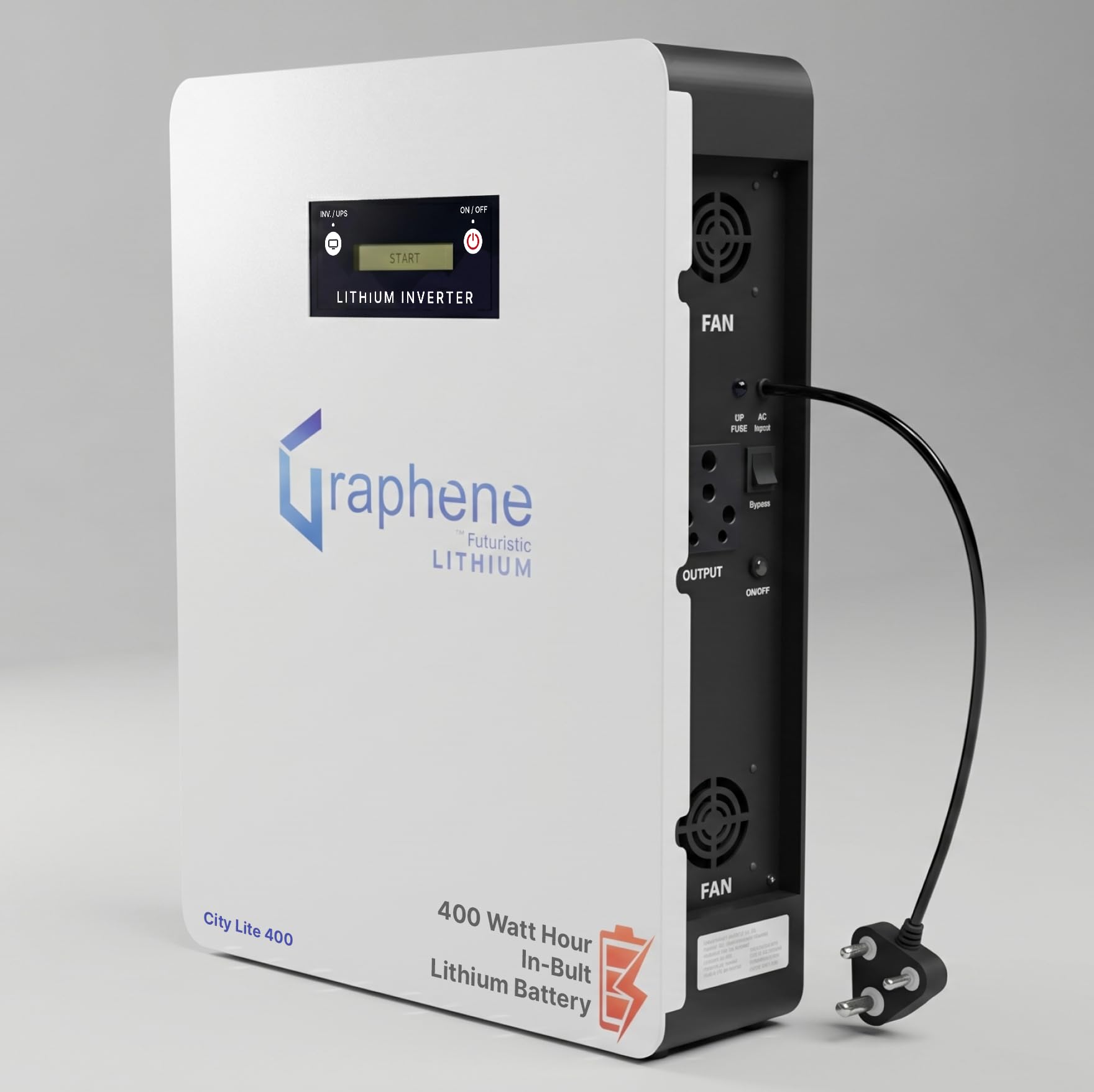
Figure 1: Front view of the Graphene Lithium 1000VA Inverter.
2. Safety Information
Please read all safety instructions carefully before installation and operation. Failure to follow these instructions may result in electric shock, fire, or serious injury.
- Ensure the inverter is installed in a well-ventilated area to prevent overheating.
- Do not open the inverter casing. Refer all servicing to qualified service personnel.
- Keep the inverter away from water, moisture, and direct sunlight.
- Do not connect loads exceeding the inverter's rated capacity.
- Ensure proper grounding during installation.
3. Package Contents
Verify that all items are present in the package:
- 1 x Graphene Lithium Inverter (Model: 1000VA 400Wh)
4. Product Overview
The Graphene Lithium Inverter integrates advanced features for reliable power backup:
- Inbuilt 400Wh LiFePO₄ Battery: Offers over 4000 charge/discharge cycles and a lifespan of up to 15 years.
- Pure Sine Wave Output: Provides stable and clean power, safe for sensitive electronic devices.
- UPS Mode: Ensures instant switchover during power cuts, preventing data loss or device restarts.
- LCD Display: Provides comprehensive information on inverter status, battery vitals, and load.
- Resettable Fuse: Protects the device from sudden current surges.
- BMS Switch: Battery Management System switch for battery safety against overcharge and damage.
- Thermal Protection: Built-in protection for both battery and inverter to prevent overheating.

Figure 2: Graphene Lithium Inverter showing dimensions (39cm L x 14cm W x 47cm H) and weight (14 kg).

Figure 3: Rear view of the Graphene Lithium Inverter, detailing the fan, resettable fuse, output ports, bypass switch, BMS switch, and AC input.

Figure 4: Integrated Lithium Inverter features including LCD display, UPS mode, and thermal protection.
5. Setup
The Graphene Lithium Inverter is designed for easy, user-installable setup with a plug-and-play design.
- Plug into Power Socket: Connect the inverter's standard 3-pin plug into a suitable wall power socket.
- Connect Your Appliances: Plug your desired appliances directly into the inverter's output sockets.
- Switch ON: Press the ON/OFF button on the inverter to power it on.
The inverter can be flexibly placed on a floor, desk, or wall-mounted to save space.

Figure 5: Three-step easy installation process: Plug into power socket, connect appliances, and switch on.

Figure 6: Flexible placement options for the Graphene Lithium Inverter, including floor, desk, and wall mounting.
6. Operating Instructions
- Power On/Off: Use the dedicated ON/OFF button on the front panel to turn the inverter on or off.
- UPS Mode: The inverter automatically detects power outages and switches to battery backup (UPS mode) instantly, ensuring continuous power to connected devices.
- Bypass Switch: The bypass switch on the rear panel allows AC power to pass directly to your appliances without using the inverter, useful for maintenance or when inverter function is not required.
- Monitoring: The LCD display provides real-time information on battery charge level, load status, and operational mode.
7. Maintenance
The Graphene Lithium Inverter is designed for zero maintenance due to its LiFePO₄ battery technology.
- No water top-up is required.
- No acid leakage or corrosion issues.
- Keep the inverter's exterior clean and free from dust using a dry cloth.
- Ensure ventilation openings are not obstructed.
8. Troubleshooting
If you encounter issues with your inverter, refer to the following common troubleshooting steps:
- No Power Output:
- Check if the inverter is switched ON.
- Verify the AC input connection to the wall socket.
- Check the resettable fuse on the rear panel. If tripped, reset it.
- Ensure the connected load does not exceed the inverter's capacity.
- Short Backup Time:
- Refer to the load chart below to understand expected backup times for various loads. Reduce connected appliances if necessary.
- Ensure the battery is fully charged.
- Inverter Overheating:
- Ensure the inverter is in a well-ventilated area and its cooling fans are not obstructed.
- Reduce the connected load.
Load Chart
| Home Use Combination | Backup Time |
|---|---|
| 2 Fans + 3 LED Lights | 2-3 Hours |
| 2 Fans + 4 LED Lights + Wi-Fi | 2-2.5 Hours |
| 2 Fans + 4 LED Lights + LED TV + Wi-Fi | 1.5-2 Hours |
| 1 Fan + LED TV + Laptop + Wi-Fi + 3 LED Lights | 1.5-2 Hours |
| 1 Inverter Refrigerator + 2 Fan + 4 LED Lights + Wi-Fi | 1.0-1.5 Hours |
| 1 Inverter Refrigerator Only | 3-4 Hours |
| 1 Water Pump up to 0.5 HP | 40-60 Minutes |

Figure 7: Detailed load chart for the Graphene Lithium Inverter.
9. Specifications
| Specification | Value |
|---|---|
| Brand | GRAPHENE |
| Model Number | 1000VA 400Wh Wall Mount Inverter |
| Power Source | Battery Powered |
| Item Dimensions (L x W x H) | 39 x 13 x 47 Centimeters |
| Item Weight | 16.3 Kilograms |
| Voltage | 12.8 Volts |
| Battery Cell Type | Lithium Ion (LiFePO₄) |
| Battery Average Life | 15 Years |
| Installation Method | User-Installable |
| Connectivity Technology | Wired |
10. Warranty
The Graphene Lithium 1000VA Inverter comes with a 5-year manufacturer's warranty. This warranty covers defects in materials and workmanship under normal use. Please retain your purchase receipt for warranty claims.
11. Support
For product guidance, installation support, troubleshooting assistance, or warranty claims, please contact Graphene customer support.
Customer Support Contact: +91-9034626154
Graphene provides service across India, including support in villages and remote areas.
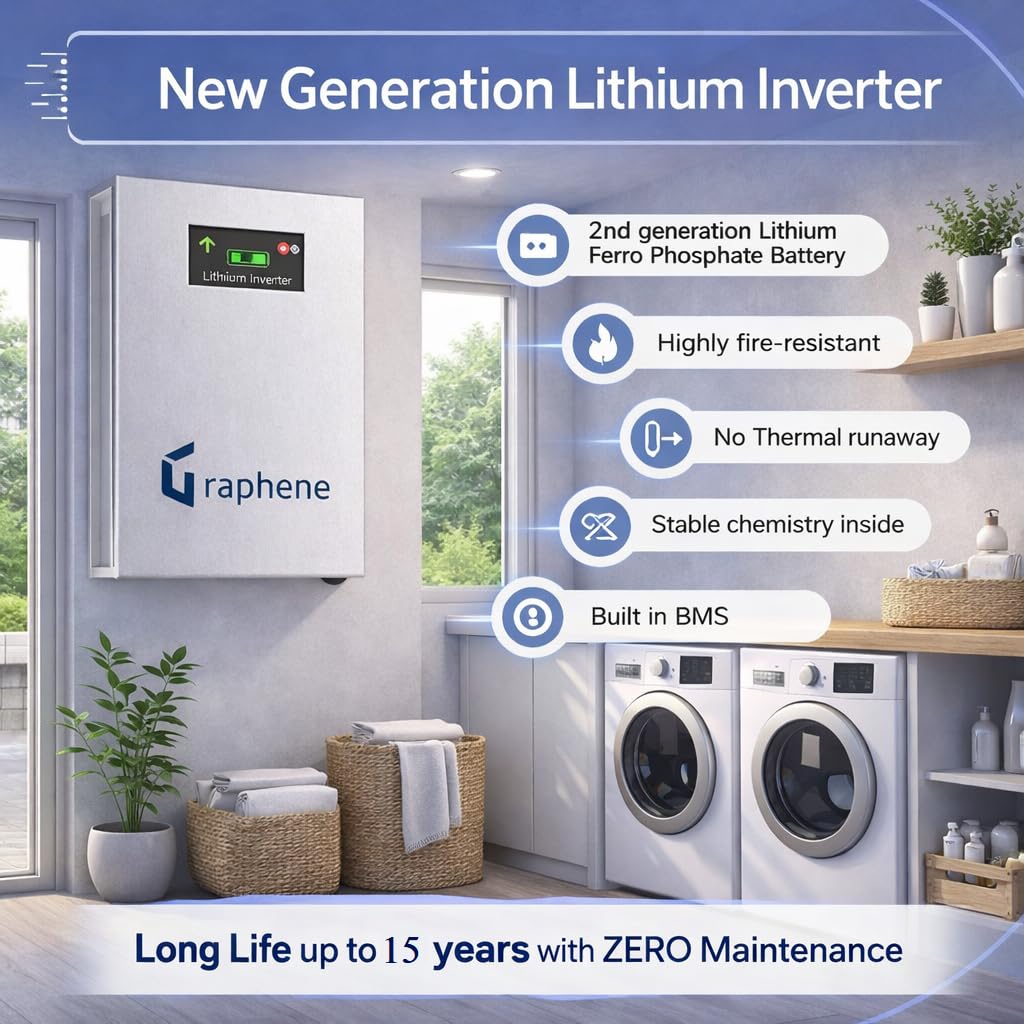
Figure 8: Graphene service network map and contact information.