
1. Introduction
Thank you for choosing the DeerRun Under Desk Walking Pad Treadmill. This manual provides essential information for the safe and efficient operation, maintenance, and troubleshooting of your new walking pad. Please read this manual thoroughly before initial use and retain it for future reference.
2. Safety Information
To ensure safe operation, please observe the following precautions:
- Always place the walking pad on a flat, stable surface.
- Ensure adequate clear space around the walking pad (at least 20 inches on each side and 40 inches at the rear).
- Do not exceed the maximum weight capacity of 300 lbs.
- Keep children and pets away from the walking pad during operation.
- Wear appropriate athletic footwear.
- If you feel dizzy, nauseous, or experience any pain, stop exercising immediately.
- Unplug the power cord when not in use or before cleaning/maintenance.
3. Package Contents
Verify that all items are present in the package:
- DeerRun Under Desk Walking Pad Treadmill
- Remote Control
- Power Cord
- User Manual
- Lubricant (for maintenance)
4. Components Overview
Familiarize yourself with the main parts of your DeerRun Walking Pad Treadmill.

Figure 4.1: Overview of the DeerRun Under Desk Walking Pad Treadmill.
- Walking Belt: The surface on which you walk.
- Digital Display: Shows speed, time, distance, and calories.
- Power Switch: Located at the rear of the unit for turning the treadmill on/off.
- Power Inlet: Where the power cord connects.
- Remote Control: Used to start, stop, and adjust speed.
- Manual Incline Adjustment: Located at the front of the unit to set a 6% incline.
- Transport Wheels: For easy movement and storage.
5. Setup
- Unpack: Carefully remove the walking pad from its packaging.
- Placement: Place the walking pad on a firm, level surface. Ensure it is near a power outlet and has sufficient clearance around it.
- Power Connection: Connect the power cord to the power inlet at the rear of the walking pad, then plug it into a standard wall outlet.
- Power On: Flip the main power switch (usually red) located at the rear of the unit to the 'ON' position. The digital display will illuminate.
- Incline Adjustment (Optional): To activate the 6% manual incline, locate the adjustable feet at the front of the walking pad. Lift the front of the unit and secure the feet into the incline position. Ensure both feet are securely locked.

Figure 5.1: The slim design allows for easy storage under furniture when not in use.
6. Operating Instructions
6.1 Using the Remote Control
The walking pad is operated primarily via the included remote control.
- Start/Pause: Press the play/pause button to start or pause the walking pad. It will typically start with a 3-second countdown.
- Speed Adjustment: Use the '+' button to increase speed and the '-' button to decrease speed. The speed range is 0.6 to 3.8 MPH.
6.2 Digital Display
The digital display provides real-time workout data:
- Speed: Current walking speed (MPH).
- Time: Duration of your workout.
- Distance: Total distance walked.
- Calories: Estimated calories burned.
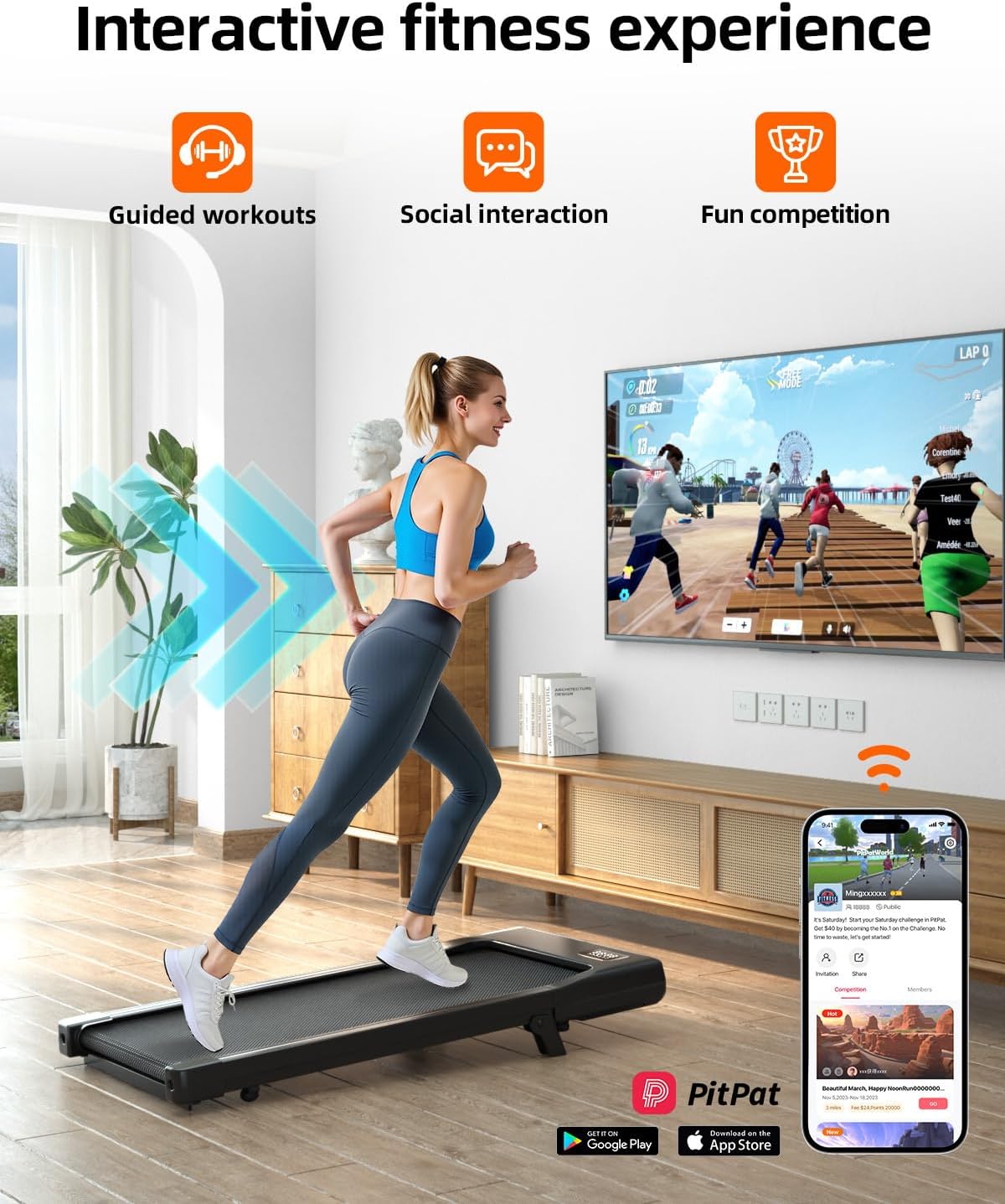
Figure 6.1: The walking pad supports various speeds for different activity levels.
6.3 App Connectivity (PitPat App)
For enhanced tracking and control, download the PitPat app. This app allows you to:
- Register and activate your treadmill.
- Track workout data (time, distance, calories).
- Adjust settings and control the treadmill.
Refer to the quick start guide or the app for detailed instructions on pairing and usage.
6.4 Manual Incline
The walking pad features a 6% manual incline for increased workout intensity. To engage the incline, lift the front of the treadmill and secure the support legs into the designated slots. Ensure they are firmly in place before use.

Figure 6.2: Engaging the 6% manual incline can increase calorie expenditure during your workout.
7. Maintenance
Regular maintenance ensures the longevity and optimal performance of your walking pad.
7.1 Lubrication of the Walking Belt
The walking belt requires periodic lubrication to reduce friction and wear. Lubricate the belt every 3 months or after 100 hours of use, whichever comes first.
- Turn off and unplug the walking pad.
- Lift the edge of the walking belt on one side.
- Apply a small amount of silicone lubricant (included) evenly along the center of the deck, underneath the belt.
- Repeat on the other side.
- Plug in the walking pad, turn it on, and walk at a slow speed (e.g., 1 MPH) for 5 minutes to distribute the lubricant.
7.2 Cleaning
Wipe down the walking pad with a damp cloth after each use to remove sweat and dust. Do not use abrasive cleaners or solvents.
7.3 Belt Tension and Alignment
If the walking belt feels loose or is drifting to one side, it may need adjustment. Refer to the detailed instructions in the quick start guide or contact customer support for assistance.
8. Troubleshooting
If you encounter issues, try these common solutions:
| Problem | Possible Cause | Solution |
|---|---|---|
| Treadmill does not power on. | Power cord not connected, power switch off, circuit breaker tripped. | Check power cord, ensure switch is ON, reset circuit breaker. |
| Remote control not responding. | Remote batteries low, remote not paired. | Replace batteries, re-pair remote according to quick start guide. |
| Walking belt slips or stops. | Belt too loose, insufficient lubrication. | Adjust belt tension (refer to manual), lubricate the belt. |
| Unusual noise during operation. | Loose components, belt misalignment, motor issue. | Check for loose parts, adjust belt, contact customer support if noise persists. |

Figure 8.1: The treadmill is designed for quiet operation, typically below 45 dB.
9. Specifications
| Feature | Detail |
|---|---|
| Brand | DeerRun |
| Model Name | Walking pad with incline |
| Product Dimensions (D x W x H) | 42.6" x 19.61" x 3.94" |
| Material | Alloy Steel |
| Maximum Speed | 3.8 Miles per Hour |
| Maximum Horsepower | 2.5 HP |
| Manual Incline | 6% |
| Maximum Weight Recommendation | 300 Pounds |
| Special Feature | Shock Absorbent |
| Included Components | User Manual |
| UPC | 769261723386 |
10. Warranty and Support
The DeerRun Under Desk Walking Pad Treadmill comes with a 1-Year Warranty from the date of purchase.
For any issues, questions, or assistance, please contact DeerRun customer service:
- Customer Service Hotline: +1-888-625-8777 (available 24/7)
Please have your model number (B0GS89X8DX) and purchase information ready when contacting support.