
1. Introduction
This manual provides essential information for the safe and effective use of your Lifelong LLTM174 Motorized Treadmill. Please read all instructions carefully before operating the treadmill. Retain this manual for future reference.
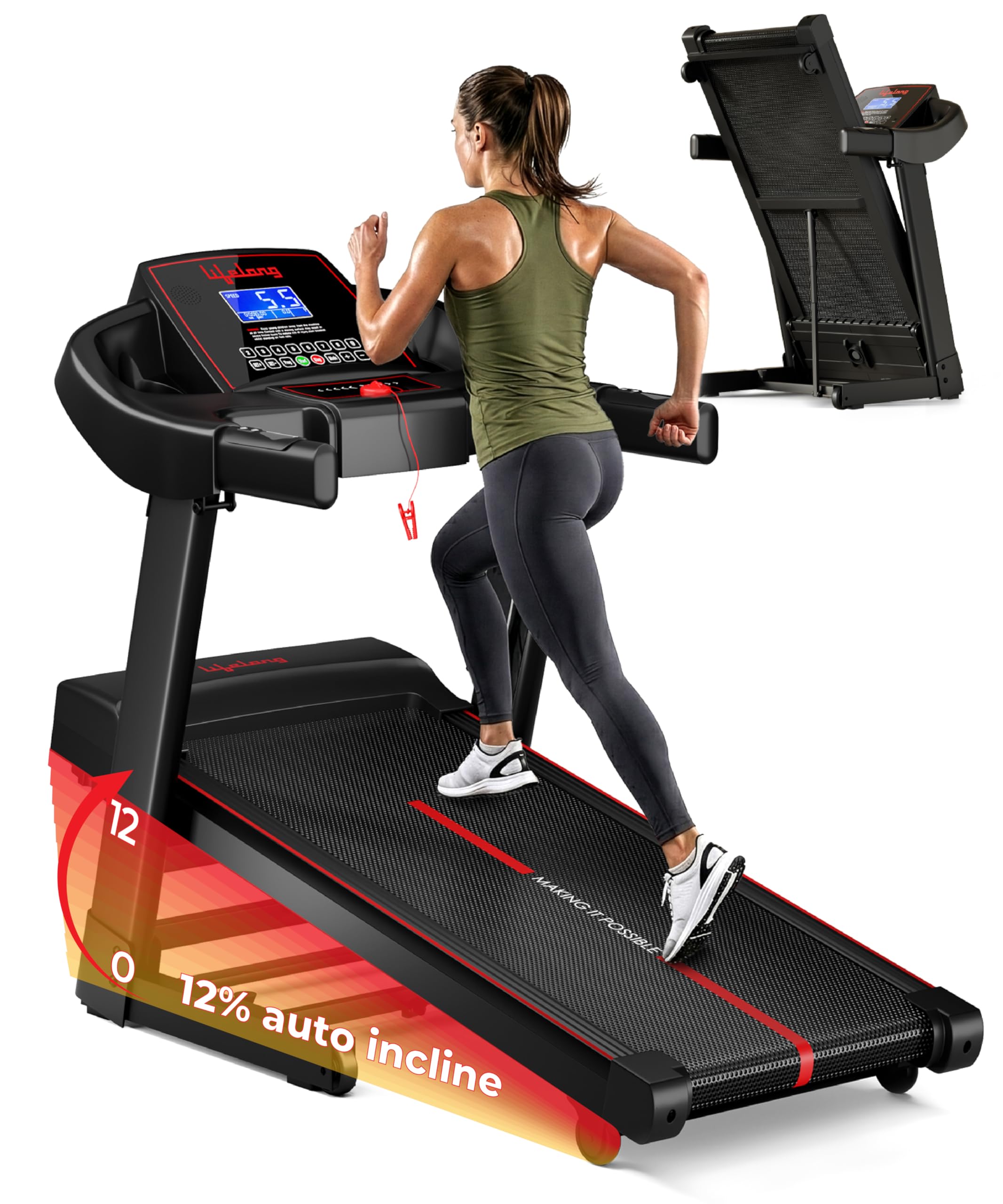
Image 1.1: Lifelong LLTM174 Motorized Treadmill
2. Important Safety Information
To reduce the risk of serious injury, read all important precautions and instructions in this manual before using the treadmill. Lifelong assumes no responsibility for personal injury or property damage sustained by or through the use of this product.
- Always place the treadmill on a level surface.
- Keep children and pets away from the treadmill during operation.
- Wear appropriate exercise clothing and athletic shoes.
- Do not operate the treadmill if it has a damaged power cord or plug.
- Always attach the safety key clip to your clothing before starting a workout.
- Do not step on or off the treadmill while the running belt is in motion.
- Consult a physician before starting any exercise program.

Image 2.1: Multi-layered running belt with silicone shock absorbers for safer workouts.
3. What's in the Box
Upon unpacking, please ensure all components are present:
- 1 N Main Unit (Treadmill)
- 1 N Toolkit
- 1 N User Manual
4. Setup and Assembly
The Lifelong LLTM174 Treadmill requires no assembly. It arrives pre-assembled and ready for use. Simply unpack, unfold, and connect to power.
4.1 Unfolding the Treadmill
The treadmill features a hydraulic soft-drop folding system for easy setup and storage. To unfold:
- Ensure the treadmill is on a flat, stable surface.
- Gently push the running deck downwards. The hydraulic system will assist in lowering it smoothly.
- Ensure the running deck is fully lowered and locked into position before use.

Image 4.1: Hydraulic soft-drop folding system for safe and smooth unfolding.
4.2 Moving the Treadmill
Built-in transport wheels allow for easy movement and compact storage. To move the treadmill:
- Fold the treadmill into its upright position.
- Carefully tilt the treadmill to engage the transport wheels.
- Roll the treadmill to your desired storage location.

Image 4.2: Folded dimensions for space-saving storage.
5. Operating Instructions
5.1 Control Panel Overview
The treadmill features an intuitive LCD display and control buttons for managing your workout.

Image 5.1: LCD Screen Display showing speed, time, distance, calories, and heart rate.
The LCD display tracks key metrics:
- Speed: Current speed in km/h.
- Time: Duration of your workout.
- Distance: Total distance covered.
- Calories: Estimated calories burned.
- Heart Rate: Measured via built-in pulse sensors on the handles.
5.2 Starting a Workout
- Plug the treadmill into a grounded electrical outlet.
- Attach the safety key clip to your clothing and insert the safety key into its designated slot on the console. The treadmill will not operate without the safety key.
- Step onto the side rails of the treadmill.
- Press the 'Start' button on the console. The belt will begin to move at a low speed.
- Carefully step onto the running belt and adjust the speed as desired.
5.3 Adjusting Speed and Incline
- Speed: Use the '+' and '-' buttons on the console to increase or decrease the running speed (1 to 14 km/h).
- Auto Incline: The treadmill features 12 levels of automatic incline. Use the incline '+' and '-' buttons to adjust the incline percentage (up to 12%).

Image 5.2: 12% Auto Incline for varied workout intensity.
5.4 Preset Workout Programs
The treadmill includes 12 preset workout programs (P1-P12) designed for various fitness goals. To select a program:
- From standby mode, press the 'Program' button to cycle through the available programs.
- Once your desired program is displayed, press 'Start' to begin the workout. The treadmill will automatically adjust speed and incline according to the program.

Image 5.3: 12 Preset Workout Programs for diverse training.
5.5 Bluetooth Connectivity and FitShow App
Connect your device via Bluetooth to enjoy music through the built-in speakers and track your workouts using the FitShow App.
- Enable Bluetooth on your mobile device.
- Search for the treadmill's Bluetooth signal (e.g., "Lifelong Treadmill").
- Pair your device.
- Download and open the FitShow App to connect and monitor your workout data.

Image 5.4: Bluetooth connectivity for music and app integration.
5.6 Stopping a Workout
- Press the 'Stop' button on the console. The belt will gradually slow down and stop.
- In an emergency, pull the safety key from the console. The treadmill will stop immediately.
6. Maintenance
Regular maintenance ensures the longevity and optimal performance of your treadmill.
6.1 Cleaning
- Wipe down the treadmill surfaces with a damp cloth after each use.
- Do not use abrasive cleaners or solvents.
- Keep the area around the treadmill clean and free of dust.
6.2 Lubrication
The running belt requires periodic lubrication to reduce friction and extend its lifespan. Refer to the specific instructions provided with your lubrication kit for frequency and application method.
6.3 Belt Adjustment
If the running belt feels loose or shifts to one side, it may require adjustment. Consult the full user manual for detailed instructions on how to tension and center the running belt.

Image 6.1: Anti-slip running belt for secure footing.
7. Troubleshooting
If you encounter issues with your treadmill, refer to the following common problems and solutions:
| Problem | Possible Cause | Solution |
|---|---|---|
| Treadmill does not power on. | Power cord not plugged in; circuit breaker tripped; safety key not inserted. | Ensure power cord is securely plugged in. Check household circuit breaker. Insert safety key fully. |
| Running belt stops abruptly. | Safety key dislodged; power interruption. | Re-insert safety key. Ensure stable power supply. |
| Belt slips or hesitates. | Belt tension too loose; insufficient lubrication. | Adjust belt tension (refer to full manual). Apply lubricant to the running deck. |
| Unusual noise during operation. | Loose components; motor issue; belt friction. | Check for loose bolts and tighten. Lubricate belt. If noise persists, contact customer support. |
For issues not listed here, please contact Lifelong customer support.
8. Specifications
| Feature | Detail |
|---|---|
| Brand | Lifelong |
| Model Number | LLTM174 |
| Motor | 5 HP Peak |
| Maximum Speed | 14 km/h |
| Minimum Speed | 1 km/h |
| Auto Incline | Up to 12% |
| Preset Programs | 12 |
| Maximum User Weight | 110 kg |
| Running Belt Dimensions | 420 x 1100 mm |
| Product Dimensions (D x W x H) | 133D x 62W x 104H Centimeters |
| Item Weight | 40 kg |
| Connectivity | Bluetooth |
| Frame Material | Alloy Steel |
| Assembly Required | No |

Image 8.1: 5 HP Peak Motor for powerful workouts.

Image 8.2: Treadmill supports a maximum user weight of 110 kg.
9. Warranty and Support
9.1 Warranty Information
The Lifelong LLTM174 Motorized Treadmill comes with a 1-Year Warranty from the date of purchase. This warranty covers manufacturing defects under normal use. Please retain your purchase receipt as proof of warranty.
9.2 Customer Support
For any queries, technical assistance, or warranty claims, please contact Lifelong customer support:
- Phone: +91 9711558877
- Email: customercare@lifelongonline.com
- Address: Imported and Marketed by Lifelong Online Retail Private Limited, 5th Floor, Unit No. 508, DLF South Court, Saket District Center, Saket New Delhi, India – 110017


