
1. Introduction
This manual provides detailed instructions for the setup, operation, and maintenance of your KJK Trail Camera KJKHR18. This camera is designed for wildlife observation, hunting scouting, farm security, and property monitoring, offering high-resolution imaging and robust outdoor performance.
2. Product Overview
2.1. Package Contents
- KJK Trail Camera KJKHR18
- User Manual
- Mounting Strap
- Threaded Tripod Mount
- USB Type-C Cable
- Screw Accessories
- 16GB SD Card (pre-installed or included)

Figure 1: KJK Trail Camera KJKHR18 and included accessories.
2.2. Camera Components
The KJKHR18 features a compact, camouflage-patterned design. Key components include:
- Main Lens: Captures 4K video and 64MP photos.
- PIR Sensors: Multiple passive infrared sensors for 130° wide-angle motion detection.
- IR LEDs: 45pcs 940nm No-Glow IR LEDs for clear night vision up to 100ft.
- LCD Screen: Internal screen for menu navigation and preview.
- Control Buttons: For navigating the camera menu and settings.
- Battery Compartment: Located behind a sealed cover.
- SD Card Slot: For memory storage.
- USB-C Port: For data transfer and external power.

Figure 2: Front view of the KJK Trail Camera KJKHR18.

Figure 3: Side view of the KJK Trail Camera KJKHR18, showing waterproof latches.
3. Setup
3.1. Battery Installation
- Open the camera's main latch and then the battery compartment cover.
- Insert 8 x 1.5V AA alkaline batteries or 1.5V rechargeable lithium batteries, ensuring correct polarity. Do not mix old and new batteries, or different battery types.
- Close the battery compartment cover securely until it clicks.
3.2. SD Card Installation
- Locate the SD card slot inside the camera.
- Insert the provided 16GB SD card (or your own compatible SD card) into the slot until it clicks. Ensure the card is inserted in the correct orientation.
- It is recommended to format the SD card before first use via the camera's menu settings to ensure optimal performance.
3.3. Initial Power On and App Connection
- Slide the power switch to the 'ON' position. The camera will power on.
- Download the 'TrailCam GO' app from the App Store (iOS) or Google Play Store (Android). A QR code for direct download is available in the included user manual.
- Enable Bluetooth and Wi-Fi on your smartphone.
- Open the 'TrailCam GO' app and follow the on-screen instructions to connect to your camera via Bluetooth.
- Once connected via Bluetooth, the app will prompt you to connect to the camera's Wi-Fi network for faster data transfer and live view.
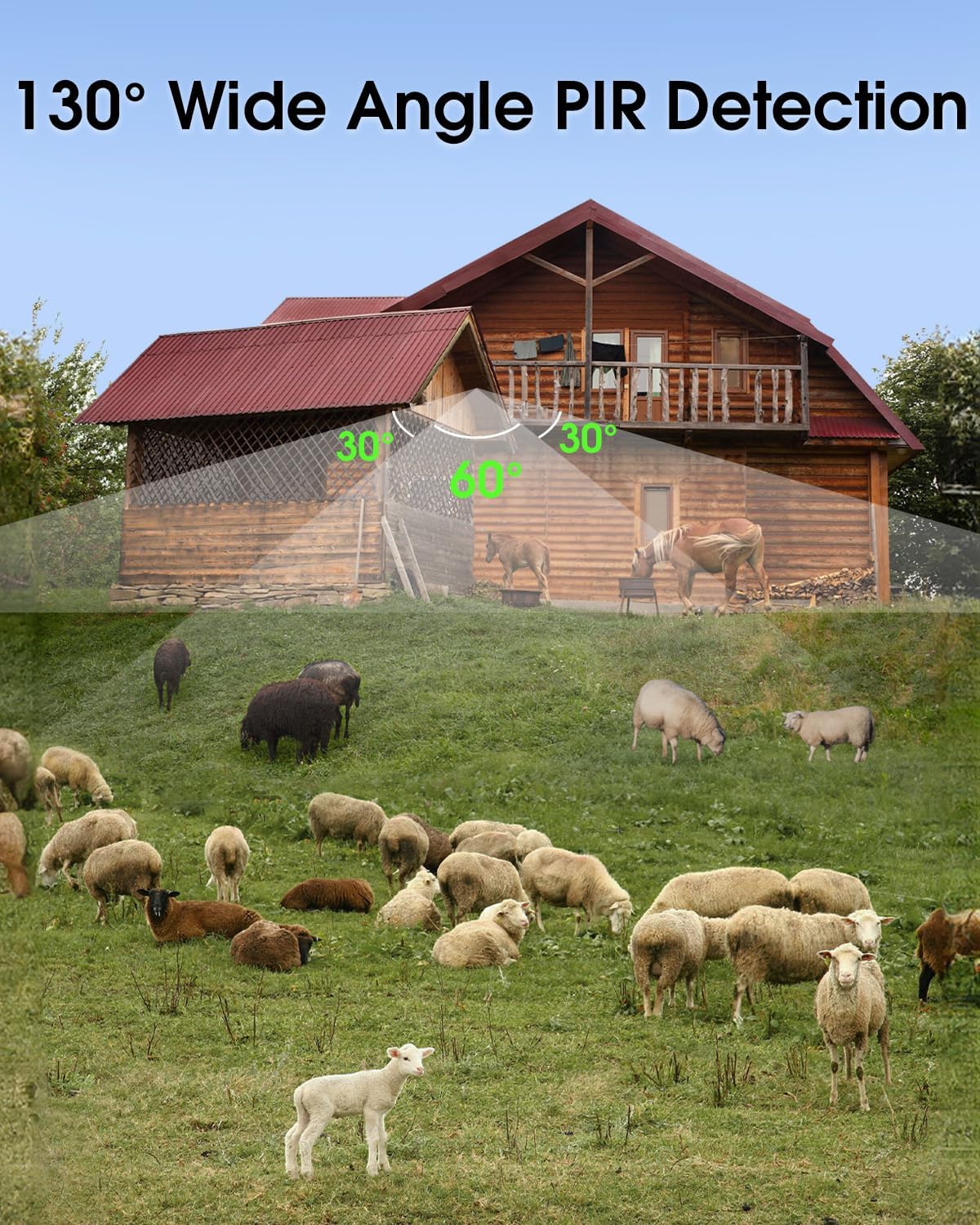
Figure 4: Steps for connecting the camera to the 'TrailCam GO' app.
4. Operating Instructions
4.1. Basic Operation Modes
The camera supports various modes, including photo, video, and photo+video. These can be configured through the camera's internal menu or the 'TrailCam GO' app.
4.2. Motion Detection and Trigger Speed
The KJKHR18 features a rapid 0.1-second trigger speed, ensuring that fast-moving wildlife is captured. The 130° wide-angle PIR detection covers a broad area, minimizing missed events.

Figure 5: Illustrates the fast 0.1s trigger speed.
Figure 6: 130° Wide Angle PIR Detection.
4.3. Night Vision
Equipped with 45pcs 940nm no-glow IR LEDs, the camera provides clear black-and-white images and videos at night without disturbing wildlife. The night vision range extends up to 100 feet.
Figure 7: Clear night vision capture of wildlife.

Figure 8: Examples of night vision captures.
5. App Control
The 'TrailCam GO' app allows for convenient remote control and management of your KJKHR18 camera within its Wi-Fi range.
- Live Preview: View a live feed from the camera to ensure optimal positioning.
- Settings Adjustment: Remotely change camera settings such as resolution, trigger interval, and operating modes.
- Photo/Video Download: Browse and download captured images and videos directly to your smartphone.
- Camera Management: The app includes a map feature to help locate and manage multiple cameras.

Figure 9: WiFi Connection & App Control interface.

Figure 10: App's map feature for camera positioning and management.
6. Mounting Options
The KJKHR18 offers versatile mounting options to suit various environments:
- Strap Mounting: Use the included mounting strap to secure the camera to trees, poles, or fences. This method is quick and requires no tools.
- Threaded Tripod Mount: The camera features a standard 1/4-20 threaded insert, allowing it to be mounted on the included threaded tripod mount or other compatible tripods/stands. The threaded mount can be screwed into a wall or wooden surface using the provided screws.

Figure 11: Camera mounted on a tree using the strap.
7. Maintenance
7.1. Weather Resistance
The KJKHR18 is IP67 waterproof, designed to withstand various outdoor conditions including rain, snow, and dust. It operates reliably in temperatures ranging from -22°F to +158°F (-30°C to +70°C).

Figure 12: Camera's all-weather build and IP67 waterproof rating.

Figure 13: Camera's performance in extreme weather.
7.2. Cleaning and Care
- Regularly clean the camera lens and PIR sensors with a soft, dry cloth to ensure clear images and accurate detection.
- Ensure the protective film is removed from the lens and PIR sensors before use.
- Avoid pointing the camera directly at the sun to prevent overexposed photos.
8. Troubleshooting
- Camera not powering on: Check battery installation and ensure batteries are fully charged or new.
- Poor image/video quality: Ensure the lens and PIR sensors are clean. Check camera settings for resolution and mode. Format the SD card.
- No motion detection: Verify PIR sensor sensitivity settings in the menu or app. Ensure no obstructions are blocking the sensors.
- App connectivity issues: Ensure Bluetooth and Wi-Fi are enabled on your phone. Restart the camera and the app. Ensure you are within the camera's Wi-Fi range.
- SD card errors: Format the SD card through the camera's settings. If issues persist, try a different compatible SD card.
9. Specifications
| Feature | Specification |
|---|---|
| Model Name | KJKHR18 |
| Photo Sensor Resolution | 64 MP |
| Effective Still Resolution | 24 MP |
| Video Capture Resolution | 4K (from product title, though spec says 1080p, 4K is primary claim) / 1080p |
| Connectivity Technology | Wireless (Wi-Fi, Bluetooth) |
| Trigger Speed | 0.1 seconds |
| PIR Detection Angle | 130° Wide Angle |
| Night Vision LEDs | 45pcs 940nm No-Glow IR LEDs |
| Waterproof Rating | IP67 |
| Power Source | Battery Powered (8 x 1.5V AA) |
| Storage | SD Card (up to 128GB, 16GB included) |
| Operating Temperature | -22°F to +158°F (-30°C to +70°C) |
| Item Dimensions | 8 x 4.8 x 3 inches |
10. Warranty and Support
KJK is committed to providing reliable products and excellent customer service.
- 30-Day Return Policy: Enjoy a 30-day return period for any reason.
- 1-Year Free Warranty Service: The camera is covered by a 1-year free warranty for manufacturing defects.
- 24-Hour Customer Service: For any inquiries or support needs, please contact KJK customer service.

Figure 14: KJK Warranty and Support information.


