
Introduction
This manual provides essential information for setting up, operating, maintaining, and troubleshooting your FOSSIBOT S7 smartphone. Please read this manual thoroughly before using your device to ensure proper functionality and longevity.
Package Contents
Verify that your package contains the following items:
- FOSSIBOT S7 Smartphone
- USB OTG Adapter
- Charging Cable (USB Type-C)
- User Manual (this document)
Note: Other accessories may be sold separately.
Device Overview
Familiarize yourself with the physical components of your FOSSIBOT S7 smartphone.
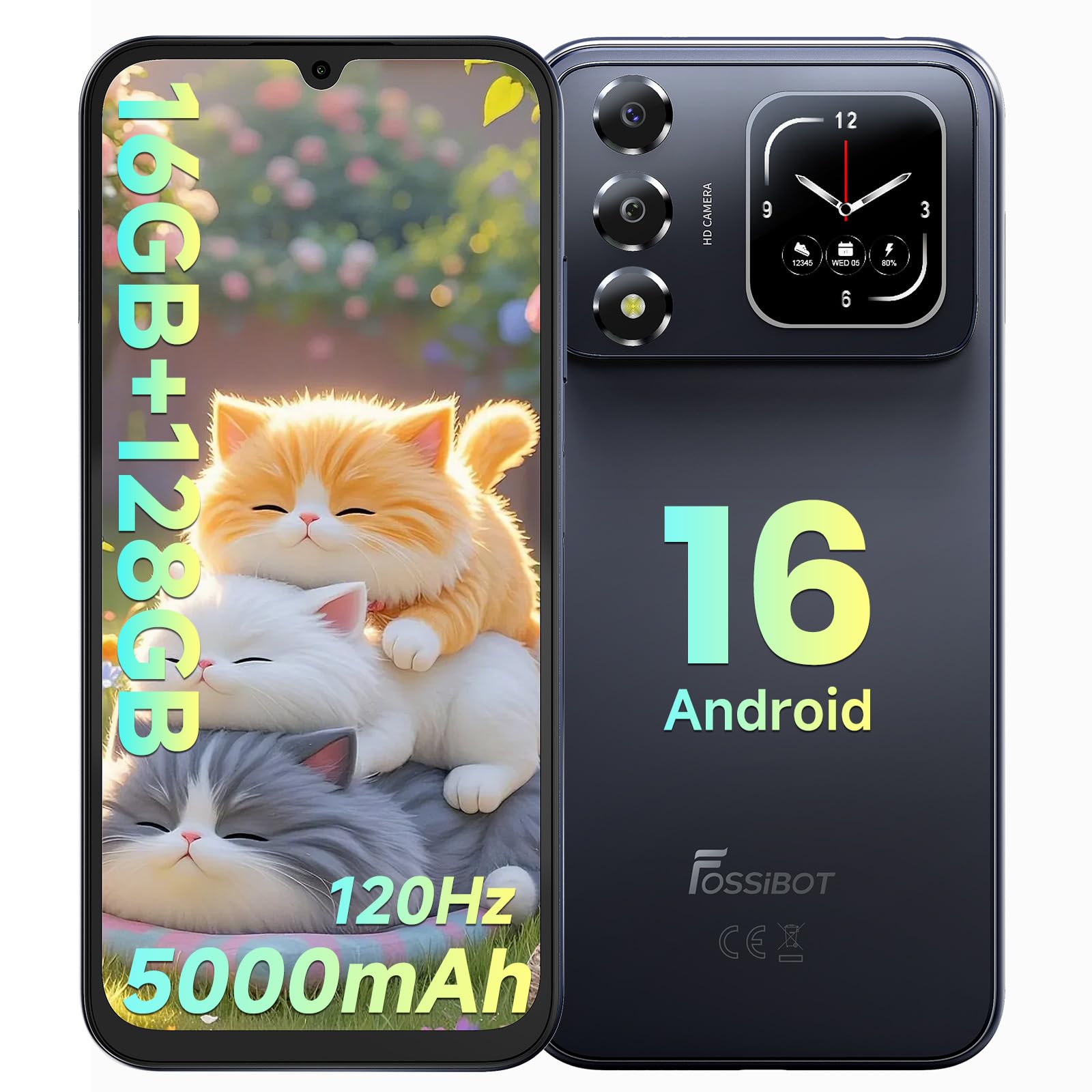
Image: Front and back view of the FOSSIBOT S7 smartphone, highlighting its dual-screen design and camera module.

Image: Diagram illustrating the FOSSIBOT S7's dimensions (8.6mm thickness) and weight (216g).
Setup
1. Inserting SIM Cards and TF Card
The FOSSIBOT S7 supports Dual SIM cards and a TF (microSD) card for expandable storage up to 2TB.
- Locate the SIM card tray on the side of the device.
- Use the provided SIM ejector tool to open the tray.
- Carefully place your Nano SIM cards and/or TF card into the designated slots. Ensure correct orientation.
- Gently push the tray back into the device until it is flush.
2. Initial Power On and Setup
- Press and hold the Power button until the FOSSIBOT logo appears.
- Follow the on-screen instructions to select your language, connect to Wi-Fi, and set up your Google account.
3. Biometric Security Setup (Face ID & Fingerprint ID)
Enhance your device security with Face ID and Fingerprint ID.
- Navigate to Settings > Security & Privacy > Face Unlock or Fingerprint Unlock.
- Follow the prompts to register your face or fingerprint. Ensure good lighting for Face ID and clean fingers for Fingerprint ID.

Image: Demonstrates the Face ID and Fingerprint ID features for unlocking the FOSSIBOT S7 smartphone.
Operating Your FOSSIBOT S7
Android 16 Operating System
Your FOSSIBOT S7 runs on Android 16, offering a smooth and intuitive user experience. Navigate through apps, customize your home screen, and manage notifications with ease.

Image: The FOSSIBOT S7 displaying the Android 16 operating system interface with various application icons.
Display Features
The device features a 6.9-inch FHD+ display with a 120Hz refresh rate for fluid visuals and a secondary touch-sensitive display on the back for quick access to information and controls.

Image: The FOSSIBOT S7's main display showcasing its 6.9-inch size, HD+ resolution, 20:9 aspect ratio, 260.33 PPI, 16.7M colors, and 400 nits brightness.

Image: Various customizable watch faces and widgets displayed on the FOSSIBOT S7's secondary touch-sensitive screen.
Performance and Storage
Equipped with a Unisoc Octa-core processor, 16GB total RAM (4GB physical + 12GB extended), and 128GB internal storage, expandable up to 2TB with a TF card, the S7 handles multitasking and demanding applications efficiently.

Image: Illustrates the FOSSIBOT S7's Unisoc Octa-core processor, 16GB RAM (4GB+12GB extended), and 128GB ROM with 2TB TF card expansion.
Gemini AI Assistant
The integrated Gemini AI Assistant provides smart Q&A, AI image creation from text prompts, and an AI coding assistant. Access it for instant information, creative tasks, or development support.

Image: Demonstrates the Gemini AI Assistant's capabilities, including Smart Q&A, AI image creation, and AI coding assistance.
Camera Functions
Capture moments with the 16MP rear camera and 8MP front camera. Utilize various shooting modes for different scenarios.
- Rear Camera: 16MP, supports Panorama Mode, Night Mode, and Video Mode.
- Front Camera: 8MP, ideal for selfies and video calls.

Image: Highlights the 16MP rear camera and 8MP front camera of the FOSSIBOT S7, with example photos.
Connectivity
The FOSSIBOT S7 supports 4G cellular networks, Wi-Fi (2.4GHz/5GHz), Bluetooth 5.0, and GPS/GLONASS/Galileo/Beidou for navigation.
- Supported Carriers: T-Mobile, Boost Mobile (T-Mobile), Metro by T-Mobile, Straight Talk, Consumer Cellular, Mint, Ultra Mobile, Red Pocket Mobile, Good2Go Mobile.
- Unsupported Carriers: ATT and CRICKET.
Integrated Software Toolkit
Your device includes a suite of practical tools:
- Compass
- Magnifier
- Gradienter
- Flashlight
- Pic Hanging
- Sound Meter
- Height Measure
- Warning Siren
- Protractor
- Plumb Bob

Image: Overview of FOSSIBOT S7 features including Bluetooth 5.0, 3.5mm Headphone Jack, GPS/GLONASS/Galileo/Beidou, Gemini AI, 2.4Ghz/5Ghz WiFi, and the Software Toolkit icons.
Battery and Charging
The FOSSIBOT S7 is equipped with a 5000mAh Lithium-Polymer battery, providing extended usage times.
- Up to 550 hours standby time.
- Up to 40 hours talk time.
- Up to 7 hours video playback.
- Up to 6.5 hours gaming.
Charging Guidelines
- Use the provided USB Type-C charging cable and a compatible power adapter.
- Connect the cable to the phone's USB Type-C port and the adapter to a power outlet.
- A full charge typically takes approximately 16 hours.
- Avoid using damaged cables or chargers.
- Do not expose the device to extreme temperatures during charging.

Image: Graphic illustrating the 5000mAh battery capacity and its estimated usage times for standby, talk, video, and gaming.
Maintenance and Care
- Cleaning: Use a soft, lint-free cloth to clean the screen and body. Avoid harsh chemicals.
- Water Resistance: This device is NOT Water Resistant. Avoid exposure to liquids.
- Temperature: Operate the device within recommended temperature ranges. Avoid extreme heat or cold.
- Storage: Store the device in a cool, dry place when not in use for extended periods.
Troubleshooting
| Problem | Possible Solution |
|---|---|
| Device does not power on. | Ensure the battery is charged. Connect to a charger for at least 30 minutes, then try powering on again. |
| Poor network signal or no service. | Check if your SIM card is properly inserted. Verify that your carrier is supported (T-Mobile, Boost Mobile, Metro by T-Mobile, Straight Talk, Consumer Cellular, Mint, Ultra Mobile, Red Pocket Mobile, Good2Go Mobile). Restart the device. |
| Applications are slow or crashing. | Close unnecessary background applications. Clear app cache in Settings. Restart the device. Ensure sufficient storage space. |
| Battery drains quickly. | Reduce screen brightness. Disable unused features like Wi-Fi, Bluetooth, GPS. Close background apps. Check for app updates. |
| Touchscreen unresponsive. | Restart the device. If the issue persists, contact customer support. |
Specifications
| Feature | Detail |
|---|---|
| Brand | FOSSIBOT |
| Model Name | FOSSiBOT S7 |
| Operating System | Android 16 |
| RAM Memory Installed Size | 16 GB (4GB physical + 12GB extended) |
| CPU Speed | 2 GHz (Unisoc Octa-core) |
| Memory Storage Capacity | 128 GB |
| Flash Memory Supported Size Maximum | 2 TB (with TF card) |
| Screen Size | 6.9 inches |
| Resolution | 2400 x 1080 (FHD+) |
| Refresh Rate | 120 Hz |
| Display Type | LCD |
| Display Pixel Density | 230.33 pixels_per_inch |
| Rear Facing Camera Photo Sensor Resolution | 16 MP |
| Front Photo Sensor Resolution | 8 MP |
| Battery Capacity | 5000 mAh |
| Battery Type | Lithium-Polymer |
| Battery Charge Time | 16 hours (approx.) |
| Cellular Technology | 4G |
| Connectivity Technology | Wi-Fi (2.4GHz/5GHz), Bluetooth 5.0 |
| Supported Satellite Navigation System | GPS, GLONASS, Galileo, Beidou |
| SIM Card Slot Count | Dual SIM (Nano) |
| Connector Type | USB Type C |
| Biometric Security Feature | Face Recognition, Fingerprint ID |
| Water Resistance Level | Not Water Resistant |
| Headphones Jack | 3.5 mm |
| Model Year | 2026 |
Warranty and Support
Warranty Information
FOSSIBOT provides a 2-year warranty covering material and workmanship defects under normal use. This warranty ensures your device is protected against manufacturing faults.
Customer Support
For any questions, technical assistance, or warranty claims, FOSSIBOT offers 24/7 online after-sales support. Please refer to the official FOSSIBOT website or your purchase documentation for contact details.
Product Video
Video: An overview of the FOSSIBOT S7 smartphone, showcasing its design and key features in action.