
1. Introduction
Thank you for choosing the Black Shark Magnetic Phone Cooler 5 Pro. This device is designed to provide efficient cooling for your mobile devices, enhancing performance during gaming, streaming, and other demanding tasks. Please read this manual carefully to ensure proper usage and maintenance.
2. Package Contents
- Black Shark Magnetic Phone Cooler 5 Pro x1
- USB-C to USB-C Cable x1
- Removable Grips x2
- Instruction Manual x1
3. Specifications
| Feature | Specification |
|---|---|
| Brand | Black Shark |
| Model | 5 Pro |
| Power Connector Type | USB-C |
| Wattage | 35 watts |
| Voltage | 12 Volts |
| Cooling Method | Air (TEC Cooling Chip) |
| Temperature Drop | Up to 113°F (45°C) drop, cools to -4°F (-20°C) |
| RGB LEDs | 18 Addressable RGB LEDs with Rubik's Cube lighting mode |
| Maximum Rotational Speed | 7200 RPM |
| Noise Level | 39 Decibels |
| Compatible Devices | iPhone (MagSafe), Android, Switch, iPad, Laptops |
| Mounting Options | Magnetic / Clip-on (with removable grips) |
| Additional Features | 1/4 inch nut interface for live broadcast brackets, Dual NTC sensors for smart temperature control |
| Item Weight | 120 Grams |
4. Setup
4.1 Attaching the Cooler to Your Device
The Black Shark Magnetic Phone Cooler 5 Pro offers two primary attachment methods: magnetic and clip-on.
- Magnetic Attachment: For devices with MagSafe compatibility (e.g., iPhone 12 and above series), simply align the cooler with the magnetic area on the back of your device. The strong magnetic attraction will secure it in place.
- Clip-on Attachment: For Android phones, iPads, or other devices without magnetic capabilities, use the provided removable grips.
Attaching the Removable Grips:
- Take out the provided detachable handle.
- Pick up the magnetic cooling fan with the magnetic side facing down.
- Align the fixed ribs of the handle with the openings on the cooler in the middle of both side vents.
- Once aligned seamlessly, press the handle down vertically with force. When you hear a "click" sound, the installation is complete.
*When removing the handle, push it out with force in the opposite direction of downward pressure. Please store it properly to avoid loss.

Image: Black Shark Magnetic Phone Cooler 5 Pro with detachable handle attached to a phone, illustrating the 1/4 inch fixed bolt design for accessories.

Image: Step-by-step diagram illustrating how to attach the detachable handle to the Black Shark Magnetic Phone Cooler 5 Pro.
4.2 Power Connection
Connect the provided USB-C to USB-C cable to the cooler and a power source. For optimal performance, a 40W or higher wall charger is recommended (not included).
4.3 App Installation (Shark Arsenal)
To unlock advanced features and customization, download the Shark Arsenal app from your device's app store. The app allows for manual control, smart adjustments, and continuous monitoring of the cooler's temperature.
5. Operating Instructions
5.1 Basic Operation
Once connected to a power source, the cooler will automatically power on. The fan will begin to spin, and the RGB LEDs will illuminate.
5.2 Temperature Control
- Smart Temperature Control: The cooler uses dual NTC sensors to monitor internal temperature in real-time. It automatically adjusts cooling performance and will auto-shut off if temperatures exceed 60°C (140°F) or drop below -20°C (-4°F) for safety and longevity.
- Manual Control via App: Use the Shark Arsenal app to manually control cooling temperature and fan speed.
- One-Click Overclocking: The cooler features a physical button for one-click activation of an overclocking mode, providing maximum cooling performance.
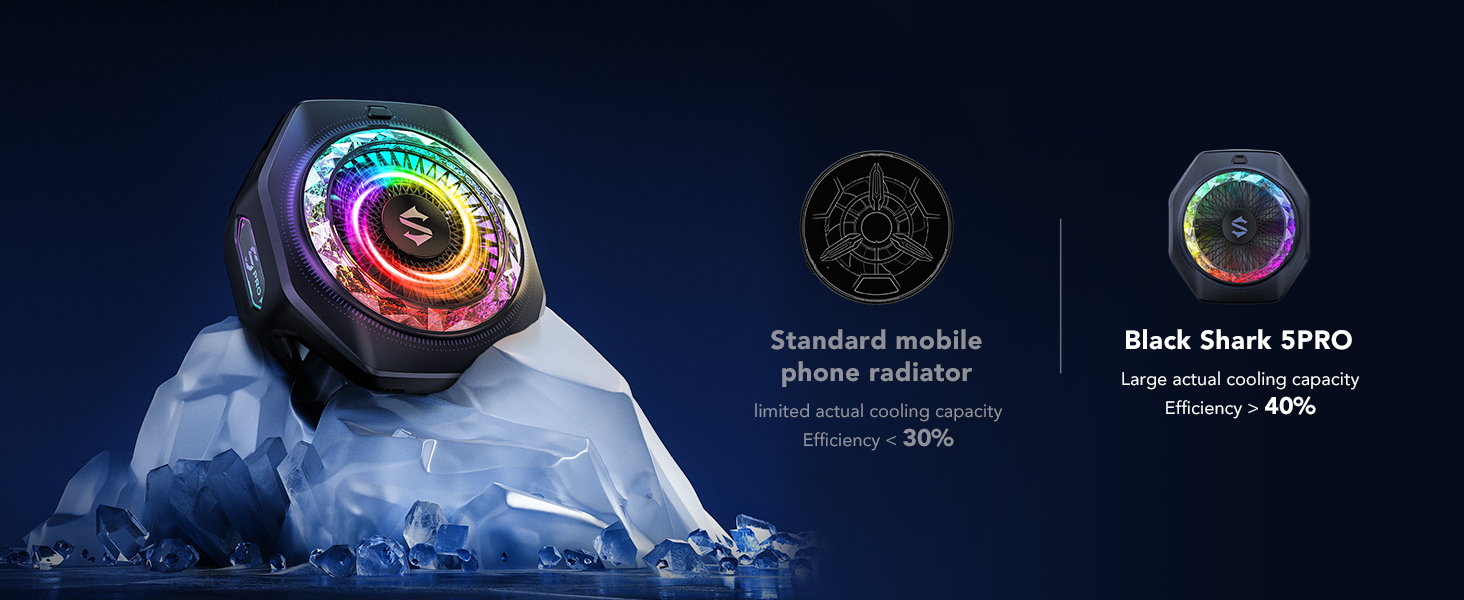
Image: Exploded view of the Black Shark Magnetic Phone Cooler 5 Pro, highlighting its 35W TEC cooling chip, copper cooling plate, industrial-grade cooling fins, and large-size fan, capable of dropping temperature to -4°F (-20°C).

Image: Graph illustrating the rapid temperature drop of the Black Shark Magnetic Phone Cooler 5 Pro, reaching freezing point in 25 seconds.
5.3 RGB LED Customization
The cooler features 18 addressable RGB LED beads with a unique Rubik's Cube lighting mode. Each LED bead can be individually customized for color and effects.
- Physical Button Control: Double-tap the button on the cooler to cycle through different color patterns.
- App Control: Use the Shark Arsenal app to customize lighting effects, brightness, and speed.

Image: The Black Shark Magnetic Phone Cooler 5 Pro displaying its customizable 18 RGB LEDs and a smartphone screen showing the Shark Arsenal app interface for LED settings.
5.4 Usage Scenarios
The cooler is versatile for various applications:
- Gaming: Prevents thermal throttling and frame drops for smooth gameplay.
- Streaming: Maintains device stability during live broadcasts.
- Photography/Videography: Keeps devices cool during extended recording sessions, especially when mounted on tripods or gimbals using the 1/4 inch nut interface.
- Car-mounted Use: Ideal for navigation or media consumption in vehicles to prevent overheating.

Image: Collage showing the Black Shark Magnetic Phone Cooler 5 Pro in various use cases: attached to a phone during gaming, on a laptop, during live streaming with a tripod, and mounted in a car.
5.5 Official Product Videos
Video: Official overview of the Black Shark Magnetic Phone Cooler 5 Pro, showcasing its features and design.
Video: Demonstration of the 18 Addressable RGB LEDs on the Black Shark Magnetic Phone Cooler 5 Pro and its customization options.
6. Maintenance
- Cleaning: Due to the intense cooling, condensation may form on the cooler and your device. Always wipe the back of your phone and the cooler itself with a soft, dry cloth after use to prevent moisture damage.
- Storage: Store the cooler in a cool, dry place away from direct sunlight and extreme temperatures when not in use.
- Cable Care: Handle the USB-C cable gently to avoid damage.
7. Troubleshooting
7.1 Cooler Does Not Turn On
- Check Power Source: Ensure the cooler is connected to a functional USB-C power source.
- Power Adapter Requirement: The Black Shark Magnetic Phone Cooler 5 Pro requires a 40W or higher wall charger for proper operation. Using a lower wattage charger may result in the device not powering on or turning off after a short period.
- Cable Integrity: Inspect the USB-C cable for any signs of damage. Try using a different USB-C cable if available.
7.2 Ineffective Cooling
- Proper Placement: Ensure the cooler is securely attached and making good contact with the back of your device.
- Airflow Obstruction: Do not block the fan vents. Ensure adequate space for airflow.
- Device Case: Thick phone cases may reduce cooling efficiency. Consider removing the case or using a thin/metal case for best results.
- App Settings: Verify that the cooling mode in the Shark Arsenal app is set to your desired level (e.g., overclocking mode for maximum cooling).
7.3 App Connectivity Issues
- Bluetooth Connection: Ensure your device's Bluetooth is enabled and the cooler is paired with the Shark Arsenal app.
- App Update: Check for any available updates for the Shark Arsenal app.
- Restart: Try restarting both your device and the cooler.
8. Warranty and Support
For warranty information and technical support, please refer to the official Black Shark website or contact Black Shark US directly. Keep your purchase receipt as proof of purchase.
Black Shark US: Seller Profile on Amazon


