
Introduction
This manual provides detailed instructions for the assembly, operation, and maintenance of your OLIXIS Ergonomic Mid Back Office Desk Chair. Please read this manual thoroughly before assembly and use to ensure proper function and safety. Keep this manual for future reference.
Safety Information
Please observe the following safety precautions:
- Ensure all parts are present and undamaged before assembly. Do not use if any parts are missing or broken.
- Assemble the chair on a soft, flat surface to prevent scratches.
- Tighten all screws firmly, but do not overtighten. Re-tighten screws periodically.
- Do not stand on the chair.
- Do not use the chair as a step stool.
- Keep children away from the assembly area. Small parts may be a choking hazard.
- Maximum weight capacity: 250 pounds (113 kg). Do not exceed this limit.
- Avoid prolonged exposure to direct sunlight or extreme temperatures.
Package Contents
Before beginning assembly, verify that all components are included:
- Chair Backrest (Mesh)
- Seat Cushion
- Armrests (Fixed, Left and Right)
- Chair Base (5-star)
- Casters (5 pieces)
- Gas Lift Cylinder
- Mechanism Plate
- Hardware Pack (Screws, Allen Wrench)
- Back Cover (for backrest screws)
Assembly Instructions
For a visual guide, please refer to the assembly video below. Follow these steps carefully:
Video: How to assemble OLIXIS office desk chair?
- Attach Casters to Base: Insert each of the five casters into the holes at the end of each leg of the chair base. Push firmly until they click into place.
- Insert Gas Lift: Place the gas lift cylinder into the central hole of the assembled chair base.
- Assemble Backrest and Armrests: Align the backrest with the armrests. Secure them together using the provided screws and Allen wrench. Ensure a snug fit.
- Attach Backrest/Armrest Assembly to Seat: Position the assembled backrest and armrests onto the seat cushion. Secure them with screws from the underside of the seat.
- Install Mechanism Plate: Attach the mechanism plate to the bottom of the seat cushion using the designated screws. Ensure the front of the mechanism plate faces the front of the seat.
- Connect Seat to Gas Lift: Carefully place the assembled seat (with mechanism plate) onto the gas lift cylinder, ensuring it is centered and stable.
- Install Back Cover: Once the backrest is securely attached, place the decorative back cover over the screw holes on the backrest for a finished look.
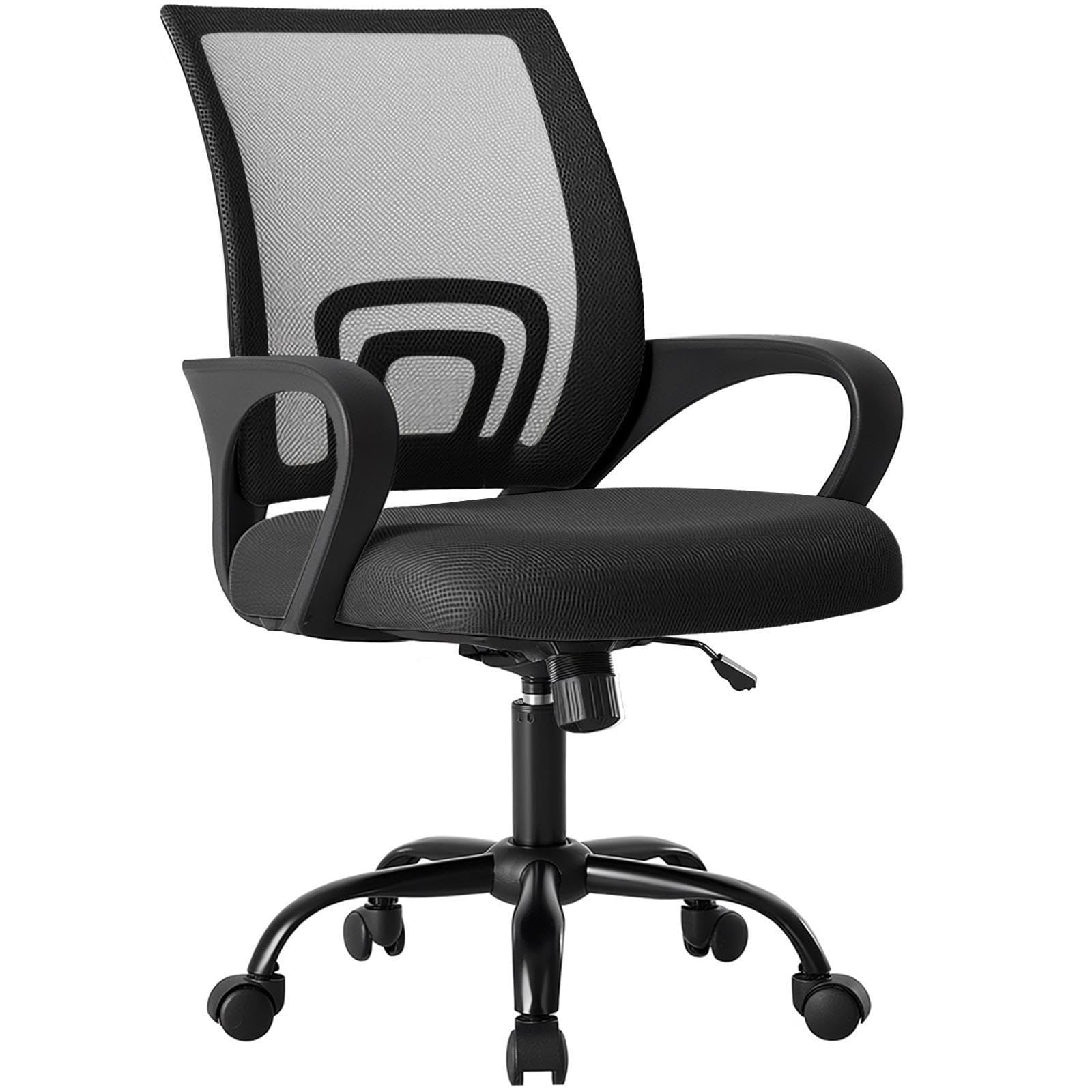
Image: The fully assembled OLIXIS Office Desk Chair, ready for use.
Operating Instructions
Your OLIXIS Office Desk Chair offers several adjustable features for personalized comfort:
- Height Adjustment: To adjust the seat height, pull the lever located under the right side of the seat upwards. While holding the lever, stand up to raise the chair or sit down to lower it. Release the lever at your desired height. The height is adjustable from 14.7 inches to 17.7 inches.
- Rocking Mode: To engage the rocking function, pull the same lever (used for height adjustment) outwards. To lock the chair in an upright position, push the lever inwards. The chair allows for a 90°-120° tilt.
- Tilt Tension Control: The round knob located under the front-center of the seat controls the tension of the rocking mode. Turn clockwise to increase tension (making it harder to recline) or counter-clockwise to decrease tension (making it easier to recline).
- 360° Swivel and Casters: The chair features a 360° swivel function and smooth-rolling casters for easy movement around your workspace. The casters are designed to be quiet and prevent scratches on floors.

Image: Illustration of the rocking mode and height adjustment lever, showing the chair's range of motion.

Image: Detailed view highlighting the ergonomic back support and lumbar support features of the chair.
Maintenance
Proper care will extend the life of your OLIXIS Office Desk Chair:
- Cleaning: Wipe clean with a damp cloth. Avoid harsh chemicals or abrasive cleaners.
- Regular Checks: Periodically check all screws and bolts to ensure they are tight. Re-tighten as necessary.
- Caster Care: Keep casters free of hair and debris to ensure smooth rolling.
- Avoid Overloading: Do not exceed the maximum weight capacity of 250 pounds.
Troubleshooting
If you encounter issues with your chair, refer to the following common solutions:
- Chair Sinks or Won't Stay Up:
Solution: The gas lift cylinder may be faulty. Contact customer support for a replacement.
- Chair Wobbles:
Solution: Check all screws, especially those connecting the mechanism plate to the seat and the armrests to the backrest/seat. Tighten any loose screws. Ensure the gas lift is fully inserted into the base.
- Casters Don't Roll Smoothly:
Solution: Remove any hair, dust, or debris from the caster wheels. If they are still stiff, they may need lubrication or replacement.
- Difficulty with Rocking Mode:
Solution: Ensure the rocking lever is pulled outwards to enable the function. Adjust the tilt tension knob to your preference.
Specifications
| Feature | Detail |
|---|---|
| Brand | OLIXIS |
| Model Number | 1411BK-HJ3N219 |
| Color | Black |
| Material | Mesh (Back), Metal (Frame) |
| Product Dimensions (D x W x H) | 23.62"D x 22.6"W x 37.4"H |
| Seat Depth | 22.2 inches |
| Item Weight | 19.4 Pounds |
| Maximum Weight Recommendation | 250 Pounds |
| Adjustable Height Range | 14.7'' to 17.7'' inches |
| Rocking Mode | 90°-120° Tilt Mechanism |
| Features | Adjustable Height, Arm Rest, Back Support, Ergonomic, Rolling, Lumbar Support, Storage Back |
| Product Care Instructions | Wipe Clean |

Image: Diagram showing the key dimensions of the OLIXIS Office Desk Chair.
Warranty and Support
For warranty information or technical support, please contact OLIXIS customer service. Refer to your purchase documentation for specific warranty terms and contact details. You can also visit the official OLIXIS website for further assistance.


