
Introduction
Welcome to the Viamotion Walking Pad Treadmill user manual. This guide provides essential information for the safe and effective operation, maintenance, and troubleshooting of your new walking pad. Please read this manual thoroughly before initial use and retain it for future reference.
Safety Guidelines
To ensure your safety and prolong the life of your Viamotion Walking Pad Treadmill, please adhere to the following safety precautions:
- Always read the entire user manual before operating the treadmill.
- Place the treadmill on a flat, stable surface with adequate clear space around it (at least 2 feet on all sides and 6 feet behind).
- Wear appropriate athletic footwear and clothing during use.
- Ensure the emergency stop clip is attached to your clothing before starting any exercise.
- Do not exceed the maximum weight capacity of 120.2 kg (265 lbs).
- Keep children and pets away from the treadmill during operation.
- Do not use the treadmill if it is damaged or malfunctioning. Contact customer support immediately.
- Unplug the treadmill from the power outlet when not in use or before cleaning and maintenance.
Product Overview
Key Components
- Treadmill Unit
- Adjustable Handlebar
- Integrated LED Display
- Remote Control
- Power Cord
- User Manual (this document)
- Emergency Stop Clip
Core Features
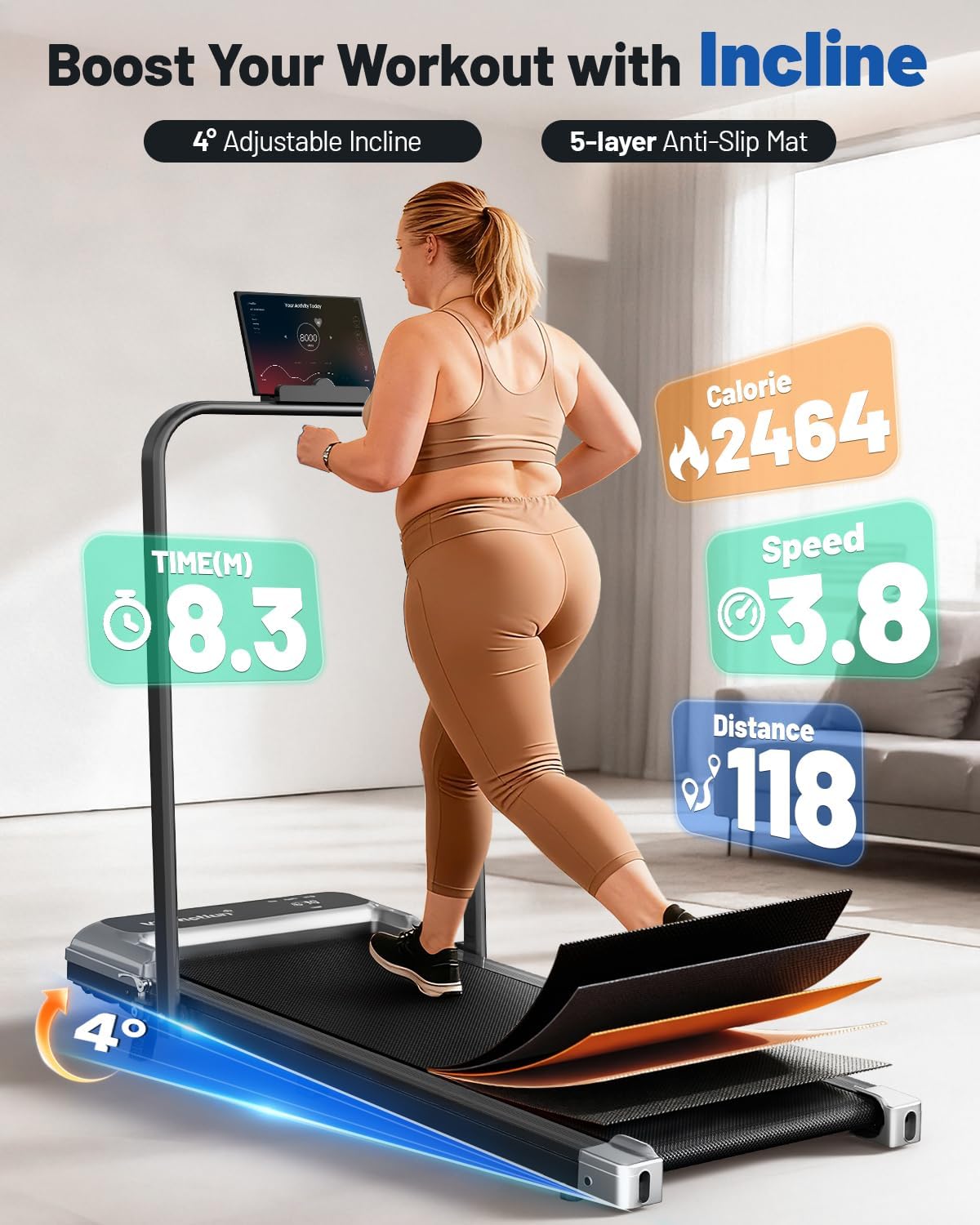
- Adjustable 8% Incline: Provides an additional challenge to your walking routine, enhancing calorie expenditure.
- LED Display and Real Speed Feedback: Tracks and displays exercise duration, walking distance, speed, and calorie consumption.
- Easy Storage: Features a convenient folding design for upright storage or sliding under furniture, occupying minimal space.
- Silent Operation: Equipped with a 2.5HP brushless motor and noise reduction technology, operating at approximately 45 dB.
- Premium Running Belt: A 5-layer non-slip belt combined with a silicone column support system offers cushioning and joint protection.
- Compact and Portable Design: Suitable for home and office environments, allowing for flexible fitness routines.


Assembly and Initial Setup
1. Unpacking
Carefully remove all components from the packaging. Inspect for any damage. Ensure all parts listed in the 'Key Components' section are present.
2. Handlebar Installation
The handlebar is designed for easy setup. Lift the handlebar into its upright position and secure it using the provided locking mechanisms. For the phone holder, attach it to the handlebar using the two screws provided.

3. Placement
Position the treadmill on a firm, level surface. Ensure there is sufficient space around the unit for safe operation and movement. The compact design allows for placement in various home or office settings.
4. Power Connection
Connect the power cord to the treadmill and then plug it into a grounded electrical outlet. Ensure the power switch on the treadmill is in the 'OFF' position before plugging it in.

Operating Instructions
1. Powering On/Off
To power on, flip the main power switch located near the power cord inlet to the 'ON' position. The LED display will illuminate. To power off, flip the switch back to 'OFF'.
2. Using the Remote Control
The remote control is the primary interface for adjusting settings. It allows you to start/stop the treadmill, adjust speed, and select exercise modes. Ensure the remote has working batteries and is pointed towards the treadmill's display for optimal signal.
3. Exercise Modes
The Viamotion Walking Pad Treadmill offers three distinct exercise modes:
- Working Mode: Speed range of 0.6-1.5 MPH, ideal for light activity while working or performing other tasks.
- Walking Mode: Speed range of 1.5-3.0 MPH, suitable for brisk walking.
- Running Mode: Speed range of 3.0-3.8 MPH, for more intense walking or light jogging.

4. Adjusting Speed and Incline
Use the remote control to increase or decrease the speed. The treadmill also features an 8% manual incline. Adjust the incline mechanism located at the rear of the treadmill to your desired level before starting your workout.
5. Emergency Stop
In case of an emergency or if you need to stop the treadmill quickly, pull the emergency stop clip from its designated slot. The treadmill will immediately cease operation.
Care and Maintenance
Regular maintenance ensures the longevity and optimal performance of your Viamotion Walking Pad Treadmill.
1. Cleaning
Wipe down the treadmill surface with a damp cloth after each use to remove sweat and dust. Avoid using abrasive cleaners or solvents that could damage the finish. Ensure the treadmill is unplugged before cleaning.
2. Belt Lubrication
The running belt requires periodic lubrication to reduce friction and wear. Refer to the specific instructions provided with your treadmill's lubrication kit for frequency and application method. Typically, this is recommended every few months depending on usage.
3. Belt Adjustment
Over time, the running belt may become misaligned or loose. If the belt is slipping or drifting to one side, consult the manual for instructions on how to adjust the belt tension and centering using the adjustment bolts at the rear of the treadmill.
4. Storage
When not in use, fold the handlebar down and store the treadmill in a dry, cool place. Its compact design allows it to be stored upright against a wall or slid under a bed or sofa.

Troubleshooting Common Issues
This section addresses common issues you might encounter with your Viamotion Walking Pad Treadmill.
| Problem | Possible Cause | Solution |
|---|---|---|
| Treadmill does not power on. | Power cord not securely plugged in; main power switch is off; emergency stop clip is not in place. | Check power connections; ensure main power switch is ON; verify emergency stop clip is fully inserted. |
| Unusual noise during operation. | Running belt requires lubrication; loose components; foreign object under the belt. | Lubricate the running belt as per maintenance instructions; check and tighten any loose screws; inspect under the belt for obstructions. |
| Remote control is unresponsive. | Remote batteries are low or dead; remote is not pointed at the display; signal interference. | Replace remote batteries; ensure direct line of sight to the display; minimize other electronic interference. |
| Internet connection issues when treadmill is on. | Electromagnetic interference from the treadmill motor. | Move the treadmill further away from your Wi-Fi router or other network devices. |
| Running belt slips or shifts. | Belt tension is too loose; belt is off-center. | Adjust belt tension and centering according to the maintenance section. |
Product Specifications
Detailed specifications for the Viamotion Walking Pad Treadmill (Model B0GRGY5388):
- Product Dimensions: 119D x 57.5W x 11.3H centimetres (46.85D x 22.64W x 4.45H inches)
- Item Weight: 17.4 kg (38.36 lbs)
- Material: Alloy Steel
- Maximum Speed: 3.8 miles per hour
- Minimum Speed: 0.6 miles per hour
- Maximum Horsepower: 2.5 hp
- Maximum Incline Percentage: 8% (Manual)
- Maximum Weight Recommendation: 120.2 kg (265 lbs)
- Power Source: Corded Electric
- Metrics Measured: Calories Burned, Distance, Speed, Time
- Special Features: Adjustable Speed, Compact Design, Foldable, Manual Incline, Portable
- Included Components: Remote Control, User Manual
- Manufacturer: Viamotion
- Country/Region of Origin: China
Warranty and Customer Support
Warranty Information
Please refer to the warranty card included with your purchase for specific warranty terms and conditions. General warranty coverage typically includes manufacturing defects for a specified period from the date of purchase.
Contact Support
For any questions, technical assistance, or warranty claims, please contact Viamotion customer support. Contact details can usually be found on the product packaging, the official Viamotion website, or your purchase receipt.
