
1. Introduction and Overview
Thank you for choosing the Generico Reclining Massage Chair, Model 4015694. This manual provides essential information for the safe and efficient assembly, operation, and maintenance of your new massage chair. Please read these instructions carefully before use and retain them for future reference.
This comfortable reclining chair features a 6-point vibration massage function and a manual recline mechanism, designed to provide a relaxing experience. It is constructed with a durable wooden and metal frame, upholstered in breathable fabric, and includes a convenient side pocket for storage.
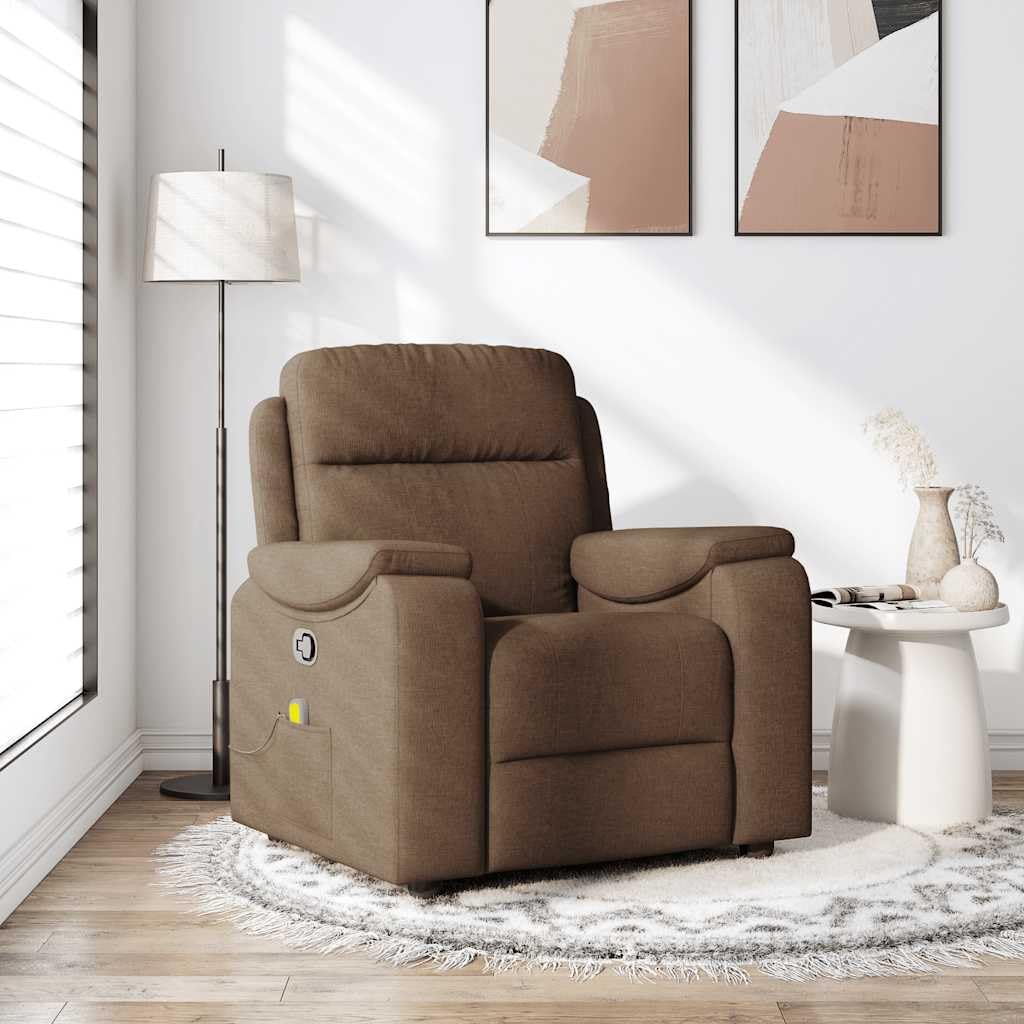
Image 1.1: Front view of the Generico Reclining Massage Chair in brown fabric.
2. Safety Instructions
Please observe the following safety precautions to prevent injury or damage to the product:
- Power Supply: The massage function is powered via a USB connector. A certified 5V DC USB power supply is required but not included. Only use certified 5V DC power supplies. Using a higher voltage power supply can cause overheating, damage the device, and poses a potential risk of fire.
- Children and Pets: Keep children and pets away from the chair during operation, especially when reclining or adjusting positions.
- Weight Limit: Do not exceed the maximum load capacity of 110 kg (242 lbs).
- Placement: Place the chair on a flat, stable surface. Ensure sufficient space around the chair for reclining.
- Cleaning: Disconnect the USB power supply before cleaning. Do not use abrasive cleaners or solvents.
- Damage: If the chair or any component appears damaged, discontinue use immediately and contact customer support.
3. Package Contents
Before assembly, ensure all components are present and undamaged. If any parts are missing or damaged, do not proceed with assembly and contact customer support.
- Main chair components (backrest, seat, armrests, base)
- Assembly hardware (screws, bolts, tools if provided)
- Massage remote control with USB cable
- Instruction Manual
4. Setup and Assembly
Assembly is required for this product. Follow these general steps. Refer to the included assembly diagram for detailed instructions specific to your model.
- Unpack Components: Carefully remove all parts from the packaging. Place them on a soft, clean surface to prevent scratches.
- Assemble Base: Attach the chair's base components according to the diagram. Ensure all connections are secure.
- Attach Backrest: Connect the backrest to the seat frame. Ensure it clicks into place or is securely bolted.
- Attach Armrests: Secure the armrests to the main chair body.
- Connect Massage Unit: Locate the USB cable for the massage function, typically extending from the side pocket. Connect it to the massage remote control.
- Final Check: Before use, ensure all screws and bolts are tightened and the chair is stable.
5. Operating Instructions
5.1. Manual Recline Function
The chair features a manual recline mechanism for personalized comfort:
- Locate Handle: A handle is located on the right side of the chair.
- Recline: Pull the handle to release the locking mechanism. Lean back to adjust the backrest and footrest to your desired position. The chair allows a maximum recline of 135 degrees.
- Return to Upright: To return to the upright position, pull the handle again and lean forward. The backrest will quickly return to its original position.
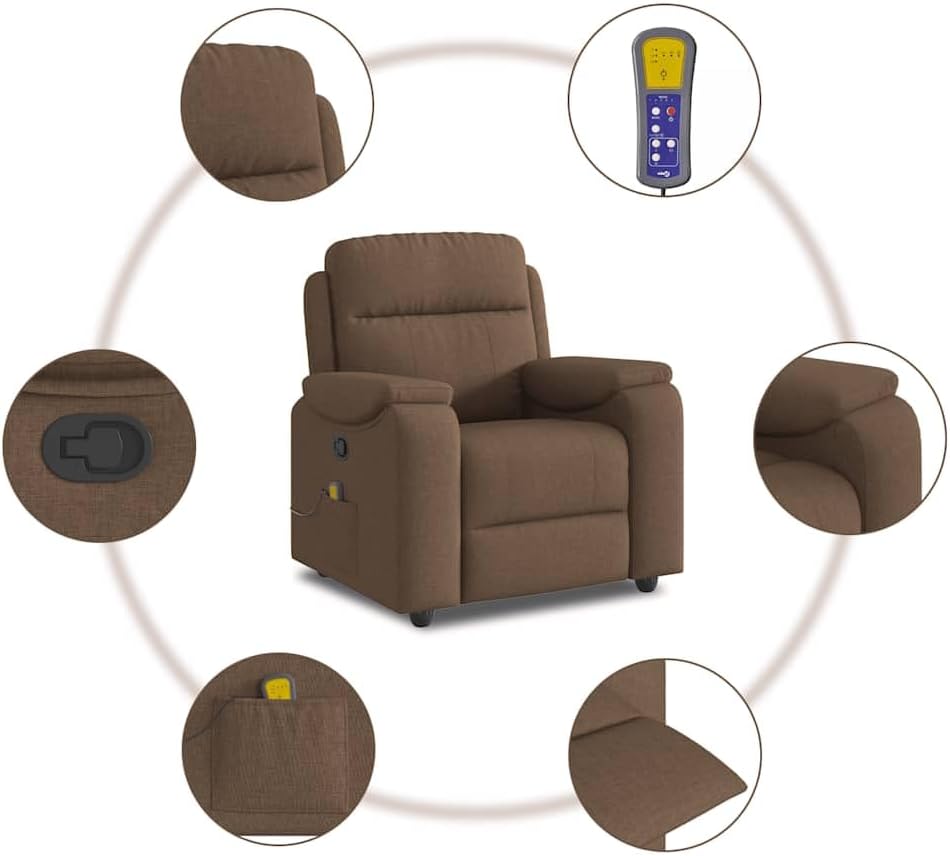
Image 5.1: Illustration of the chair's manual recline function, showing upright, partially reclined, and fully reclined positions.
5.2. Vibration Massage Function
The chair is equipped with a 6-point vibration massage system:
- Connect Power: Connect the USB cable from the chair's side pocket to the massage remote control, then plug the remote's USB connector into a certified 5V DC USB power supply (not included).
- Activate Massage: Use the buttons on the remote control to turn the massage function on/off and select different massage programs.
- Adjust Settings: The remote allows you to choose from various massage programs and intensity levels, targeting the 6 vibration points.

Image 5.2: Diagram illustrating the location of the 6 vibration massage points within the chair's backrest and seat.

Image 5.3: Side view of the chair, highlighting the practical side pocket and the manual recline handle.
6. Maintenance
Proper care will extend the life of your massage chair:
- Cleaning Fabric: For general cleaning, use a soft, damp cloth with mild soap. Blot spills immediately. Do not saturate the fabric.
- Vacuuming: Regularly vacuum the chair to remove dust and debris.
- Avoid Direct Sunlight: Prolonged exposure to direct sunlight can cause fabric fading.
- Check Connections: Periodically check all bolts and screws to ensure they remain tight.
7. Troubleshooting
If you encounter issues with your chair, refer to the following common problems and solutions:
- Massage Function Not Working:
- Ensure the USB cable is securely connected to both the remote and a certified 5V DC USB power supply.
- Verify the power supply is functioning correctly.
- Check if the remote control is turned on.
- Recline Mechanism Stiff or Not Engaging:
- Ensure no obstructions are preventing the mechanism from moving.
- Check if the recline handle is fully pulled.
- Avoid forcing the mechanism; if it remains stiff, contact customer support.
- Chair is Unstable:
- Verify that all assembly bolts and screws are tightened.
- Ensure the chair is placed on a flat, even surface.
For issues not listed here or if troubleshooting steps do not resolve the problem, please contact Generico customer support.
8. Specifications
| Brand | Generico |
| Model | 4015694 |
| Color | Brown |
| Material | Fabric (100% polyester), metal, plywood |
| Filling Material | Foam, PP fiber |
| Dimensions (Upright) | 96 cm (L) x 99 cm (W) x 102 cm (H) |
| Dimensions (Reclined) | 96 cm (L) x 164 cm (W) x 81 cm (H) |
| Seat Width | 55 cm |
| Seat Depth | 60 cm |
| Seat Height from Floor | 48 cm |
| Armrest Height from Floor | 66 cm |
| Massage Type | 6-point vibration massage |
| Input Voltage (Massage) | 5 V DC |
| Input Current (Massage) | 2 A |
| Maximum Load | 110 kg (242 lbs) |
| Assembly Required | Yes |
9. Warranty and Support
For warranty information, product support, or to order replacement parts, please refer to the documentation provided at the time of purchase or contact your retailer. Keep your proof of purchase for warranty claims.