
1. Important Safety Information
Before operating your WERHY Electric Scooter, please read this manual thoroughly and understand all safety instructions. Failure to follow these instructions may result in serious injury or property damage. Always wear a helmet and appropriate protective gear (such as elbow pads, knee pads, and thick clothing) when riding. Be aware of your surroundings and local traffic laws.
- Always wear a certified helmet and protective gear.
- Ensure all components are securely fastened before each ride.
- Do not ride in wet conditions, on uneven surfaces, or in heavy traffic.
- Maintain a safe speed and distance from other vehicles and pedestrians.
- Children should be supervised by an adult.
2. Product Overview
The WERHY Electric Scooter is designed for efficient and convenient personal transportation. It features a powerful motor, a long-range battery, dual braking systems, and smart app connectivity. This section provides a general overview of the scooter's capabilities.

Image: Overview of WERHY Electric Scooter key features including speed, range, motor, tire type, folding mechanism, and maximum load capacity.

Image: Detailed view of the 350W powerful hub motor integrated into the scooter's wheel.
3. Unboxing and Assembly
Your WERHY Electric Scooter comes partially assembled. Follow these steps for quick and easy setup:
- Carefully remove all components from the packaging.
- Lock the handlebar post upright by engaging the folding mechanism latch.
- Connect any loose wires into the handlebar post as instructed in the quick start guide.
- Mount the handlebars onto the post using the provided screws and tools. Ensure all screws are tightened securely.
- Perform an initial charge of the battery before first use.
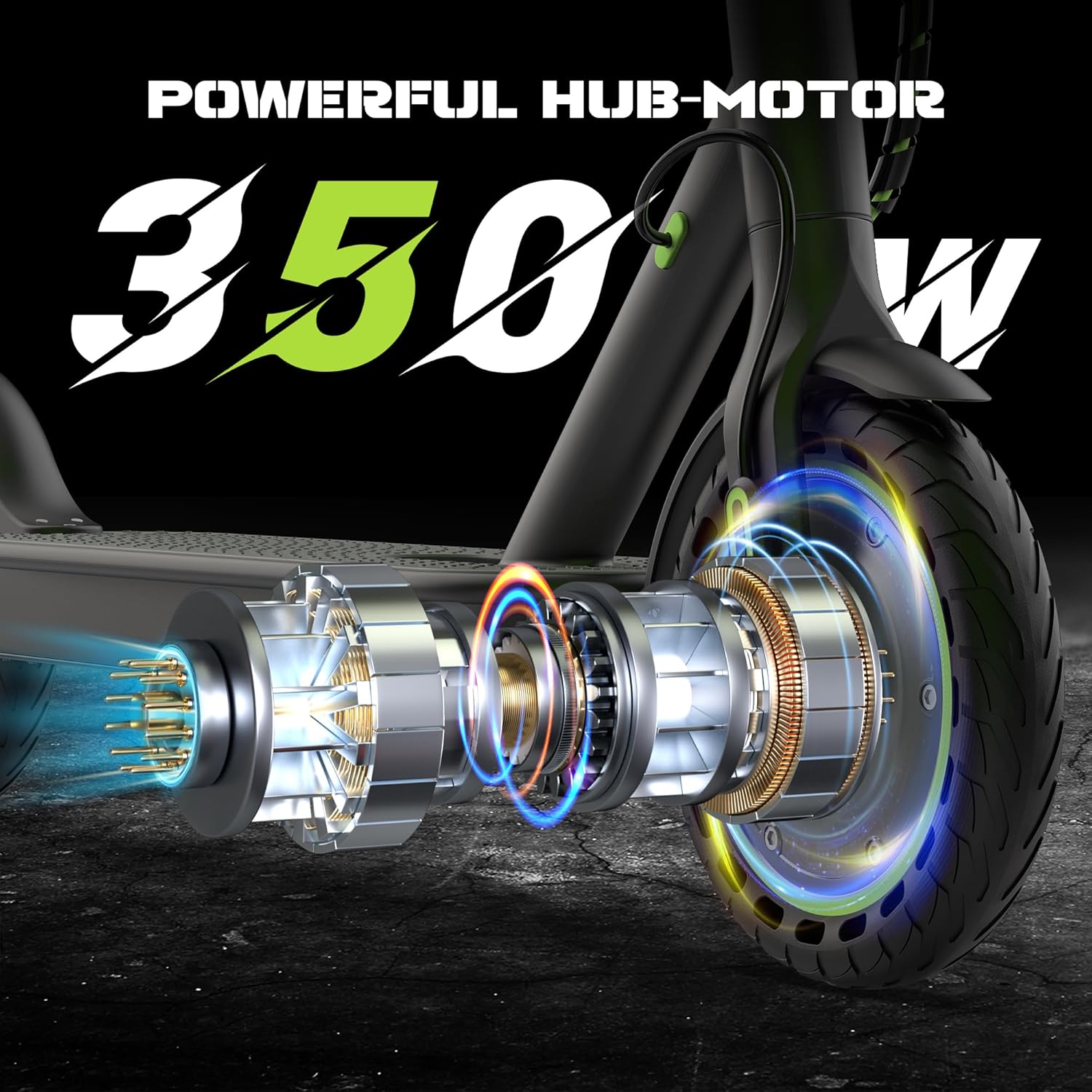
Image: Close-up of the scooter's handlebars, showing the digital display, brake lever, and the folding clip mechanism.
4. Operating Instructions
4.1 Power On/Off
To power on the scooter, press and hold the power button on the display until the screen illuminates. To power off, press and hold the power button again until the display turns off.
4.2 Speed Modes
The scooter features multiple speed modes to suit different riding conditions and preferences. Double-click the power button to cycle through the modes:
- ECO Mode: For energy saving and lower speeds (approx. 7 MPH).
- D Mode (Drive): Standard mode for balanced speed and range (approx. 11 MPH).
- S Mode (Sport): Maximum performance mode for higher speeds (up to 19 MPH).

Image: Illustration of the three speed modes: E Mode (7 MPH), D Mode (11 MPH), and S Mode (19 MPH).
4.3 Lights
To activate the front headlight and rear warning light, single-click the power button while the scooter is on. This enhances visibility during low-light conditions and at night.

Image: The scooter's headlight and taillight are shown, emphasizing their role in night riding safety.
4.4 Folding Mechanism
The scooter features a 3-second folding design for easy portability and storage:
- Ensure the scooter is powered off.
- Locate the red button and lever near the base of the handlebar stem.
- Press the red button and pull the lever to unlock the stem.
- Fold the handlebar stem downwards until it clicks into place with the rear fender.
- To unfold, release the latch from the rear fender and lift the handlebar stem until it locks upright.

Image: The scooter in its folded state, being easily carried, highlighting its portable design.
4.5 Braking System
The WERHY Electric Scooter is equipped with a dual braking system for reliable stopping power:
- Front Electronic Brake: Activated by the left-hand lever, providing responsive deceleration.
- Rear Drum Brake: Provides additional stopping force for enhanced safety and control.

Image: Detailed view of the electronic handbrake and the rear drum brake, illustrating the scooter's dual braking system.
5. Smart App Control
Enhance your riding experience by connecting your WERHY Electric Scooter to the dedicated mobile application. The app allows you to monitor and customize various settings:
- Real-time Data: View current speed, riding mode, and battery level.
- Mode Selection: Easily switch between ECO, Drive, and Sport modes.
- Cruise Control: Activate and manage cruise control for consistent speed.
- Light System: Control the headlight and taillight directly from the app.
- Secure Locking: Enable a secure locking feature to deter theft.
- Customizable Settings: Adjust performance parameters such as starting torque, driving maximum torque, and electromagnetic brake strength.
- Unit Conversion: Change the speed display between miles per hour (MPH) and kilometers per hour (KM/H).

Image: The scooter's LCD display and the smart app interface on a smartphone, showing various control and monitoring functions.
6. Battery and Charging
The WERHY Electric Scooter is powered by a reliable lithium-ion battery, offering a range of approximately 12-15 miles on a full charge. The battery charge time is approximately 4 hours.
- Use only the charger provided with your scooter.
- Do not overcharge the battery. Disconnect the charger once charging is complete.
- Avoid completely draining the battery to prolong its lifespan.
- Charge the scooter in a dry, well-ventilated area, away from flammable materials.

Image: A person riding the scooter, illustrating its long-range capability of approximately 15 miles.
7. Maintenance
Regular maintenance ensures the longevity and optimal performance of your WERHY Electric Scooter.
- Cleaning: Wipe the scooter with a damp cloth. Do not use high-pressure water or immerse the scooter in water.
- Tires: The scooter uses 8.5-inch solid rubber tires, which do not require inflation. Regularly inspect tires for wear and tear.
- Brakes: Periodically check the brake levers and cables for proper function and adjustment.
- Storage: Store the scooter in a cool, dry place when not in use. Avoid prolonged exposure to direct sunlight or extreme temperatures.
- Battery Care: Charge the battery regularly, even if the scooter is not in use, to maintain battery health.

Image: Illustration highlighting the 8.5-inch solid tires with a honeycomb structure, designed for durability and a smooth ride.
8. Troubleshooting
If you encounter issues with your WERHY Electric Scooter, refer to the following common troubleshooting tips:
- Scooter Not Turning On: Ensure the battery is charged. Check all cable connections.
- App Connectivity Issues: If the app frequently loses Bluetooth connection or fails to lock/unlock the scooter, try restarting both the scooter and your mobile device. Ensure the app is updated to the latest version.
- Reduced Performance: Speed and range can be affected by factors such as road surface, rider weight, riding style, and outdoor temperature. Ensure the scooter is in the appropriate speed mode.
- Unusual Noises: Inspect wheels and brakes for any obstructions or loose parts.
For persistent issues or concerns not addressed here, please contact WERHY customer support.
9. Specifications
| Feature | Specification |
|---|---|
| Brand | WERHY |
| Model Name | H03/H5/H5PRO/H6/H7 |
| Motor Power | 350W (up to 500W peak) |
| Max Speed | 19 MPH (varies by mode and conditions) |
| Max Range | 15-28 Miles (varies by mode and conditions) |
| Weight Limit | 265 Pounds |
| Wheel Size | 8.5 Inches |
| Wheel Material | Rubber (Solid) |
| Brake Style | Dual Braking System (Front Electronic, Rear Drum) |
| Battery Charge Time | 4 Hours |
| Special Features | Cruise Control, Digital Display, Smart APP Control, Lightweight, Foldable |
| Recommended Age Range | Adult |

Image: Product dimensions and recommended rider specifications.
10. Warranty and Support
WERHY provides a limited warranty for its electric scooters. The warranty period for different parts is 180/365 days from the date of purchase. Please refer to your purchase documentation for specific terms and conditions.
For any questions, technical assistance, or warranty claims, please contact WERHY customer support through the retailer where you purchased the product or visit the official WERHY website for contact information.