
1. Important Safety Instructions
Please read all instructions carefully before using the DeerRun BA04 Walking Pad Treadmill. Retain this manual for future reference.
- Always place the treadmill on a flat, stable, and level surface.
- Ensure adequate clear space around the treadmill (at least 2 feet on sides and 6 feet behind).
- Keep children and pets away from the treadmill during operation.
- Do not operate the treadmill if it has a damaged cord or plug, or if it is not working properly.
- Disconnect the power cord before cleaning or performing any maintenance.
- The maximum user weight capacity for this treadmill is 300 lbs.
- Wear appropriate athletic footwear during use.
2. Product Overview
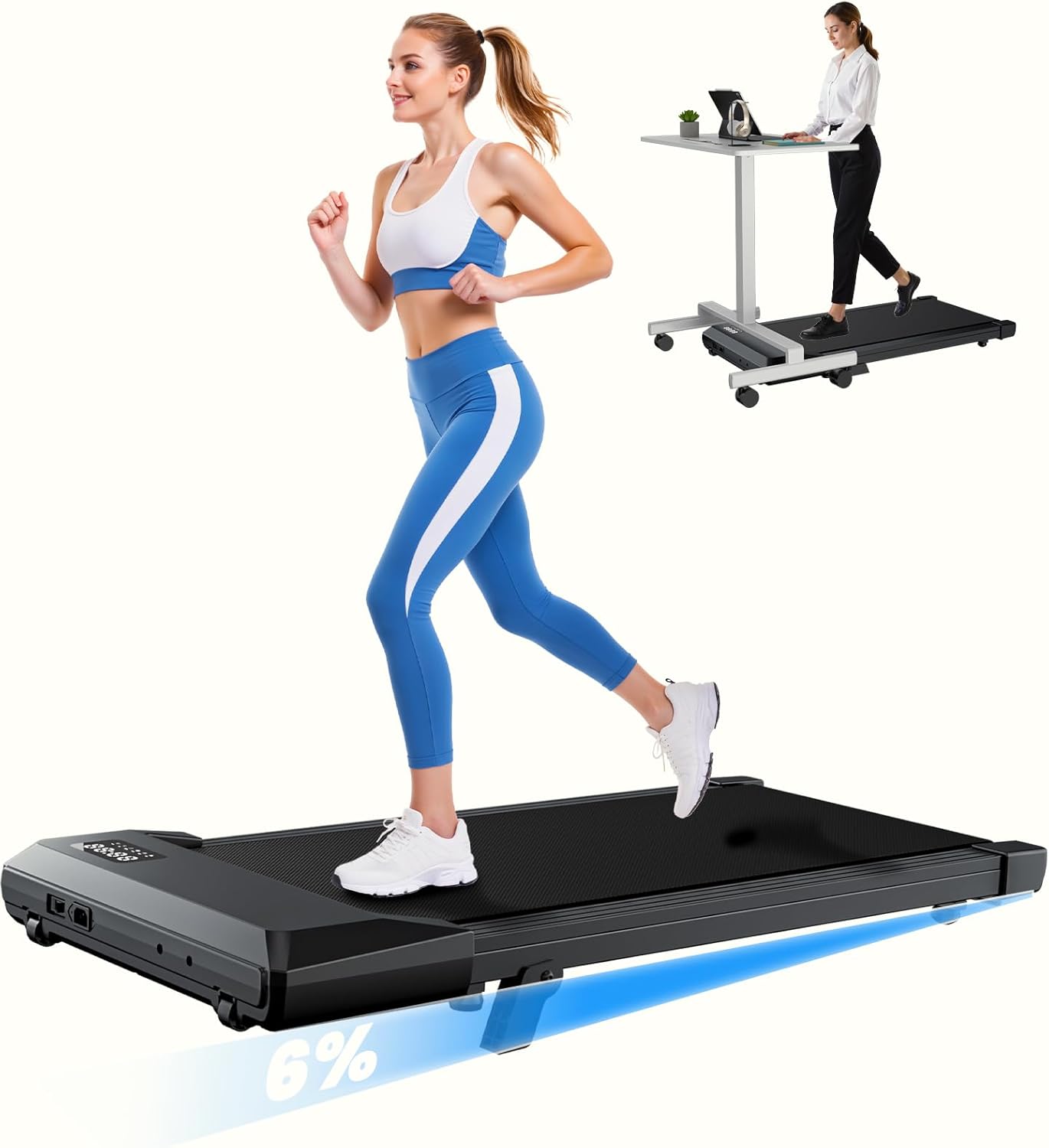
The DeerRun BA04 Walking Pad Treadmill is designed for home and office use, offering a compact solution for staying active. It features a manual incline and can be controlled via a remote or a dedicated app.
Key Features:
- 6% Manual Incline: Adds intensity to walking workouts.
- Compact Design: Suitable for under-desk use and small spaces.
- Speed Range: 0.6-3.8 MPH for comfortable walking to brisk jogging.
- Motor: 2.5 HP for smooth and low-noise performance.
- Weight Capacity: Supports up to 300 lbs.
- Control: Operable via remote control and PitPat app.
- Running Belt: Features 5-layer non-slip running belt with soft cushions for joint protection.
What's in the Box:
- DeerRun BA04 Walking Pad Treadmill
- Remote Control
- Lubricant
- Power Cord
- Tool Kit
- User Manual

3. Setup
The DeerRun BA04 Walking Pad Treadmill requires no assembly. Follow these steps for initial setup:
- Placement: Place the treadmill on a firm, flat, and level surface. Ensure there is sufficient space around the unit for safe operation.
- Power Connection: Connect the power cord to the treadmill and then to a grounded electrical outlet.
- Initial Belt Check: Before first use, check the tightness of the running belt. Pull up the treadmill belt from the side and attempt to insert your index finger. Ideally, there should be enough space for one finger. If two fingers can be vertically placed, the belt is too loose and requires tightening (refer to the Maintenance section).

4. Operating Instructions
Powering On/Off:
- To power on, ensure the treadmill is plugged in and flip the main power switch.
- To power off, flip the main power switch to the off position and unplug the unit.
Using the Remote Control:
The treadmill can be operated using the included remote control.
- Turn on the machine.
- Press the power button on the remote control.
- When you hear a beep, the machine is running normally, indicating a successful pairing.
- Use the '+' and '-' buttons to adjust the speed.

Speed Adjustment:
The treadmill offers a speed range of 0.6 to 3.8 MPH. Adjust the speed using the remote control or the PitPat app.
Manual Incline:
The treadmill features a 6% manual incline. To engage the incline, adjust the rear feet of the treadmill as instructed in the setup guide or visual aids provided with the product. This increases workout intensity.

Using the PitPat App:
The treadmill is designed to work with the PitPat app for monitoring workout data and adjusting settings. Download the app from your device's app store.

LED Display:
The integrated LED display shows key metrics such as Time, Calories Burned, Speed, and Distance.


5. Maintenance
Regular maintenance ensures the longevity and optimal performance of your treadmill.
Belt Lubrication:
The running belt requires periodic lubrication to reduce friction and wear. Use the provided lubricant or a compatible silicone-based treadmill lubricant. Apply lubricant under the belt as per the instructions on the lubricant bottle, typically every few months depending on usage.
Belt Tension Adjustment:
If the running belt feels too loose, causing jerky movement or slipping, it needs to be tightened. Use the included tool kit to adjust the screws on both rear covers clockwise until the belt runs smoothly. Ensure the belt remains centered after adjustment.
Video: Instructions on how to fix a loose treadmill belt issue by adjusting the tension screws.
Cleaning:
Wipe down the treadmill surfaces with a damp cloth after each use. Avoid using abrasive cleaners or solvents.
6. Troubleshooting
If you encounter issues with your DeerRun BA04 Walking Pad Treadmill, refer to the following common problems and solutions:
- Treadmill belt feels loose or slips: Refer to the 'Belt Tension Adjustment' in the Maintenance section.
- Remote control not responding: Ensure the machine is powered on. If the remote is still unresponsive, it may need to be re-paired.
Remote Control Pairing:
If the remote control is not able to control the machine, follow these steps to re-pair it:
- First, turn off the machine using the main power switch.
- Next, press and hold the power button on the remote control while simultaneously turning on the machine's main power switch.
- When you hear a beep and see "00:00" displayed on the screen, it means the pairing was successful. You can now use the remote control to operate the machine.
Video: Instructions on how to pair the remote control if it is not responding.
If the issue persists after attempting these troubleshooting steps, please contact customer support.
7. Specifications
| Feature | Specification |
|---|---|
| Brand | DeerRun |
| Model Number | BA04 |
| Product Dimensions (D x W x H) | 3.94"D x 42.62"W x 19.69"H |
| Folded Size | 43 x 21 x 4.3 inches |
| Material | Alloy Steel |
| Maximum Speed | 3.8 Miles per Hour |
| Minimum Speed | 0.6 Miles per Hour |
| Maximum Horsepower | 2.5 Horsepower |
| Maximum Weight Recommendation | 265 Pounds (Note: Feature bullets state 300 lbs, using the more conservative spec from table) |
| Display | LED |
| Power Source | Corded Electric |
| Metrics Measured | Calories Burned, Distance, Speed, Time |
| Special Feature | Bluetooth, Lightweight |
| Is Assembly Required | No |
8. Warranty and Support
Warranty Information:
This DeerRun BA04 Walking Pad Treadmill comes with a 1-year warranty. Please refer to the warranty card included in your packaging for full terms and conditions.
Customer Support:
For any questions, technical assistance, or warranty claims, please contact DeerRun customer service. Contact information can typically be found on the product packaging, the official DeerRun website, or within the PitPat app.
