
1. Introduction
This manual provides detailed instructions for the installation, operation, and maintenance of your WonVon 5-inch Motorcycle CarPlay Screen with Android Auto. This device integrates advanced navigation, communication, and recording features designed for motorcycle use. Please read this manual thoroughly before use to ensure proper functionality and safety.

The WonVon 5-inch Motorcycle CarPlay Screen offers seamless integration with both Apple CarPlay and Android Auto, providing access to navigation, music, and calls directly on your motorcycle's handlebars.
2. What's in the Box
Verify that all components are present before proceeding with installation:
- WonVon 5-inch Motorcycle CarPlay Screen (Main Unit)
- Dual TPMS (Tire Pressure Monitoring System) Sensors
- Front Camera
- Rear Camera
- Power Cable
- USB Cable
- Motorcycle Recorder Bracket
- Open-end Wrench
- Toolkit (includes Allen keys and screws)
- User Manual

An overview of all included accessories and the main unit for the WonVon Motorcycle CarPlay system.
3. Setup and Installation
3.1. Bracket Installation
Securely attach the mounting bracket to your motorcycle's handlebars. Ensure the bracket is tightened to prevent movement during riding.
This video demonstrates the process of installing the mounting bracket onto the motorcycle handlebars and the basic operation of the device.
3.2. Wiring Harness Connection
Connect the power cable to your motorcycle's battery (ACC and GND terminals). Connect the front and rear cameras to the main unit using the provided cables. Ensure all connections are secure and waterproof.
This video illustrates the correct method for connecting the wiring harness to the motorcycle and the main unit.
3.3. Camera Angle Adjustment
Adjust the angle of both the front and rear cameras to ensure optimal recording coverage. Use the provided toolkit to loosen and tighten the camera mounts.
This video demonstrates how to adjust the angles of the dual cameras for optimal recording.
3.4. TPMS Sensor Pairing
Install the TPMS sensors onto your tire valves. Follow the on-screen instructions on the main unit to pair the sensors and monitor tire pressure in real-time.
This video guides you through the process of connecting and pairing the TPMS sensors with the device.

Real-time tire pressure monitoring is displayed on the screen after successful TPMS sensor connection.
4. Operating Instructions
4.1. Wireless CarPlay & Android Auto
Connect your smartphone wirelessly via Bluetooth to access navigation, calls, and music. The device supports both Apple CarPlay and Android Auto for a seamless riding experience.
This video demonstrates the wireless connection process for Android Auto on the WonVon 5-inch Motorcycle CarPlay Screen.
This video demonstrates the wireless connection process for Apple CarPlay on the WonVon 5-inch Motorcycle CarPlay Screen.

Visual guide for connecting your iPhone to the device for Apple CarPlay functionality.

Visual guide for connecting your Android phone to the device for Android Auto functionality.
4.2. Dual 2K Dash Cam Recording
The integrated dual 2K dash cameras record your ride in high definition. Footage can be accessed and managed via Wi-Fi and a mobile app. The system supports loop recording and G-sensor auto-lock for emergency footage.

The dual 2K dash cam captures wide-angle views from both front and rear, ensuring comprehensive ride recording.
This short video highlights the IP68 waterproof rating of the dual cameras, ensuring durability in various weather conditions.

The dash cam features G-sensor auto-lock for collision detection and continuous loop recording to ensure no footage is lost.
4.3. Voice Commands
Utilize Siri or Google Assistant for hands-free control of navigation, calls, and music. This feature enhances safety by allowing you to keep your focus on the road.

Interact with your device using voice commands like "Hey Siri, Show me the map" or "Hey Google, Play music."

GPS navigation is enhanced with voice control, allowing for hands-free route management.
4.4. Screen Features
The 5-inch touchscreen supports glove-friendly control and features auto-brightness for optimal visibility in various lighting conditions. It also includes a compass and barometer.
- Day/Night Mode: The screen automatically adjusts brightness based on ambient light. You can also manually adjust it.
- Anti-Glare Design: Reduces reflections for clear visibility in bright sunlight.
- Split Screen Function: Display navigation and music simultaneously.
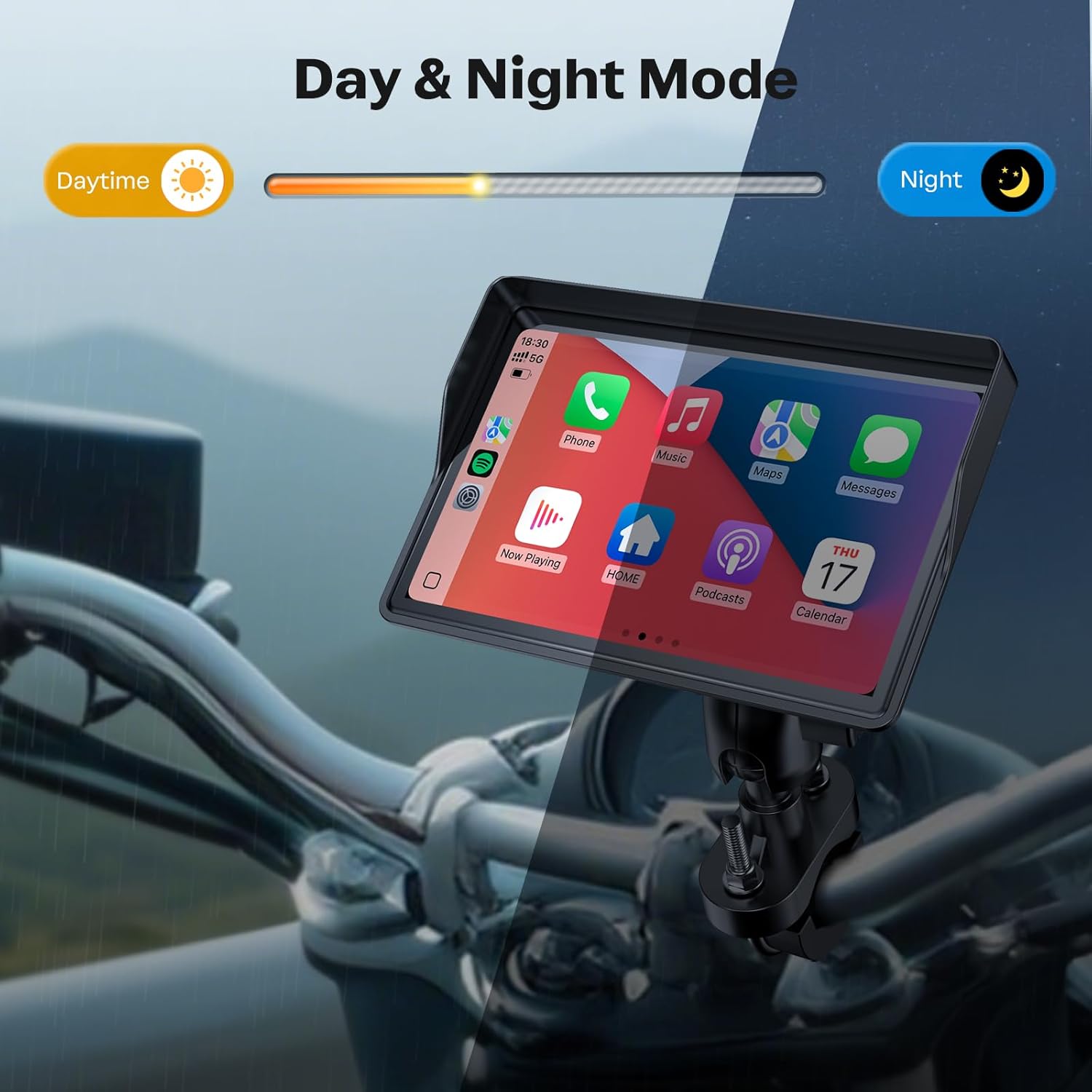
The device automatically switches between day and night modes for optimal screen visibility.

Users can manually adjust the screen brightness to suit their preferences and ambient light conditions.

The anti-glare design ensures the screen remains visible even in direct sunlight.

The split-screen function allows for simultaneous display of navigation and music, enhancing convenience.

Integrated compass and barometer provide additional environmental data for riders.
4.5. Bluetooth Audio
Connect your Bluetooth helmet headset for audio output, allowing you to listen to music, receive navigation prompts, and make calls directly through your helmet.

Upgrade your riding experience with seamless Bluetooth audio connection to your helmet or headset.

Detailed steps for connecting your Bluetooth headset or helmet for calls, music, and navigation.

Enjoy your favorite music from Spotify, YouTube Music, Apple Music, and more while riding.
5. Maintenance
5.1. Waterproof Design
The device is designed with IP67 waterproofing, ensuring reliable performance in various weather conditions, including rain. The cameras are IP68 waterproof.
This video demonstrates the waterproof capabilities of the main unit and cameras, showing it functioning under direct water exposure.
The device is built for all-weather performance, maintaining functionality in rain, high heat, and cold temperatures.
6. Troubleshooting
If you encounter issues with your WonVon Motorcycle CarPlay Screen, please refer to the following common solutions:
- No Power: Check all power connections, including the ACC and GND terminals. Ensure the fuse in the power cable is intact.
- CarPlay/Android Auto Not Connecting: Ensure Bluetooth and Wi-Fi are enabled on your smartphone. Verify that the device is selected in your phone's Bluetooth settings and that pairing is successful. Restart both the device and your phone.
- No Camera Display: Check camera cable connections to the main unit. Ensure cameras are properly powered.
- TPMS Not Displaying: Confirm TPMS sensors are correctly installed and paired. Re-initiate the pairing process if necessary.
- Screen Unresponsive: Perform a soft reset by holding the power button for 10 seconds. If the issue persists, check for firmware updates.
- Poor GPS Signal: Ensure the device has a clear line of sight to the sky. Avoid areas with heavy overhead obstruction.
7. Specifications
| Feature | Detail |
|---|---|
| Brand | WonVon |
| Screen Size | 5 Inches |
| Operating System | Linux |
| Connectivity Technology | Bluetooth, USB, Wi-Fi |
| Special Features | Dual 2K Cam, Dual Bluetooth, TPMS&GPS, Waterproof (IP67 for main unit, IP68 for cameras), Motorcycle GPS Navigation, Apple CarPlay, Android Auto, Rotatable Touchscreen |
| Map Type | Worldwide |
| Supported Satellite Navigation System | GPS |
| Control Method | App, Touch, Voice |
| Product Dimensions (L x W x H) | 5.56"L x 2.89"W x 3"H |

Detailed dimensions of the WonVon 5-inch Motorcycle CarPlay Screen.
8. Warranty
The WonVon 5-inch Motorcycle CarPlay Screen comes with a 1-Year Manufacturer's Warranty. This warranty covers defects in materials and workmanship under normal use. Please retain your proof of purchase for warranty claims. For specific terms and conditions, refer to the warranty card included in your product packaging or contact customer support.
9. Customer Support
For technical assistance, troubleshooting, or any questions regarding your WonVon Motorcycle CarPlay Screen, please contact our customer support team. We offer 24-hour technical support to ensure your satisfaction.
- Online Support: Visit the WonVon Store on Amazon and use the 'Ask a question' feature.
- Seller: AutoParts Store

Access 24-hour technical support by navigating to the seller's page on Amazon and utilizing the 'Ask a question' option.