
1. Product Overview
The WARSUN T9PRO is a compact, rechargeable Everyday Carry (EDC) flashlight designed for versatility and reliability. It features a powerful main light, a broad floodlight, and a UV inspection light, making it suitable for various tasks from outdoor activities to detailed inspections. Its magnetic base and integrated clip enhance its utility for hands-free operation.

Image: The WARSUN T9PRO flashlight illuminating a path during a night walk, demonstrating its compact size and effective light output. Dimensions are shown as 4.64 inches long, 1.18 inches wide, and 0.63 inches thick, with a weight of 2.85 ounces.
Key Features:
- High Lumen Output: Up to 1500 lumens in burst mode, 1000 lumens on high.
- Compact Design: Measures 4.65 × 1.18 × 0.63 inches and weighs 3.53 oz for easy portability.
- Multiple Light Sources: Main light (spotlight), side light (floodlight), and UV inspection light.
- Magnetic Base: Allows for hands-free attachment to metal surfaces.
- Pocket Clip: Securely attaches to pockets, backpacks, or belts.
- Rechargeable: Built-in battery with USB-C charging.
- Durable Construction: Aluminum alloy body.
2. Setup
What's in the Box:
- WARSUN T9PRO EDC Flashlight
- USB-C Charging Cable
- Lanyard
Initial Charging:
Before first use, fully charge the flashlight. Connect the provided USB-C charging cable to the flashlight's charging port and to a standard USB power source (e.g., wall adapter, computer USB port). The charging indicator will glow blue during charging and turn solid blue when fully charged.

Image: A close-up of the WARSUN T9PRO flashlight highlighting its independent control buttons for UV, Front Beam, and Sidelight, along with the blue charging indicator light.
3. Operating Instructions
The WARSUN T9PRO features three independent switches for easy control of its various light functions.
Main Light (Front Beam) Operation:
- Turn On/Cycle Modes: Press the Front Beam button (power symbol). Each press cycles through Low, Mid, High brightness levels.
- Turbo Mode: Double-click the Front Beam button for maximum brightness (1500 lumens). This mode is typically timed for 10 seconds to prevent overheating.
- Strobe Mode: Press and hold the Front Beam button to activate the strobe function.
- Turn Off: Press the Front Beam button after cycling through all modes, or press and hold for 1 second from any mode.
Side Light (Flood Light) Operation:
- Turn On/Cycle Modes: Press the Sidelight button (sun symbol). Each press cycles through Low, Mid, High brightness levels.
- Red Flash Mode: Double-click the Sidelight button to activate the red flashing light, useful for roadside emergencies or signaling.
- Turn Off: Press the Sidelight button after cycling through all modes, or press and hold for 1 second from any mode.
UV Light (Inspection Light) Operation:
- Turn On/Off: Press the UV button (UV symbol) to activate or deactivate the 365nm UV light.
- Applications: Ideal for detecting fluorescent agents, verifying currency, inspecting pet stains, or observing minerals.

Image: The WARSUN T9PRO flashlight demonstrating its versatile front light capabilities, including a focused 1500 lumen beam and a 365nm UV light.
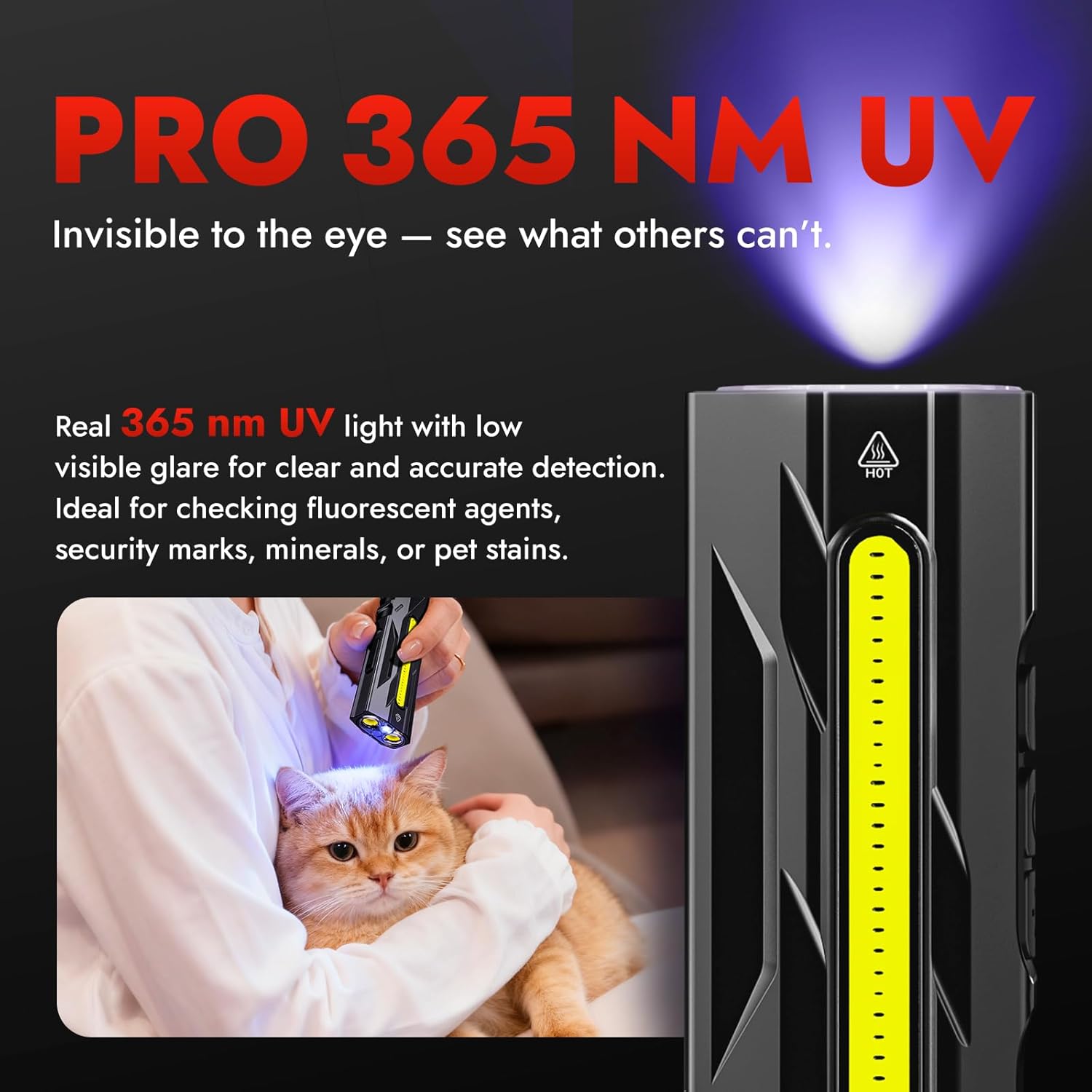
Image: A person using the WARSUN T9PRO's 365nm UV light to inspect a cat, highlighting its use for detecting details invisible to the naked eye, such as pet health issues or stains.
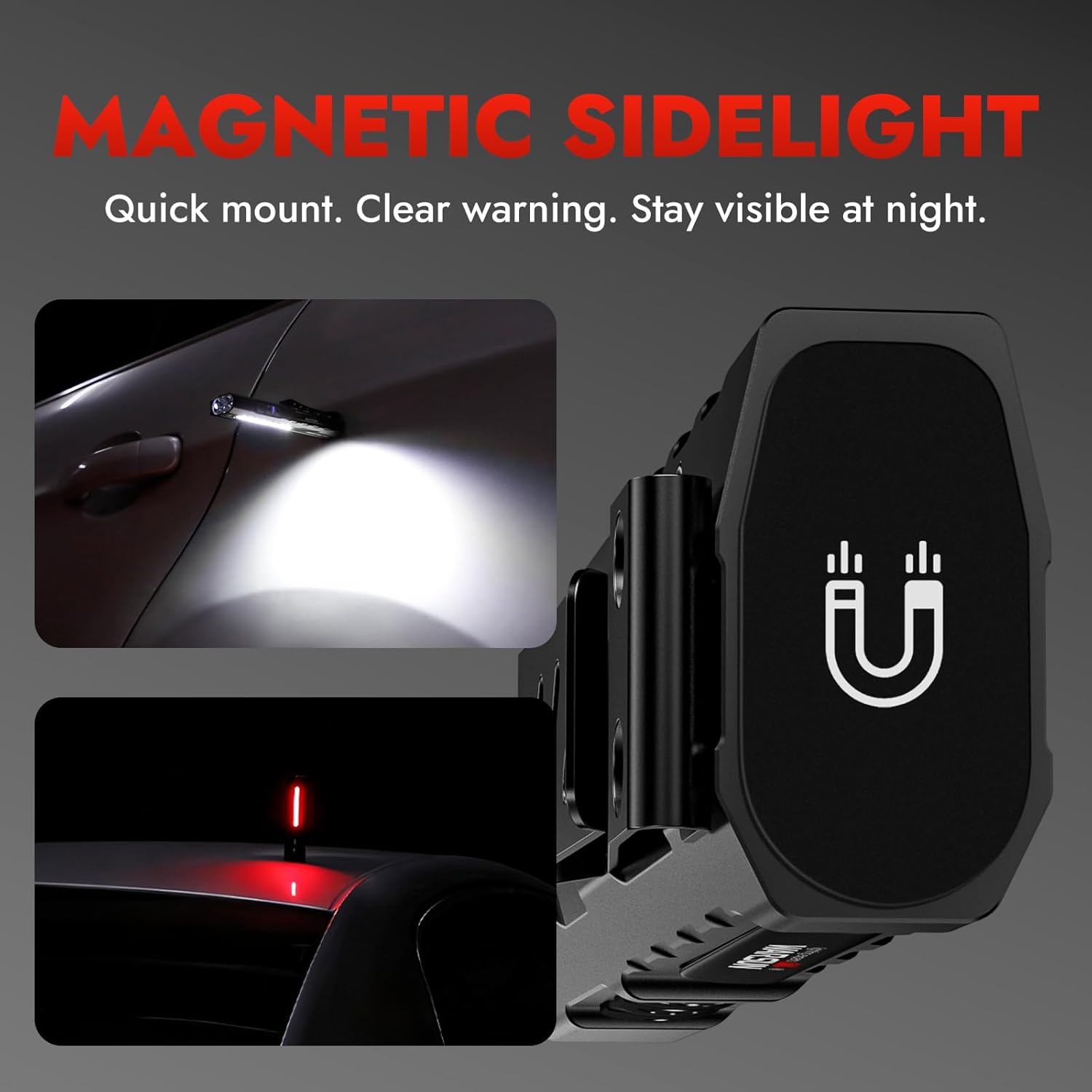
Image: The WARSUN T9PRO flashlight's magnetic base attached to a car, demonstrating its hands-free work light capability with the side light, and its red flashing light for visibility during roadside emergencies.
Video: An official product video demonstrating the various functions of the WARSUN T9PRO Flashlight, including its UV light, laser, side light, and magnetic base features.
4. Maintenance
Cleaning:
Wipe the flashlight body with a soft, damp cloth. Avoid using abrasive cleaners or solvents that could damage the finish or internal components. Keep the lens clean for optimal light output.
Battery Care:
- To prolong battery life, recharge the flashlight regularly, even if not in frequent use.
- Avoid completely draining the battery before recharging.
- Store the flashlight in a cool, dry place when not in use for extended periods.
Durability:
The WARSUN T9PRO is constructed from durable aluminum alloy and is designed to withstand heavy pressure and rough outdoor conditions. It is water-resistant, making it suitable for use in various weather conditions.

Image: The WARSUN T9PRO flashlight positioned under a vehicle tire, illustrating its robust and durable aluminum alloy construction designed to withstand significant pressure.
5. Troubleshooting
Flashlight Not Turning On:
- Ensure the battery is charged. Connect the flashlight to a power source using the USB-C cable and check the charging indicator.
- Verify that the buttons are pressed correctly according to the operating instructions.
Dim Light Output:
- The battery level may be low. Recharge the flashlight.
- The lens might be dirty. Clean the lens with a soft cloth.
Charging Issues:
- Ensure the USB-C cable is securely connected to both the flashlight and the power source.
- Try a different USB-C cable or power adapter to rule out faulty accessories.
- Confirm the power source is active and providing sufficient power.
If these steps do not resolve the issue, please refer to the Warranty & Support section for further assistance.
6. Specifications
| Feature | Specification |
|---|---|
| Model Number | WT9PRO |
| Max Lumen Output | 1500 Lumens (Burst Mode) |
| Runtime | Approximately 6–12 hours (depending on brightness level) |
| Dimensions (L x W x H) | 4.65" x 1.18" x 0.63" (118mm x 30mm x 16mm) |
| Weight | 0.17 Pounds (81g) |
| Material | Aluminum Alloy |
| Power Source | Battery Powered |
| Battery Type | Lithium Polymer (1 Nonstandard Battery included) |
| Charging Port | USB-C |
| Water Resistance Level | Water Resistant |
| Special Features | Clip, Durable, Magnetic Base, Rechargeable |
7. Warranty & Support
Warranty Information:
The WARSUN T9PRO Pocket Flashlight comes with a 2-year manufacturer's limited warranty. This warranty covers defects in materials and workmanship under normal use.
Customer Support:
For warranty claims, technical assistance, or any questions regarding your WARSUN T9PRO flashlight, please contact WARSUN customer support through the retailer where the product was purchased or visit the official WARSUN brand store online.
WARSUN Brand Store: https://www.amazon.com/stores/WARSUN/page/5EF1FA21-8CE9-47E1-9AE2-02D61587576E
