
Introduction
This manual provides essential information for setting up, operating, and maintaining your MEBERRY Android Gemini AI Tablet M7. Please read this guide thoroughly to ensure proper use and to maximize your device's performance and longevity.
Package Contents
Verify that all items listed below are included in your package:
- 1 x MEBERRY Android Tablet M7
- 1 x Mouse
- 1 x Keyboard
- 1 x Charger
- 1 x USB Type-C Connector Cable
- 1 x Protective Case
- 1 x Protective Film
- 1 x OTG Adapter
- 1 x User Manual (this document)
- 1 x Card Book
- 1 x Card Removal Pin
Setup Guide
1. Initial Charging
Before first use, it is recommended to charge the MEBERRY M7 tablet for at least 8 hours. This helps to optimize battery management and performance for future use.
- Connect the USB Type-C cable to the tablet's charging port.
- Connect the other end of the cable to the provided charger.
- Plug the charger into a power outlet.
- The charging indicator on the tablet will illuminate.
2. Powering On/Off
- To Power On: Press and hold the Power button until the MEBERRY logo appears on the screen.
- To Power Off: Press and hold the Power button until a power-off menu appears. Select "Power off" and confirm.
- To Restart: Press and hold the Power button until a power-off menu appears. Select "Restart" and confirm.
3. Initial Configuration
Upon first power-on, follow the on-screen prompts to set up your tablet:
- Select your preferred language.
- Connect to a Wi-Fi network.
- Sign in with your Google account or create a new one.
- Set up screen lock (PIN, pattern, password).
- Review and accept terms and conditions.
Operating Instructions
Android 13 Operating System
Your MEBERRY M7 tablet runs on Android 13, offering enhanced privacy controls, improved security, and a more personalized user experience. This system allows for faster app launches and efficient multitasking.

Image Description: This image illustrates the key features of the MEBERRY M7 tablet's Android 13 operating system and its powerful Octa-Core processor. It highlights improved privacy controls, access to the App Store for millions of applications, and the tablet's high-speed performance. The image also shows the MT8183 Octa-Core processor with a maximum frequency of 2.0GHz, indicating efficient operation for various tasks.
Storage and Memory
The tablet is equipped with 16GB RAM (8GB physical RAM + 8GB RAM expansion) and 256GB of internal storage (ROM). It supports expandable storage up to 1TB using a MicroSD/TF card.

Image Description: This image visually represents the tablet's storage capabilities: 16GB RAM, 256GB ROM, and support for up to 1TB expandable storage via a TF card. This ample storage allows for fast file downloads and sufficient space for photos, videos, and applications.
Display Features
The 10.36-inch IPS display offers a 2K HD resolution of 2000 x 1200 pixels. It automatically adjusts brightness and backlight, and actively filters blue light to reduce eye fatigue during extended use.

Image Description: This image highlights the tablet's 10.36-inch 2K display with a resolution of 2000x1200 pixels. It also shows an 81% screen-to-body ratio and a 16:10 aspect ratio, comparing the 2K resolution favorably against 1080p. The visual demonstrates the clarity and quality of the screen.
Camera Functionality
The tablet features a 5MP front camera and a 13MP rear camera, designed to capture clear photos and support video calls.

Image Description: This image details the tablet's camera specifications, featuring a 5MP front camera and a 13MP primary rear camera. It visually confirms the camera placements and resolutions, indicating suitability for both selfies and general photography.
Connectivity
- Wi-Fi: Supports 5.0G and 2.4G dual-band Wi-Fi (802.11a/b/g/n/ac) for fast and stable internet connections.
- Bluetooth: Equipped with Bluetooth 5.0 for connecting wireless accessories like headphones, keyboards, and mice, ensuring stable and fast data transfer.
- USB Type-C: For charging and data transfer.
- Speakers: Features stereo speakers for an immersive audio experience.
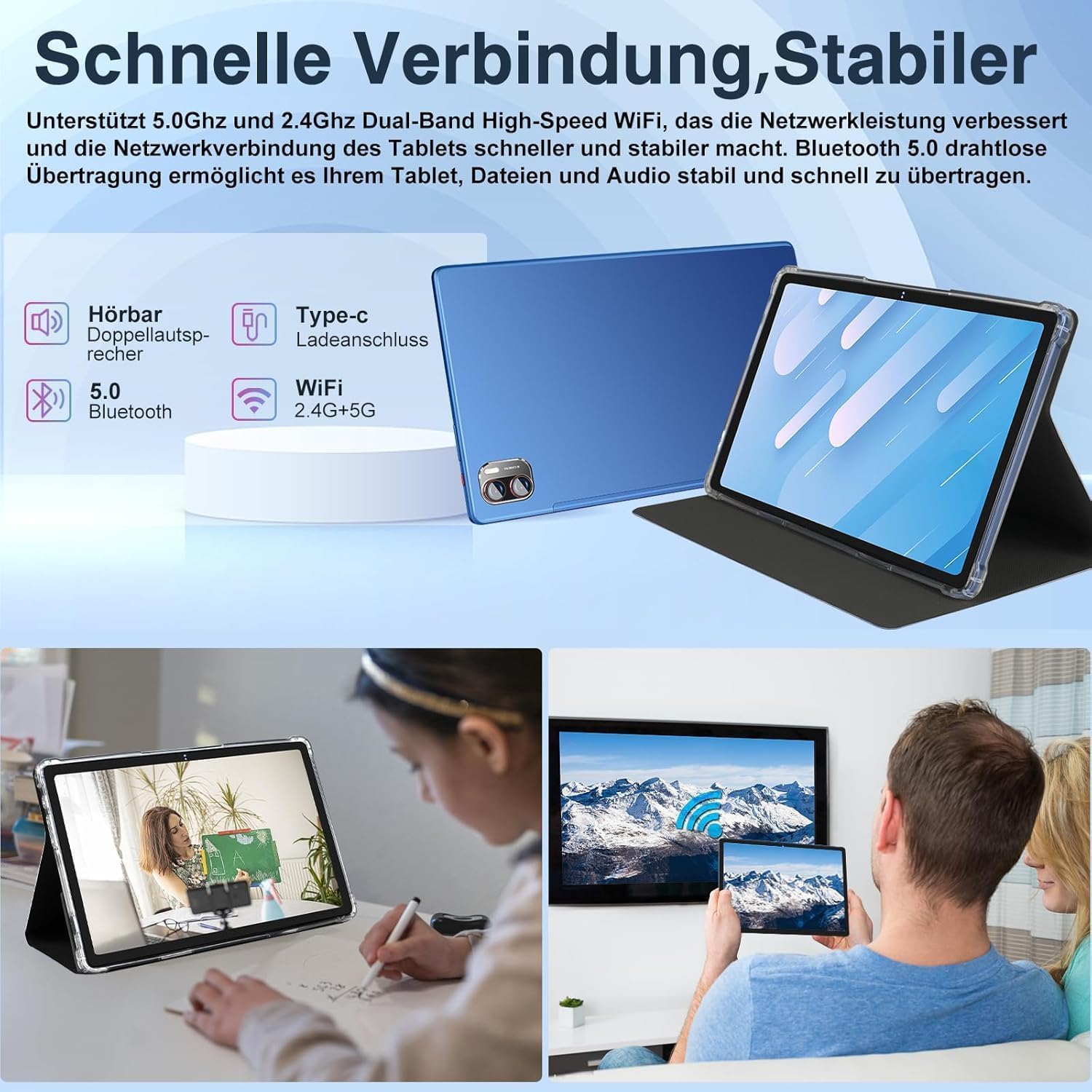
Image Description: This image highlights the tablet's connectivity features, including 5.0GHz and 2.4GHz dual-band Wi-Fi, Bluetooth 5.0, a Type-C charging port, and dual speakers. It emphasizes fast and stable network performance and seamless connection with Bluetooth devices.
Maintenance
Battery Care
- Avoid fully discharging the battery frequently.
- Do not expose the tablet to extreme temperatures (hot or cold).
- Use only the provided charger and cable to prevent damage.
- If the tablet will not be used for an extended period, charge it to about 50% before storing.

Image Description: This image showcases the tablet's large 8600 mAh battery, emphasizing its long-lasting performance. It indicates approximate usage times for various activities: 35 hours of music, 7 hours of video, 6 hours of gaming, 9 hours of network browsing, and 48 hours of standby.
Cleaning Your Tablet
- Use a soft, lint-free cloth to clean the screen and body.
- For stubborn smudges, lightly dampen the cloth with water or a screen cleaner specifically designed for electronics.
- Avoid using harsh chemicals, abrasive materials, or aerosol sprays.
- Ensure all ports are dry before charging or connecting accessories.
Troubleshooting
Common Issues and Solutions
- Tablet does not power on:
- Ensure the battery is charged. Connect the charger and wait a few minutes before attempting to power on.
- Press and hold the Power button for 10-15 seconds to force a restart.
- Screen is unresponsive:
- Restart the tablet.
- Ensure the screen is clean and free of debris.
- Wi-Fi connection issues:
- Ensure Wi-Fi is enabled in settings.
- Restart your Wi-Fi router.
- Forget the network and reconnect.
- Check if other devices can connect to the same Wi-Fi network.
- Apps are crashing or running slowly:
- Close background applications.
- Clear the cache of the problematic app (Settings > Apps > [App Name] > Storage > Clear Cache).
- Ensure the tablet's software is up to date.
- Consider freeing up storage space if it's nearly full.
- Battery drains quickly:
- Reduce screen brightness.
- Disable Wi-Fi, Bluetooth, and GPS when not in use.
- Close power-intensive background apps.
- Check battery usage in settings to identify draining apps.
Specifications
| Feature | Detail |
|---|---|
| Brand | MEBERRY |
| Model | M7 |
| Operating System | Android 13 |
| Processor | Octa-Core, 2.0GHz (MT8183) |
| RAM | 16GB (8GB physical + 8GB expansion) |
| Internal Storage (ROM) | 256GB |
| Expandable Storage | Up to 1TB via MicroSD/TF card |
| Screen Size | 10.36 inches |
| Display Type | IPS LCD |
| Resolution | 2000 x 1200 Pixels (2K HD) |
| Front Camera | 5MP |
| Rear Camera | 13MP |
| Wi-Fi | 5.0G/2.4G, 802.11a/b/g/n/ac |
| Bluetooth | Bluetooth 5.0 |
| Battery Capacity | 8600 mAh |
| Battery Life | 6-8 hours (typical usage) |
| Dimensions (L x W x Th) | 24.5L x 15.4W x 0.7Th centimetres |
Warranty Information
MEBERRY products typically come with a standard manufacturer's warranty. Please refer to the warranty card included in your package or visit the official MEBERRY website for detailed warranty terms and conditions, including coverage period and service procedures. Keep your purchase receipt as proof of purchase for warranty claims.
Customer Support
If you encounter any issues not covered in this manual or require further assistance, please contact MEBERRY customer support. You can usually find contact information (email, phone, or support portal) on the official MEBERRY website or on the packaging materials.
For online resources, you may visit the MEBERRY official website or search for support forums related to your tablet model.