Introduction
Thank you for choosing TRAUSI T6 Bluetooth 5.4 True Wireless Headphones. These open-ear headphones are designed to provide high-quality audio while keeping you aware of your surroundings, making them ideal for sports and daily activities. This manual provides detailed instructions on how to set up, operate, and maintain your headphones.
What's in the Box?
Please check the package contents to ensure all items are present:
- T6 Wireless Earbuds (2)
- Wireless Charging Case (1)
- Type-C Charging Cable (1)
- User Manual (1)

Image: Package contents of the TRAUSI T6 headphones.
Product Overview
The TRAUSI T6 headphones feature an open-ear design for situational awareness, Bluetooth 5.4 for stable connectivity, and a long battery life.
Audio Quality
Equipped with 16.2mm super large drivers, these headphones deliver 3D panoramic space sound and Hi-Fi stereo audio, providing deep bass and crisp highs.
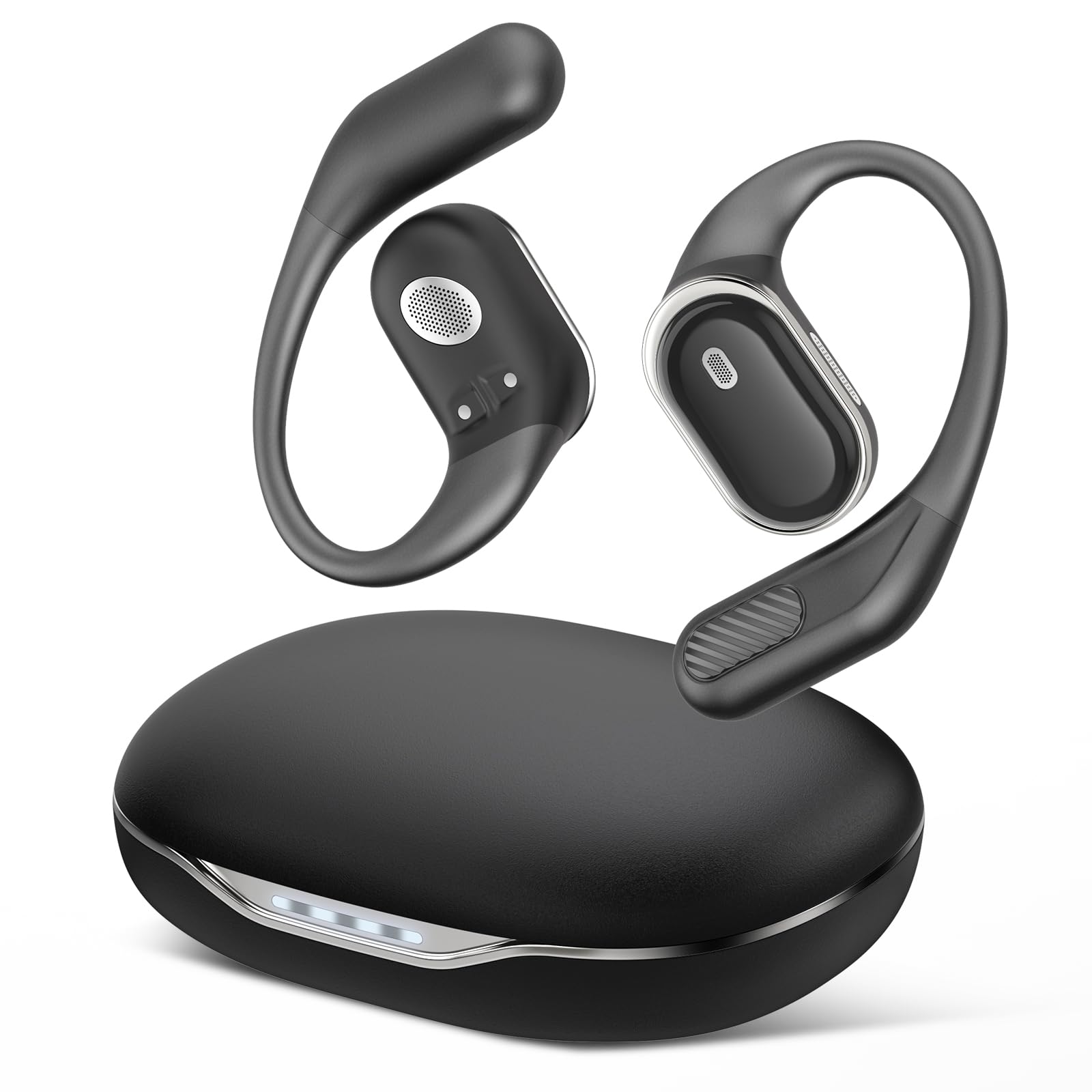
Image: Detailed view of the earbud's internal components highlighting sound quality features.
Open-Ear Design
The open-ear conduction design ensures comfort by not blocking the ear canal, reducing ear fatigue and allowing you to remain aware of your surroundings.

Image: Woman wearing TRAUSI T6 headphones, showcasing the open-ear design.
Safety and Awareness
The design allows you to enjoy music while staying aware of ambient sounds, enhancing safety during outdoor activities like running or cycling.

Image: Woman wearing TRAUSI T6 headphones, illustrating awareness of surroundings.
Setup
Pairing with a Device
- Ensure the headphones are charged.
- Open the charging case. The earbuds will automatically enter pairing mode.
- On your device (smartphone, tablet, laptop), enable Bluetooth.
- Search for available Bluetooth devices and select "TRAUSI T6" from the list.
- Once connected, you will hear a confirmation tone, and the indicator light on the earbuds will change.
The latest Bluetooth 5.4 technology ensures instant pairing and a stable connection up to 15 meters.

Image: Bluetooth 5.4 connectivity features.
Wearing Instructions
Follow these steps for a secure and comfortable fit:
- Take out earphones: Remove both earbuds from the charging case.
- Hang on ear bone: Hang the end of the earphone hook over the top of your ear, resting it on the ear bone.
- Slide behind ear: Turn the earphone and slide it behind your ear.
- Adjust for secure fit: Adjust the ear hook and pull down gently to ensure a snug and secure fit around your earlobe.

Image: Step-by-step guide on how to wear the headphones.
Operating Instructions
The TRAUSI T6 headphones feature touch controls for easy management of music and calls.

Image: Touch control functions for music and calls.
Music Playback
- Play/Pause: Tap once on either earbud.
- Next Song: Tap twice on the right earbud.
- Previous Song: Tap twice on the left earbud.
- Volume Up: Tap and hold the right earbud.
- Volume Down: Tap and hold the left earbud.
Call Management
- Answer/End Call: Tap twice on either earbud.
- Reject Call: Tap and hold either earbud for 2 seconds.
Voice Assistant
- Activate Voice Assistant: Tap three times on either earbud.
Power On/Off
- Power On: Open the charging case, or tap and hold either earbud for 5 seconds if outside the case.
- Power Off: Place the earbuds back into the charging case, or tap and hold either earbud for 5 seconds.
Charging
The TRAUSI T6 headphones offer extended battery life with their charging case.
- Earbud Charging: Place the earbuds into the charging case. The indicator lights on the earbuds and case will show charging status.
- Case Charging: Connect the Type-C charging cable to the charging port on the case and to a power source. The digital display on the case will show the battery percentage.
A single charge provides up to 10 hours of playtime, and the charging case extends total playtime to up to 80 hours.

Image: Earbuds in charging case with battery display.

Image: Battery life overview for earbuds and charging case.
Maintenance
Water Resistance
The TRAUSI T6 headphones are IPX7 waterproof, meaning they are fully submersible up to 1 meter for 30 minutes. They are resistant to sweat, storms, and spills, making them suitable for sports and outdoor activities.
Note:
- Not suitable for swimming or diving.
- Avoid exposure to saltwater.

Image: IPX7 Waterproof feature demonstration.
Cleaning
To maintain optimal performance, regularly clean your earbuds and charging case with a soft, dry cloth. Avoid using abrasive materials or harsh chemicals.
Troubleshooting
If you encounter any issues with your TRAUSI T6 headphones, please refer to the following common solutions:
- No Sound: Ensure the headphones are properly paired and connected to your device. Check the volume levels on both the headphones and your device.
- Cannot Pair: Make sure Bluetooth is enabled on your device and the headphones are in pairing mode. Try turning Bluetooth off and on again on your device. If issues persist, reset the headphones (refer to manufacturer's specific reset instructions if available, otherwise place back in case and try re-pairing).
- Intermittent Connection: Ensure there are no significant obstacles between your device and the headphones. Stay within the 15-meter Bluetooth range. Avoid environments with strong electromagnetic interference.
- Charging Issues: Verify that the charging cable is securely connected to both the case and the power source. Check if the charging port is clean and free of debris.
- Unresponsive Touch Controls: Ensure your fingers are clean and dry. Try restarting the earbuds by placing them back in the case and taking them out again.
For further assistance, please contact TRAUSI customer support.
Specifications
| Model Number | T6 |
| Brand | TRAUSI |
| Bluetooth Version | 5.4 |
| Bluetooth Range | 15 Meters |
| Ear Placement | Open Ear |
| Form Factor | On Ear |
| Noise Control | Environmental Noise Cancellation (ENC) |
| Battery Life (Earbuds) | Up to 10 Hours |
| Total Battery Life (with Case) | Up to 80 Hours |
| Water Resistance Level | IPX7 Waterproof |
| Control Type | Touch Control |
| Compatible Devices | iPhone, Android, Cellphones, Desktops, Laptops, Tablets |
| Item Weight | 0.1 Kilograms |
Warranty and Support
Warranty Information
The TRAUSI T6 headphones come with a 90-day manufacturer's warranty from the date of purchase. This warranty covers manufacturing defects. Please retain your proof of purchase for warranty claims.
Customer Support
For any questions, technical support, or warranty inquiries, please contact TRAUSI customer service through the retailer where you purchased the product or visit the official TRAUSI website for contact information.
