
1. Product Overview
The Electactic 10000 BTU Portable Air Conditioner is a versatile 4-in-1 unit designed to provide efficient cooling for rooms up to 450 sq.ft. It integrates Cooling, Fan, Dehumidifying, and Sleep modes to ensure optimal comfort. Featuring a self-evaporating system, quiet operation, and smart memory function, this unit offers convenient climate control with a 24-hour timer and remote control.

Figure 1.1: Front view of the Electactic 10000 BTU Portable Air Conditioner.

Figure 1.2: Illustration of the portable air conditioner providing cooling for a room up to 450 sq.ft.
2. Setup Instructions
Follow these steps to properly set up your portable air conditioner.
- Unpacking and Placement: Carefully remove the unit from its packaging. Place the unit upright on a flat, stable surface. Allow the unit to stand upright for at least 4 hours before initial operation to ensure the refrigerant settles.
- Window Kit Installation: The universal window kit is designed for both horizontal and vertical sliding windows. Adjust the window panel components (A, B, C, D) to fit your window opening. Secure the panels in place.
- Exhaust Hose Connection: Attach one end of the exhaust hose to the unit's exhaust port and the other end to the window kit adapter. Ensure a tight seal to prevent hot air from re-entering the room.
- Power Connection: Plug the power cord into a grounded electrical outlet.

Figure 2.1: Flexible window kit design for horizontal and vertical window installations.
Video 2.1: A quick setup guide demonstrating the installation of the portable AC unit and its window kit.
3. Operating Instructions
Your Electactic portable air conditioner can be operated using the control panel on the unit or the included remote control.
3.1 Control Panel
The control panel features an LED display and touch buttons for various functions.

Figure 3.1: Smart touch control panel with indicators for Water Full, Timer, High/Low fan speed, Cool, Dehum, Fan, and Sleep modes.
- Power Button: Turns the unit ON or OFF.
- Mode Button: Cycles through Cooling, Fan, Dehumidifying, and Sleep modes.
- Temperature Up/Down Buttons: Adjusts the desired temperature setting.
- Fan Speed Button: Selects between High and Low fan speeds.
- Timer Button: Sets the 24-hour programmable timer for automatic ON/OFF.
- Sleep Mode: Activates a quiet operation mode with intelligent temperature management for undisturbed rest.
- Water Full Indicator: Illuminates when the internal water tank is full and requires drainage.
3.2 Remote Control
The remote control provides convenient access to all functions from a distance.
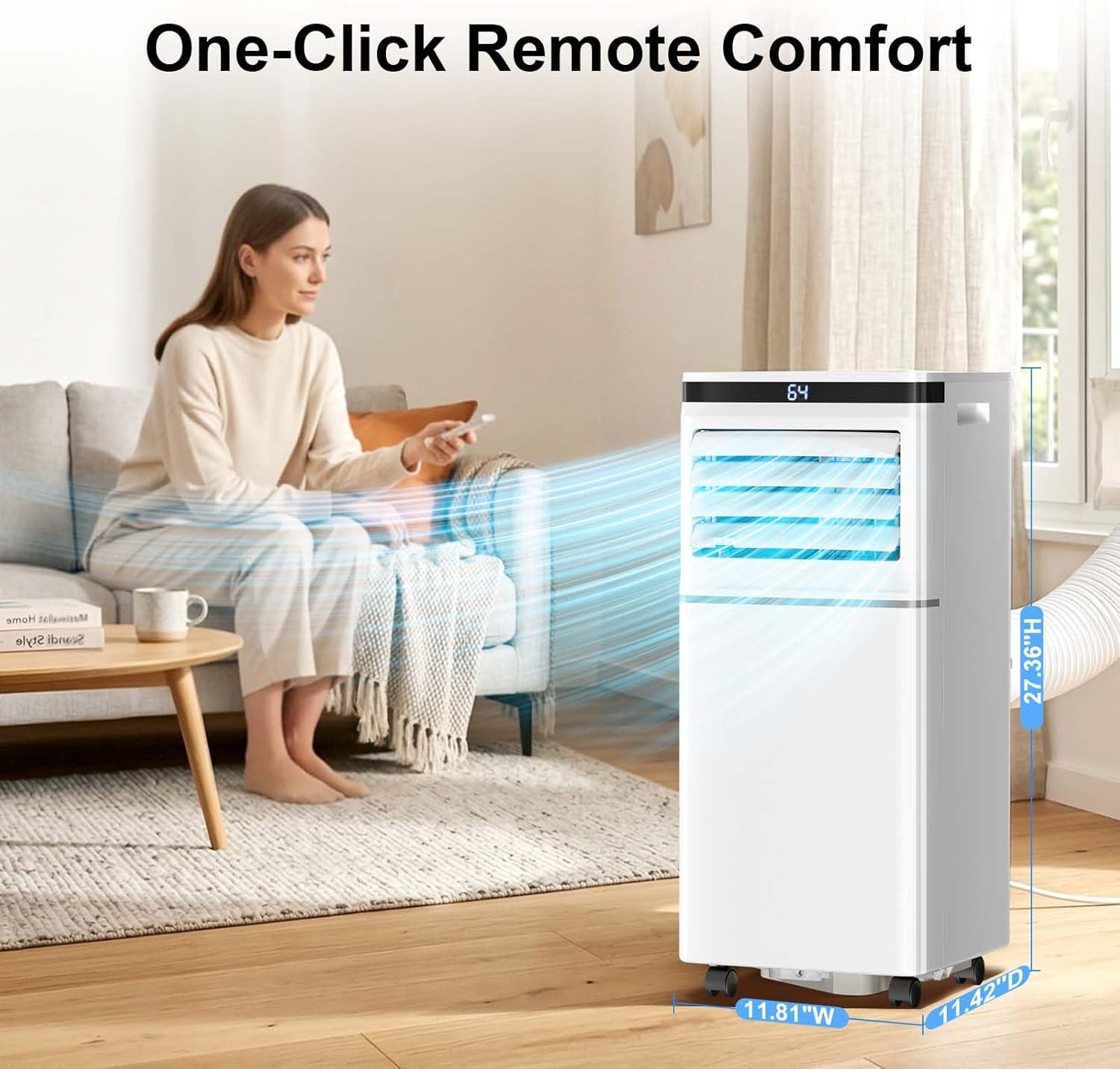
Figure 3.2: Remote control for the portable air conditioner.
The remote control mirrors the functions available on the main control panel. Ensure there are no obstructions between the remote and the unit's sensor for proper operation.
Video 3.1: A review demonstrating the compact air conditioner's features and remote control functionality.
Video 3.2: Demonstrating the portable AC unit in operation, cooling a room effectively.
4. Maintenance
Regular maintenance ensures optimal performance and longevity of your air conditioner.
4.1 Cleaning the Air Filter
The air filter should be cleaned every two weeks or more frequently depending on usage and air quality.
- Turn off and unplug the unit before cleaning.
- Locate the air filter panel, typically on the rear or side of the unit.
- Remove the filter.
- Clean the filter with a vacuum cleaner or wash it with warm, soapy water. Rinse thoroughly and allow it to air dry completely before reinstalling.

Figure 4.1: Removable and easy-to-clean air filter.
4.2 Draining Condensed Water
This unit features a self-evaporating system that minimizes manual drainage. However, in high humidity conditions, the internal water tank may fill up, indicated by the 'Water Full' light on the control panel.
- Turn off and unplug the unit.
- Place a shallow pan or bucket under the drainage port, usually located at the bottom rear of the unit.
- Remove the drain plug to allow water to flow out.
- Once drained, replace the drain plug securely.
4.3 Storage
Before storing the unit for an extended period:
- Ensure all condensed water is drained.
- Clean the air filter.
- Unplug the power cord and wrap it neatly.
- Store the unit in a cool, dry place, away from direct sunlight and extreme temperatures.
5. Troubleshooting
Refer to this section for common issues and their solutions.
| Problem | Possible Cause | Solution |
|---|---|---|
| Unit does not turn on | No power; Power cord not plugged in; Circuit breaker tripped. | Check power supply; Ensure cord is securely plugged in; Reset circuit breaker. |
| Unit does not cool effectively | Air filter dirty; Exhaust hose not properly installed; Room size too large; Doors/windows open. | Clean air filter; Ensure exhaust hose is sealed; Close doors/windows; Verify room size is within 450 sq.ft. |
| Water Full indicator is on | Internal water tank is full. | Drain the condensed water as described in Section 4.2. |
| Unit is noisy | Unit not on a level surface; Air filter dirty; Obstruction in fan. | Place unit on a level surface; Clean air filter; Check for and remove any obstructions. |
6. Product Specifications
| Feature | Detail |
|---|---|
| Brand | Electactic |
| Model Name | NPPE5B-06C/X1E |
| Cooling Power | 10000 British Thermal Units (BTU) |
| Coverage Area | Up to 450 sq.ft. |
| Product Dimensions (D x W x H) | 11.42"D x 11.81"W x 27.36"H |
| Item Weight | 42.24 Pounds |
| Color | White & Black Display |
| Voltage | 115.0 V |
| Wattage | 50.0 W |
| Noise Level | 50 Decibels |
| Annual Energy Consumption | 900 Kilowatt Hours Per Year |
| Control Type | Button Control, Remote Control |
| Included Components | Portable AC Unit, Exhaust Hose, Window Kit, Remote Control, User Manual |
7. Warranty & Support
7.1 Warranty Information
This Electactic Portable Air Conditioner comes with a 1 Year Manufacturer Warranty. Please retain your proof of purchase for warranty claims. The warranty covers defects in materials and workmanship under normal use.
7.2 Customer Support
For further assistance, technical support, or warranty inquiries, please contact Electactic customer service. Refer to the contact information provided on the product packaging or the official Electactic website.


