
Introduction
This manual provides instructions for the use and care of your Generic Digital Storage Bag S01. Designed for organizing digital essentials and small travel items, this versatile pouch simplifies your life on the go, whether for work or leisure.
Key features include a multi-compartment design, lightweight construction with a handle, water-repellent synthetic leather exterior, durable polyester lining, and smooth, high-quality zippers for easy access.
Product Overview
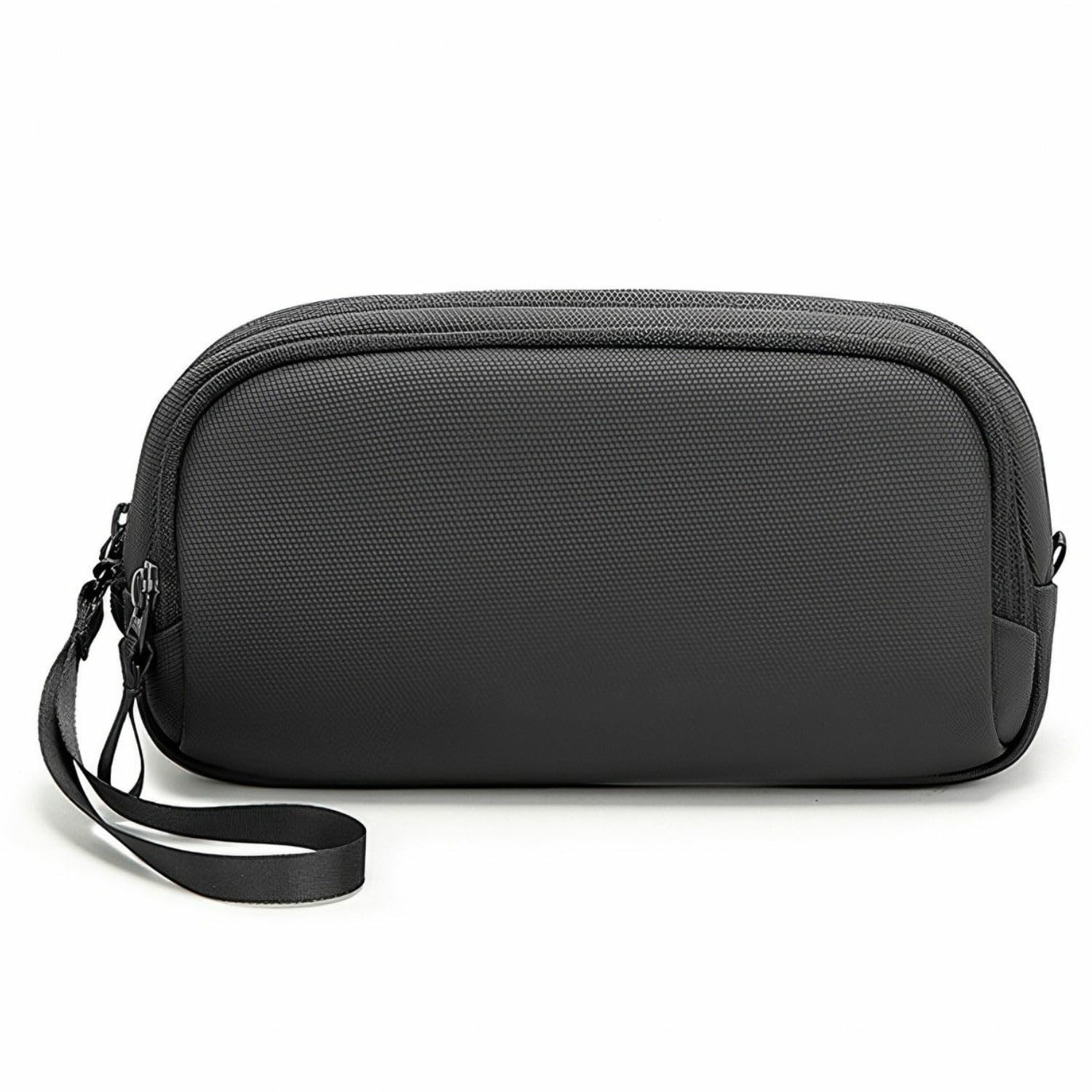
Figure 1: Front view of the Generic Digital Storage Bag S01.
The Digital Storage Bag S01 is a compact and efficient organizer for various items. Its design focuses on accessibility and protection for your electronic devices and personal belongings.
- Multi-Compartment Design: Features dedicated zones including cable slots, a pen holder, and independent layers to categorize items, prevent tangles, and allow quick retrieval.
- Lightweight and Portable: Constructed from ultralight synthetic leather with an integrated handle for easy carrying. Its compact size allows it to fit easily into larger bags, saving space.
- Water-Repellent Protection: The exterior is made of water-repellent synthetic leather, complemented by a durable polyester lining, safeguarding your devices and personal items from accidental splashes and moisture during daily use and travel.
- Smooth Access: Equipped with high-quality, smooth-gliding zippers for effortless opening and closing, ensuring quick access to your items.
- Spacious Capacity: Designed to accommodate 8-inch tablets, digital accessories, and small personal items, keeping all your essentials in one organized place.
Setup
The Digital Storage Bag S01 requires no complex setup. It is ready for use directly out of its packaging.
- Unpack: Remove the storage bag from its packaging.
- Inspect: Check the bag for any visible damage or manufacturing defects. If any issues are found, contact customer support.
- Prepare for Use: Open the zippers and familiarize yourself with the internal compartments.
Operating Instructions
This section details how to effectively use the various compartments of your storage bag.

Figure 2: Utilizing the main compartment for a smartphone.
- Main Compartment: Use the largest section for items such as an 8-inch tablet, smartphone, or power bank. This area is designed for quick access to your primary devices.
- Cable Organizer Slots: The elastic loops and mesh pockets are ideal for neatly storing charging cables, earphones, and USB drives. This prevents tangling and makes cables easy to find.
- Pen/Stylus Loop: A dedicated loop is provided for securing a pen or stylus, ensuring it is always accessible and protected.
- Zippered Pockets: Utilize the smaller zippered pockets for securing valuable or small items like memory cards, keys, or cash.

Figure 3: Organizing cables within the dedicated slots.

Figure 4: Detailed view of internal organization features.
Always ensure zippers are fully closed to protect contents, especially when carrying the bag in adverse weather conditions.
Maintenance
Proper maintenance will extend the life and appearance of your Digital Storage Bag S01.
- Cleaning: For general cleaning, wipe the exterior with a soft, damp cloth. For stubborn stains, use a mild soap solution and then wipe with a clean, damp cloth. Avoid harsh chemicals or abrasive cleaners.
- Drying: If the bag gets wet, allow it to air dry completely in a well-ventilated area, away from direct sunlight or heat sources. Do not machine wash or tumble dry.
- Storage: Store the bag in a cool, dry place when not in use. Avoid prolonged exposure to extreme temperatures or humidity.
- Zipper Care: Periodically check zippers for smooth operation. If they become stiff, a small amount of zipper lubricant can be applied.

Figure 5: Water-repellent exterior for protection.
Troubleshooting
| Problem | Possible Cause | Solution |
|---|---|---|
| Zippers are stiff or stuck. | Dirt accumulation or lack of lubrication. | Clean the zipper teeth with a small brush and apply a zipper lubricant (e.g., wax or silicone spray). |
| Bag appears dirty or stained. | Surface dirt or minor spills. | Wipe with a soft, damp cloth. For tougher stains, use a mild soap solution and rinse with a clean, damp cloth. Air dry. |
| Items inside are getting wet. | Zippers not fully closed or prolonged exposure to heavy rain. | Ensure all zippers are completely closed. The bag is water-repellent, not fully waterproof; avoid submerging or prolonged exposure to heavy downpours. |
Specifications

Figure 6: Product specifications and dimensions.
| Feature | Detail |
|---|---|
| Model Number | S01 (Manufacturer Model: CLO0000025S001) |
| Material | Synthetic Leather (Exterior), Polyester (Lining) |
| Dimensions (L x W x H) | 24 x 14 x 6 cm (9.4 x 5.5 x 2.4 inches) |
| Weight | 0.18 kg (0.40 lbs) |
| Compatible Device Size | Up to 8-inch tablets |
| Colors Available | Black, Gray, Silver, Military Green, Blue |
| Style | Casual, Travel |
| Features | Ultralight, Water-Repellent, Multi-Compartment, Handle |
Note: Dimensions and weight are approximate and may vary slightly.
Warranty and Support
For warranty information or technical support, please contact the seller directly through your purchase platform. Retain your proof of purchase for any warranty claims.
Seller: car parts guru


