
1. Introduction
Product Overview
The YoLink Outdoor Solar Thermometer Hygrometer (Model YS8002) is designed for precise, real-time monitoring of temperature and humidity in various outdoor environments. This device features a solar-powered design, eliminating the need for battery replacements, and an integrated LCD for instant readings. It utilizes YoLink's long-range LoRa technology for extended connectivity, making it suitable for greenhouses, porches, sheds, and other remote locations.

The YoLink Outdoor Solar Thermometer Hygrometer operates without the need for battery changes, powered by its integrated solar panel.
Key Features
- Eco-Friendly Solar Power: Integrated top-mounted solar panel for continuous operation, requiring 1000+ lux ambient light.
- Precision Environmental Monitoring: Provides accurate, real-time temperature and humidity data to your smartphone and on the built-in LCD.
- Three Easy Mounting Options: Versatile installation using keyhole, screw hole, cable ties, or outdoor adhesive.
- Long-Range LoRa Technology: Ensures stable connection up to 1/4 mile away with superior wall penetration compared to Wi-Fi or Bluetooth.
- YoLink Hub Required: Connects to the internet via a separately sold YoLink Hub for smart features.
2. Setup
What's in the Box
- YoLink Outdoor Solar Thermometer Hygrometer (Detector)
YoLink Hub Requirement
The YoLink Outdoor Solar Thermometer Hygrometer requires a YoLink Hub (sold separately) to connect to the internet and enable smart features such as remote monitoring, alerts, and automation. This sensor does not connect directly to Wi-Fi.

A YoLink Hub is required to connect the sensor to the internet for app functionality.
Mounting Options
The sensor offers flexible installation methods to suit various surfaces:
- Screw Mount: Use the built-in rear keyhole and exposed bottom screw hole for secure attachment to wood surfaces or walls.
- Cable Tie Mount: Utilize the rear loops with the included cable ties for mounting on poles and fences.
- Adhesive Mount: For no-drill installation on glass or metal, apply outdoor adhesive (not included) to the flat back of the device.

Choose from screw, cable tie, or adhesive mounting options for versatile installation.
Optimal Placement for Accuracy
For the most accurate temperature and humidity readings, it is crucial to mount the sensor in a shaded, well-ventilated location. Avoid direct sunlight, as this can heat the sensor's casing and lead to inaccurately high readings (known as 'solar bias'). Mounting under an eave or porch roof is recommended to ensure true ambient readings.

Mount the sensor in a shaded area, such as under an eave, to prevent solar bias and ensure accurate readings.
Initial Stabilization
After installation, allow approximately one hour for the sensor to stabilize to the true ambient conditions of its new environment. This thermal equilibrium period ensures that the initial readings are highly accurate.
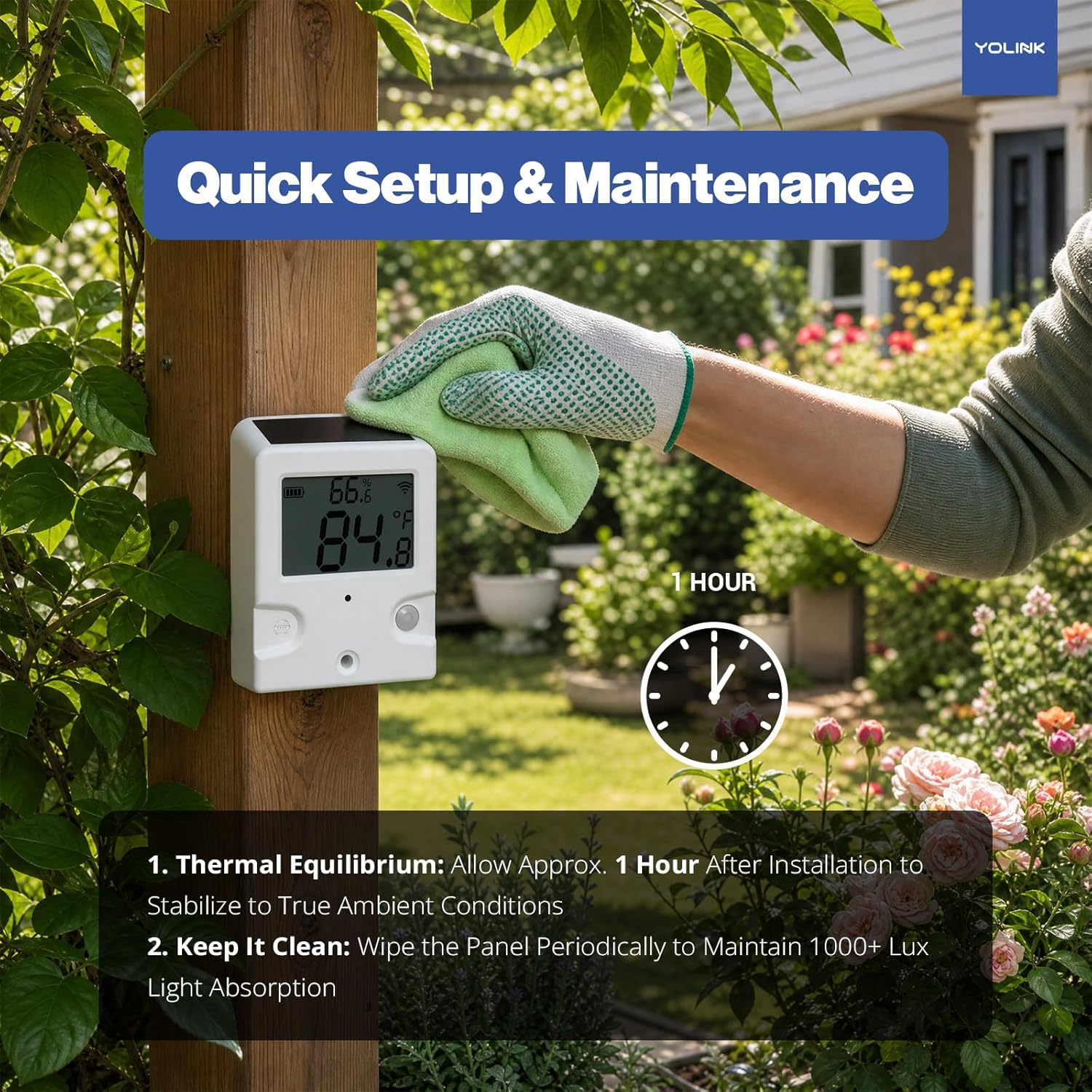
Allow the sensor to stabilize for approximately one hour after installation for accurate readings.
3. Operation
LCD Display Readings
The built-in, high-contrast LCD screen provides instant, on-site temperature and humidity readings. The display shows current temperature (in °F or °C) and relative humidity percentage, along with battery status and signal strength indicators.

The LCD provides clear, instant readings of temperature and humidity.
YoLink App Integration
When connected to a YoLink Hub, the sensor integrates with the YoLink smartphone application, offering advanced monitoring and control features:
- Remote Monitoring: View real-time temperature and humidity data from anywhere via your smartphone.
- Custom Alerts: Set custom thresholds for temperature and humidity. Receive instant push notifications, emails, or SMS alerts if conditions exceed your specified limits.
- Climate History: Access historical data through graphs to track environmental changes over time.
- Smart Home Automation: Connect with other YoLink smart devices to create automated actions. For example, automatically turn on a greenhouse fan or shed heater based on temperature readings.
- Sharing: Share access to your sensor's data with family or friends through the app.

Receive real-time alerts on your smartphone if environmental conditions cross custom limits.

Automate your environment by connecting the sensor with other YoLink smart devices.
Long-Range LoRa Technology
The YoLink sensor utilizes LoRa (Long Range) technology, providing a robust and reliable connection over significant distances. This technology offers:
- Extended Range: Up to 1/4 mile (400 meters) in open air, ideal for monitoring distant structures like sheds or remote areas of your property.
- Superior Penetration: The signal can effortlessly pass through walls, concrete, metal siding, and floors, overcoming obstacles that typically hinder Wi-Fi or Bluetooth signals.
- Low Energy Consumption: LoRa technology enables long-distance communication with minimal power usage, complementing the solar-powered design.

Monitor distant locations with the sensor's 1/4 mile extreme long-range capability.
4. Maintenance
Solar Panel Cleaning
To ensure optimal charging and continuous operation, periodically wipe the solar panel clean. Dust, dirt, or debris can reduce the panel's efficiency in absorbing ambient light (1000+ lux recommended).
Regularly clean the solar panel to maintain optimal light absorption.
Weather Resistance
The YoLink Outdoor Solar Thermometer Hygrometer is designed for outdoor use and offers reliable performance in humid, rainy, or snowy environments. It has an IP65 rating, indicating protection against dust and low-pressure water jets. However, to extend its lifespan, protect the device from direct, intense driving rain and do not submerge it in water.

The sensor is built for outdoor conditions, offering reliable performance in various weather.
5. Troubleshooting
Inaccurate Readings
- Direct Sunlight: Ensure the sensor is mounted in a shaded area. Direct sunlight can cause the casing to heat up, leading to artificially high temperature readings.
- Stabilization Period: Allow at least one hour after installation for the sensor to reach thermal equilibrium with its environment.
- Ventilation: Ensure the sensor is in a well-ventilated spot, not enclosed, to allow for accurate ambient air measurement.
Connectivity Issues
- YoLink Hub Connection: Verify that your YoLink Hub is powered on and connected to the internet.
- Distance from Hub: While LoRa offers long range, extreme distances or numerous thick obstructions (e.g., multiple concrete walls) can weaken the signal. Try repositioning the sensor or hub if connectivity is inconsistent.
- Signal Obstructions: Large metal objects or dense building materials between the sensor and hub can interfere with the signal.
No Display / Power Issues
- Insufficient Light: The sensor is solar-powered. Ensure it receives at least 1000 lux of ambient daylight. If installed in a perpetually dark location, it may not charge sufficiently.
- Solar Panel Cleanliness: A dirty solar panel can prevent proper charging. Clean the panel as described in the Maintenance section.
6. Specifications
| Brand | YoLink |
| Model | YS8002 |
| Operating Environment | Outdoor Use Only |
| Working Temperature | -22°F ~ 140°F (-30°C ~ 60°C) |
| Working Humidity | ≤ 0-100% (non-condensing) |
| Temperature Value Accuracy | 0.1 (°F/°C) |
| Humidity Value Accuracy | 0.1% |
| Power Source | Solar Panel + Hybrid Layer Capacitor |
| Minimum Lux for Charging | 1000 lux (Ambient Daylight) |
| Wireless Range | Up to 1/4 Mile (Open Air) |
| Mounting Options | Exposed Screw Hole, Zip-Tie Loops, Keyhole |
| IP Rating | IP65 |
Dimensions

Dimensions of the YoLink Outdoor Solar Thermometer Hygrometer YS8002.
7. Warranty Information
YoLink products typically come with a 1-year limited warranty from the date of purchase, covering defects in materials and workmanship. This warranty does not cover damage caused by misuse, accidents, unauthorized modifications, or improper installation. For specific warranty terms and conditions, please refer to the official YoLink website or contact customer support.
8. Customer Support
For technical assistance, troubleshooting, or general inquiries regarding your YoLink Outdoor Solar Thermometer Hygrometer YS8002, please visit the official YoLink support website or contact their customer service team:
- Website: www.yosmart.com/support
- Email: support@yosmart.com
- Phone: (949) 825-5958 (Please check the website for current operating hours)