
Introduction
This manual provides instructions for the safe and effective operation of your HOTLIGH ZF7885 Rechargeable Work Light. Please read this manual thoroughly before use and retain it for future reference.
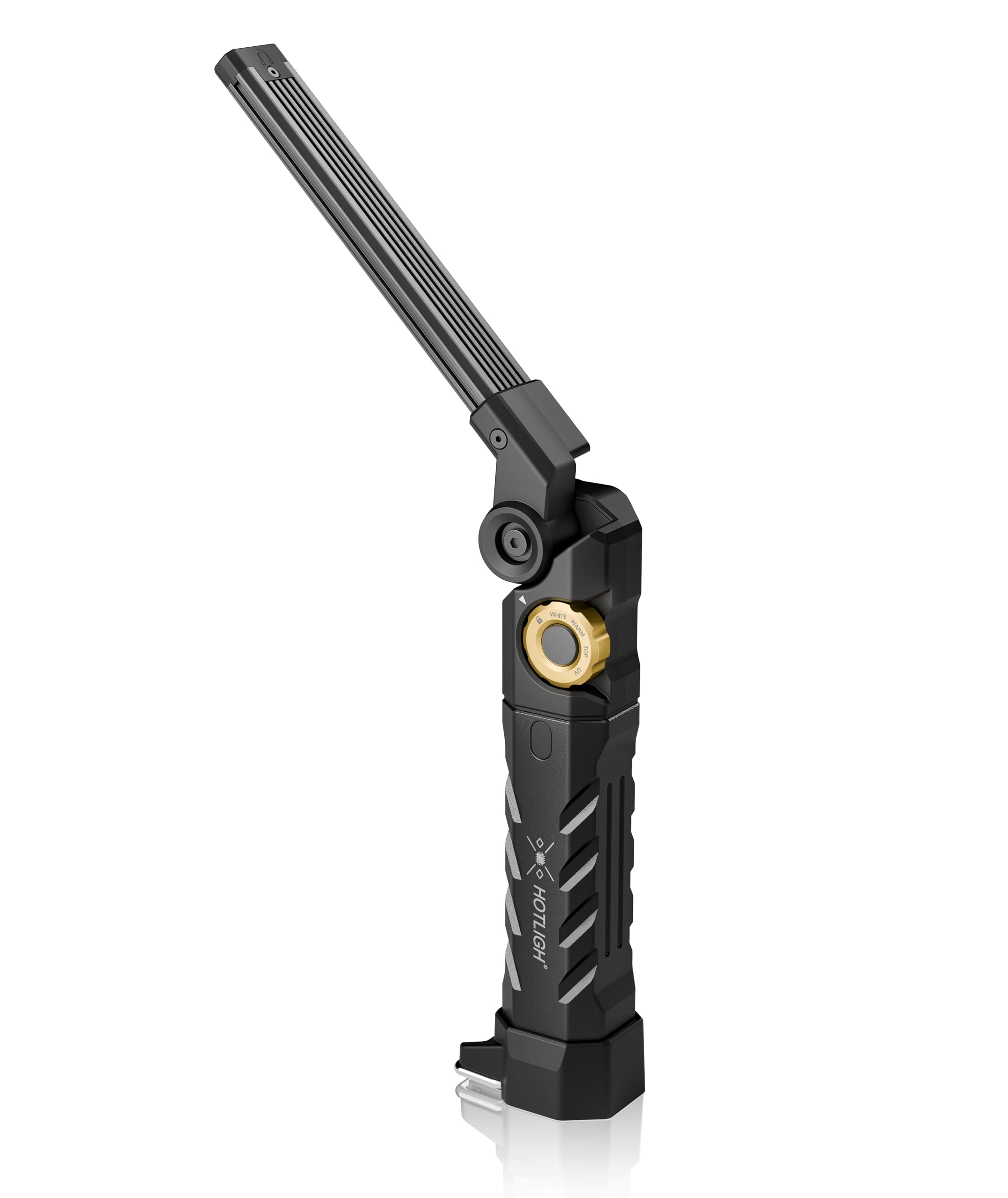
Image: The HOTLIGH ZF7885 Rechargeable Work Light in its compact form.
Product Overview and Features
The HOTLIGH ZF7885 is a versatile work light designed for various tasks, offering multiple lighting modes and a robust build.
High-Brightness Wide-Area Lighting
The work light provides up to 1500 lumens of bright output. It features stepless dimming, allowing brightness adjustment from low to high intensity to suit different lighting requirements and prevent glare or insufficient illumination.

Image: The work light providing bright illumination in an automotive setting.
Eye-Friendly Warm Light
The warm light mode provides a softer illumination, suitable for tasks requiring less intense light or for extended periods of use to reduce eye strain.

Image: The work light set to warm light mode, illuminating a work surface.
Unique Rotary Dial Design
A rotary dial allows for smooth switching between four lighting modes: white light, warm light, spotlight, and UV light. The central black button activates the selected mode. A lock position on the switch prevents accidental activation during storage or transport.

Image: A hand operating the rotary dial to select a lighting mode.
Long-Lasting Battery Life and Power Bank Function
Equipped with a built-in 5000mAh high-capacity battery, the device offers extended runtime. The single Type-C connector supports both input for charging the work light and output for functioning as an emergency power bank to charge other devices.

Image: The work light connected via Type-C cable, charging a mobile phone.
Sturdy and Durable Construction
The work light is constructed from CNC-machined aluminum alloy. Its textured grid design on the light bar's back maximizes heat dissipation. With an IPX5 waterproof rating, it is suitable for demanding environments. A strong magnetic base allows secure attachment to iron surfaces for hands-free operation.

Image: The work light magnetically attached to a vehicle for hands-free use.
395nm UV Light Function
The integrated 395nm UV mode assists in detecting substances not visible under normal light, such as fluorescent dyes for leak detection during maintenance, hidden stains, or verifying currency authenticity.

Image: The UV light mode highlighting a fluorescent substance in a dark environment.
Setup
Unpacking
Carefully remove the work light from its packaging. Ensure all components are present. The package includes: 1 x HOTLIGH ZF7885 Work Light.
Initial Charge
Before first use, fully charge the work light. Connect the provided Type-C cable to the charging port on the device and to a compatible USB power adapter (not included). The battery level indicator will show charging progress.

Image: Close-up of the smart power indicator showing battery level.
Operating Instructions
- Power On/Off: Rotate the dial to select a desired lighting mode (White Light, Warm Light, Spotlight, UV Light). Press the central black button to turn the light on. Press again to turn off.
- Switching Modes: Rotate the dial to change between the four available lighting modes.
- Stepless Dimming: For White Light and Warm Light modes, long-press the central black button to adjust brightness continuously. Release the button when the desired brightness is reached.
- Lock Position: When not in use, slide the switch to the lock position to prevent accidental activation and conserve battery.
- Magnetic Base and Hook: Utilize the strong magnetic base to attach the light to metallic surfaces. The integrated hook allows for hanging the light in various positions for hands-free operation.
Charging and Power Bank Function
Charging the Work Light
Connect the Type-C cable to the work light's port and a USB power source. The battery indicator lights will illuminate to show charging status. Charging typically takes 3-4 hours for a full charge.
Using as a Power Bank
Connect your mobile phone or other compatible device to the work light's Type-C port using a suitable cable. The work light will begin to charge your device. This function is intended for emergency power supply.

Image: Illustration of the 2-in-1 charging and discharging function via the Type-C port.
Maintenance
- Cleaning: Wipe the work light with a soft, damp cloth. Do not use abrasive cleaners or solvents.
- Storage: Store the work light in a cool, dry place away from direct sunlight and extreme temperatures. Ensure the switch is in the lock position to prevent battery drain.
- Battery Care: To prolong battery life, avoid fully discharging the battery frequently. Recharge the device regularly, even if not in use for extended periods.
Troubleshooting
High Temperature During Operation
The 1500 lumen high brightness can generate significant heat. The light bar's ribbed design is intended to facilitate heat dissipation. Temperatures will gradually drop after approximately 10 minutes of continuous operation. Exercise caution when handling the light during prolonged use to avoid burns.
Light Not Turning On
- Ensure the battery is charged. Connect the light to a power source to charge it.
- Check if the rotary dial is set to a specific light mode and not in the lock position.
- Press the central black button firmly to activate the light.
Dimming Not Working
- Stepless dimming is only available for White Light and Warm Light modes. Ensure you are in one of these modes.
- Long-press the central black button to activate dimming. A short press will only turn the light on or off.
Specifications
| Feature | Detail |
|---|---|
| Model Number | ZF7885 (7885) |
| Brand | HOTLIGH |
| Light Output Maximum | 1500 lumens |
| Battery Capacity | 5000mAh (1 Lithium Ion battery included) |
| Power Source | Battery Powered |
| Charging Port | Type-C (Input/Output) |
| Lighting Modes | White Light, Warm Light, Spotlight, 395nm UV Light |
| Special Features | Stepless dimming, Magnetic Mount, Integrated Hook |
| Material | CNC-machined Aluminum Alloy |
| Waterproof Rating | IPX5 |
| Color | Gray |
Warranty and Support
The HOTLIGH ZF7885 Rechargeable Work Light comes with a 6-month manufacturer's warranty from the date of purchase. This warranty covers defects in materials and workmanship under normal use.
For warranty claims, technical support, or any questions regarding your product, please contact HOTLIGH customer service through the retailer where the product was purchased or visit the official HOTLIGH website for contact information.