
Introduction
Thank you for choosing the joliker M301 Bluetooth MP3 Player. This device is designed to provide a versatile portable media experience, featuring Bluetooth connectivity, Wi-Fi, an integrated camera, and a 4.02-inch LCD screen. With 80 GB of internal storage and support for Micro SD cards, you can carry your music, videos, and photos wherever you go. This manual provides essential information for setting up, operating, maintaining, and troubleshooting your device.
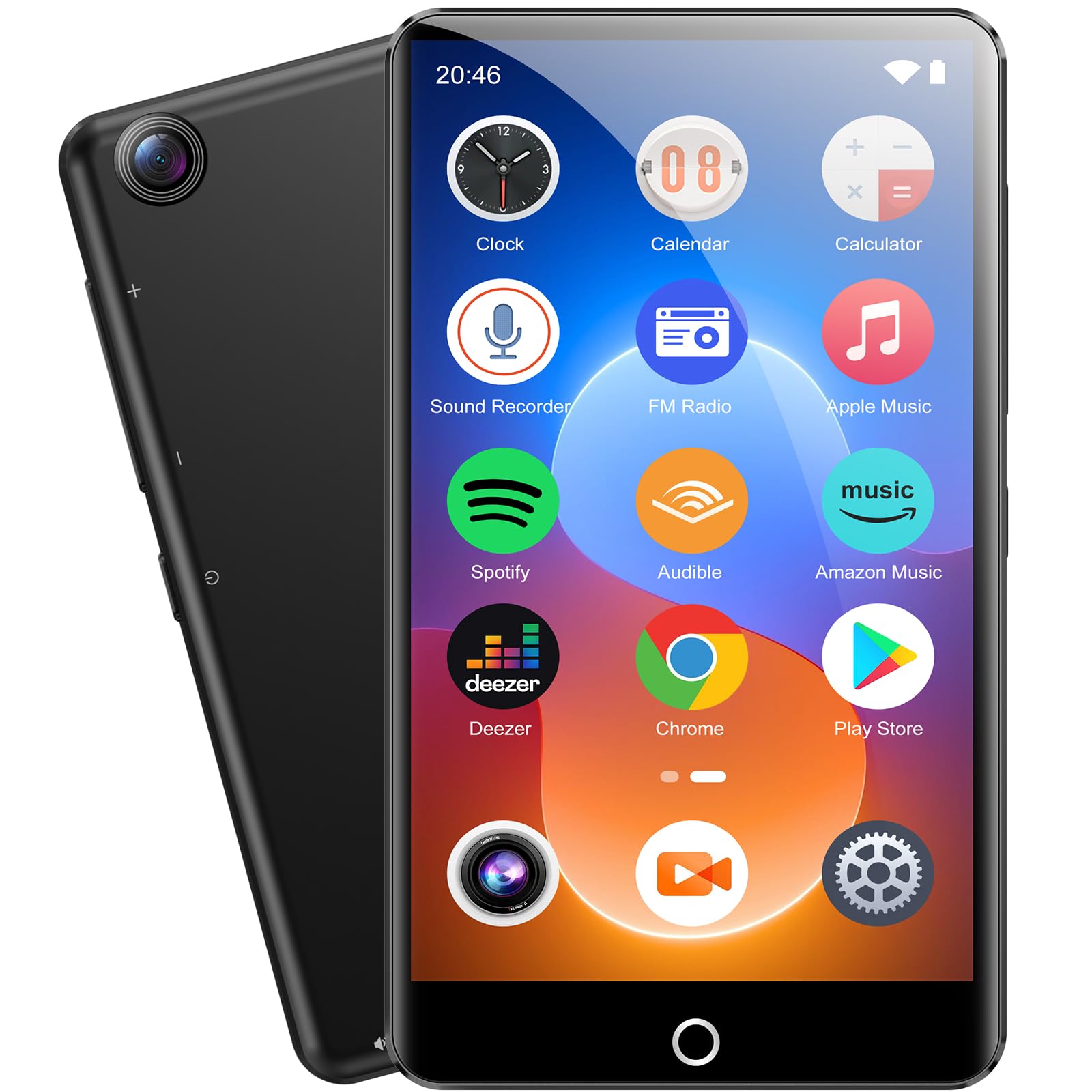
Image: Front view of the joliker M301 Bluetooth MP3 Player, showcasing its compact design and screen.
Setup
1. Unboxing and Components
Carefully unpack your joliker M301 MP3 Player. The package should contain:
- joliker M301 Bluetooth MP3 Player
- Charging Cable (USB)
- User Manual (this document)
2. Charging the Device
Before first use, fully charge the MP3 player. Connect the provided USB charging cable to the device's charging port and plug the other end into a USB power adapter (not included) or a computer's USB port. The charging indicator will show the charging status. A full charge typically takes 2-3 hours.
3. Powering On/Off
- To Power On: Press and hold the Power button until the screen lights up.
- To Power Off: Press and hold the Power button, then select 'Power Off' on the screen.
4. Initial Setup
Upon first power-on, you may be prompted to select your preferred language, set the date and time, and configure other basic settings. Follow the on-screen instructions.
5. Connecting to Wi-Fi
- Go to Settings > Wi-Fi.
- Toggle Wi-Fi On.
- Select your desired network from the list.
- Enter the password if prompted and tap Connect.
6. Bluetooth Pairing
- Ensure the Bluetooth device (e.g., headphones, speaker) is in pairing mode.
- On your M301, go to Settings > Bluetooth.
- Toggle Bluetooth On.
- The player will scan for available devices. Select your device from the list to pair.
Operating Instructions
1. Navigation
The M301 features a touch-sensitive LCD screen for navigation. Swipe left/right or up/down to browse menus and tap icons to select options. Physical buttons may also be present for volume control and power.
2. Music Playback
- Transfer music files to the device via USB or Micro SD card.
- Open the Music application.
- Browse your library by artist, album, song, or playlist.
- Tap a song to begin playback.
3. Video Playback
- Transfer video files to the device.
- Open the Video application.
- Select a video file to play.
4. Using the Integrated Camera
The M301 includes an integrated camera. Open the Camera application to take photos or record videos. Follow the on-screen prompts for camera controls and settings.
5. File Transfer (USB)
Connect the M301 to your computer using the provided USB cable. The device will appear as a removable storage drive. You can then drag and drop files between your computer and the MP3 player.
6. Micro SD Card Usage
The device supports Micro SD cards for expanded storage. Locate the Micro SD card slot (usually on the side or bottom of the device). Insert the card gently until it clicks into place. The device will automatically detect the card, and you can store media files on it.
Maintenance
1. Cleaning
Use a soft, dry, lint-free cloth to clean the screen and body of the device. Avoid using harsh chemicals or abrasive materials, as these can damage the screen or finish.
2. Battery Care
- Avoid fully discharging the battery frequently.
- Do not expose the device to extreme temperatures.
- If storing the device for an extended period, charge it to about 50% before storage.
3. Software Updates
Periodically check for available software updates in the device's settings menu (if applicable). Updates can improve performance and add new features.
4. Storage
Store the device in a cool, dry place away from direct sunlight and moisture when not in use.
Troubleshooting
- Device does not turn on:
- Ensure the battery is charged. Connect the device to a charger for at least 30 minutes before attempting to power on again.
- Bluetooth device not connecting:
- Make sure both the M301 and the Bluetooth accessory are in pairing mode and within range. Try restarting both devices.
- Wi-Fi connection issues:
- Check if other devices can connect to the Wi-Fi network. Restart your router and the M301. Ensure you have entered the correct Wi-Fi password.
- Device is overheating:
- If the device becomes excessively warm, discontinue use immediately. Close all running applications and allow the device to cool down. Avoid using the device while charging in poorly ventilated areas.
- Cannot transfer files:
- Ensure the USB cable is securely connected to both the device and the computer. On some computers, you may need to select a 'USB connection mode' (e.g., MTP or Mass Storage) on the MP3 player.
Specifications
| Feature | Detail |
|---|---|
| Model Name | M301 |
| Brand | joliker |
| Connectivity Technology | Auxiliary, Bluetooth, USB, Wi-Fi |
| Storage Capacity | 80 GB (internal) |
| Expandable Storage | Micro SD |
| Screen Size | 4.02 Inches |
| Display Technology | LCD |
| Special Feature | Integrated Camera |
| Compatible Devices | Headphones, Speaker |
| Included Components | Charging cable |
| Battery | 1 Non-standard Battery (included) |
Warranty and Support
For warranty information, please refer to the documentation included with your purchase or contact the retailer. If you encounter issues not covered in this manual, please contact joliker customer support for assistance. Keep your purchase receipt for warranty claims.
