
1. Introduction
This manual provides essential information for the safe and effective use of your BL-T46 replacement battery. This battery is designed to be compatible with specific LG V60 ThinQ smartphone models. Please read this manual thoroughly before installation and use.
2. Safety Information
Observe the following safety precautions to prevent damage to the battery, device, or personal injury:
- Do not disassemble, puncture, crush, or modify the battery.
- Do not expose the battery to extreme temperatures (above 60°C / 140°F or below 0°C / 32°F), direct sunlight, or fire.
- Avoid contact with liquids. If the battery gets wet, do not use it.
- Keep the battery away from children and pets.
- Dispose of used batteries according to local regulations. Do not dispose of in household waste.
- Use only compatible chargers and charging cables.
- If the battery appears damaged, swollen, or leaks, discontinue use immediately.
3. Product Specifications
| Battery Model | BL-T46 |
| Voltage | 3.87V |
| Capacity | 5000mAh (19.4Wh) |
4. Compatibility
This BL-T46 replacement battery is compatible with the following LG V60 ThinQ smartphone models:
- LG V60 ThinQ LMV600VM
- LG V60 ThinQ V600VM
- LG V60 ThinQ V600QM5
Please verify your device model number before attempting installation.
5. Installation Instructions
Battery replacement in smartphones can be complex and may require specialized tools. It is recommended that this procedure be performed by a qualified technician. If you choose to proceed yourself, exercise extreme caution.
General Steps:
- Power Off Device: Ensure your LG V60 ThinQ is completely powered off before beginning.
- Remove Back Cover: Carefully remove the back cover of your smartphone. This often involves heating the adhesive and using prying tools.
- Disconnect Old Battery: Locate the battery connector on the motherboard and gently disconnect it.
- Remove Old Battery: Carefully pry out the old battery. Be extremely cautious not to puncture or bend the old battery, as this can be dangerous.
- Install New Battery: Place the new BL-T46 battery into the battery compartment. Ensure it sits correctly.
- Connect New Battery: Connect the new battery's connector to the motherboard.
- Reassemble Device: Carefully reattach the back cover and any other components removed during the process.
- Initial Charge: Fully charge the new battery before its first use.
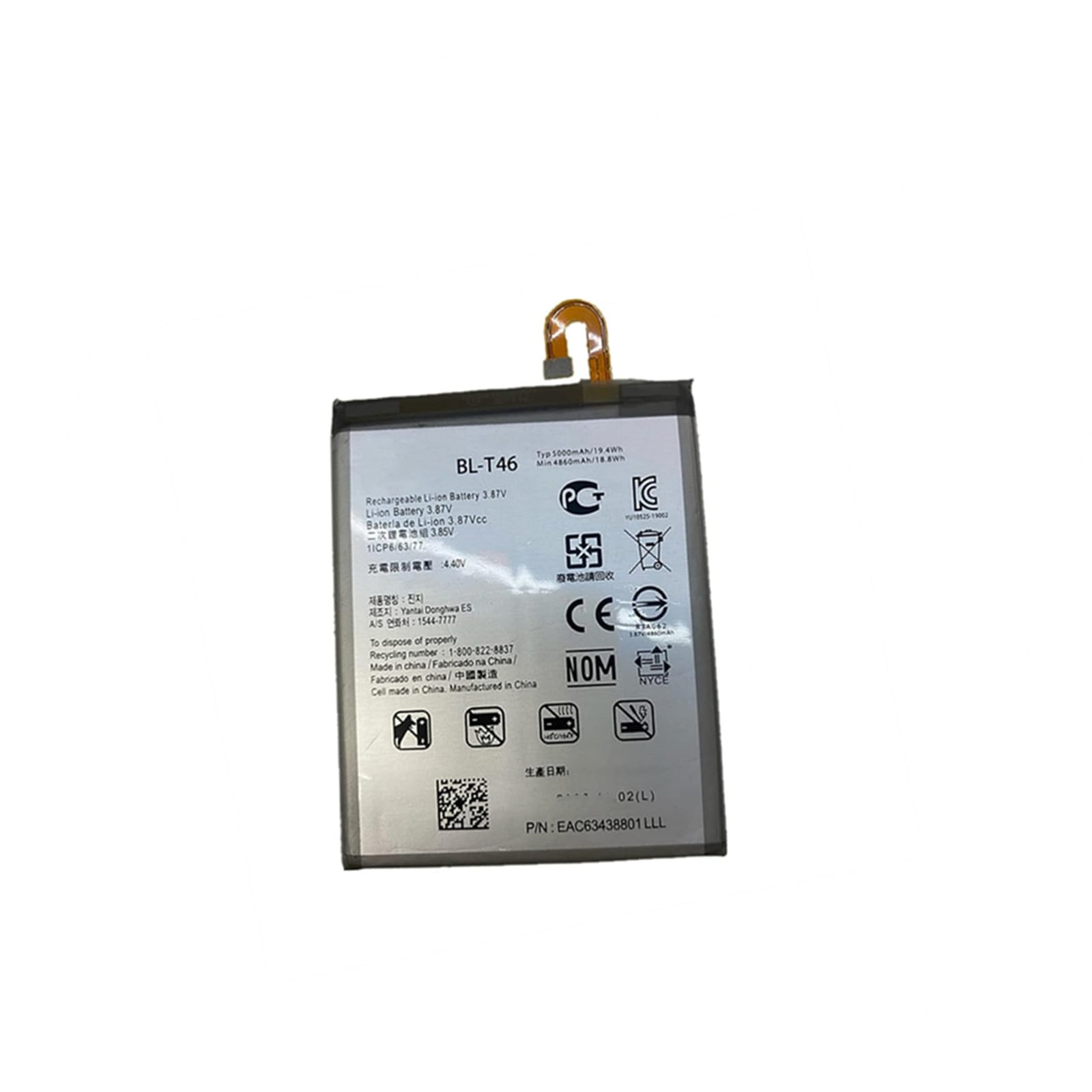
Image showing the BL-T46 replacement battery, highlighting its compact design and connectors.
Disclaimer: Improper installation can damage your device and void its warranty. Seek professional assistance if you are unsure about any step.
6. Operating Guidelines
First Use:
After installation, it is recommended to fully charge the battery to 100% before its first use. This helps calibrate the battery's charge indicator.
Charging Practices:
- Avoid completely draining the battery to 0% frequently.
- Optimal charging is typically between 20% and 80%.
- Do not leave the device charging for extended periods after it has reached 100%.
- Use a reliable charger and cable that are compatible with your LG V60 ThinQ.
7. Maintenance and Storage
Battery Care:
- Keep your device and battery away from extreme heat or cold, as this can degrade battery performance and lifespan.
- Avoid physical shocks or drops to the device, which can damage the internal battery structure.
- Clean the charging port regularly to ensure good contact.
Storage:
If storing the battery for an extended period, ensure it is charged to approximately 50-60% and stored in a cool, dry place. Avoid storing a fully charged or completely depleted battery for long durations.
8. Troubleshooting
Common Issues and Solutions:
- Battery Not Charging:
- Ensure the charger and cable are working correctly.
- Check the charging port for debris.
- Verify the battery connector is securely seated inside the phone.
- Rapid Battery Drain:
- Check background apps and settings on your phone that might be consuming excessive power.
- Ensure the battery is fully calibrated after installation.
- Consider if the phone's software or other hardware components are contributing to the drain.
- Phone Not Turning On After Battery Replacement:
- Double-check all internal connections, especially the battery connector.
- Ensure the battery has some charge; try connecting it to a charger for a few minutes.
- If issues persist, professional inspection is recommended.
9. Warranty Information
This product comes with a one-year quality guarantee from the date of purchase. Please retain your proof of purchase for warranty claims.
Due to product updates from the manufacturer, there may be slight variations in the logo or appearance of manufacturing batches. These variations do not affect product performance or warranty coverage.
10. Support
If you encounter any issues not covered in this manual or require further assistance, please contact the seller or a qualified service technician. Do not attempt repairs beyond the scope of this guide unless you are professionally trained.