
1. Introduction
Thank you for purchasing the coioc S18 Portable Bluetooth Speaker. This manual provides essential information for setting up, operating, and maintaining your speaker. Please read it thoroughly before use to ensure optimal performance and longevity of the device.
2. What's in the Box
- coioc S18 Portable Bluetooth Speaker (x1)
- Type-C Charging Cable (x1)
- AUX Cable (x1)
- User Manual (x1)

Image: The coioc S18 speaker and its accessories, including the Type-C charging cable, AUX cable, and user manual.
3. Product Overview
Controls and Indicators
The coioc S18 speaker features intuitive controls and indicators for easy operation:
- Power Button: Press and hold for 2 seconds to power on/off.
- Light Button: Press once to change RGB light mode. Press three times to turn off lights.
- Volume Down: Press once to decrease volume.
- Previous Track: Press and hold for 2 seconds to go to the previous track.
- Volume Up: Press once to increase volume.
- Next Track: Press and hold for 2 seconds to go to the next track.
- Play/Pause Button: Press once to play or pause music.
- Call Button: Press once to answer/end a call. Press and hold for 2 seconds to reject a call.
- EQ Button: Press once to switch between Normal and Vocal EQ modes.
- TWS Button: Press twice to activate TWS pairing mode.
- Battery Indicator: LED display shows battery level from 1% to 100%.
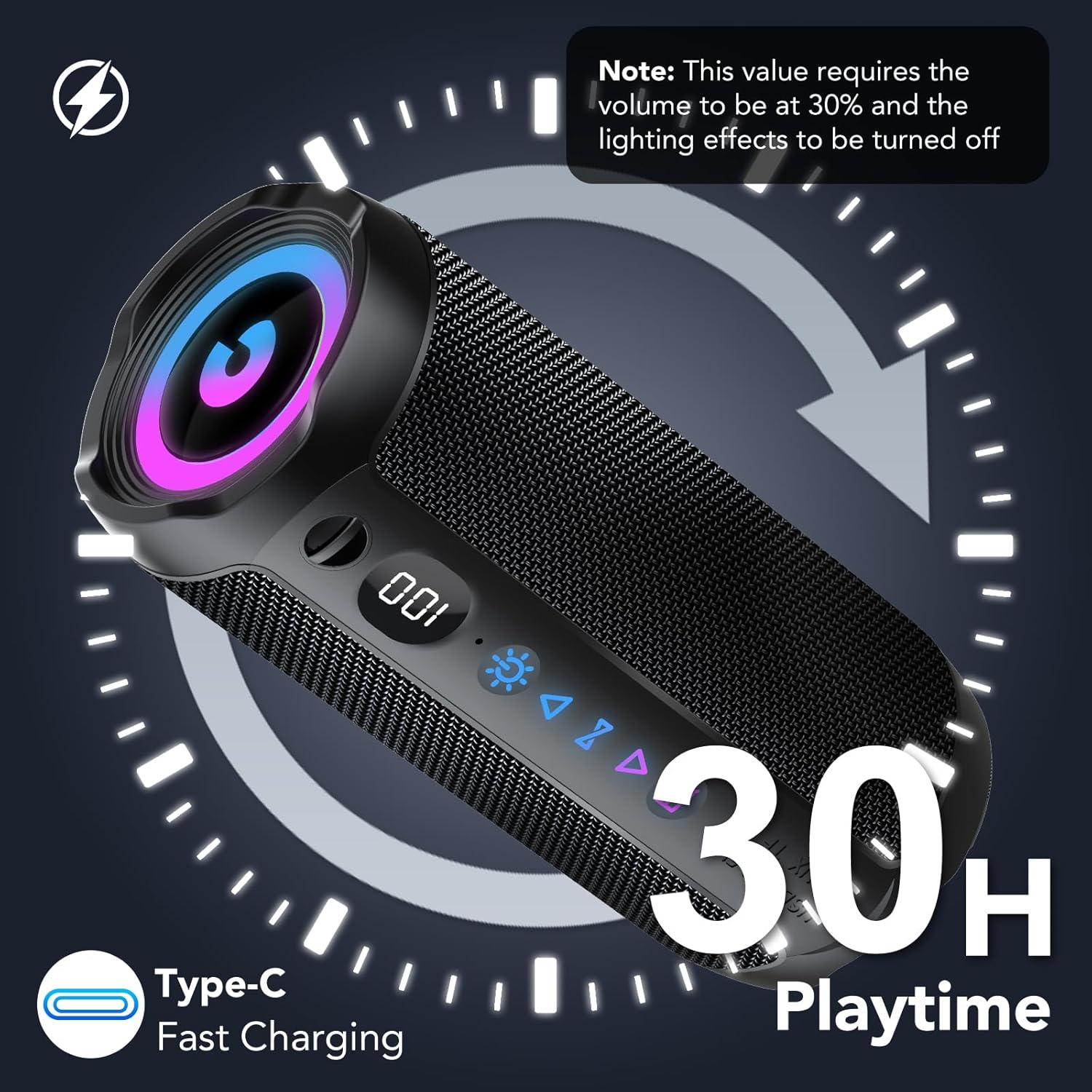
Image: The control panel of the coioc S18 speaker, highlighting the various buttons and the battery level display.
Ports
The speaker includes the following ports, typically located under a protective cover:
- USB Port: For USB drive playback.
- TF Card Slot: For TF (MicroSD) card playback.
- AUX Input: For wired audio connection using the provided AUX cable.
- Type-C Charging Port: For charging the speaker.

Image: The coioc S18 speaker demonstrating its multiple connectivity options, including Bluetooth, AUX, TF card, and USB.
4. Setup
4.1 Charging the Speaker
- Locate the Type-C charging port on your speaker.
- Connect the provided Type-C charging cable to the speaker's charging port.
- Connect the other end of the cable to a USB power adapter (not included) or a computer's USB port.
- The LED battery indicator will show the charging progress. A full charge provides up to 30 hours of playtime (at 30% volume with lights off).

Image: The coioc S18 speaker connected for charging, illustrating its 30-hour playtime capability.
4.2 Powering On/Off
- To Power On: Press and hold the Power button for 2 seconds. You will hear an audible prompt, and the LED lights will activate.
- To Power Off: Press and hold the Power button for 2 seconds. You will hear an audible prompt, and the LED lights will turn off.
5. Operating Instructions
5.1 Bluetooth Pairing
- Ensure the speaker is powered on and in Bluetooth pairing mode (indicated by a flashing Bluetooth icon).
- On your device (smartphone, tablet, computer), enable Bluetooth and search for available devices.
- Select "coioc S18" from the list of devices.
- Once connected, you will hear a confirmation sound, and the Bluetooth icon on the speaker will stop flashing.
- The speaker utilizes Bluetooth 5.4 technology for a stable connection up to 100 feet (30 meters).
5.2 TWS (True Wireless Stereo) Pairing
To achieve a more immersive stereo sound experience, you can pair two coioc S18 speakers together:
- Ensure both coioc S18 speakers are powered on and not connected to any other Bluetooth device.
- On one of the speakers (this will be the primary speaker), double-press the TWS button. The speaker will enter TWS pairing mode.
- The primary speaker will automatically search for and connect to the secondary speaker. Once connected, you will hear a confirmation sound.
- Now, connect your device to the primary speaker via Bluetooth as described in section 5.1. Audio will play through both speakers in stereo.

Image: Two coioc S18 speakers connected wirelessly for a stereo audio experience.
5.3 Connecting via AUX, TF Card, or USB
- AUX Mode: Insert the 3.5mm AUX cable into the speaker's AUX port and the other end into your audio device's headphone jack. The speaker will automatically switch to AUX mode.
- TF Card Mode: Insert a TF (MicroSD) card with audio files into the TF card slot. The speaker will automatically detect the card and begin playback.
- USB Mode: Insert a USB flash drive with audio files into the USB port. The speaker will automatically detect the drive and begin playback.
5.4 Controlling Playback and Volume
- Play/Pause: Press the Play/Pause button once.
- Volume Up: Press the Volume Up button once.
- Volume Down: Press the Volume Down button once.
- Next Track: Press and hold the Next Track button for 2 seconds.
- Previous Track: Press and hold the Previous Track button for 2 seconds.
5.5 RGB Lighting Modes
The speaker features dynamic RGB lighting that can be customized:
- Press the Light button once to cycle through different RGB lighting modes.
- Press the Light button three times to turn off the RGB lights.
5.6 EQ Modes
The speaker offers two Equalizer (EQ) modes to optimize your listening experience:
- Press the EQ button once to switch between Normal and Vocal modes.
- Normal Mode: Provides a balanced sound profile suitable for most music genres.
- Vocal Mode: Enhances vocal clarity, ideal for podcasts or vocal-centric music.
5.7 Hands-free Calling
When connected via Bluetooth to a smartphone, the speaker's built-in microphone allows for hands-free calls:
- Answer/End Call: Press the Call button once.
- Reject Call: Press and hold the Call button for 2 seconds.
Video: A short demonstration of the coioc S18 Portable Bluetooth Speaker's features, including its 30W volume, enhanced bass, Bluetooth 5.4 connectivity, IPX7 waterproofing, and various connection options. This video highlights the speaker's key functionalities and design.
6. Maintenance
6.1 Water Resistance (IPX7)
The coioc S18 speaker is rated IPX7 waterproof, meaning it can be submerged in water up to 1 meter for 30 minutes. This makes it suitable for outdoor activities and use near water. However, please observe the following:
- Ensure the charging port and other input covers are securely closed before exposing the speaker to water.
- Do not expose the speaker to saltwater or other chemicals, as this may damage the seals.
- After exposure to water, wipe the speaker dry with a soft cloth before charging or opening any ports.

Image: The coioc S18 speaker submerged in water, highlighting its IPX7 waterproof feature.
6.2 Cleaning
- Use a soft, damp cloth to clean the speaker's exterior.
- Do not use abrasive cleaners, alcohol, or chemical solvents, as these may damage the surface.
6.3 Storage
- Store the speaker in a cool, dry place away from direct sunlight and extreme temperatures.
- If storing for an extended period, charge the battery to approximately 50% every few months to maintain battery health.
7. Troubleshooting
| Problem | Possible Cause | Solution |
|---|---|---|
| Speaker does not power on | Low battery; Power button not pressed long enough | Charge the speaker; Press and hold the Power button for 2 seconds |
| Cannot pair via Bluetooth | Speaker not in pairing mode; Device Bluetooth off; Speaker already connected to another device | Ensure speaker is flashing Bluetooth icon; Enable Bluetooth on your device; Disconnect from other devices |
| No sound | Volume too low; Incorrect input mode; Device not playing audio | Increase speaker and device volume; Switch to correct input mode (Bluetooth, AUX, TF, USB); Ensure audio is playing on your device |
| TWS pairing fails | Speakers too far apart; One speaker already paired to a device | Ensure speakers are within close proximity; Disconnect both speakers from any other Bluetooth devices before TWS pairing |
| Poor audio quality | Bluetooth interference; Low battery; Source audio quality | Move closer to the connected device; Charge the speaker; Use high-quality audio files |
8. Specifications
| Feature | Specification |
|---|---|
| Model Number | S18 |
| Brand | coioc |
| Maximum Output Power | 30 Watts |
| Connectivity Technology | Bluetooth, AUX, TF, USB |
| Bluetooth Version | 5.4 |
| Bluetooth Range | Up to 100 feet (30 meters) |
| Audio Output Mode | Stereo |
| Special Features | IPX7 Waterproof, Bass Boost, RGB Lighting, TWS Pairing, Built-in Microphone, LED Battery Indicator |
| Battery Capacity | 4000 mAh |
| Average Battery Life | 30 Hours |
| Signal-to-Noise Ratio | 90 dB |
| Audio Driver Size | 55 mm |
| Product Dimensions | 5 x 5 x 5 cm; 630 g |
| Color | Black |
9. Warranty and Support
The coioc S18 Portable Bluetooth Speaker comes with a limited warranty. Please refer to the warranty information provided with your purchase for specific terms and conditions. For technical support or customer service inquiries, please contact coioc customer support through the retailer's platform or the official brand website.