
Important Safety Information
Please read all instructions carefully before operating your portable air conditioner. Keep this manual for future reference.
- Upright Position: For best performance, keep the AC unit upright for at least 24 hours before first use. This allows the refrigerant to settle properly.
- Power Supply: Ensure the unit is connected to a standard 115 Volt outlet. Do not overload the circuit.
- Automatic Shut-off: The unit automatically shuts off once the set temperature is reached to save energy. This is normal operation.
- Drainage: In high humidity environments, the internal tank may fill quickly. Refer to the drainage section for proper water removal to prevent overflow.
- Filter Maintenance: Regularly clean the washable filter to maintain optimal performance and air quality.
What's in the Box
Your Feelfunn 12,000 BTU Portable Air Conditioner package includes the following components:
- Portable AC Unit
- Window Installation Kits
- Remote Control
- Instruction Manual
- Drain Hose
Product Overview
The Feelfunn 12,000 BTU Portable Air Conditioner (Model PAC014-12K) is a versatile 3-in-1 unit designed for efficient cooling, dehumidification, and air circulation. It features smart control options and a user-friendly design.

Image: Feelfunn 12,000 BTU Portable AC unit effectively cooling a living room. The unit is compact and blends into the home environment.
Key Features:
- 3-in-1 Functionality: Offers Cool, Fan, and Dehumidifier modes for year-round comfort.
- Powerful Cooling: 12,000 BTU ASHRAE (8,000 BTU SACC) capacity cools areas up to 600 sq. ft. with an airflow of 400 m³/h.
- Smart Control: Features an intuitive touch panel, remote control (up to 23 feet range), and app/Wi-Fi control compatible with Alexa and Google Assistant for voice commands.
- Low Noise Operation: Operates at less than 50 dB for a quiet environment, ideal for bedrooms and offices.
- Energy Efficient: With a CEER of 7.3, it helps reduce electricity consumption.
- Portable Design: Equipped with four 360° casters and hidden handles for easy movement between rooms.
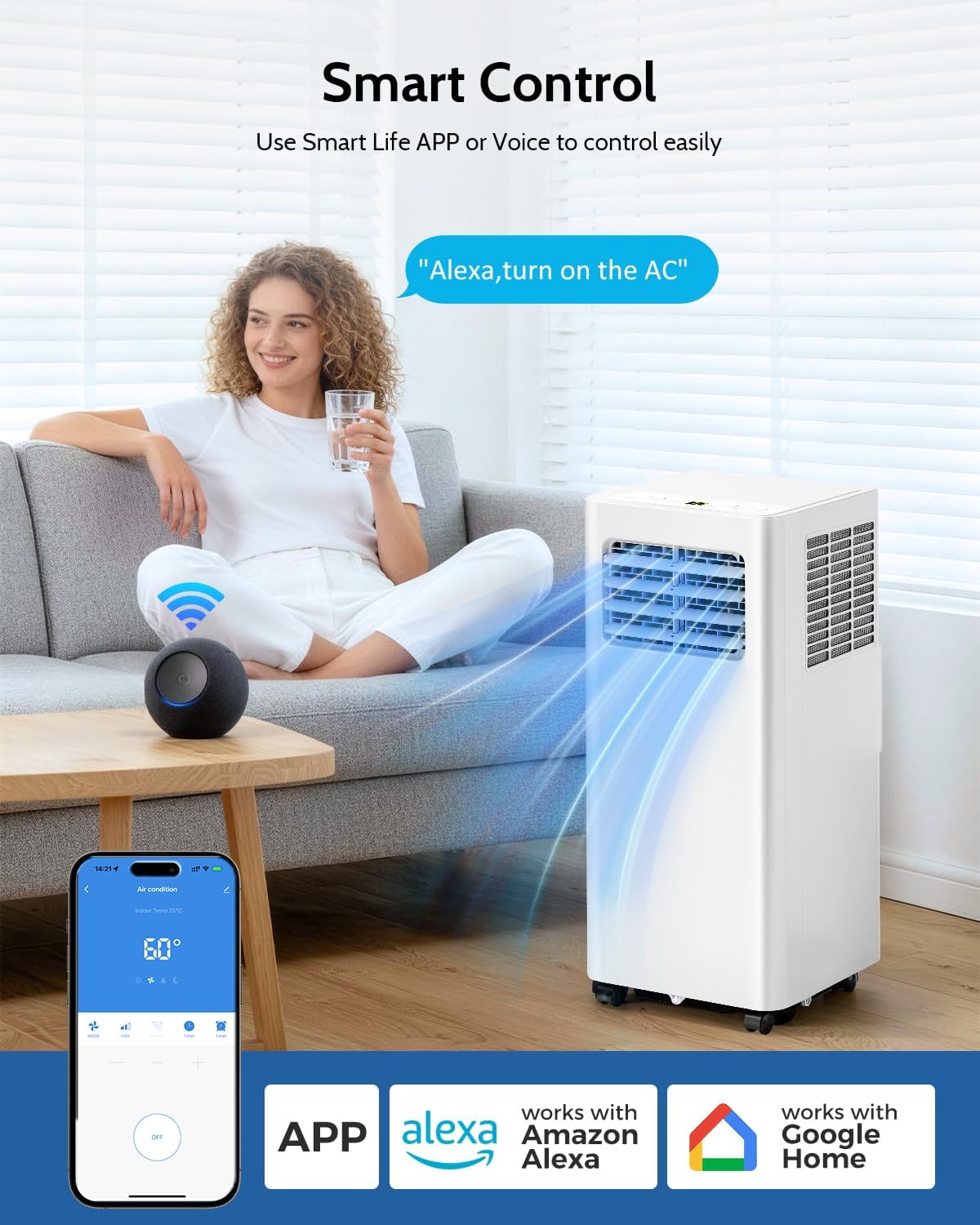
Image: Feelfunn 12,000 BTU Portable AC showcasing smart control features, including a mobile app interface and compatibility with Alexa and Google Home devices.
Video: This video demonstrates the features and how to use the Feelfunn Portable Air Conditioner, highlighting its various functions and ease of operation.
Setup & Installation
The Feelfunn Portable AC comes with a complete window sealing kit and exhaust hoses for easy installation. No extra tools are needed.
Window Kit Installation Steps:
- Rotate the hose connector and connect it to the end of the exhaust hose.
- Rotate the window kit adapter to connect to the other end of the exhaust hose.
- Adjust the slide plate to the length of your window and secure with screws (if provided).
- Attach the hose connector to the air exhaust of the AC unit.
- Insert the window kit adapter into the window kit.
- Plug in the unit, turn on the switch, and start enjoying cool air.

Image: A visual guide illustrating the step-by-step process of installing the window kit and connecting the exhaust hose to the portable air conditioner.

Image: The portable AC unit demonstrating flexible installation options for both horizontal and vertical sliding windows, with various panel combinations.
Operating Instructions
The Feelfunn Portable AC offers multiple operating modes and control options for personalized comfort.
Control Panel & Remote Control:
The unit features an intuitive touch panel on top and comes with a remote control for convenient operation from up to 23 feet away. Both allow you to:
- Turn the unit On/Off.
- Select operating mode (Cool, Fan, Dry/Dehumidifier).
- Adjust temperature (60–86°F).
- Set fan speed (High, Mid, Low).
- Activate Sleep Mode.
- Set the 24-hour Timer.
- Control the swing function for airflow direction.

Image: Close-up view of the Feelfunn Portable AC's touch control panel and the remote control, illustrating the various buttons and display for easy operation.
App & Wi-Fi Control:
For ultimate convenience, download the dedicated app to control your AC unit from anywhere. It also supports voice control via Alexa and Google Assistant.
Video: This video provides instructions on how to link the Feelfunn Portable Air Conditioner to its mobile app for smart control.
Drainage
The dehumidifier mode has a capacity of 76 pints/day. In high humidity conditions (above 60%), the internal tank may fill within 1 hour. To prevent overflow, ensure proper drainage.
- Manual Drainage: When the tank is full, the unit will indicate a full tank warning. Open the drain plug located at the bottom rear of the unit and place a container to empty the tank.
- Continuous Drainage: For continuous operation in high humidity, connect the included drain hose to the middle port for continuous drainage. Route the hose to a suitable drain or outside.

Image: Detailed view of the Feelfunn Portable AC, highlighting the hidden handles, removable filter, smooth rotating wheels, adjustable fan blades, and the drainage port.
Maintenance
Regular maintenance ensures optimal performance and longevity of your Feelfunn Portable AC.
Filter Cleaning:
The unit features a removable and washable filter. It is recommended to clean the filter regularly (e.g., every two weeks, depending on usage and air quality) to maintain efficient cooling and air quality.
- To remove the filter, gently pull out the filter screen from the back of the unit.
- Wash the filter under running water or use a vacuum cleaner to remove dust.
- Allow the filter to dry completely before reinserting it into the unit.
Troubleshooting
If you encounter any issues with your Feelfunn Portable AC, refer to the following common problems and solutions:
| Problem | Possible Cause | Solution |
|---|---|---|
| Unit does not turn on | No power supply; Power cord not fully plugged in; Circuit breaker tripped | Check power outlet; Ensure cord is fully plugged in; Reset circuit breaker |
| Unit not cooling effectively | Dirty air filter; Room size too large; Doors/windows open; Exhaust hose not properly sealed | Clean air filter; Ensure room size is within 600 sq. ft.; Close doors/windows; Check exhaust hose seal |
| Water leakage | Drain plug not properly closed; Drainage hose clogged or kinked | Ensure drain plug is secure; Check drainage hose for obstructions |
| Unusual noise | Unit not on a level surface; Obstruction in fan | Place unit on a flat, stable surface; Check for and remove any obstructions |
Specifications
| Specification | Detail |
|---|---|
| Brand | Feelfunn |
| Model Name | PAC014-12K |
| Cooling Power | 12000 British Thermal Units (ASHRAE) / 8000 BTU (SACC) |
| Coverage Area | Up to 600 Square Feet |
| Product Dimensions | 12.8"D x 11.6"W x 27.6"H |
| Item Weight | 50.7 Pounds |
| Noise Level | 50 Decibels |
| Voltage | 115 Volts |
| Refrigerant | R-32 |
| Seasonal Energy Efficiency Ratio (CEER) | 7.3 |
| Control Method | App, Remote, Touch |
| Filter Type | Washable Filter |
Warranty & Support
Feelfunn provides reliable after-sales support and a 1-year accessory repair service for your portable air conditioner.
- Warranty: 1-year manufacturer warranty for accessories.
- Customer Support: For any questions or assistance, please contact our support team.
