
Introduction
Thank you for choosing the Glocusent Clip-On Reading Light, Model A108. This manual provides essential information for the safe and efficient operation of your new reading light. Please read these instructions carefully before use and retain them for future reference.
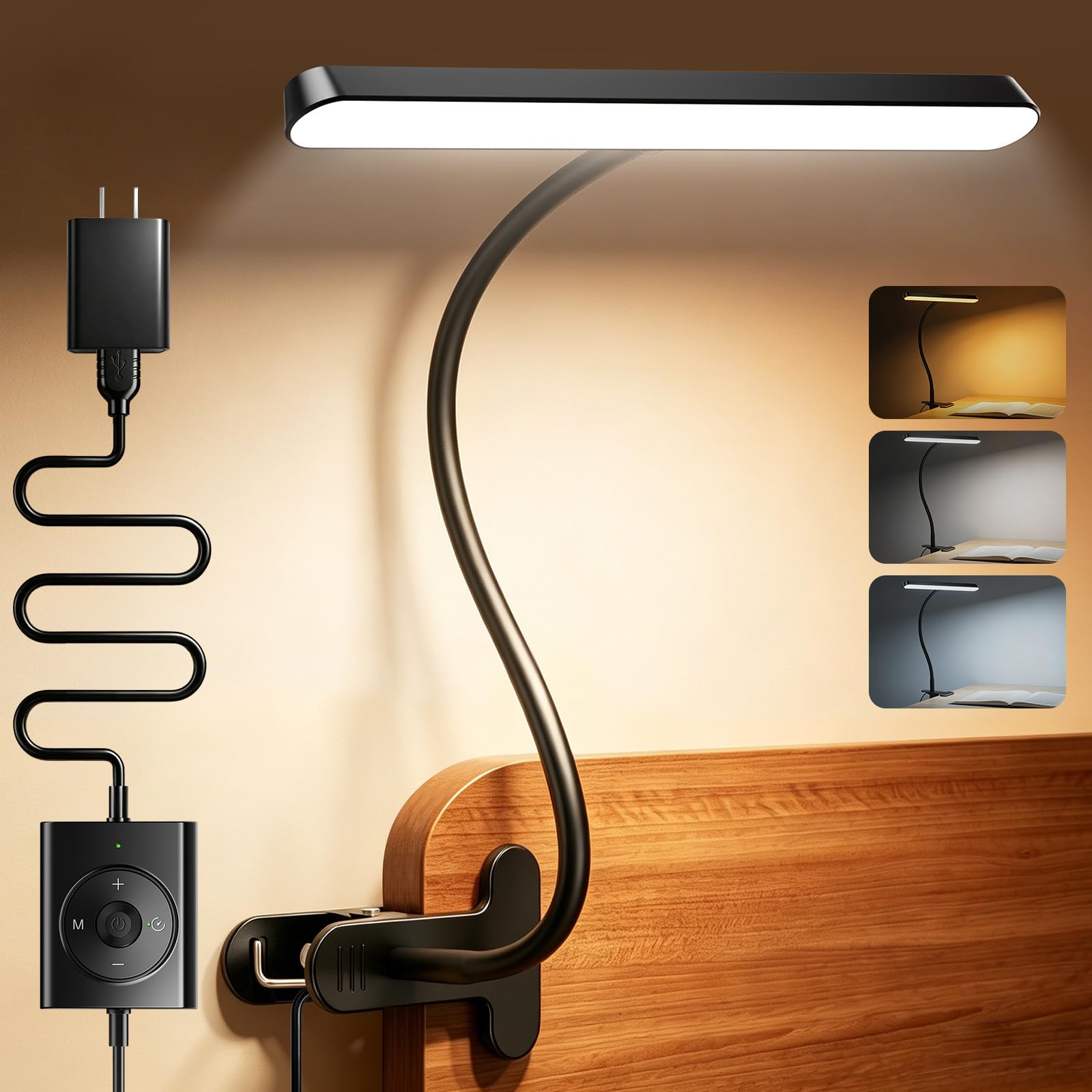
Image 1: Glocusent Clip-On Reading Light, Model A108, in use on a desk.
Product Features
- Wide Beam Design: The horizontal lamp head (approximately 28.7 cm / 11.3 inches) provides uniform illumination over a wider area, covering two full pages of a book. Equipped with 57 high-quality LEDs, it offers soft, flicker-free light with reduced shadows, making it ideal for extended reading sessions.
- 5 Brightness Levels & 3 Color Modes: Adjust brightness from 10 to 340 lumens across 5 levels. Choose from 3 color temperatures: 1800K Amber for relaxing bedtime reading, 3400K Natural Light for daily reading and studying, and 6000K Cool Light for detailed tasks like crafting or drawing. Both brightness and color temperature can be smoothly adjusted to suit any environment.
- Strong Clip with Wide Opening: The clip features a maximum opening width of approximately 7 cm (2.75 inches) and a 60° flexible grip for secure attachment. Soft pads protect furniture surfaces from scratches. Easily attach the light to desks, bed frames, or shelves, saving space and offering versatile placement.
- 360° Flexible Gooseneck: The silicone gooseneck arm, approximately 45 cm (17.7 inches) long, allows for free angle adjustment. It maintains its position without sagging, directing light precisely where needed without having to move the base.
- 30-Minute Timer & USB Power: Features a 30-minute auto-off timer. The light is powered via USB with a standard 2-meter (78.7 inches) power cord, allowing connection to AC chargers, computers, or power banks. A small green indicator lamp shows the operating status.

Image 2: Illustration of the wide beam design providing broader illumination compared to traditional round lights.

Image 3: Visual representation of the adjustable brightness and color temperature settings.
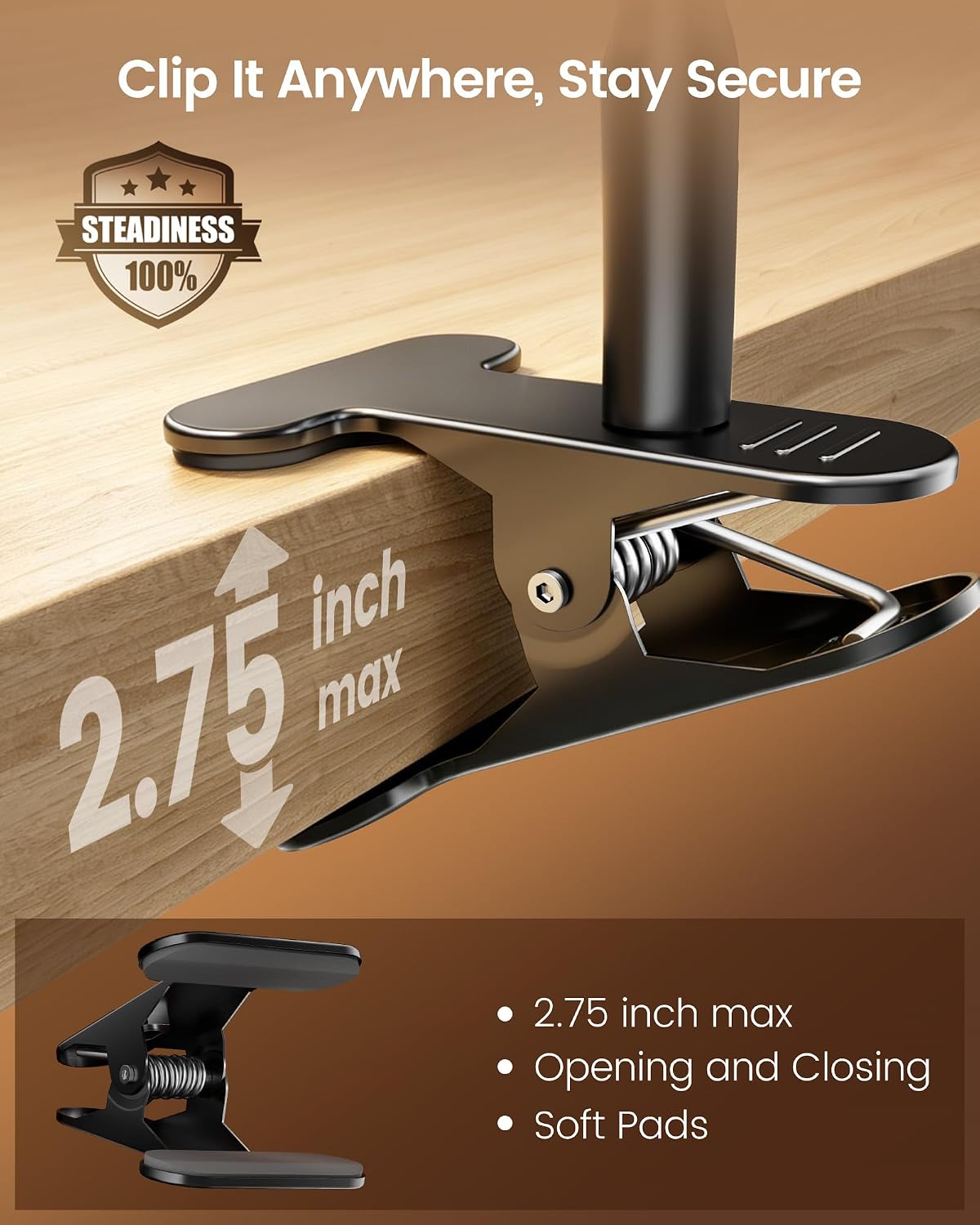
Image 4: Detail of the secure clip with its maximum opening and protective pads.
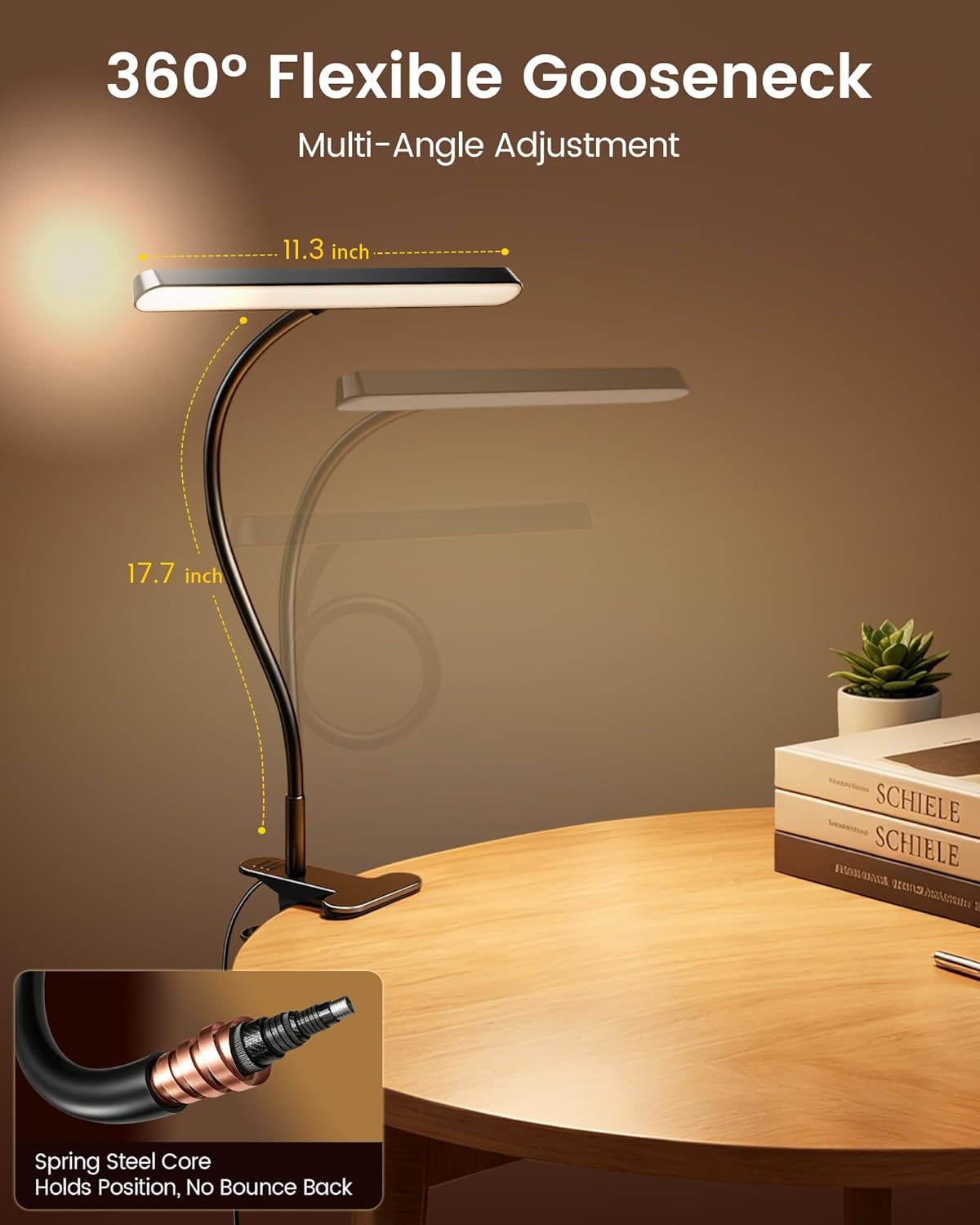
Image 5: The flexible gooseneck allows for precise light positioning.

Image 6: The reading light in a bedroom, illustrating the timer and USB power features.
Package Contents
Ensure all items are present before discarding packaging materials:
- Glocusent Horizontal Clip-On Reading Light (Model A108)
- 2-Pin AC Adapter
- User Manual (this document)
- Bookmark
Setup Instructions
- Unpack the Light: Carefully remove the reading light and all accessories from the packaging.
- Choose a Mounting Location: Select a stable surface such as a desk, bed frame, or shelf. Ensure the surface thickness is within the clip's maximum opening of 7 cm (2.75 inches).
- Attach the Light: Open the clip and firmly attach it to your chosen surface. The soft pads on the clip will protect your furniture.
- Connect Power: Insert the USB cable into the light's power port. Connect the other end of the USB cable to a compatible USB power source (e.g., AC adapter, computer USB port, power bank). The green indicator light on the controller will illuminate.
- Adjust Gooseneck: Bend the flexible gooseneck to position the light head as desired. The gooseneck will hold its shape to direct light precisely.

Image 7: Connecting the USB power cable.
Operating Instructions
The Glocusent Clip-On Reading Light is controlled via an inline remote on the power cord.

Image 8: The inline controller for the reading light.
- Power On/Off: Press the Power Button (central button) to turn the light on or off.
- Adjust Brightness: Use the + and - buttons to cycle through the 5 brightness levels (10LM to 340LM).
- Change Color Temperature: Press the M Button (Mode button, usually next to the power button) to switch between the 3 color modes: 1800K Amber, 3400K Natural White, and 6000K Cool White.
- Set Timer: Press the Timer Button (clock icon) to activate the 30-minute auto-off timer. The light will automatically turn off after 30 minutes.
Maintenance
- Cleaning: Disconnect the power before cleaning. Use a soft, dry cloth to wipe the light. Do not use abrasive cleaners or solvents.
- Storage: When not in use for extended periods, store the light in a cool, dry place away from direct sunlight and moisture.
- Cable Care: Avoid bending or twisting the power cable excessively. Do not place heavy objects on the cable.
Troubleshooting
| Problem | Possible Cause | Solution |
|---|---|---|
| Light does not turn on. | No power connection or faulty power source. | Ensure the USB cable is securely connected to both the light and a working power source. Try a different USB port or adapter. |
| Light flickers. | Unstable power supply. | Use a stable power source. Avoid connecting to USB hubs with multiple devices. |
| Cannot adjust brightness/color. | Controller malfunction. | Ensure the light is powered on. If the issue persists, contact customer support. |
| Clip is not secure. | Surface too thick or unstable. | Ensure the surface thickness is within 7 cm (2.75 inches). Choose a stable, flat surface for attachment. |
Specifications
| Feature | Detail |
|---|---|
| Product Dimensions (D x W x H) | 51.5 x 11 x 28.7 cm (20.3 x 4.3 x 11.3 inches) |
| Product Weight | 330 grams (0.73 lbs) |
| Lamp Type | Clip Light |
| Style | Minimalist |
| Brand | Glocusent |
| Light Source Type | LED |
| Number of Light Sources | 57 |
| Mounting Type | Desktop / Clip-on |
| Wattage | 7 W |
| Illumination Method | LED |
| Cordless | No |
| Color | Black |
| Model Number | A108 |
| UPC | 850076165116 |
| ASIN | B0GQM58XNH |
| Country of Origin | China |
Warranty and Support
Glocusent is committed to providing high-quality products and excellent customer service.
- 30-Day Money-Back Guarantee: If you are not satisfied with your purchase, you may return it within 30 days for a full refund.
- 24-Month Product Warranty: This product is covered by a 24-month warranty from the date of purchase, covering manufacturing defects.
- Customer Support: For any questions, concerns, or technical assistance, please contact Glocusent customer support. We aim to provide 24/7 support and respond to inquiries within 2 hours.


