
PASYOU PV25
PASYOU PV25 Vibrating Platform User Manual
Model: PV25

Image: PASYOU PV25 Vibrating Plate Machine banner, showcasing the product and brand.
1. Introduction
The PASYOU PV25 Vibrating Platform is designed to enhance your fitness routine by generating high-frequency vibrations. These vibrations activate various muscle groups, making your home fitness sessions more dynamic and effective. This manual provides essential information for the safe and proper use of your vibrating platform, including setup, operation, maintenance, and troubleshooting.
2. Important Safety Instructions
Please read all instructions carefully before using the device.
- Consult a physician before starting any new exercise program, especially if you have pre-existing health conditions.
- This device is intended for home use only.
- Ensure the platform is placed on a flat, stable, and non-slip surface before use.
- The maximum recommended user weight is 250 lbs (approximately 113 kg). Do not exceed this limit.
- Keep children and pets away from the device during operation.
- Do not use the device if you are pregnant, have a pacemaker, or suffer from severe medical conditions without consulting a doctor.
- Always ensure the power cord is not damaged and is properly connected.
- Unplug the device from the power outlet when not in use or before cleaning.
- The anti-slip surface ensures stability during use. Always maintain balance and use caution.
- The rounded anti-shock corners are designed for safety, reducing the risk of injury from impacts.
3. What's Included
Your PASYOU PV25 Vibrating Platform package includes the following components:
- 1 x PASYOU PV25 Vibrating Plate Exercise Device
- 2 x Resistance Bands
- 1 x Remote Control
- 1 x Power Cable
- 1 x User Manual (this document)

Image: Diagram showing the vibrating plate, two resistance bands, power cable, remote control, and user manual.
4. Setup
- Unpack the Device: Carefully remove all components from the packaging.
- Placement: Place the vibrating platform on a firm, level, and stable surface. Ensure there is enough clear space around the device for safe exercise.
- Connect Power: Insert the power cable into the designated port on the device and then plug it into a standard electrical outlet.
- Attach Resistance Bands (Optional): If desired, attach the resistance bands to the designated attachment points on the sides of the platform.
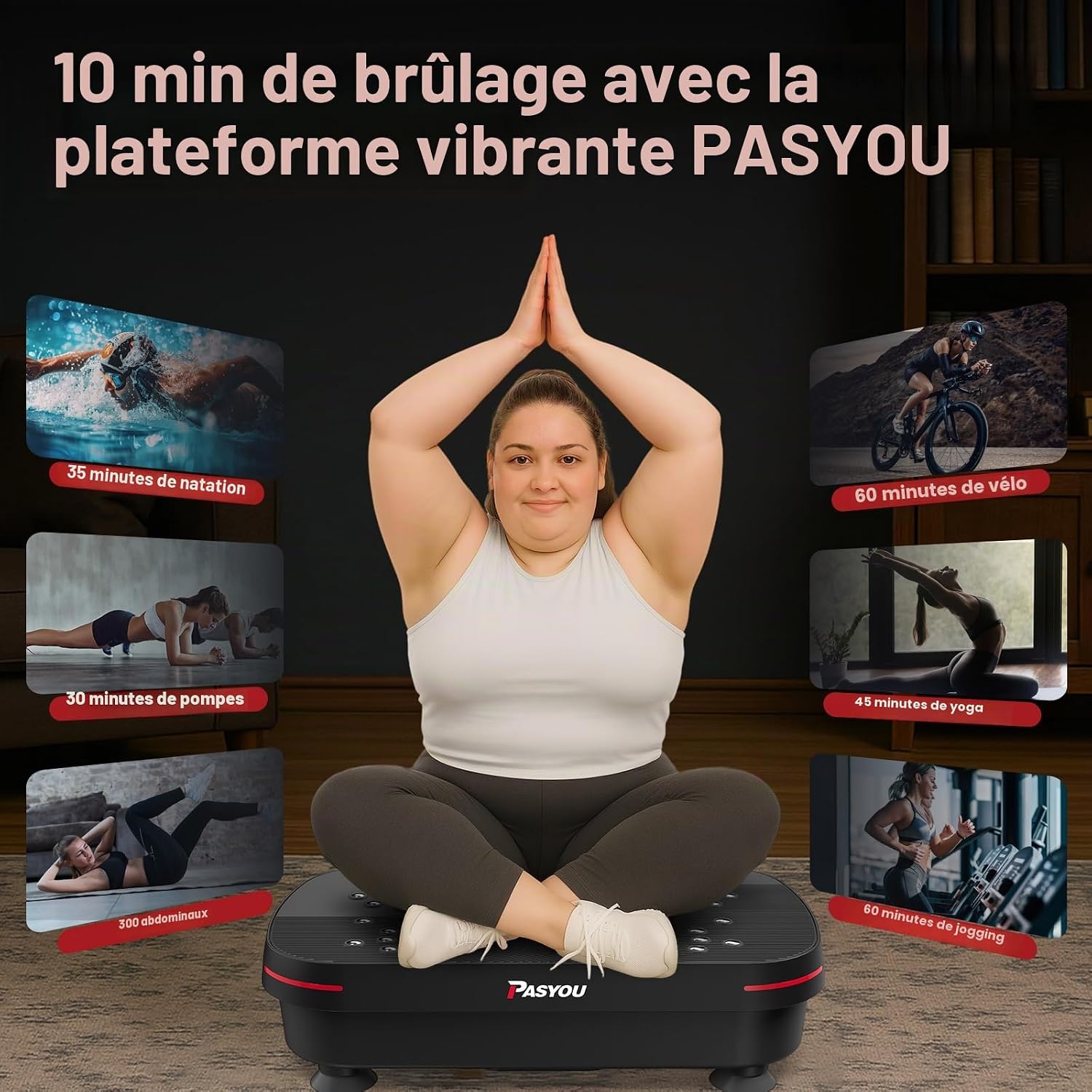
Image: The PASYOU PV25 Vibrating Platform, showing its compact design and ready for use.
5. Operating Instructions
5.1 Control Panel and Remote Control
The vibrating platform can be operated using the integrated LED control panel or the included remote control.

Image: Close-up of the LED control panel showing buttons for Start/Pause, Switch Mode, Speed +/-, and Time/Speed display. An infrared receiver for the remote control is also indicated.
- Start/Pause Button: Press to start or pause the vibration.
- Switch Mode Button (M): Cycles through different operating modes (e.g., manual, pre-set programs if available).
- Speed +/- Buttons: Adjusts the vibration intensity. The PV25 offers 99 adjustable intensity levels.
- Time/Speed Display: Shows the current operating time and speed level.
- Remote Control: Provides convenient control over all functions from a distance. Ensure the remote has working batteries.
5.2 Acupressure Massage Function
The platform features an acupressure massage surface designed to relieve foot pressure and promote blood circulation. Simply place your feet on the textured areas during your workout.

Image: The acupressure massage surface of the vibrating platform, highlighting the textured points for foot massage.
6. Exercise Guide
The PASYOU PV25 Vibrating Platform, along with the included resistance bands, allows for a variety of exercises targeting different muscle groups. Here are some examples:
- Squats: Stand on the platform with feet shoulder-width apart, then lower into a squat position.
- Planks: Place your hands or forearms on the platform and hold a plank position.
- Stretches: Use the platform to deepen stretches for various muscle groups.
- Core Training: Perform exercises like crunches or leg raises with your lower back or feet on the platform.
- Resistance Band Exercises: Attach the bands and perform bicep curls, tricep extensions, or shoulder presses while standing on the platform.

Image: A series of photos demonstrating different exercise positions on the vibrating platform, including squats, planks, and stretches.
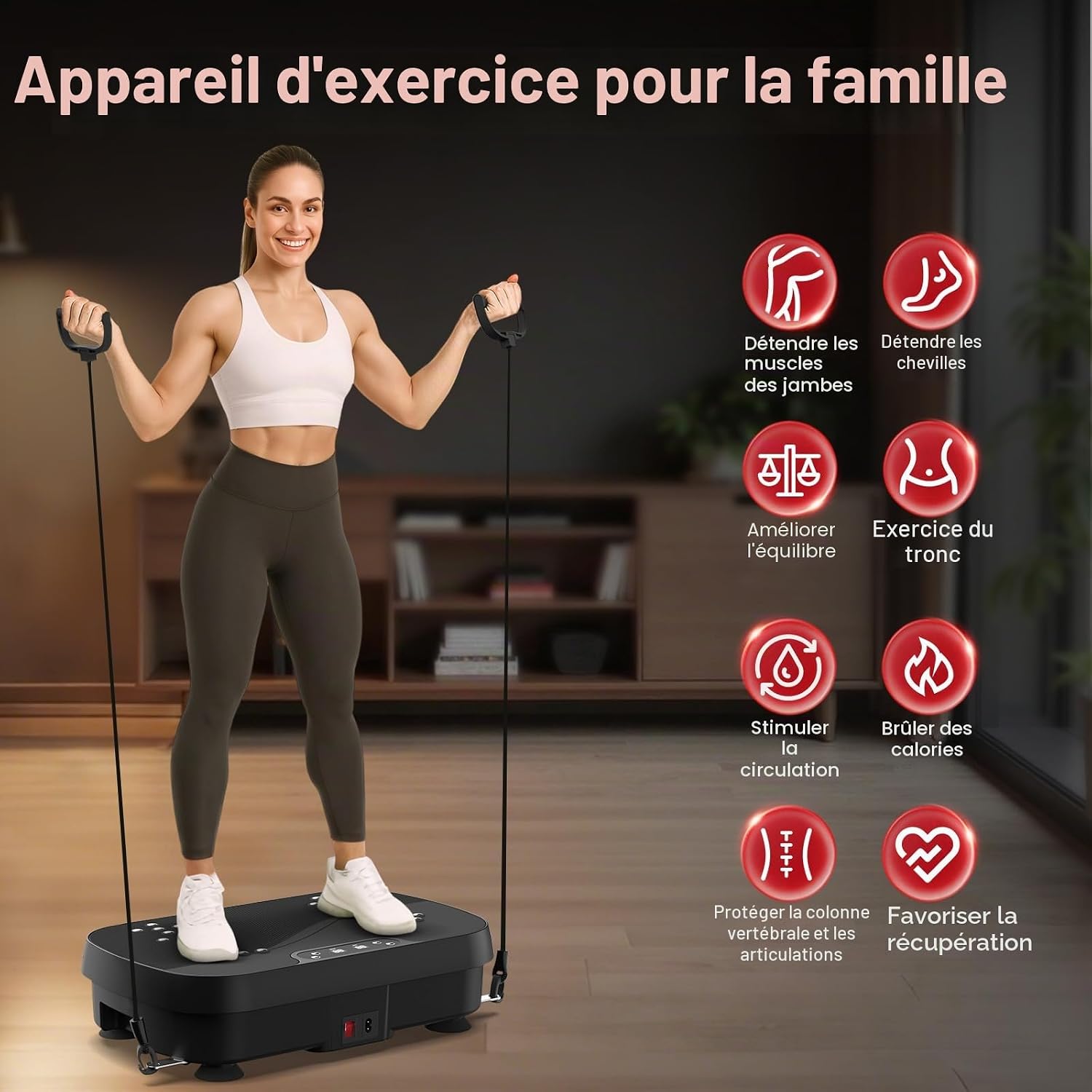
Image: A person standing on the vibrating platform and using the attached resistance bands for an upper body workout.
6.1 Exercise Equivalents
Regular use of the vibrating platform can provide benefits comparable to other forms of exercise. For example, 20 minutes on the PASYOU vibrating platform can be equivalent to:
- 35 minutes of swimming
- 30 minutes of push-ups
- 300 abdominal crunches
- 60 minutes of cycling
- 45 minutes of yoga
- 60 minutes of jogging

Image: Infographic comparing 20 minutes on the vibrating platform to 35 minutes of swimming and 30 minutes of push-ups.

Image: Infographic comparing 20 minutes on the vibrating platform to 300 abdominal crunches and 60 minutes of cycling.

Image: Infographic comparing 20 minutes on the vibrating platform to 45 minutes of yoga and 60 minutes of jogging.
7. Maintenance
7.1 Cleaning
To clean your vibrating platform, ensure it is unplugged from the power outlet. Wipe the surface with a soft, damp cloth. Do not use abrasive cleaners or solvents, as these may damage the finish.
7.2 Storage
The PASYOU PV25 is designed to be compact and easy to store. After use, unplug the device and store it in a dry, cool place, away from direct sunlight. Its slim profile allows it to be stored under furniture or in small spaces.

Image: A three-panel image demonstrating how the vibrating platform can be easily stored under a sofa or other furniture due to its compact size.
8. Troubleshooting
| Problem | Possible Cause | Solution |
|---|---|---|
| Device does not power on. | Power cable not connected properly; power outlet not working. | Ensure the power cable is securely plugged into both the device and a functional wall outlet. Test the outlet with another appliance. |
| Remote control is not working. | Remote batteries are dead or incorrectly inserted. | Replace the batteries in the remote control. Ensure they are inserted with the correct polarity. Point the remote directly at the device's infrared receiver. |
| Unusual noise or vibration. | Device not on a flat surface; internal component issue. | Ensure the device is on a completely flat and stable surface. If the issue persists, discontinue use and contact customer support. |
9. Specifications
| Feature | Detail |
|---|---|
| Brand | PASYOU |
| Model Number | PV25 |
| Item Weight | 6 Kilograms (approx. 13.2 lbs) |
| Color | Black |
| Material | Acrylonitrile Butadiene Styrene (ABS), Polypropylene (PP) |
| Maximum Weight Recommendation | 250 lbs (approx. 113 kg) |
| Control Type | Remote Control |
| Number of Resistance Levels | 99 |
| Operation Mode | Manual (User-controlled) |
| Power Source | Electric (Mains Powered) |
| Motor Power | 150 W |
| Noise Level | < 25 dB (during operation) |
| Dimensions (L x W x H) | 46.99 cm x 28.96 cm x 12.19 cm (18.5 in x 11.4 in x 4.8 in) |

Image: Diagram illustrating the 150W motor and indicating a noise level of less than 25 dB during operation.

Image: Visual representation of the vibrating platform's dimensions, showing length, width, and height measurements.
10. Warranty and Support
10.1 Warranty Information
The PASYOU PV25 Vibrating Platform comes with a 2-year warranty from the date of purchase. This warranty covers manufacturing defects and malfunctions under normal use. Please retain your proof of purchase for warranty claims.
The warranty does not cover damage caused by misuse, accident, unauthorized modification, or failure to follow the instructions in this manual.
10.2 Customer Support
If you encounter any issues with your PASYOU PV25 Vibrating Platform or have questions not covered in this manual, please contact the seller or manufacturer's customer support. Refer to your purchase documentation for specific contact details.
Ask a question about this manual
Ask about setup, troubleshooting, compatibility, parts, safety, or missing instructions. Manuals+ will review the question and use this page’s manual context to help answer it.