
1. Introduction
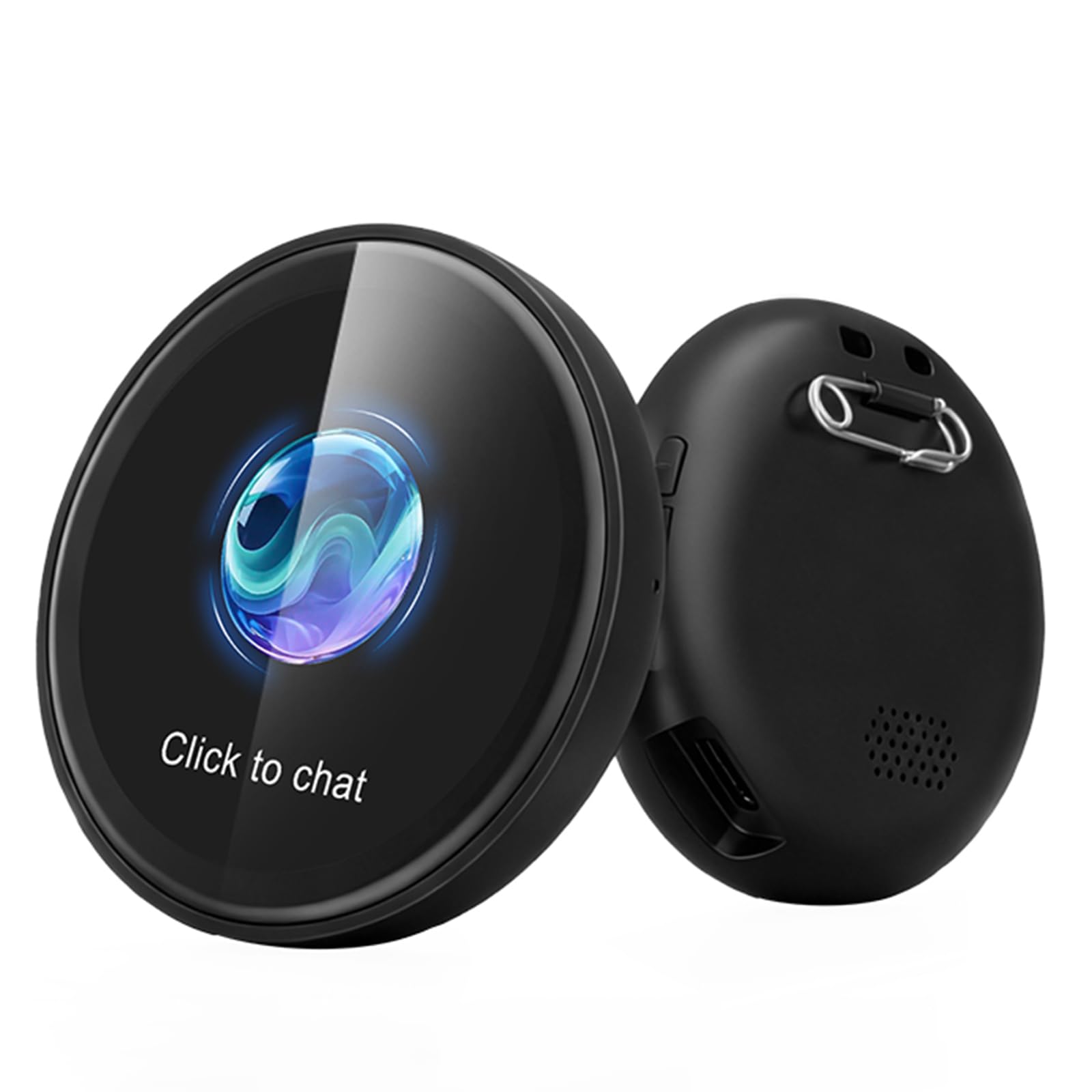
Thank you for choosing the BNARQP ZNP AI Smart Badge Z01. This device is a portable, real-time voice translator and AI assistant designed to facilitate communication across 60 languages and provide intelligent support for various daily tasks. This manual provides essential information for setting up, operating, maintaining, and troubleshooting your device to ensure optimal performance.
This image displays the ZNP AI Smart Badge Z01, highlighting its core function as a real-time voice translator. The badge is shown with speech bubbles containing 'Hello' in multiple languages, such as English, German, Chinese, Japanese, Thai, Polish, Albanian, and French, illustrating its multi-language capability.
2. Product Overview
2.1. What's in the Box
Upon unpacking your BNARQP ZNP AI Smart Badge Z01, please ensure all the following items are present:
- AI Smart Badge Z01 (x1)
- Charging Cable (x1)
- Lanyard (x1)
- Safety Pin (x1)
- Quick Start Guide (x1)

This image displays the complete packing list for the ZNP AI Smart Badge Z01. It includes the AI Badge itself, a charging cable, a lanyard for wearing, a safety pin for attachment, and a quick start guide, ensuring users have all necessary components.
2.2. Key Features
- Real-time Translation: Supports instant translation in 60 languages via Wi-Fi, ideal for travel, business, and daily communication.
- Portable Design: Compact and lightweight electronic badge, easily attachable to clothing with a safety pin, wearable with a lanyard, or stored in a pocket.
- Enhanced Privacy: All translations and AI interactions are processed locally on the device, ensuring data confidentiality without cloud storage.
- Customizable Touchscreen: Features a magnetic touchscreen interface allowing users to upload personalized backgrounds via the companion app.
- All-in-one AI Assistant: Integrates with the "BagiBagi" app to provide the "Saymi" AI assistant, offering practical support from local advice to daily task management.
- Long Battery Life: Provides up to 60 hours of companionship and interaction on a single charge.
3. Setup
3.1. Charging the Device
- Connect the provided charging cable to the charging port on the ZNP AI Smart Badge Z01.
- Plug the other end of the charging cable into a standard USB power adapter (not included) or a computer's USB port.
- The device's screen will indicate charging status. A full charge provides approximately 60 hours of usage.

This image visually emphasizes the extended battery life of the ZNP AI Smart Badge Z01, prominently displaying '60h' to indicate its long operational duration on a single charge.
3.2. Installing the "BagiBagi" App
- Scan the QR code in the Quick Start Guide or search for "BagiBagi" in your smartphone's app store (iOS or Android).
- Download and install the "BagiBagi" application.
3.3. Pairing with Your Smartphone
- Ensure Bluetooth is enabled on your smartphone.
- Turn on the ZNP AI Smart Badge Z01.
- Open the "BagiBagi" app and follow the on-screen instructions to pair your device via Bluetooth.
- Establish a Wi-Fi connection through the app for real-time translation and AI assistant functions.
4. Operating Instructions
4.1. Real-time Voice Translation
- Once connected to the "BagiBagi" app and Wi-Fi, select the desired source and target languages within the app.
- To initiate translation, tap the badge's touchscreen or use the designated button (if available) to speak.
- The badge will capture your speech, translate it, and display the text on its screen while also playing the audio translation.
4.2. Using the AI Assistant "Saymi"
The integrated AI assistant, "Saymi," provides intelligent support for various tasks:
- Information Retrieval: Ask questions about local information, weather, news, or general knowledge.
- Task Management: Set reminders, manage schedules, or get suggestions for daily activities.
- Conversational Interaction: Engage in natural dialogue for assistance with cooking, travel planning, or learning.
To interact with "Saymi," simply tap the badge and speak your query or command. The AI will respond audibly and, if applicable, display information on the screen.

This image illustrates the interactive AI assistant feature of the ZNP AI Smart Badge Z01. A person is shown wearing the badge, and speech bubbles depict a dialogue where the user asks, 'Will you help me with the housework?' and the AI responds, 'I will... 'remind' you to do the housework!', showcasing its conversational capabilities.

This image shows the ZNP AI Smart Badge Z01 being used in an outdoor setting, specifically while fishing. The user asks, 'I haven't caught a single bite this time. Is it because the bait is wrong?' and the AI provides advice: 'If the water temperature is low, corn might not be attractive enough. I suggest switching to worm bait or dough bait, and adding some scent additive—it'll work much better.', demonstrating its practical assistance in various scenarios.

This image depicts a cyclist using the ZNP AI Smart Badge Z01 for navigation or information while on the go. The cyclist asks, 'I'm at the park now. How long will it take to ride home?' and the AI responds, 'It's 10 kilometers from the park to home, estimated in 15 minutes.', highlighting its utility for real-time information during activities.

This image shows the ZNP AI Smart Badge Z01 being used in a home setting, specifically in a kitchen. The user expresses, 'I'm so hungry, but I don't know what to eat.' and the AI assistant replies, 'What kind of flavor are you in the mood for? Let me recommend a simple and delicious recipe for you.', showcasing its ability to provide practical assistance for daily tasks.
4.3. Customizing the Touchscreen
The "BagiBagi" app allows you to personalize the badge's touchscreen:
- Open the "BagiBagi" app on your smartphone.
- Navigate to the customization settings.
- Upload desired images or select from pre-set options to change the badge's background.
4.4. Wearing the Badge
The ZNP AI Smart Badge Z01 offers flexible wearing options:
- Lanyard: Attach the lanyard to the designated loop on the badge and wear it around your neck.
- Safety Pin: Use the included safety pin to securely fasten the badge to your clothing, backpack, or other fabric items.
- Pocket: Its compact size allows it to be easily carried in a pocket.

This image demonstrates the versatile wearing options for the ZNP AI Smart Badge Z01. One person is shown wearing the badge as a pendant on a necklace, while another person has it securely attached to their clothing using the included safety pin, emphasizing its portability and hands-free use.
5. Maintenance
5.1. Cleaning
- Gently wipe the badge's screen and body with a soft, dry, lint-free cloth.
- Avoid using abrasive cleaners, solvents, or aerosol sprays, as these can damage the device.
5.2. Storage
- Store the device in a cool, dry place away from direct sunlight and extreme temperatures.
- If storing for an extended period, ensure the battery is partially charged (around 50%) to prolong its lifespan.
6. Troubleshooting
| Problem | Possible Cause | Solution |
|---|---|---|
| Device does not turn on | Low battery; Device malfunction | Charge the device fully. If problem persists, contact support. |
| Cannot connect to smartphone | Bluetooth off; App not open; Device not in pairing mode | Ensure Bluetooth is on. Open "BagiBagi" app. Restart both devices and try pairing again. |
| Translation not working | No Wi-Fi connection; Incorrect language settings; Microphone blocked | Verify Wi-Fi connection. Check language settings in the app. Ensure microphone is clear. |
| AI assistant not responding | No Wi-Fi connection; App not active; Voice not clear | Confirm Wi-Fi connection. Ensure "BagiBagi" app is running. Speak clearly and close to the device. |
7. Specifications
- Model: Z01
- Brand: BNARQP
- Translation Languages: 60
- Connectivity: Bluetooth 6.0, Wi-Fi
- Battery Life: Up to 60 hours
- Processing: Local (for privacy)
- Display: Customizable Touchscreen
8. Warranty Information
For detailed warranty information regarding your BNARQP ZNP AI Smart Badge Z01, please refer to the warranty card included in your product packaging. You may also visit the official BNARQP website for the most up-to-date warranty terms and conditions.
9. Support Information
Should you require technical assistance, have questions about your device, or need to report an issue, please contact BNARQP customer support. You can typically find support contact details on the official BNARQP website or within the "BagiBagi" application.