
1. Important Safety Instructions
Please read and save these instructions before using this misting fan. Failure to follow these instructions may result in electric shock, fire, or serious injury.
- Always place the fan on a stable, flat surface to prevent tipping.
- Do not immerse the fan, power cord, or plug in water or other liquids.
- Ensure the power supply voltage matches the rating label on the fan.
- Unplug the fan from the power outlet when not in use, when moving it, or before cleaning.
- Keep children and pets away from the fan, especially when it is operating.
- Do not operate the fan with a damaged cord or plug. Contact customer support for repair.
- Do not insert fingers or foreign objects into the fan grille.
- Use only clean, distilled water in the water tank to prevent mineral buildup and ensure optimal misting performance.
- Do not block air inlets or outlets.
- This appliance is for household use only. Do not use outdoors or for commercial purposes.
2. Product Overview
2.1 Package Contents
- 1 × DREO TurboCool Misting Fan (DR-HEC006)
- 1 × Remote Control
- 1 × User Manual
2.2 Fan Components
Familiarize yourself with the main parts of your DREO TurboCool Misting Fan.
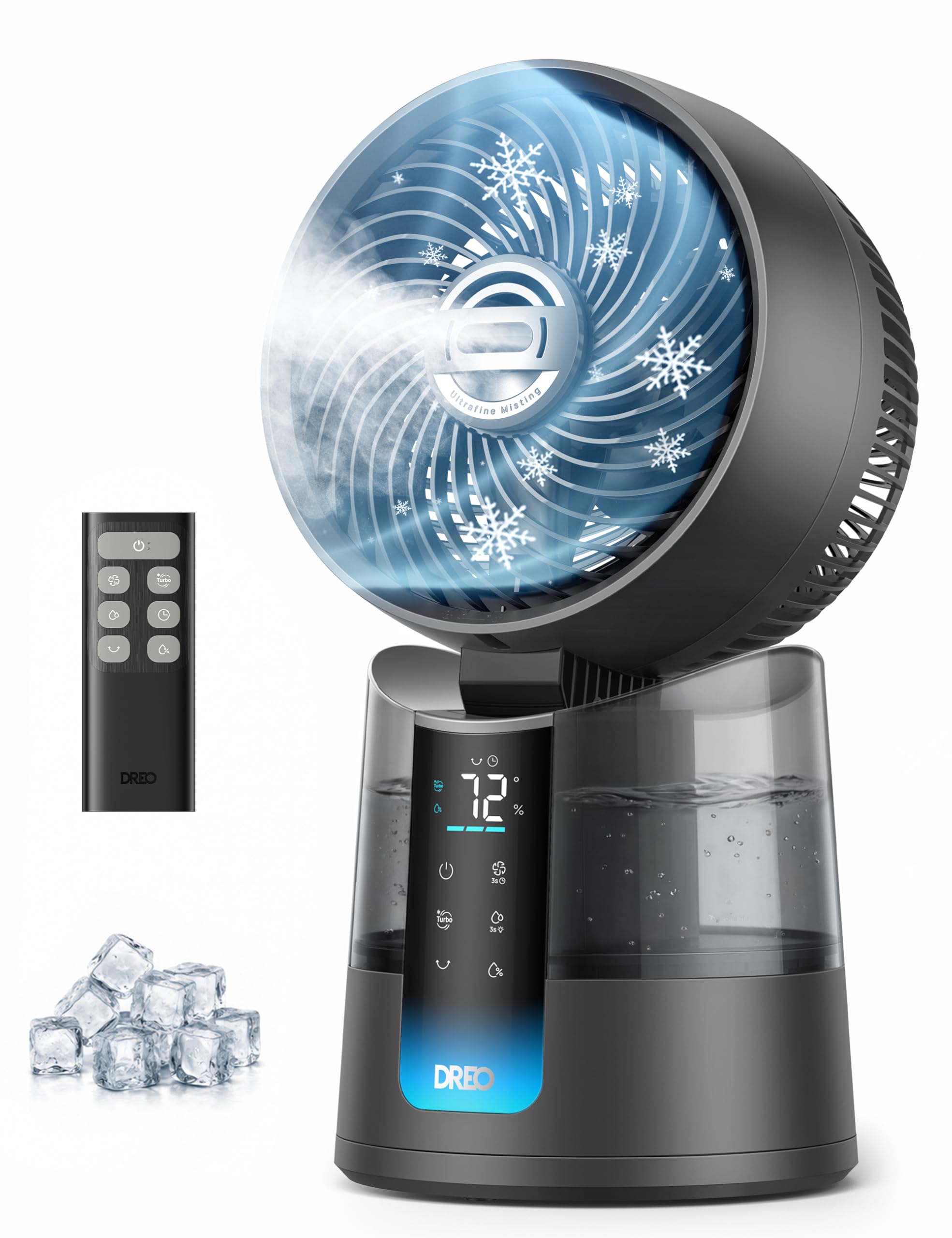
Image: The DREO TurboCool Misting Fan 516 in grey, illustrating its compact design with the fan head positioned above the water tank and an integrated control panel.
2.3 Control Panel
The control panel is located on the front of the fan base. It features a digital display and touch-sensitive buttons for various functions.
- Power Button: Turns the fan on or off.
- Speed Button: Adjusts fan speed (1-6).
- Mode Button: Cycles through fan modes (Normal, Sleep, Turbo).
- Mist Button: Activates or adjusts misting levels (Low, High, Off).
- Oscillation Button: Controls horizontal and vertical oscillation.
- Timer Button: Sets the auto-off timer.
2.4 Remote Control
The included remote control allows convenient operation of all fan functions from a distance.

Image: The DREO Misting Fan with its remote control, illustrating various features including remote operation.
The remote control mirrors the functions of the main control panel. Ensure the remote has working batteries and is pointed towards the fan's receiver for optimal response.
3. Setup
3.1 Unpacking
Carefully remove all packaging materials and ensure all components listed in Section 2.1 are present and undamaged. Retain packaging for future storage or transport.
3.2 Placing the Fan
Place the fan on a firm, level surface. Ensure there is adequate space around the fan for proper airflow and oscillation. Avoid placing it near curtains or other objects that could obstruct the air intake or outlet.
3.3 Filling the Water Tank
The misting function requires water in the tank. Follow these steps to fill the tank:
- Detach the water tank: Gently lift the fan head assembly from the base to detach the water tank.
- Fill with room temperature water: Open the water tank cap and fill the tank with clean, distilled water. Do not exceed the maximum fill line.
- Attach the tank back in place: Securely place the water tank back onto the fan base, ensuring it is properly seated.

Image: Visual guide for detaching, filling, and reattaching the 1.3L water tank for the DREO Misting Fan.
4. Operation
Plug the fan into a suitable power outlet. The fan will enter standby mode.
4.1 Power On/Off
- Press the Power Button on the control panel or remote control to turn the fan on or off.
4.2 Fan Speed Adjustment
The fan offers 6 speed settings.
- Press the Speed Button repeatedly to cycle through speeds 1 (lowest) to 6 (highest).
4.3 Misting Function
The fan features an ultrafine misting function with 2 modes.

Image: The DREO Misting Fan demonstrating its ultrafine misting capability, providing moisture-free cooling.
- Press the Mist Button to activate the misting function. Press again to cycle through misting modes (Low, High) or turn off.
- Ensure the water tank is filled for the misting function to operate.
4.4 Oscillation Control
The fan offers omni-directional oscillation for wider coverage.

Image: The DREO Misting Fan illustrating its 150-degree horizontal oscillation and 30-degree vertical tilt for flexible airflow direction.
- Press the Oscillation Button to activate or deactivate horizontal oscillation (150°).
- Manually adjust the fan head vertically for a 30° tilt.
4.5 Timer Function
Set the fan to automatically turn off after a specified period, up to 12 hours.
- Press the Timer Button repeatedly to select the desired auto-off time in 1-hour increments. The display will show the set time.
- To cancel the timer, cycle through the settings until '00' is displayed or turn the fan off.
4.6 Fan Modes
The fan includes different modes for varied comfort needs.
- Press the Mode Button to cycle through:
- Normal Mode: Operates at a constant speed.
- Sleep Mode: Gradually decreases fan speed and dims the display for undisturbed rest.
- Turbo Mode: Provides maximum airflow for rapid cooling.
5. Maintenance
Regular cleaning helps maintain the fan's performance and extends its lifespan. Always unplug the fan before cleaning.
5.1 Cleaning the Exterior
- Use a soft, damp cloth to wipe the exterior surfaces of the fan.
- Do not use abrasive cleaners or solvents, as these may damage the surface.
5.2 Cleaning the Water Tank and Misting Components
To prevent mineral buildup and ensure hygienic operation:
- Detach the water tank as described in Section 3.3.
- Rinse the water tank thoroughly with clean water. For stubborn mineral deposits, use a solution of white vinegar and water, then rinse well.
- Gently wipe the misting nozzle and surrounding area with a soft cloth to remove any residue.
- Ensure all parts are dry before reassembling.
5.3 Storage
- If storing the fan for an extended period, ensure it is clean and dry.
- Store the fan in its original packaging in a cool, dry place.
6. Troubleshooting
If you encounter issues with your fan, refer to the following common problems and solutions:
| Problem | Possible Cause | Solution |
|---|---|---|
| Fan does not turn on. | No power supply. Power button not pressed. | Check if the power cord is securely plugged into a working outlet. Press the Power Button on the fan or remote. |
| No mist or weak mist. | Water tank is empty. Mineral buildup in misting nozzle. Water tank not properly seated. | Refill the water tank with distilled water. Clean the misting nozzle as per Section 5.2. Ensure the water tank is correctly attached to the base. |
| Fan is noisy. | Fan is on a high speed setting. Obstruction in fan grille. Fan not on a stable surface. | Reduce the fan speed. Check for and remove any obstructions. Place the fan on a flat, stable surface. |
| Fan is leaking. | Water tank not properly sealed or damaged. Overfilled water tank. | Ensure the water tank cap is tightly closed and the tank is correctly seated. Inspect for cracks. Do not fill water above the maximum line. |
| Remote control not working. | Batteries are dead or incorrectly inserted. Obstruction between remote and fan. | Replace batteries and ensure correct polarity. Remove any objects blocking the signal path. |
If the problem persists after trying these solutions, please contact DREO customer support.
7. Specifications
Key technical specifications for the DREO TurboCool Misting Fan 516.
| Feature | Specification |
|---|---|
| Brand | DREO |
| Model Name | TurboCool Misting Fan 516 |
| Model Number | DR-HEC006 |
| Material | Plastic |
| Color | Grey |
| Item Dimensions (D x W x H) | 7.91"D x 8.62"W x 15.75"H |
| Item Weight | 4.8 pounds |
| Wattage | 50 watts |
| Noise Level | 20 dB |
| Number of Speeds | 6 |
| Air Flow Capacity | 512 CFM |
| Reservoir Capacity | 1.3 liters |
| Oscillation | 150° Horizontal, 30° Vertical Tilt |
| Control Type | Remote, Touch Panel |
| Special Features | Misting, Oscillating Fan, Portable, Silent Operation, Timer |
8. Warranty and Support
DREO products are manufactured to the highest quality standards. This product is covered by a limited warranty from the date of purchase. For detailed warranty information, please refer to the warranty card included with your product or visit the official DREO website.
For any questions, technical support, or warranty claims, please contact DREO customer support:
- Website: www.dreo.com
- Email: support@dreo.com (example)
- Phone: 1-800-XXX-XXXX (example)
Please have your model number (DR-HEC006) and purchase information ready when contacting support.


