
1. Introduction
This manual provides detailed instructions for the assembly, operation, and maintenance of your YATINEY Upholstered Headboard with Charging Station. Please read this manual thoroughly before assembly and use to ensure proper installation and safe operation. Keep this manual for future reference.
The YATINEY headboard features a full-coverage padded design for comfort, an integrated charging station with 2 outlets and 2 USB ports, and open storage or non-woven fabric drawers for bedside organization. It is designed for wide compatibility with various bed widths and includes anti-tipping straps for stability.
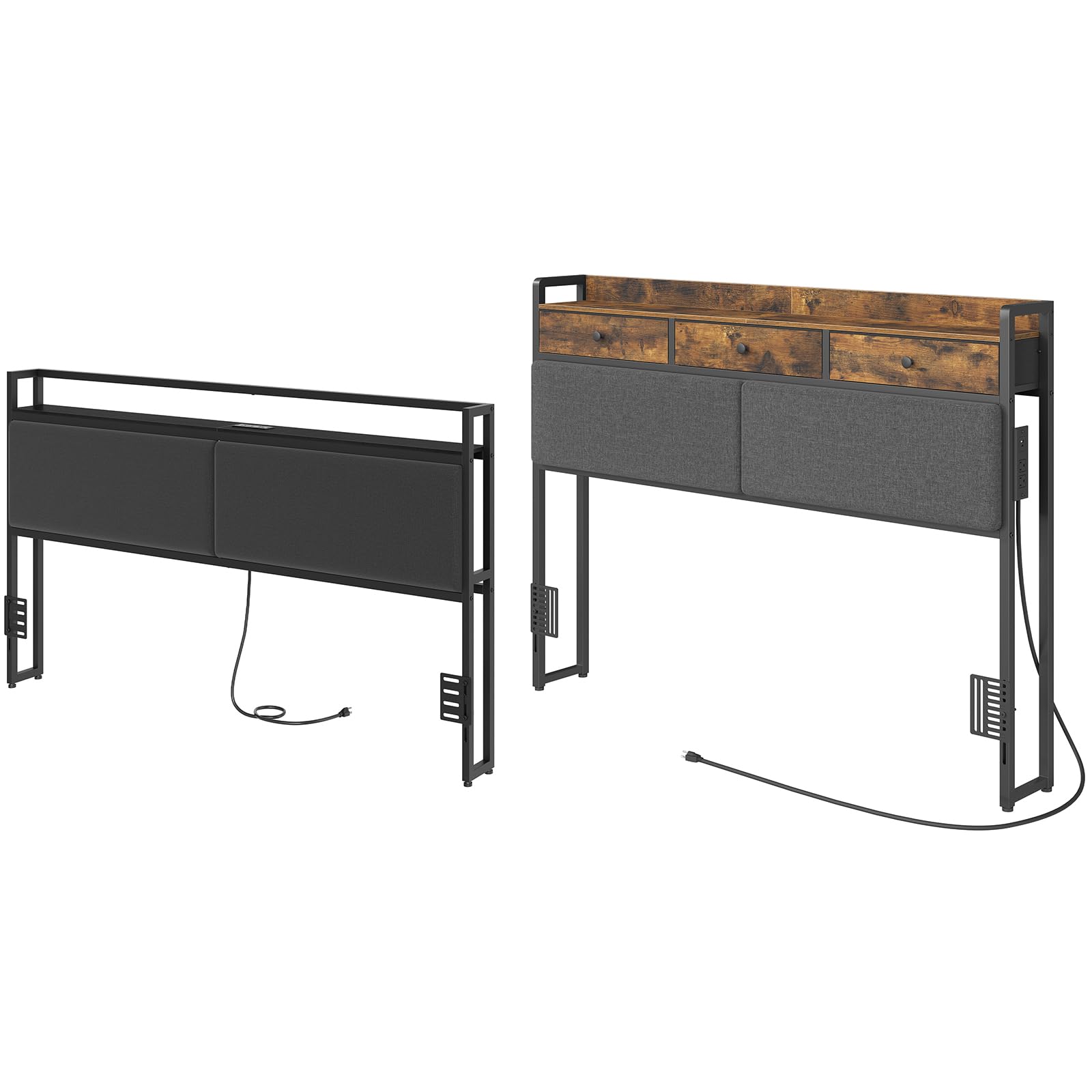
Figure 1: YATINEY Upholstered Headboard with Open Shelf and Charging Station. This image shows the headboard attached to a bed, featuring a top shelf for decor and essentials, and a visible charging station.
2. Safety Information
Please observe the following safety precautions to prevent injury or damage to the product:
- Read all instructions: Before assembly and use, read and understand all instructions in this manual.
- Keep children away: Keep children and pets away during assembly. Small parts can be a choking hazard.
- Assemble on a soft surface: Assemble the headboard on a soft, clean surface (e.g., carpet) to prevent scratches.
- Use correct tools: Use only the tools provided or recommended. Do not use power tools unless specified, as they may overtighten fasteners and cause damage.
- Tighten fasteners securely: Ensure all bolts and screws are tightened securely before use. Periodically check and re-tighten as necessary.
- Do not overload: Do not exceed the weight capacity of the storage shelves or drawers.
- Electrical safety:
- Ensure the power cord is not pinched or damaged during assembly or use.
- Do not plug in the charging station until assembly is complete and the headboard is stable.
- Do not expose the charging station to water or excessive moisture.
- Do not attempt to modify or repair the electrical components. Contact qualified personnel for service.
- Unplug the charging station from the wall outlet when not in use or during cleaning.
- Anti-tipping straps: Always install the anti-tipping straps as instructed to prevent the headboard from tipping over, especially in households with children or pets.
3. Package Contents
Before beginning assembly, verify that all parts and hardware are present. If any parts are missing or damaged, do not proceed with assembly. Contact customer support for assistance.
Typical components include:
- Upholstered Headboard Panels
- Metal Frame Components (Left/Right Uprights, Crossbars)
- Top Shelf/Storage Unit (with or without drawers)
- Charging Station Unit (pre-installed or separate)
- Bed Frame Adapter Brackets
- Adjustable Feet
- Anti-Tipping Straps
- Hardware Pack (Bolts, Screws, Washers, Allen Wrench)
- Instruction Manual

Figure 2: Component diagram and general dimensions for the open shelf headboard version. This image illustrates the various parts and their approximate measurements.
4. Assembly Instructions
Assembly typically requires two adults. Follow the numbered steps carefully. An Allen wrench is usually included; no additional tools are generally required.
4.1. Prepare the Area
- Clear a spacious area for assembly.
- Lay out all components on a soft, clean surface to prevent damage.
- Identify all parts and hardware using the provided parts list.
4.2. Assemble the Metal Frame
- Attach the side uprights to the bottom crossbar using the specified bolts and the included Allen wrench. Do not fully tighten yet.
- Connect the top crossbar to the side uprights. Ensure the frame is oriented correctly for the charging station and shelf/drawer unit.
- Once all frame components are loosely assembled, gently tighten all bolts to secure the frame.
4.3. Install Upholstered Panels and Storage Unit
- Slide the upholstered headboard panels into the designated slots or attach them to the frame using the provided hardware.
- Position the top shelf or drawer unit onto the upper frame. Secure it with screws as indicated in the detailed instructions.
- If your model includes non-woven fabric drawers, insert them into their respective compartments in the storage unit.

Figure 3: Assembled YATINEY Headboard featuring non-woven fabric drawers and an integrated charging station. This image provides a clear view of the storage and power features.
4.4. Attach Bed Frame Adapters and Adjustable Feet
- Attach the bed frame adapter brackets to the lower part of the headboard uprights using the provided hardware. These brackets allow the headboard to connect to various bed frames.
- Screw the adjustable feet into the bottom of the headboard legs. Adjust them to ensure the headboard is level and stable on your floor.
4.5. Secure with Anti-Tipping Straps
- Position the assembled headboard against the wall where it will be used.
- Attach one end of the anti-tipping strap to the back of the headboard frame.
- Mark the wall for the anchor point, ensuring the strap is taut.
- Drill a pilot hole (if necessary for your wall type) and secure the other end of the strap to the wall using the provided wall anchor and screw.
- Ensure the headboard is securely anchored to prevent accidental tipping.
5. Operating Instructions
5.1. Using the Charging Station
- Ensure the headboard is fully assembled and stable.
- Plug the 59-inch power cord from the charging station into a standard, grounded wall outlet.
- The charging station provides 2 AC outlets and 2 USB ports.
- Connect your electronic devices (phones, tablets, lamps, etc.) to the appropriate outlets or USB ports for charging or power.
- Unplug the charging station from the wall when not in use for extended periods.
5.2. Utilizing Storage
- Top Shelf: Use the open top shelf for displaying decorative items, keeping books, or placing small electronics.
- Drawers (if applicable): The non-woven fabric drawers provide concealed storage for personal items, remotes, or other bedside essentials. Gently pull and push the drawers to access contents.
- Do not overload the shelves or drawers beyond their intended capacity.

Figure 4: Side view of the YATINEY headboard, highlighting the integrated charging station and the depth of the storage drawers.
6. Maintenance
- Cleaning the Upholstery: For general cleaning, gently vacuum the upholstered panels with a brush attachment. For spills, blot immediately with a clean, dry cloth. For stubborn stains, use a mild fabric cleaner according to its instructions, testing on an inconspicuous area first.
- Cleaning the Frame and Shelf: Wipe the metal frame and shelf surfaces with a soft, damp cloth. Avoid abrasive cleaners or harsh chemicals.
- Hardware Check: Periodically check all bolts and screws to ensure they remain tight. Re-tighten as needed to maintain stability.
- Power Cord Inspection: Regularly inspect the power cord for any signs of damage, fraying, or overheating. If damage is found, discontinue use of the charging station and contact customer support.

Figure 5: Close-up view demonstrating the soft, padded design of the headboard upholstery, emphasizing comfort.
7. Troubleshooting
| Problem | Possible Cause | Solution |
|---|---|---|
| Headboard is wobbly or unstable. | Loose fasteners; uneven floor; anti-tipping straps not installed. |
|
| Charging station is not working. | Power cord not plugged in; wall outlet not active; device issue. |
|
| Parts missing or damaged during unboxing. | Shipping damage; packaging error. |
|
8. Specifications
| Feature | Detail |
|---|---|
| Brand | YATINEY |
| Model | BH14UBB-BH03UBR (King/Queen Upholstered Headboard with Charging Station) |
| Material | Upholstered fabric, Metal frame, Engineered wood (for shelf/drawers) |
| Charging Station | 2 AC Outlets, 2 USB Ports, 59" Power Cord |
| Storage | Top shelf, Non-woven fabric drawers (model dependent) |
| Compatibility | Adjustable to fit various bed widths (Queen/King) |
| Safety Features | Anti-tipping straps, Adjustable feet |
| Approximate Dimensions (King Size with Drawers) |
|

Figure 6: Detailed dimensional drawing of the YATINEY headboard with drawers, showing key measurements for width, height, and drawer size.
9. Warranty & Support
YATINEY products are designed for quality and durability. For specific warranty information, please refer to the warranty card included with your product or visit the official YATINEY website.
If you have any questions, require assistance with assembly, or need to report missing/damaged parts, please contact YATINEY customer support:
- Customer Service: Refer to your purchase documentation or the YATINEY brand store on Amazon for contact details.
- Online Support: Visit the YATINEY Store on Amazon
Please have your model number (BH14UBB-BH03UBR) and purchase date ready when contacting support.