
Introduction
Thank you for purchasing the Yixinxin UP020BU02 4K 64MP Waterproof Digital Camera. This manual provides essential information for setting up, operating, and maintaining your camera. Please read it thoroughly before use to ensure optimal performance and longevity of your device.
Safety Information
- Ensure the battery compartment is securely closed before submerging the camera in water.
- Do not expose the camera to extreme temperatures or direct sunlight for extended periods.
- Keep the camera away from strong magnetic fields.
- Use only approved accessories and chargers.
- Clean the camera with a soft, damp cloth. Avoid harsh chemicals.
Package Contents
Verify that all items are present in your package:
- 1 x Yixinxin UP020BU02 Waterproof Camera
- 1 x 32GB Micro SD Memory Card
- 1 x Rechargeable Lithium-Ion Battery (1250 mAh)
- 1 x USB Cable
- 1 x Camera Bag
- 1 x User Manual
Camera Overview
The Yixinxin UP020BU02 features a dual-screen design, allowing for easy selfies and standard photography. It is designed for underwater use without an additional housing.

Image: Front and rear view of the Yixinxin UP020BU02 camera, highlighting its 2.8-inch front screen and 1.7-inch rear screen for dual-screen functionality.

Image: The Yixinxin UP020BU02 camera shown in an underwater setting, emphasizing its 4K video and 64MP image capabilities, 16ft waterproof rating, 1250mAh battery, and dual-screen feature.
Setup
1. Battery Installation
Open the battery compartment cover. Insert the 1250 mAh lithium-ion battery, ensuring correct polarity. Close the cover securely until it clicks into place. A tight seal is crucial for waterproof performance.
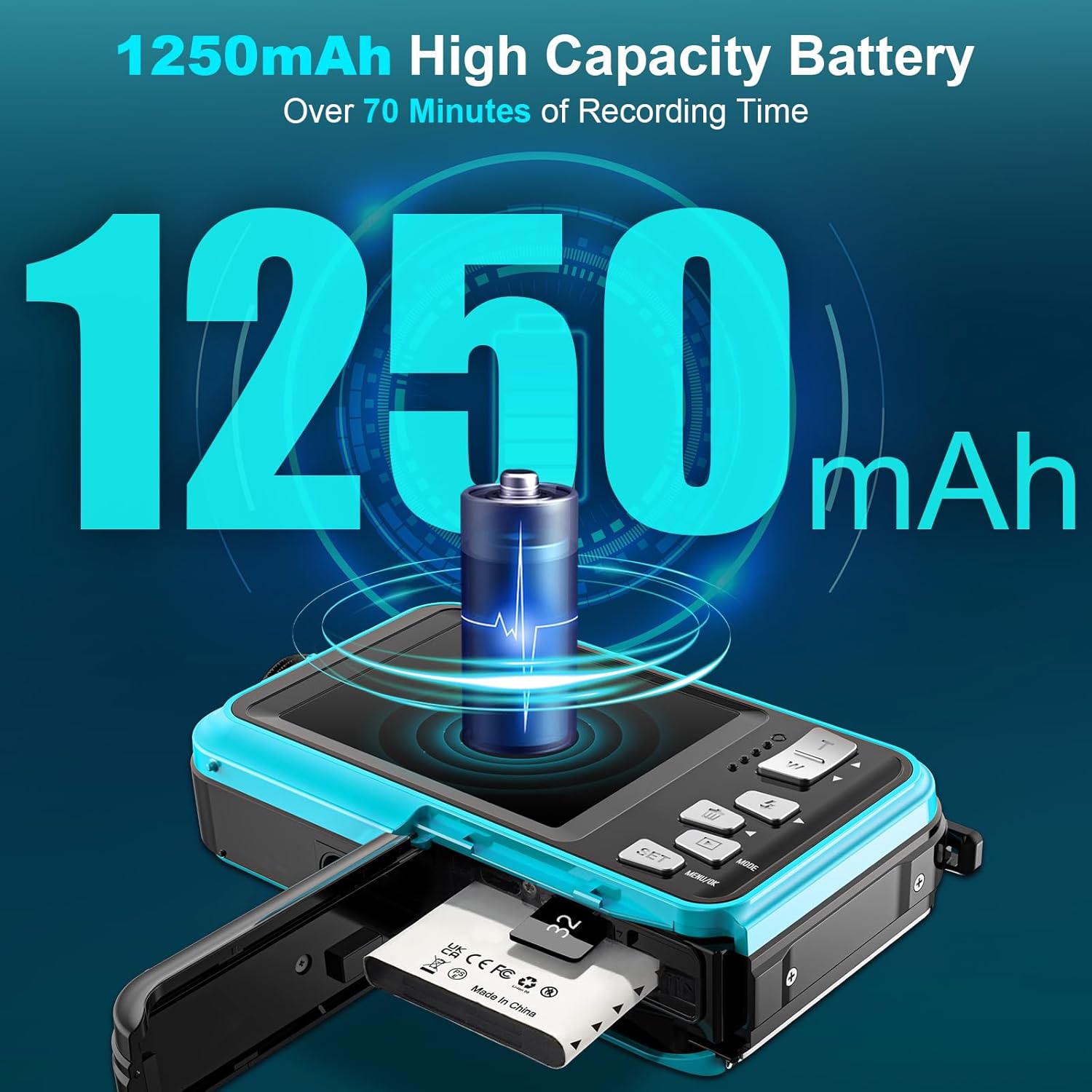
Image: The Yixinxin UP020BU02 camera with its battery compartment open, showing the insertion of the 1250mAh high-capacity battery and a Micro SD card slot.
2. Memory Card Installation
This camera supports Micro SD cards up to 128GB. A 32GB card is included. Open the battery compartment cover and locate the Micro SD card slot. Insert the card with the gold contacts facing the correct direction until it locks into place. Close the compartment cover securely.
3. Charging the Battery
Connect the camera to a power source using the provided USB cable. The charging indicator light will illuminate. Once fully charged, the light will change or turn off. A full charge provides over 70 minutes of recording time.
Operating the Camera
1. Power On/Off
Press and hold the Power button to turn the camera on or off.
2. Basic Controls
- Shutter Button: Press to take a photo or start/stop video recording.
- Mode Button: Switch between photo, video, and playback modes.
- Up/Down Buttons: Navigate menus or zoom in/out.
- SET/OK Button: Confirm selections in menus.
3. Taking Photos
In photo mode, frame your shot using either the front or rear screen. The camera features autofocus. Lightly press the shutter button; the focus frame on the screen will change from yellow to green when focus is achieved. Press the shutter button fully to capture the photo.

Image: A visual representation of the autofocus function on the Yixinxin UP020BU02 camera, showing the focus frame changing from yellow to green when half-pressing the shutter.
4. Recording Videos
Switch to video mode using the Mode button. Press the Shutter button to start recording. Press it again to stop. The camera supports 4K video resolution.
5. Playback
In playback mode, use the Up/Down buttons to browse through your photos and videos. Press the SET/OK button to view a video.
6. Settings Menu
Access the settings menu to adjust various parameters such as resolution, white balance, exposure, and more. Refer to the on-screen prompts for navigation.
7. Waterproof Usage
The camera is waterproof up to 16 feet (5 meters) for up to 1 hour without an external housing. Ensure all compartments (battery, memory card) are sealed tightly before submerging. After use in saltwater, rinse the camera with fresh water and dry thoroughly.

Image: The Yixinxin UP020BU02 camera shown underwater, illustrating its IP68 waterproof rating and ability to function up to 16 feet depth.

Image: A collage demonstrating the camera's ability to record moments with anti-shake and 16X digital zoom, showing various zoom levels on scenic views.
Maintenance
- Cleaning: Wipe the camera body and lens with a soft, lint-free cloth. For stubborn dirt, slightly dampen the cloth with water.
- Storage: Store the camera in a cool, dry place away from direct sunlight and high humidity. Remove the battery if storing for extended periods.
- Battery Care: Recharge the battery regularly, even if not in use, to maintain its lifespan.
Troubleshooting
| Problem | Possible Solution |
|---|---|
| Camera does not power on. | Ensure the battery is correctly installed and fully charged. |
| Cannot take photos/videos. | Check if the memory card is inserted correctly and has sufficient free space. Ensure the camera is in the correct mode. |
| Images are blurry. | Ensure the lens is clean. Allow the autofocus to lock (frame turns green) before fully pressing the shutter. |
| Water leakage. | Immediately power off the camera. Ensure all compartment covers were securely closed before submersion. Contact customer support if the issue persists. |
Specifications
| Feature | Detail |
|---|---|
| Video Resolution | Max. 4K / 20 fps (2160p), FHD (1920 × 1080 P / 30 fps), HD (1280 × 720 P / 30 fps) |
| Image Resolution | Max. 64.0 MP (Effective 64MP) |
| Image Sensor | CMOS, 1/2.7-inch |
| Dual Screens | Front 2.8 inches, Back 1.8 inches |
| Waterproof Depth | Up to 16 feet (5 meters) without housing |
| Battery Capacity | 1250 mAh Lithium-Ion |
| Recording Time | Over 70 minutes (video) |
| Storage | Micro SD card, up to 128 GB (32GB card included) |
| Focus Type | Auto Focus |
| Focal Length | 1 meter - infinity |
| Digital Zoom | 16X |
| Connectivity | USB |
| Dimensions | 4.13 x 2.5 x 0.97 inches |
| Weight | 0.29 pounds |
Warranty and Support
Your Yixinxin UP020BU02 camera comes with a standard manufacturer's warranty. Please refer to the warranty card included in your package for specific terms and conditions. For technical support, troubleshooting assistance, or warranty claims, please contact Yixinxin customer service through the retailer where the product was purchased or visit the official Yixinxin website for contact information.