
Introduction
This manual provides essential instructions for the safe and efficient use of your Kismile HZB-15N/S Nugget Ice Maker. Please read all instructions carefully before operating the appliance and retain this manual for future reference.
Important Safety Instructions
- Ensure the ice maker is placed on a stable, level surface away from direct sunlight and heat sources.
- Do not immerse the appliance, power cord, or plug in water or other liquids.
- Supervise children when the appliance is in use.
- Use only potable water in the ice maker.
- Unplug the appliance before cleaning or when not in use for extended periods.
- Do not operate the appliance with a damaged cord or plug. Contact customer support for repairs.
- Keep ventilation openings clear of obstructions.
- This appliance uses R600a refrigerant. Handle with care and ensure proper ventilation.
Product Components
Your Kismile Nugget Ice Maker includes the following:
- Ice Maker Unit
- Removable Ice Basket
- Ice Scoop
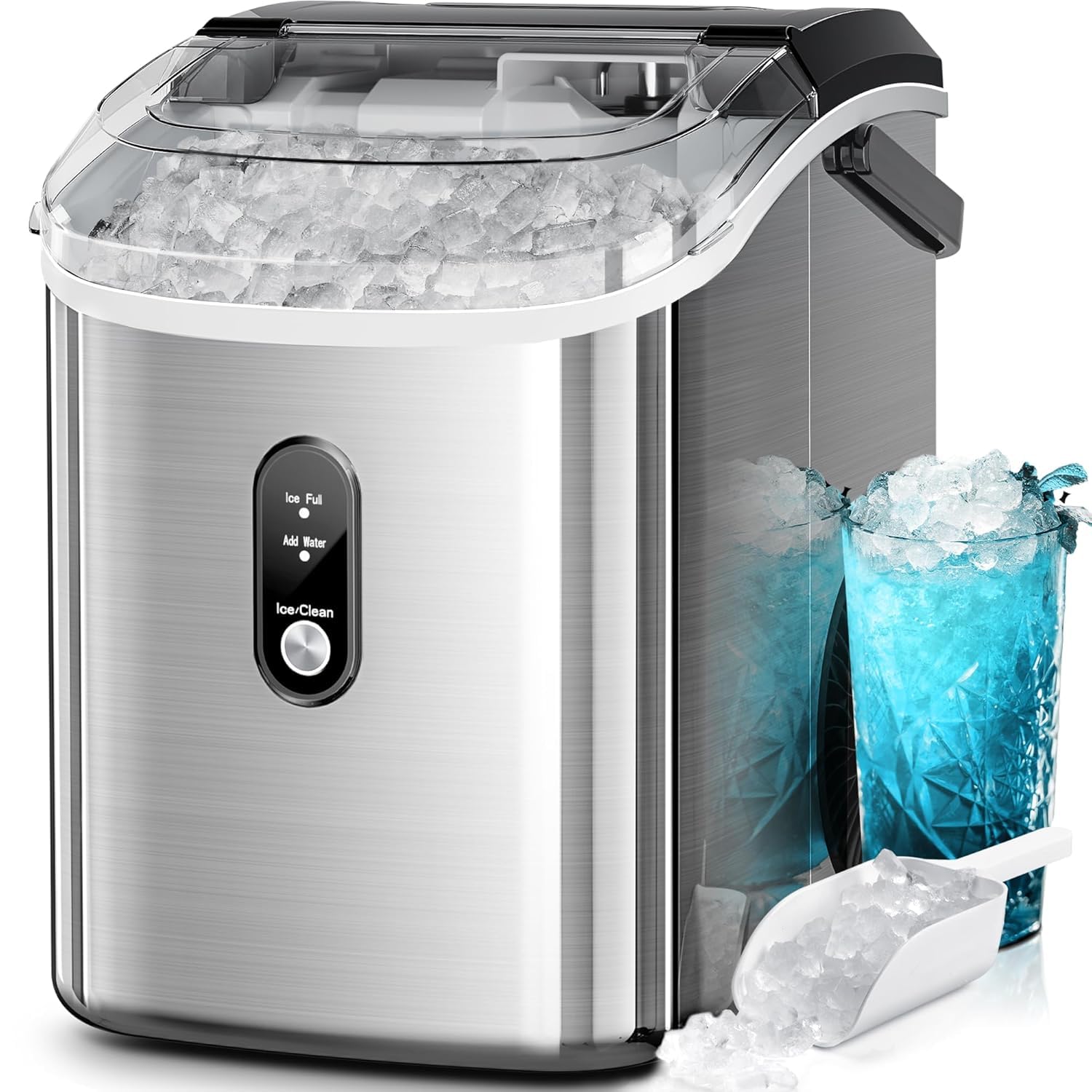
Image: Kismile Nugget Ice Maker with its included ice basket and scoop.
Setup Instructions
- Unpacking: Carefully remove the ice maker from its packaging. Remove all packing materials, tape, and any protective film.
- Placement: Place the ice maker on a flat, stable, heat-resistant surface. Ensure there is at least 4 inches (10 cm) of space around the unit for proper ventilation. Avoid placing it near heat sources or in direct sunlight.
- Initial Cleaning: Before first use, clean the interior of the ice maker. Refer to the "Maintenance and Cleaning" section for detailed instructions.
- Power Connection: Plug the power cord into a grounded electrical outlet (115 Volts).
Operating Instructions
Adding Water
- Open the top cover of the ice maker.
- Remove the ice basket.
- Fill the water reservoir with potable water up to the MAX fill line. Do not overfill.
- Replace the ice basket and close the top cover.
Video: Demonstrates how to add water to the Kismile Nugget Ice Maker and begin ice production.
Starting Ice Production
- After adding water, press the "Ice/Clean" button briefly to start the ice-making cycle. The indicator light will illuminate.
- The ice maker will begin producing nugget ice. The first batch may take slightly longer.
- The machine can produce up to 35 pounds of ice in 24 hours.

Image: The Kismile Nugget Ice Maker actively producing ice, highlighting its 35 lbs per 24 hours capacity.
Intelligent Indicators
- "ICE FULL" Indicator: When the ice basket is full, the machine will automatically stop ice production, and the "ICE FULL" indicator will light up. Remove ice from the basket to resume production.
- "ADD WATER" Indicator: If the water reservoir is low, the machine will stop and the "ADD WATER" indicator will light up. Add more water to the reservoir to continue ice making.

Image: Close-up of the control panel showing the "Ice Full" and "Add Water" indicators.
Removing Ice
- Use the provided ice scoop to remove ice from the basket.
- The ice basket is removable for easy access and transfer of ice.

Image: A person demonstrating the removal of the detachable ice basket from the ice maker.
Maintenance and Cleaning
Self-Cleaning Function
- To activate the self-cleaning mode, press and hold the "Ice/Clean" button for 5 seconds.
- The self-cleaning cycle will run for approximately 15 minutes.
- After the cycle, drain the water as described below.
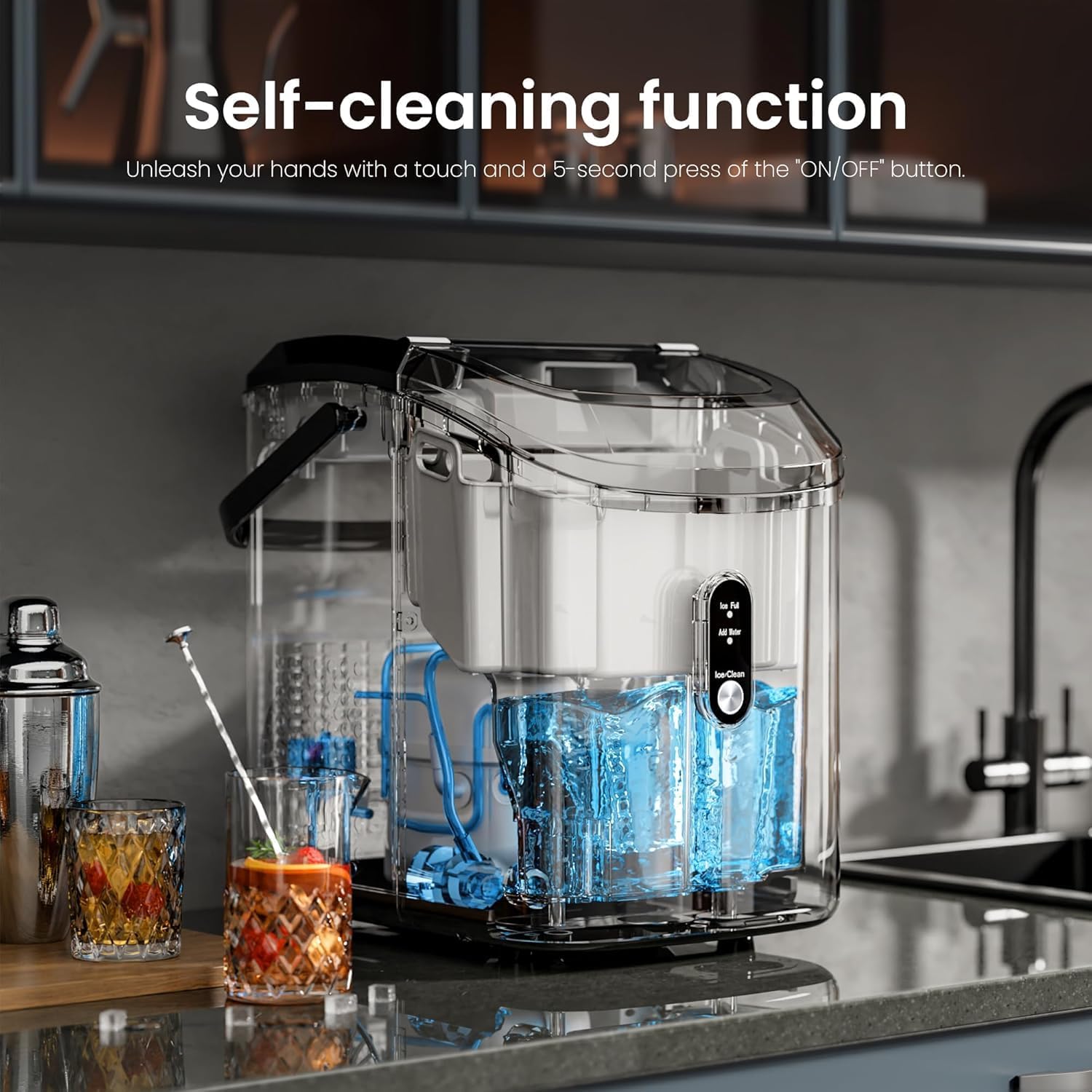
Image: The ice maker's internal components during the self-cleaning process.
Manual Cleaning
- Unplug the ice maker from the power outlet.
- Remove the ice basket and clean it with mild detergent and warm water. Rinse thoroughly.
- Clean the interior of the water reservoir and ice-making components with a soft cloth dampened with a solution of water and white vinegar (1:1 ratio).
- Rinse the interior thoroughly with clean water.
Draining Water
- Locate the drainage hole at the bottom of the unit.
- Place a container under the drainage hole.
- Remove the drain plug to allow water to flow out.
- Once drained, replace the drain plug securely.

Image: Demonstration of draining water from the ice maker via the bottom drainage plug.
Hard Water Considerations
If you live in an area with hard water, mineral deposits can accumulate and affect ice production. It is recommended to descaling the unit regularly:
- Moderately hard water (61-120mg/L): Descale monthly for best performance.
- Hard to very hard water (121-250mg/L): Descale every 1-2 weeks to ensure peak efficiency.
Use a descaling solution suitable for ice makers or a mixture of white vinegar and water. Follow the descaling product's instructions or run the self-cleaning cycle with the vinegar solution.

Image: Information on how hard water affects ice makers and recommended descaling frequency.
Troubleshooting Guide
| Problem | Possible Cause | Solution |
|---|---|---|
| Ice maker not producing ice. | No water in reservoir. | Add water to the reservoir. |
| "ADD WATER" indicator is on. | Add water to the reservoir. | |
| Power cord not plugged in. | Ensure the power cord is securely plugged into a grounded outlet. | |
| "ICE FULL" indicator is on, but basket is not full. | Ice is piled up, blocking the sensor. | Rearrange or remove some ice from the basket. |
| Ice production is slow or ice is small. | Ambient temperature is too high. | Move the ice maker to a cooler location. |
| Poor ventilation. | Ensure adequate space around the unit for airflow. | |
| Mineral buildup (hard water). | Perform a descaling cycle as described in the "Maintenance" section. | |
| Unusual noise during operation. | Normal operation sounds (compressor, fan, water pump). | This is normal. If the noise is excessive or unusual, contact support. |
Product Specifications
| Feature | Detail |
|---|---|
| Brand | Kismile |
| Model Name | Countertop Ice Maker |
| Model Number | HZB-15N/S |
| Product Dimensions (D x W x H) | 11.42" x 9.06" x 12.99" |
| Ice Production Capacity | 35 lbs per 24 hours |
| Water Tank Capacity | 1.1 Liters |
| Voltage | 115 Volts |
| Refrigerant | R600a |
| Material | Stainless Steel |
| Included Components | Ice maker, ice scoop, ice basket |
Warranty and Support
For warranty information and customer support, please refer to the warranty card included with your product or visit the official Kismile website. Keep your purchase receipt as proof of purchase for warranty claims.
Contact Information: Please refer to the contact details provided in your product packaging or on the manufacturer's official website for technical assistance and service inquiries.


