
1. Introduction
The EF ECOFLOW DELTA 3 Classic is a portable power station designed to provide reliable power for various applications, including home backup, outdoor activities, and emergency situations. Featuring a 1024Wh LiFePO4 battery and 1800W AC output (3600W surge with X-Boost), it offers versatile charging options and smart control capabilities.
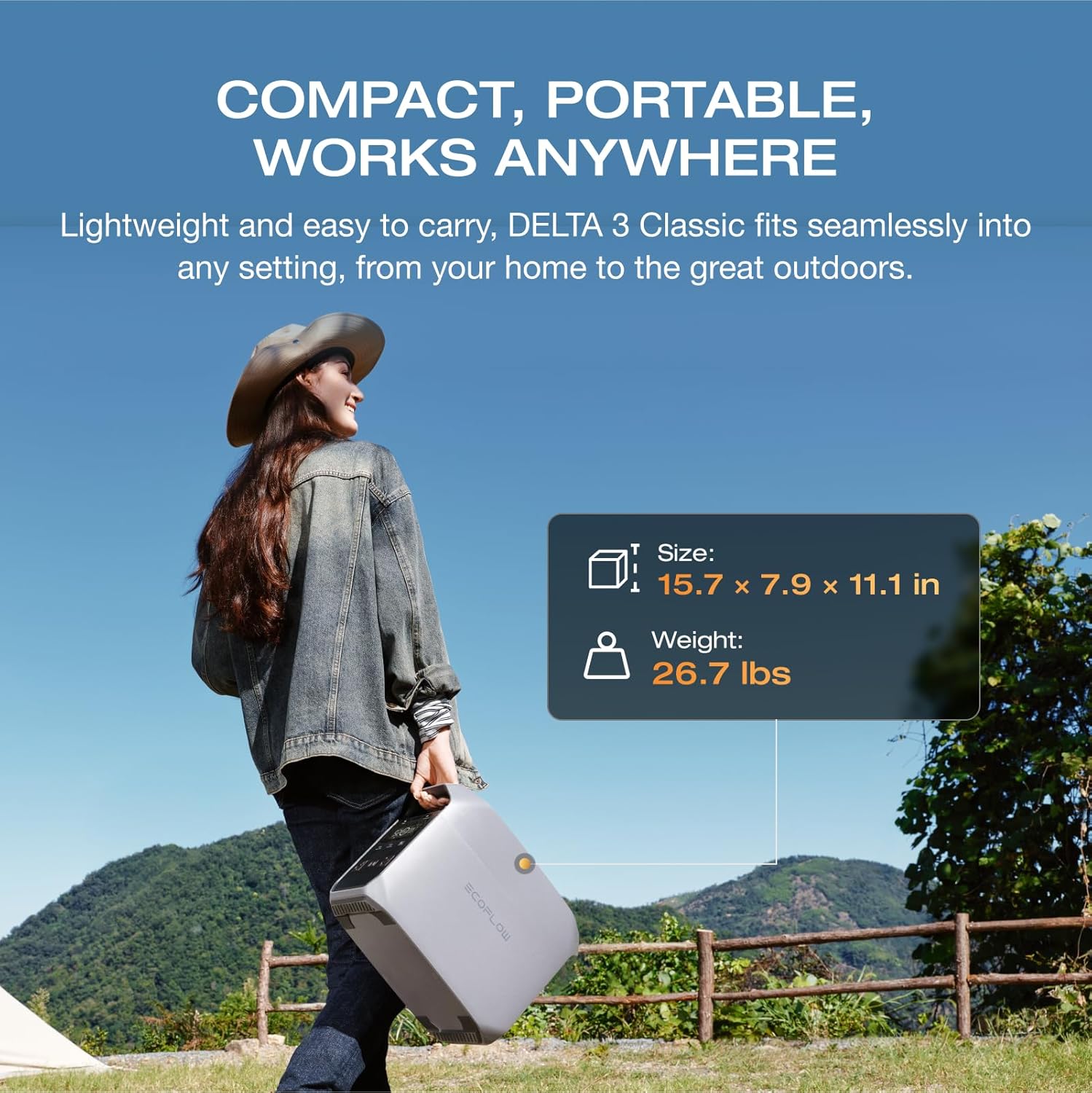
Image: The DELTA 3 Classic is designed for portability, shown here being carried in an outdoor setting. Its compact size (15.7 x 7.9 x 11.1 inches) and weight (26.7 lbs) make it easy to transport.
2. Safety Instructions
Please read and understand all safety instructions before operating the DELTA 3 Classic. Failure to follow these instructions may result in electric shock, fire, or serious injury.
- Do not expose the unit to water, rain, or moisture.
- Do not use the unit near heat sources or in direct sunlight for extended periods.
- Ensure adequate ventilation during use to prevent overheating.
- Do not disassemble, repair, or modify the unit. Contact authorized service personnel for repairs.
- Keep out of reach of children and pets.
- Use only approved accessories and charging cables.
- Avoid dropping or subjecting the unit to strong impacts.
3. What's in the Box
The standard package for the EF ECOFLOW DELTA 3 Classic includes the following items:
- EF ECOFLOW DELTA 3 Classic Portable Power Station
- AC Charging Cable
Please check all components upon unpacking. If any items are missing or damaged, contact customer support.
4. Product Features
The DELTA 3 Classic is equipped with advanced features for optimal performance and user convenience:
- High Power Output: Delivers 1800W AC output (3600W surge) with X-Boost technology, capable of powering a wide range of appliances.
- Ultra-Fast Charging: Recharges from 0% to 80% in just 45 minutes via X-Stream AC charging.
- Uninterruptible Power Supply (UPS): Automatically switches to battery power in under 10ms during outages, protecting sensitive electronics.
- LiFePO4 Battery: Features durable LiFePO4 battery cells with a 10+ year lifespan and an EV-grade CTC design.
- Smart App Control: Monitor usage, set charging schedules, and activate backup modes via the EcoFlow app.
- Quiet Operation: Operates at a low noise level, as quiet as 30 dB when powering under 600W.

Image: The DELTA 3 Classic operates quietly, with noise levels as low as 30 dB when powering devices under 600W, comparable to a quiet library.
5. Setup
Follow these steps for initial setup of your DELTA 3 Classic:
- Unpack: Carefully remove the power station and all accessories from the packaging.
- Initial Charge: Before first use, fully charge the DELTA 3 Classic using the provided AC charging cable. Plug the AC cable into the unit's AC input port and then into a standard wall outlet. The display will show charging progress.
- Power On: Press and hold the main power button for a few seconds until the display illuminates.
6. Operating Instructions
6.1 Charging the DELTA 3 Classic
The DELTA 3 Classic offers multiple charging methods:
- AC Charging: Connect the AC charging cable to a wall outlet. The X-Stream technology allows for 0-80% charge in approximately 45 minutes.
- Solar Charging: Connect compatible solar panels (sold separately) to the solar input port. The unit can recharge in approximately 2.5 hours with a 500W solar panel.
- Alternator Charging: Charge from your vehicle's alternator using an appropriate cable (sold separately). This method can achieve 0-80% in about 1.8 hours with a 500W alternator charger.
- Generator Charging: The unit can also be charged via a generator.

Image: The DELTA 3 Classic supports four charging methods: X-Stream AC, Solar, Generator, and Alternator, providing flexibility for various situations.
6.2 Using Output Ports
The DELTA 3 Classic provides various output ports to power your devices:
- AC Outlets (x3): Provides up to 1800W total AC power. Press the AC power button to enable/disable AC output.
- USB-C Ports (x2): One 100W Max USB-C port and one 30W Max USB-C port for fast charging compatible devices.
- USB-A Port (x1): Provides up to 18W Max for standard USB devices.

Image: The DELTA 3 Classic features six versatile output ports, including three AC outlets, two USB-C ports, and one USB-A port, for diverse charging needs.
6.3 X-Boost Technology
The X-Boost feature allows the DELTA 3 Classic to power devices requiring up to 2600W by lowering the voltage and current, enabling it to run higher-wattage appliances safely. This feature is automatically enabled when the output exceeds 1800W.

Image: The DELTA 3 Classic provides 1800W AC output with a 3600W surge capability via X-Boost, suitable for various household appliances and electronics.
6.4 Uninterruptible Power Supply (UPS) Function
When connected to a wall outlet and powering devices, the DELTA 3 Classic acts as an Uninterruptible Power Supply. In the event of a power outage, it automatically switches to battery power in less than 10 milliseconds, ensuring continuous operation for connected electronics like computers and servers.

Image: The DELTA 3 Classic's UPS function ensures zero interruptions, automatically switching to battery power within 10 milliseconds during a power loss.
6.5 Smart App Control
Download the EcoFlow app to manage your DELTA 3 Classic remotely. The app allows you to:
- Monitor power usage and battery status.
- Set charging and discharging parameters.
- Activate backup modes like Storm Alert or Self-Powered Mode.
- Receive firmware updates.

Image: The EcoFlow app provides deeper insights and easier control, allowing users to monitor energy usage and schedule tasks from their smartphone.
6.6 Official Product Video
Video: An official product video showcasing the EF ECOFLOW DELTA 3 Classic Portable Power Station, highlighting its features and applications.
7. Maintenance
Proper maintenance ensures the longevity and performance of your DELTA 3 Classic:
- Storage: Store the unit in a dry, well-ventilated area, away from direct sunlight and extreme temperatures. For long-term storage, charge the battery to 50-80% every 3-6 months.
- Cleaning: Use a dry, soft cloth to clean the exterior of the unit. Do not use harsh chemicals or abrasive materials.
- Battery Care: Avoid fully discharging the battery frequently. Regular partial discharges and recharges are beneficial for LiFePO4 batteries.

Image: The internal structure of the DELTA 3 Classic, highlighting its automotive-grade full-tab LFP cells, designed for efficiency and durability with a 10-year lifespan.
8. Troubleshooting
If you encounter issues with your DELTA 3 Classic, refer to the following common problems and solutions:
| Problem | Possible Cause | Solution |
|---|---|---|
| Unit does not power on | Battery is completely discharged | Connect to AC power and charge for at least 10 minutes before attempting to power on. |
| AC outlets not working | AC output is disabled or overloaded | Press the AC power button to enable. Reduce the load if an overload indicator is present. |
| Slow charging speed | Environmental temperature too high/low, or charging mode set to 'Quiet' | Ensure unit is in an optimal temperature range (0-45°C). Check app settings for charging mode. |
| App connection issues | Bluetooth/Wi-Fi disabled, or unit not in pairing mode | Ensure Bluetooth/Wi-Fi is active on your phone. Follow app instructions to put the unit in pairing mode. |
For further assistance, please contact EF ECOFLOW customer support.
9. Specifications
| Feature | Detail |
|---|---|
| Brand | EF ECOFLOW |
| Model Name | DELTA 3 Classic |
| Battery Type | LiFePO4 |
| Battery Capacity | 1024Wh |
| AC Output | 1800W (3600W Surge with X-Boost) |
| USB-C Output | 100W Max, 30W Max |
| USB-A Output | 18W Max |
| AC Charging Time (0-80%) | 45 minutes |
| Solar Charging Time (500W) | 2.5 hours |
| UPS Switching Time | <10ms |
| Product Dimensions | 7.9"L x 11.1"W x 15.7"H |
| Item Weight | 26.7 pounds |
| Manufacturer | EcoFlow |
| Item Model Number | EF-DL3-C |
| UPC | 842783197191 |
10. Warranty and Support
The EF ECOFLOW DELTA 3 Classic comes with a manufacturer's warranty. Please refer to the warranty card included with your product or visit the official EF ECOFLOW website for detailed warranty terms and conditions.
For technical support, troubleshooting assistance, or warranty claims, please contact EF ECOFLOW customer service through their official website or the contact information provided in your product documentation.
Online Resources:
- Visit the official EF ECOFLOW Store on Amazon for more products and information.


