
Introduction
Thank you for choosing the Kaidi TWS KD-788 Wireless Bluetooth Earbuds. These earbuds are designed to provide a high-quality, stable, and convenient audio experience. Equipped with new-generation smart chips, they offer low latency and high connection stability. The Smart Touch technology allows for easy control, and IPX4 water resistance makes them suitable for daily use.
The Kaidi KD-788 is an excellent choice for those seeking practicality, superior sound quality, and great value in modern wireless Bluetooth earbuds. Its compact and ergonomic design ensures comfort during extended use, perfect for music, videos, calls, or gaming.
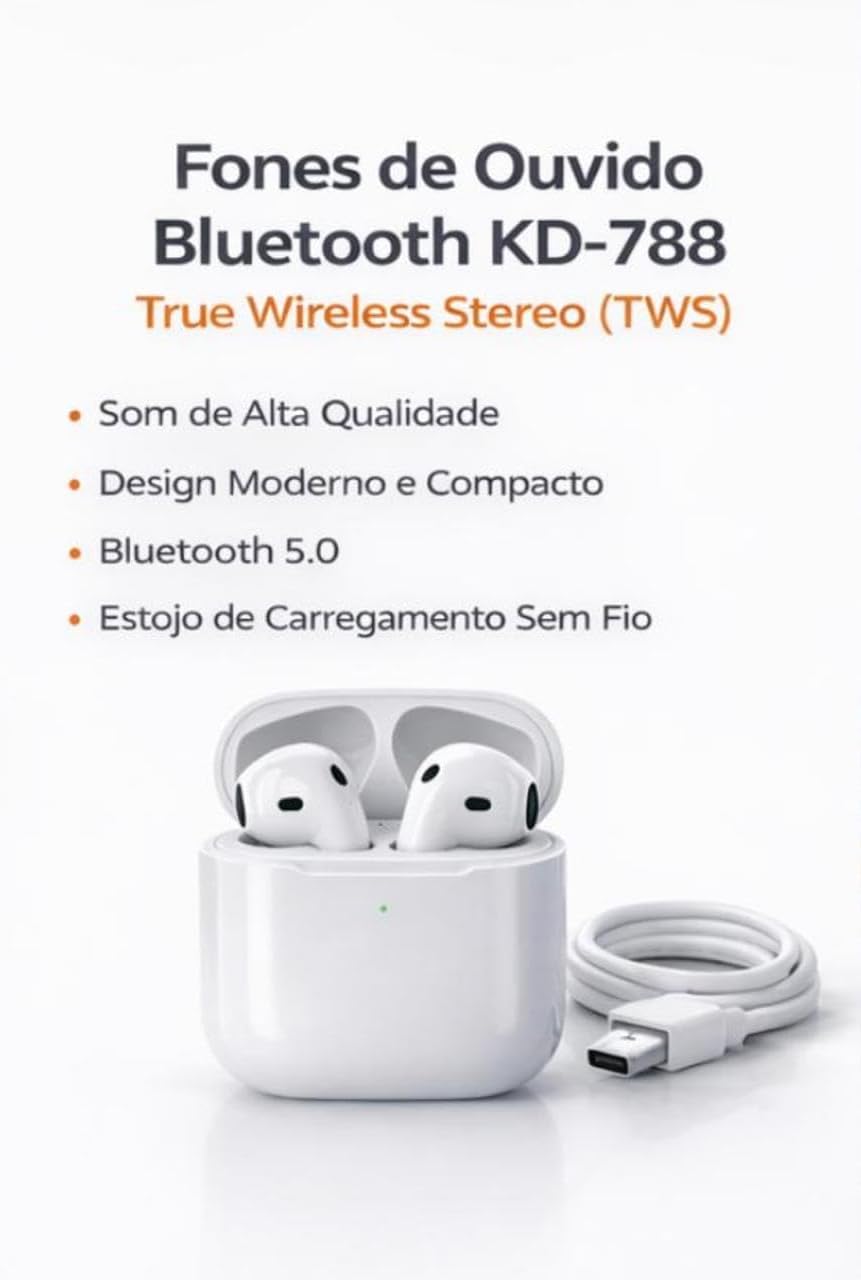
Image: Kaidi KD-788 True Wireless Stereo (TWS) Earbuds with charging case and USB cable. This image highlights the product's high sound quality, modern and compact design, Bluetooth 5.0, and wireless charging case.
Setup
1. Charging the Earbuds and Case
Before first use, fully charge the earbuds and the charging case. Connect the provided USB cable to the charging case and a power source. The indicator light on the case will show the charging status.
2. Pairing with Your Device
- Ensure the earbuds are charged and placed inside the charging case.
- Open the charging case lid. The earbuds will automatically enter pairing mode, indicated by a flashing light (usually blue or white) on one or both earbuds.
- On your smartphone, tablet, or laptop, go to the Bluetooth settings.
- Search for available devices and select "KD-788" (or similar name) from the list.
- Once connected, a voice prompt will confirm successful pairing, and the indicator lights on the earbuds will turn off or flash slowly.
The earbuds will automatically reconnect to the last paired device when removed from the case, if Bluetooth is enabled on the device.

Image: Kaidi KD-788 Earbuds showcasing Bluetooth 5.0 technology. This image highlights fast and stable connection, low power consumption, and compatibility with iOS and Android devices.
Operating Instructions
Power On/Off
- Power On: Open the charging case lid, or long-press the touch area on both earbuds for 3 seconds.
- Power Off: Place the earbuds back into the charging case and close the lid, or long-press the touch area on both earbuds for 5 seconds.
Music Playback
- Play/Pause: Single tap either earbud.
- Next Track: Double tap the right earbud.
- Previous Track: Double tap the left earbud.
Call Management
- Answer/End Call: Single tap either earbud.
- Reject Call: Long-press either earbud for 2 seconds.
Voice Assistant
- Activate Voice Assistant: Triple tap either earbud.

Image: Kaidi KD-788 Earbuds highlighting superior sound quality. Features include crisp and immersive stereo sound, powerful drivers for impactful bass, and a built-in microphone for hands-free calls.
Maintenance
- Cleaning: Use a soft, dry, lint-free cloth to clean the earbuds and charging case. Do not use harsh chemicals or abrasive materials.
- Water Resistance: The earbuds are IPX4 water resistant, meaning they can withstand splashes of water. Do not submerge them in water or expose them to heavy rain. Ensure they are dry before placing them back in the charging case.
- Storage: Store the earbuds in their charging case when not in use to protect them and keep them charged. Avoid extreme temperatures.
- Battery Care: To prolong battery life, avoid fully discharging the earbuds and charging case frequently. Charge them regularly, even if not in constant use.
Troubleshooting
Earbuds not pairing or connecting
- Ensure both earbuds are charged.
- Turn off and on your device's Bluetooth.
- Forget/delete "KD-788" from your device's Bluetooth list and try pairing again.
- Place earbuds back in the case, close the lid, wait a few seconds, then open to re-initiate pairing mode.
Only one earbud is working
- Ensure both earbuds are charged.
- Place both earbuds back into the charging case, close the lid, and then open it again. This often re-syncs them.
- Try resetting the earbuds (refer to specific reset instructions if available in the full product manual, or try forgetting the device and re-pairing).
Low sound quality or no sound
- Check the volume level on both your device and the earbuds.
- Ensure the earbuds are clean and free of debris that might block the sound.
- Move closer to your connected device to avoid interference or being out of range.
Charging issues
- Ensure the charging cable is securely connected to both the case and the power source.
- Try a different charging cable or power adapter.
- Clean the charging contacts on the earbuds and inside the case with a dry cotton swab.
Specifications
| Brand | Kaidi |
| Model Name | KD-788 |
| Color | White |
| Ear Placement | In-ear |
| Connectivity Technology | Bluetooth |
| Wireless Communication Technology | Bluetooth |
| Bluetooth Range | Up to 10 Meters (without barriers) |
| Control Method | Touch |
| Battery Life | Up to 4 Hours (continuous music) |
| Water Resistance Level | Water Resistant (IPX4) |
| Special Features | True Wireless Stereo (TWS) Technology, Smart Touch Control |
| Compatible Devices | Mobile Phones, Tablets, Laptops |
| Included Components | Charger |
| Item Weight | 55 Grams |
| Unit Count | 1 Pair |
Warranty Information
This product comes with a 30-day warranty from the date of purchase, covering manufacturing defects. Please retain your proof of purchase for warranty claims. The warranty does not cover damage caused by misuse, accidents, unauthorized modifications, or normal wear and tear.
Support
For further assistance, technical support, or warranty inquiries, please contact your retailer or the point of purchase. Please have your product model number (KD-788) and proof of purchase ready when contacting support.
Product Videos
Kaidi TWS Earbuds Overview
Video: A brief overview of the Kaidi TWS Bluetooth Earbuds, demonstrating their design and features. This video is provided by the seller BBGC COMERCIO E VENDAS.
KD-788 Earbuds Demonstration
Video: A demonstration of the Kaidi KD-788 earbuds, showcasing their physical aspects and how they fit. This video is provided by the seller LUMEO PLACE STORE.