
SQUATZ SQWPVH15WH
Squatz 2-in-1 Walking Pad Treadmill with Handlebar & Vibration Plates User Manual
Model: SQWPVH15WH
Important Safety Instructions
Read all instructions carefully before using this appliance. Keep this manual for future reference.
- Always place the treadmill on a flat, stable surface.
- Ensure adequate clear space around the treadmill (at least 2 meters behind and 0.6 meters on each side).
- Keep children and pets away from the treadmill during operation.
- Do not operate the treadmill if it has a damaged cord or plug, or if it is not working properly.
- Wear appropriate athletic footwear. Do not use the treadmill barefoot or in socks.
- The maximum user weight capacity is 119.75 kg (264 lbs). Do not exceed this limit.
- Consult a physician before starting any exercise program.
- Unplug the treadmill from the power outlet when not in use or before cleaning.
Product Overview
The Squatz 2-in-1 Walking Pad Treadmill with Handlebar & Vibration Plates is designed for versatile home or office fitness. It functions as both a walking pad and a vibration plate, offering options for walking, balance training, and light recovery. This model includes a foldable handlebar for stability and a device holder for convenience.
Included Components:
- Squatz Walking Pad Treadmill
- Remote Controller
- Power Cable (US / Canada Plug)
- L Spanner
- Silicone Oil
Setup Instructions
The Squatz 2-in-1 Walking Pad Treadmill arrives fully assembled, requiring minimal setup before first use.
- Unpacking: Carefully remove the treadmill from its packaging.
- Placement: Place the treadmill on a firm, level surface. Ensure there is sufficient space around the unit for safe operation.
- Handlebar Setup: If using the handlebar, unfold it into the upright position until it locks securely. The device holder can be attached to the handlebar.
- Power Connection: Connect the power cable to the treadmill and then plug it into a grounded electrical outlet.
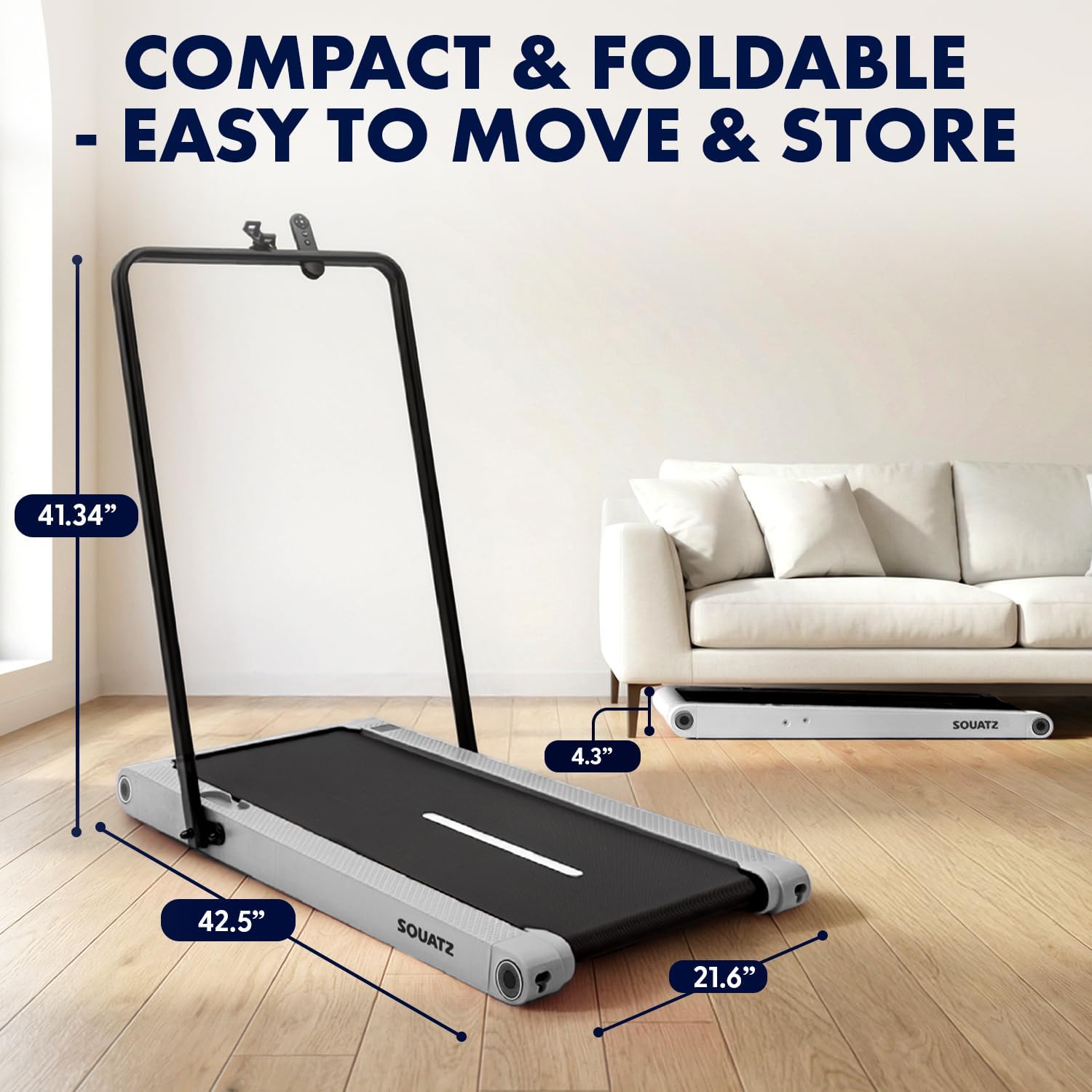
Image: The treadmill shown with its dimensions (42.5 inches length, 21.6 inches width, 4.3 inches height when flat, 41.34 inches height with handlebar up) and its compact storage capability under a sofa.
Operating Instructions
Powering On/Off
- To power on, plug in the treadmill and press the power button on the remote control or the unit.
- To power off, press the power button again. Always unplug the unit when not in use.
Operating Modes

Image: Visual representation of the three primary operating modes: Walking Mode (0.5 MPH min. speed), Running Mode (3.7 MPH max. speed), and Vibration Mode (4 mode adjustable). A person is shown walking on the pad at a standing desk, another running with the handlebar, and a third performing squats on the pad in vibration mode.
- Walking Mode: Ideal for light activity, with a minimum speed of 0.5 MPH.
- Running Mode: For more intense workouts, reaching a maximum speed of 3.7 MPH.
- Vibration Mode: Activates built-in vibration plates for muscle activation, balance training, or recovery.
Vibration Training
The treadmill features integrated vibration plates with 4 adjustable modes.

Image: Four examples of vibration fitness: Gentle Vibration (person sitting), Moderate Vibration (person squatting), Strong Vibration (person standing with phone), and Intense Vibration (person standing with hands on hips). Red glowing areas indicate vibration.
- Use the remote control to select between Gentle, Moderate, Strong, and Intense vibration levels.
- Vibration training can be used independently or in conjunction with walking.
Controls and Display
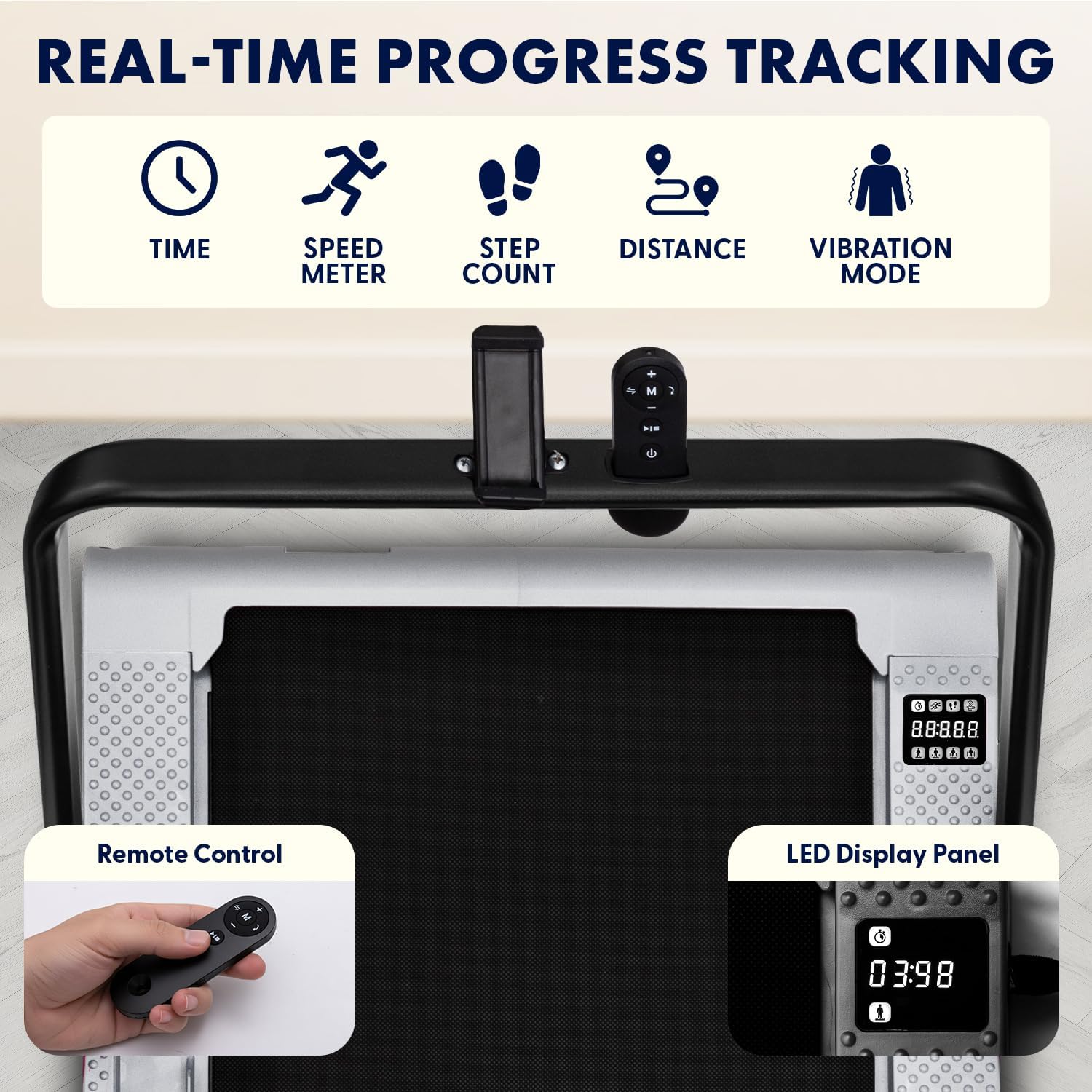
Image: Close-up of the treadmill's LED display panel showing time, speed, step count, distance, and vibration mode indicators. A remote control is also shown, featuring power, speed adjustment, and mode selection buttons.
- LED Display Panel: Tracks real-time data including time, calories burned, speed, and distance.
- Remote Control: Use the remote to power on/off, adjust speed, select operating modes, and choose from 12 preset programs.
- Preset Programs: The treadmill offers 12 pre-programmed workouts for varied training sessions. Refer to the remote control instructions for program selection.
Bluetooth and App Integration
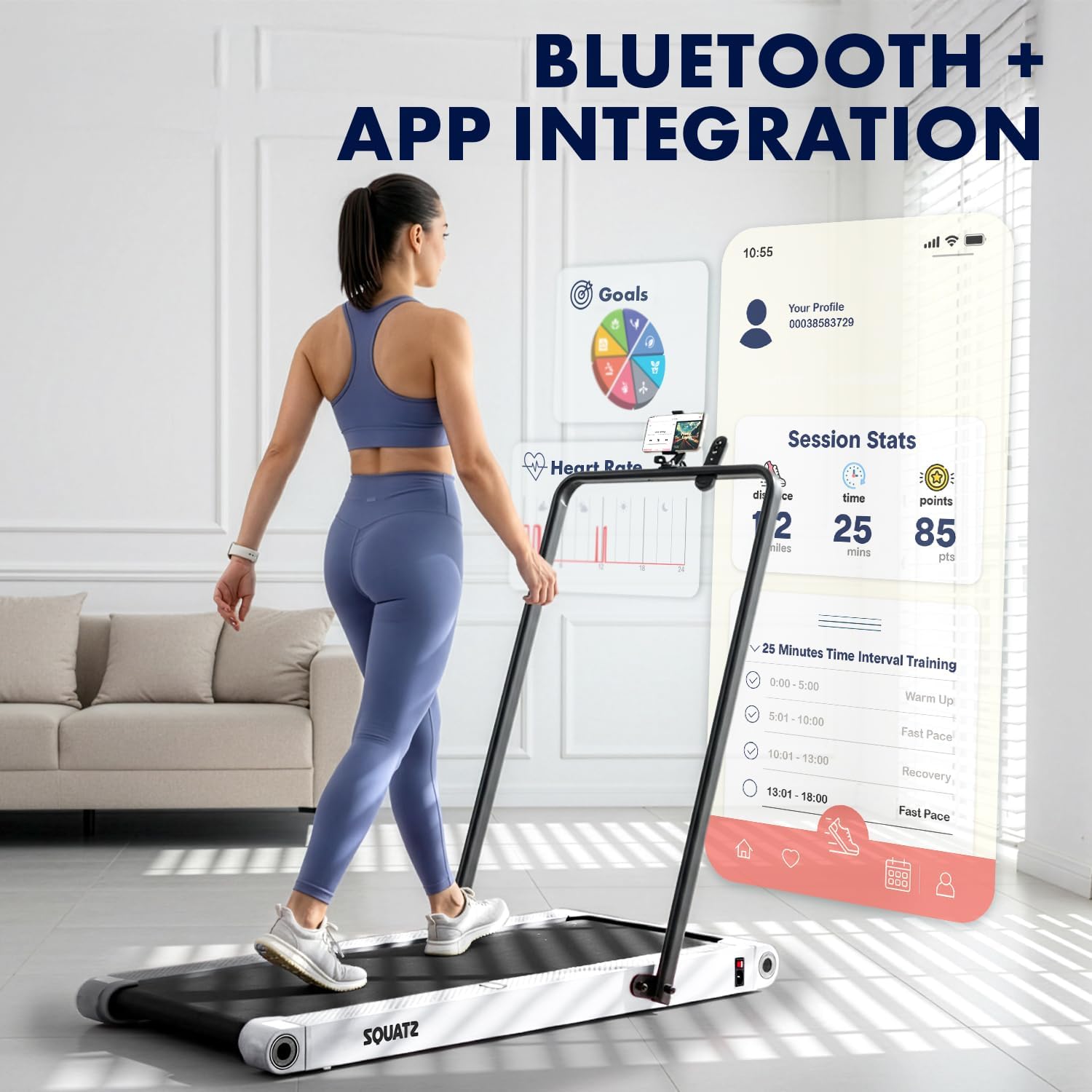
Image: A person walking on the treadmill while looking at a smartphone displaying a fitness app interface. The app shows session statistics like distance, time, and points, along with workout goals and interval training options.
- The treadmill supports Bluetooth connectivity for integration with a compatible fitness app.
- Download the official Squatz fitness app (if available) to track progress, set goals, and access additional workout features.
- Follow the app's instructions for pairing your device with the treadmill.
Maintenance
Regular maintenance ensures the longevity and optimal performance of your treadmill.
Cleaning
- Always unplug the treadmill before cleaning.
- Wipe down the display and exterior surfaces with a soft, damp cloth. Avoid abrasive cleaners.
- Periodically vacuum under the treadmill to remove dust and debris.
Belt Lubrication
- The running belt requires periodic lubrication with the provided silicone oil to reduce friction and extend belt life.
- Refer to the specific instructions included with the silicone oil for application frequency and method. Generally, apply a small amount under the belt every few months, depending on usage.
Troubleshooting
If you encounter issues with your treadmill, refer to the following common problems and solutions:
| Problem | Possible Cause | Solution |
|---|---|---|
| Treadmill does not power on | Power cable not connected; Outlet issue; Power button not pressed | Ensure power cable is securely plugged into treadmill and a working outlet. Press the power button on the unit or remote. |
| Belt stops or slips during use | Belt requires lubrication; Belt tension is incorrect; Overload | Apply silicone oil to the belt. Check belt tension (refer to maintenance section). Ensure user weight does not exceed maximum capacity. |
| Remote control not working | Low battery; Obstruction; Not paired | Replace remote control battery. Ensure no obstructions between remote and treadmill. Re-pair remote if necessary (refer to remote instructions). |
| Unusual noise from motor | Debris under belt; Motor issue | Unplug and carefully check for debris under the belt. If noise persists, contact customer support. |
If the problem persists after attempting these solutions, please contact Squatz customer support.
Specifications

Image: Cutaway view of the treadmill highlighting the 1.0 HP motor, shock absorber, and indicating a speed range of 0.5-3.7 MPH.

Image: Close-up of the treadmill's anti-slip, multi-layer running belt, showing its dimensions (39.3 inches length, 15 inches width) and indicating support for up to 264 lbs.
| Feature | Detail |
|---|---|
| Model Number | SQWPVH15WH |
| Product Dimensions (L x W x H) | 108D x 54.9W x 105H Centimetres (with handlebar up) |
| Item Weight | 14 kg |
| Material | Polypropylene (PP), Powder Coated Steel |
| Motor Horsepower | 1.0 HP (Brushless) |
| Speed Range | 0.5 - 3.7 Miles per Hour |
| Maximum Weight Recommendation | 119.75 kg (264 lbs) |
| Noise Level | ≤45 dB |
| Running Belt Dimensions | 39.3" x 14.9" |
| Vibration Plates | Integrated, 4 adjustable modes |
| Display | LED (Time, Calories, Speed, Distance) |
| Control | Remote Control |
| Assembly Required | No (Arrives fully assembled) |
| UPC | 842893184166 |
Warranty and Support
Warranty Information
This Squatz Walking Pad Treadmill comes with a 1 Year Warranty from the date of purchase. This warranty covers manufacturing defects under normal use. It does not cover damage caused by misuse, accident, unauthorized modification, or improper maintenance.
Customer Support
For technical assistance, warranty claims, or any questions regarding your Squatz product, please contact our customer support team. Have your model number (SQWPVH15WH) and proof of purchase ready when contacting support.
Contact Information: Please refer to the contact details provided on the Squatz official website or your purchase documentation for the most up-to-date support channels.
Related documentsSQWPVH15WH

Ask a question about this manual
Ask about setup, troubleshooting, compatibility, parts, safety, or missing instructions. Manuals+ will review the question and use this page’s manual context to help answer it.