
Introduction
The Audioengine S6 Mini Subwoofer is a compact, powered bass speaker designed to enhance audio systems for music, movies, gaming, and home office setups. This manual provides essential information for the proper setup, operation, and maintenance of your S6 subwoofer.
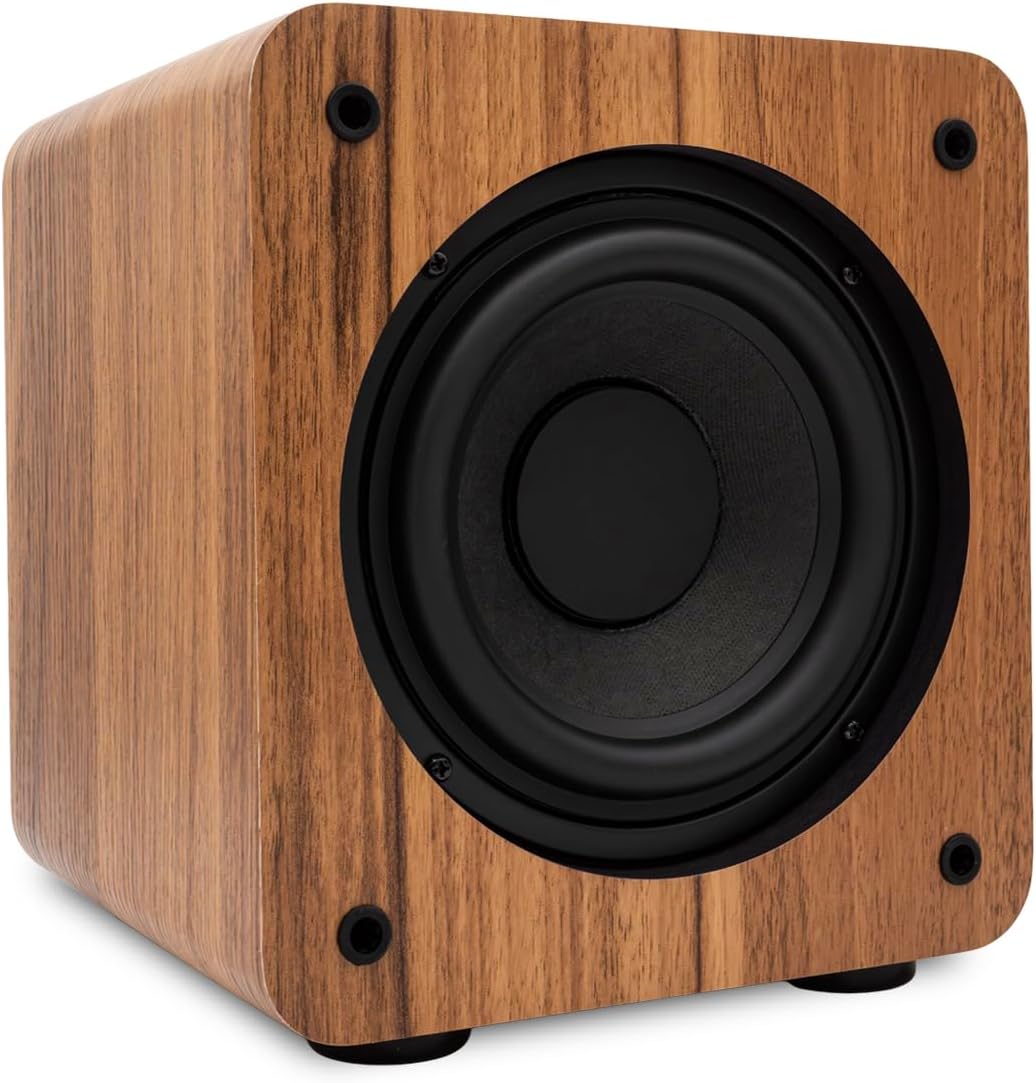
Front view of the Audioengine S6 Mini Subwoofer in Walnut Matte finish.
What's in the Box
Verify that all items are present in the packaging:
- Audioengine S6 Mini Subwoofer
- Power Cable
- Warranty Card
Setup
Follow these steps to set up your Audioengine S6 Mini Subwoofer.
1. Placement
Position the subwoofer in your listening area. Experiment with different locations to find the best bass response for your room. The S6 is designed to be compact and can fit into various home theater or desktop setups.

The S6 Mini Subwoofer integrated into a desktop audio setup with Audioengine A2+ speakers.
2. Connections
The S6 subwoofer offers Auxiliary and RCA input options.
- RCA Input: Connect your audio source (e.g., stereo receiver, preamplifier) to the RCA L/R inputs on the back panel using an RCA cable.
- Auxiliary Input: For devices with a 3.5mm output, use a 3.5mm to RCA adapter cable (not included) to connect to the RCA inputs, or a 3.5mm to 3.5mm cable (not included) to the 3.5mm input if available.
Ensure all connections are secure before powering on the unit.
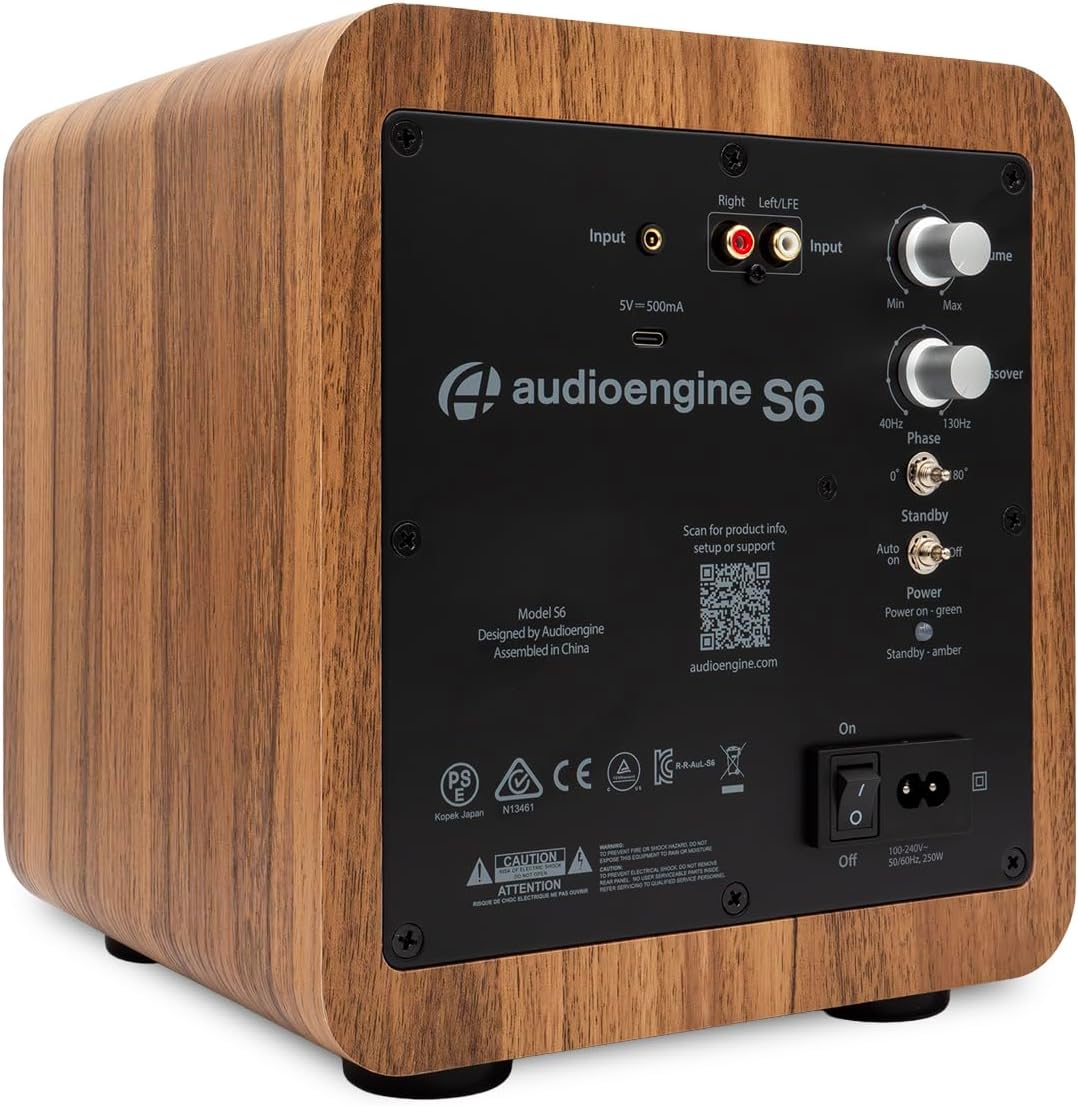
Rear panel of the S6 Mini Subwoofer, highlighting the input connections and control knobs.
3. Power Connection
Connect the provided power cable to the power inlet on the rear panel of the subwoofer and then to a wall outlet.
Operating Instructions
Familiarize yourself with the controls on the rear panel for optimal performance.
Controls Overview
- Volume (Min/Max): Adjusts the overall output level of the subwoofer. Start with a low setting and gradually increase.
- Crossover (40Hz-130Hz): This knob sets the upper frequency limit for the subwoofer. Frequencies above this setting will be sent to your main speakers. Adjust this to blend the subwoofer seamlessly with your main speakers. A common starting point is around 80Hz.
- Phase (0°/180°): Adjusts the phase of the subwoofer output relative to your main speakers. Experiment with both settings to achieve the most coherent bass response.
- Standby (Auto/On/Off):
- Auto: The subwoofer will automatically enter standby mode when no audio signal is detected and power on when a signal is present.
- On: The subwoofer remains powered on continuously.
- Off: Powers off the subwoofer.
- Power Switch (On/Off): The main power switch for the unit.

Detailed view of the S6 Mini Subwoofer's rear panel controls.
For wireless connectivity, the S6 is compatible with the Audioengine W3 wireless adapter (sold separately). Refer to the W3 adapter's manual for setup instructions.
Maintenance
To ensure the longevity and optimal performance of your Audioengine S6 Mini Subwoofer, follow these maintenance guidelines:
- Cleaning: Use a soft, dry cloth to clean the exterior surfaces. Avoid abrasive cleaners, solvents, or sprays directly on the unit.
- Placement: Keep the subwoofer away from direct sunlight, heat sources, and excessive moisture. Ensure adequate ventilation around the unit.
- Handling: Handle the subwoofer with care. Avoid dropping or subjecting it to strong impacts.
- Power: Disconnect the power cable from the wall outlet if the unit will not be used for an extended period.
Troubleshooting
If you encounter issues with your S6 Mini Subwoofer, refer to the following common problems and solutions:
| Problem | Possible Cause / Solution |
|---|---|
| No sound from subwoofer |
|
| Distorted or unclear bass |
|
| Subwoofer does not wake from standby (Auto mode) |
|
Specifications
Detailed technical specifications for the Audioengine S6 Mini Subwoofer:
| Feature | Detail |
|---|---|
| Brand | Audioengine |
| Model Name | S6 |
| Speaker Maximum Output Power | 210 watts |
| Frequency Response | 33 hertz |
| Connectivity Technology | Auxiliary, RCA |
| Audio Output Mode | Mono |
| Mounting Type | Floor Standing |
| Enclosure Material | Metal |
| Speaker Type | Subwoofer |
| Subwoofer Diameter | 6 inches |
| Color (Current Model) | Walnut |
| Control Method | Touch (referring to knobs/switches) |
| Woofer Diameter | 6 centimeters |
| Specific Uses For Product | Gaming, Home Theatre, Pro Audio |
| Number of Audio Channels | 2 |
| Impedance | 10000 ohm |
| Signal-to-Noise Ratio | 95 dB |
| Compatible Devices | Desktop, Home Theater, Stereo Receivers |
| Power Source | Corded Electric |
| Audio Driver Type | Dynamic Driver |
| Audio Driver Size | 6 inches |
| Input Voltage | 110 volts |
| Item Dimensions (D x W x H) | 9.92"D x 8.74"W x 9.96"H |
| Item Weight | 15.4 pounds |
| Subwoofer Connectivity Technology | Wired |
Warranty Information
The Audioengine S6 Mini Subwoofer comes with a 3-Year Limited Warranty. This warranty covers manufacturing defects and workmanship under normal use. Please retain your proof of purchase for warranty claims. For full warranty terms and conditions, refer to the warranty card included with your product or visit the official Audioengine website.
Support
For additional product information, setup assistance, or technical support, please visit the official Audioengine website or contact their customer service.
- Official Website: audioengine.com
- Audioengine Store on Amazon: Visit the Audioengine Store
Audioengine is a veteran-owned company with engineering, design, and phone support based in the USA.