
Introduction
This manual provides essential information for setting up, operating, maintaining, and troubleshooting your iBUYPOWER Element Gaming PC, model EBI7N5704. This high-performance desktop computer is designed for gaming, content creation, and everyday use, featuring an Intel Core i7 14700F CPU, NVIDIA GeForce RTX 5070 12GB GPU, 32GB DDR5 RAM, and a 1TB NVMe SSD. Please read this manual thoroughly before using your new system.

Image: The iBUYPOWER Element Gaming PC EBI7N5704, showcasing its core specifications including the Intel Core i7 processor, NVIDIA GeForce RTX 5070 graphics card, 32GB DDR5 RAM, and 1TB NVMe SSD.
What's Included
Carefully unpack your iBUYPOWER Element Gaming PC and ensure all items listed below are present. If any items are missing or damaged, contact iBUYPOWER support immediately.
- iBUYPOWER Element Gaming PC Desktop
- iBUYPOWER Gaming Keyboard
- iBUYPOWER RGB Gaming Mouse
- Power Cable
- Extra SATA Cables
- Wi-Fi Antenna
- User Manuals and Documentation

Image: A visual representation of the items included in the iBUYPOWER Element Gaming PC package, featuring the desktop computer, gaming keyboard, gaming mouse, and accompanying accessories.
Video: This video guides you through the unboxing process of the iBUYPOWER Element Gaming PC, showing all included components.
Setup
- Placement: Place the PC on a stable, flat surface with adequate ventilation. Ensure there is enough space around the case for airflow.
- Connect Peripherals:
- Connect your monitor(s) to the graphics card (NVIDIA GeForce RTX 5070) ports (HDMI or DisplayPort).
- Connect the iBUYPOWER Gaming Keyboard and Mouse to available USB ports.
- Attach the Wi-Fi antenna to the designated ports on the rear of the PC for wireless connectivity.
- Power Connection: Connect the power cable to the PC's power supply unit (PSU) and then to a grounded electrical outlet.
- Network Connection (Optional): For a wired internet connection, connect an Ethernet cable from your router/modem to the RJ-45 network port on the PC.
- Initial Power On: Press the power button located on the top corner of the PC case. The system will boot into Windows 11 Home. Follow the on-screen instructions for initial setup.

Image: A close-up view of the convenient front I/O ports on the iBUYPOWER Element Gaming PC, providing easy access for USB devices and audio connections.
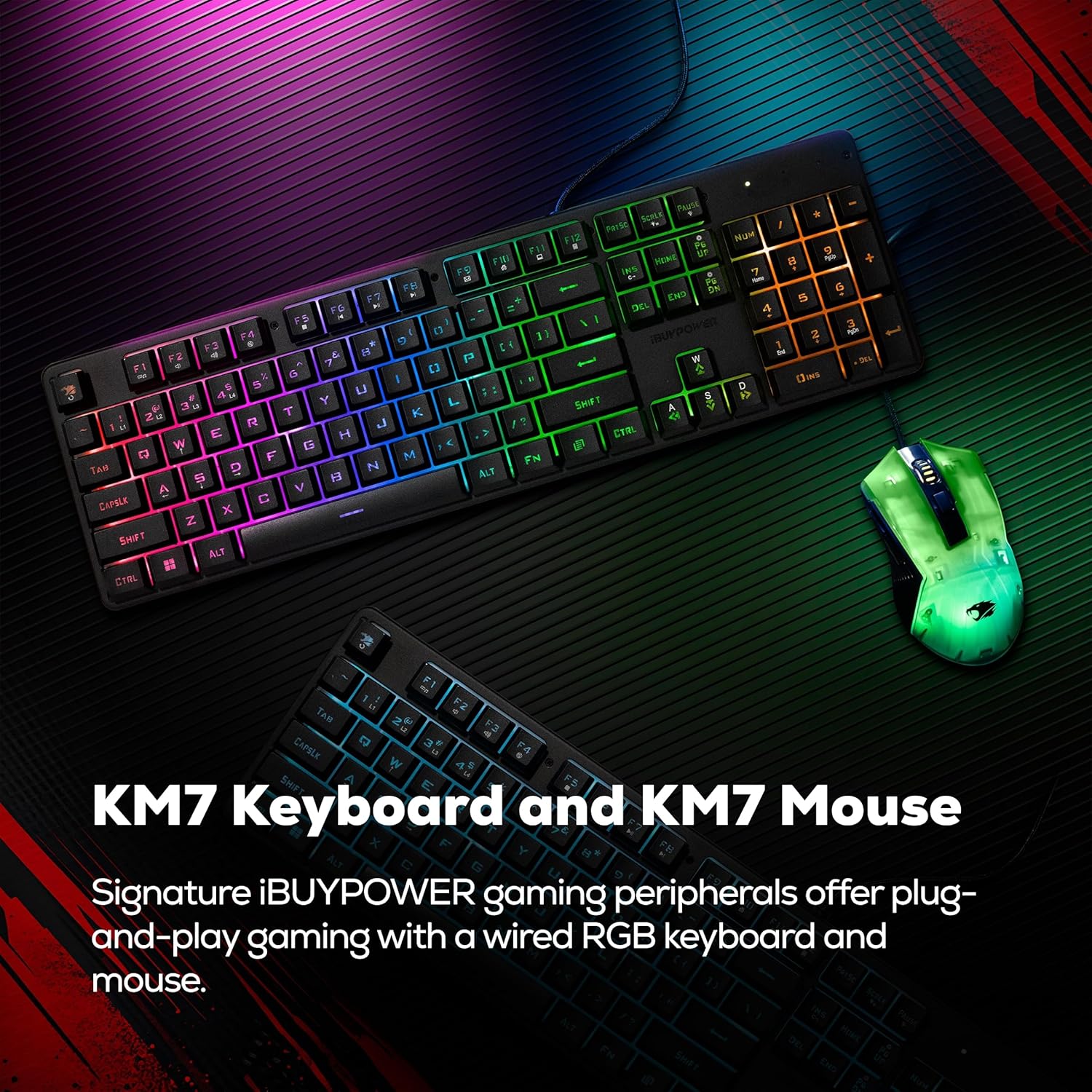
Image: The included iBUYPOWER KM7 RGB Gaming Keyboard and Mouse, ready for plug-and-play gaming.
Operating Your PC
Windows 11 Home
Your iBUYPOWER Element Gaming PC comes pre-installed with Windows 11 Home. Upon first boot, you will be guided through the Windows setup process, including creating a user account and connecting to a network. Windows 11 offers a refreshed interface and features optimized for gaming and productivity.

Image: A computer screen displaying the Windows 11 logo, illustrating the pre-installed operating system.
RGB Lighting Control
The PC case features customizable RGB lighting, including the corner power button and internal fans. Specific software or motherboard utilities may be pre-installed or available for download from the iBUYPOWER website to control and synchronize the RGB effects. Refer to the software documentation for detailed instructions on customizing your lighting.

Image: The iBUYPOWER Element Gaming PC case illuminated with vibrant RGB accent lighting, highlighting its aesthetic features.

Image: A close-up view of the unique RGB power button located on the corner of the iBUYPOWER Element Gaming PC case.
Video: This video showcases the iBUYPOWER Element 9 Gaming PC case, highlighting its design and RGB lighting features.
Maintenance
Regular maintenance helps ensure the longevity and optimal performance of your iBUYPOWER Element Gaming PC.
Cleaning
- Exterior: Use a soft, damp cloth to wipe down the exterior surfaces. Avoid harsh chemicals.
- Dust Filters: Periodically clean the dust filters (if present) to maintain optimal airflow.
- Internal Components: With the PC powered off and unplugged, use compressed air to gently remove dust from fans, heatsinks, and other internal components. Perform this in a well-ventilated area.
Software Updates
- Windows Updates: Regularly check for and install Windows updates to ensure system stability and security.
- Driver Updates: Keep your graphics card drivers (NVIDIA GeForce RTX 5070) and other component drivers updated for best performance and compatibility. Visit the NVIDIA website and your motherboard manufacturer's website for the latest drivers.
Troubleshooting
This section addresses common issues you might encounter with your PC.
No Power
- Ensure the power cable is securely connected to both the PC and the wall outlet.
- Verify the power switch on the PSU (located at the back of the PC) is in the 'ON' position.
- Test the outlet with another device to confirm it has power.
No Display on Monitor
- Check that the monitor is powered on and the video cable is securely connected to the graphics card ports (not the motherboard ports).
- Ensure the correct input source is selected on your monitor.
- Try connecting the monitor to a different video output port on the graphics card.
System Freezes or Crashes
- Ensure all drivers, especially graphics drivers, are up to date.
- Check for adequate ventilation to prevent overheating.
- Run a system diagnostic tool (available in Windows) to check for hardware issues.
Peripherals Not Responding
- Try connecting the keyboard or mouse to a different USB port.
- Restart the PC.
- Ensure the peripherals are properly connected and not damaged.
Specifications
Detailed technical specifications for the iBUYPOWER Element Gaming PC EBI7N5704.
| Component | Specification |
|---|---|
| Brand | iBUYPOWER |
| Model Number | EBI7N5704 |
| Operating System | Windows 11 Home |
| CPU Model | Intel Core i7 14700F |
| CPU Speed | 2.1 GHz (up to 5.4 GHz Max) |
| Graphics Card | NVIDIA GeForce RTX 5070 12GB GDDR7 |
| RAM Memory | 32GB DDR5 4800MHz (16GB x 2) |
| Storage | 1TB NVMe SSD |
| Connectivity | Wi-Fi (802.11AC), Bluetooth, Ethernet (10/100/1000) |
| USB Ports | 6 x USB 3.1, 3 x USB 2.0 (Total 9) |
| Video Output | HDMI, DisplayPort |
| Audio | On board audio |
| Cooling Method | Air (Tower Air Cooler) |
| Case Design | Tempered Glass RGB Gaming Case |
| Dimensions (L x W x H) | 17.4 x 9.1 x 20 inches (442 x 230 x 507 mm) |
| Item Weight | 36 Pounds |

Image: A diagram illustrating the physical dimensions of the iBUYPOWER Element Gaming PC case in both inches and millimeters.
Warranty & Support
Warranty Information
Your iBUYPOWER Element Gaming PC EBI7N5704 is covered by a 1-Year Manufacturer Warranty. This warranty covers defects in materials and workmanship under normal use. For specific terms and conditions, please refer to the warranty documentation included with your product or visit the official iBUYPOWER website.
Customer Support
If you encounter any issues not covered in the troubleshooting section or require further assistance, please contact iBUYPOWER customer support:
- Website: Visit the official iBUYPOWER support website for FAQs, driver downloads, and contact options.
- Phone: Refer to your product packaging or the iBUYPOWER website for the latest customer service phone numbers.
- When contacting support, please have your PC's model number (EBI7N5704) and serial number ready.


