
1. Introduction
Thank you for choosing the Sweetcrispy Electric Standing Desk. This manual provides essential information for the safe assembly, operation, and maintenance of your new adjustable height desk. Please read these instructions carefully before use and retain them for future reference.

Image: Sweetcrispy Electric Standing Desk in a modern office setting, showcasing its spacious white desktop and minimalist design.
2. Safety Information
- Ensure all components are securely fastened before use.
- Keep children and pets away from the desk during height adjustments.
- Do not overload the desk. The maximum weight capacity is 176 pounds (80 kg).
- Ensure there are no obstructions in the desk's path during upward or downward movement.
- Avoid placing liquids directly on the control panel or near electrical components.
- If any unusual noise or movement occurs, discontinue use and contact customer support.
3. Package Contents
Verify that all parts are present before beginning assembly. If any parts are missing or damaged, please contact Sweetcrispy customer support.

Image: Overview of all included accessories and components for the Sweetcrispy Electric Standing Desk, indicating easy installation.
Typical package contents include:
- Desktop surface (63x24 inch, splice wood board)
- Desk legs and metal frame
- Electric motor and control panel
- Wire collector
- Dual hooks
- Assembly hardware (screws, bolts)
- Basic assembly tools
4. Assembly Instructions
Assembly typically takes around 30 minutes with the provided tool-free design. Follow these steps for a successful setup:
- Attach Legs to Metal Frame: Securely attach the desk legs to the main metal frame using the provided hardware and tools.
- Connect Wire Collector and Dual Hooks: Install the wire collector for cable management and attach the dual hooks to the side of the desk frame for convenience.
- Place Wood Top Desk Surface: Carefully place the wood top desk surface onto the assembled frame. Ensure it is aligned correctly and secured.
- Connect Control Panel and Power: Connect the control panel to the motor and then plug the desk into a power outlet.
- Adjust Height and Set Memory Presets: Once powered, you can adjust the height using the electric motor and program your preferred sitting and standing heights into the memory presets.

Image: Product dimensions and key features such as wire holes, sturdy hooks, and splicing boards for the Sweetcrispy Electric Standing Desk.
5. Operating Instructions
5.1. Electric Height Adjustment
The desk features an electric motor for smooth height adjustments, ranging from 28.7 inches (sitting height) to 46.5 inches (standing height). Use the Up (▲) and Down (▼) buttons on the control panel to manually adjust the desk to your desired height.

Image: Illustration of the desk's wide height range, showing a user comfortably sitting at the minimum height and another standing at the maximum height.
5.2. Control Panel and Memory Presets
The advanced control panel includes an LED display, Up/Down buttons, and three memory preset buttons (1, 2, 3) to save your preferred heights.
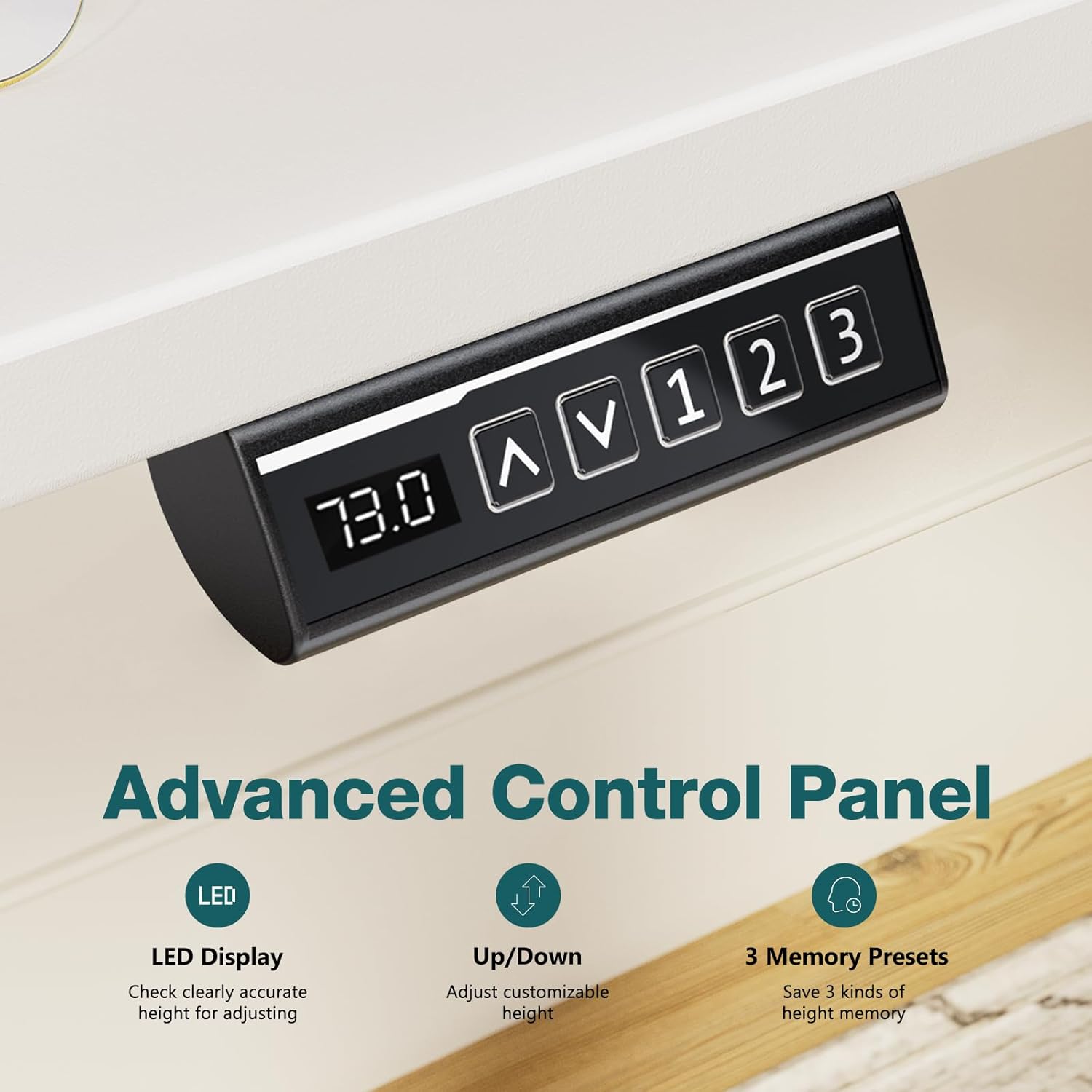
Image: Detailed view of the control panel, highlighting the LED display for accurate height, up/down controls, and three memory presets.
Setting Memory Presets:
- Adjust the desk to your desired height using the Up (▲) or Down (▼) buttons.
- Press the 'S' (Save) button. The LED display will flash.
- Immediately press one of the memory preset buttons (1, 2, or 3) to save the current height. The height is now stored.
Recalling Memory Presets:
- Simply press the desired memory preset button (1, 2, or 3). The desk will automatically move to the saved height.
Video: Demonstration of the Sweetcrispy Electric Standing Desk's height adjustment and memory preset functionality by 'Only the Good Stuff ✅'.
Video: 'Christy's Critiques' showcasing the smooth height adjustment and memory settings of the Sweetcrispy Electric Standing Desk.
6. Features
- Smart Electric Height Adjustment: Effortless transitions between sitting and standing with a range of 28.7" to 46.5". Includes 3 memory presets for convenience.
- Ultra-Quiet Motor: Operates at less than 50 dB, ensuring minimal disruption during adjustments.
- Spacious 63-Inch Wood Top Desk: A premium, waterproof, and scratch-resistant desktop surface provides ample space for multiple monitors and office essentials.
- Cable Management & Dual Hooks: Built-in cable management holes and two sturdy hooks help keep your workspace organized.
- Ultra-Stable Design: Engineered with industrial-grade steel framing and a reinforced T-leg design for exceptional stability, supporting up to 176 pounds.
- Anti-Collision Technology: The desk is equipped with a sensor that detects obstacles during movement and stops to prevent damage.

Image: Detail of the desk's eco-friendly tabletop and rounded edges, designed for durability and safety.

Image: View of the integrated cable management hole and a sturdy hook, ideal for organizing wires and hanging headphones.
7. Maintenance
To ensure the longevity and optimal performance of your Sweetcrispy Electric Standing Desk, follow these simple maintenance guidelines:
- Cleaning the Desktop: Wipe the desktop surface with a damp cloth to remove dust and spills. For stubborn marks, use a mild cleaning solution. Always follow with a dry cloth to prevent water spots.
- Cleaning the Frame: Use a dry cloth to wipe down the metal frame. Avoid abrasive cleaners or solvents that could damage the finish.
- Cable Management: Periodically check and organize cables to prevent tangling or interference with the desk's movement.
- Regular Inspection: Occasionally check all screws and bolts to ensure they remain tight. Retighten if necessary.
8. Troubleshooting
If you encounter any issues with your Sweetcrispy Electric Standing Desk, please refer to the following common troubleshooting steps:
- Desk Not Moving:
- Check if the power cord is securely plugged into both the desk and the wall outlet.
- Ensure there are no obstructions preventing the desk from moving.
- If the control panel displays an error code, try unplugging the desk for 10 seconds and then plugging it back in to reset the system.
- Uneven Movement or Wobbling:
- Verify that the desk is placed on a flat, level surface.
- Check that all assembly screws and bolts are tightened securely.
- Ensure the weight on the desk is evenly distributed and does not exceed the maximum capacity of 176 pounds.
- Motor Noise:
- A slight motor sound is normal during adjustment. If the noise is excessively loud or unusual, ensure no cables or objects are interfering with the motor mechanism.
If these steps do not resolve the issue, please contact Sweetcrispy customer support for further assistance.
9. Specifications
| Feature | Detail |
|---|---|
| Brand | Sweetcrispy |
| Model Number | SSNLTP63WT |
| Product Dimensions (D x W x H) | 23.6" x 63" x 46.4" |
| Desktop Size | 63" x 24" |
| Height Adjustment Range | 28.7" - 46.5" |
| Maximum Weight Capacity | 176 Pounds (80 kg) |
| Item Weight | 51 Pounds (23.1 kg) |
| Color | White |
| Material Type | Iron, Wood |
| Motor Noise Level | <50 dB |
| Special Features | Adjustable Height, Electric, Ergonomic, Scratch Resistant, Memory Presets, Anti-collision |
| Assembly Required | Yes |
10. Warranty and Support
For warranty information or technical support, please refer to the documentation included with your purchase or contact Sweetcrispy customer service directly. Keep your purchase receipt and model number (SSNLTP63WT) handy when contacting support.
You can visit the official Sweetcrispy store for more information: Sweetcrispy Store


